opomba,
Dostop do te strani zahteva pooblastilo. Poskusite se vpisati alispremeniti imenike.
Dostop do te strani zahteva pooblastilo. Poskusite lahko spremeniti imenike.
Applies to:  SQL Server
Azure SQL Database
Azure SQL Managed Instance
Azure Synapse Analytics
SQL Server
Azure SQL Database
Azure SQL Managed Instance
Azure Synapse Analytics
SQL Server Management Studio (SSMS) is an integrated environment for managing any SQL infrastructure. Use SSMS to access, configure, manage, administer, and develop platforms that use the Microsoft SQL Database Engine, including SQL Server, Azure SQL Database, SQL database in Microsoft Fabric, Azure SQL Managed Instance, SQL Server on Azure Virtual Machines, and others.
SSMS provides a single comprehensive utility that combines a broad group of graphical tools with many rich script editors to provide access to SQL Server for developers and database administrators of all skill levels. For more information, see Components and features in SQL Server Management Studio.
 Install SQL Server Management Studio
Download SQL Server Enterprise Developer or Standard Developer edition
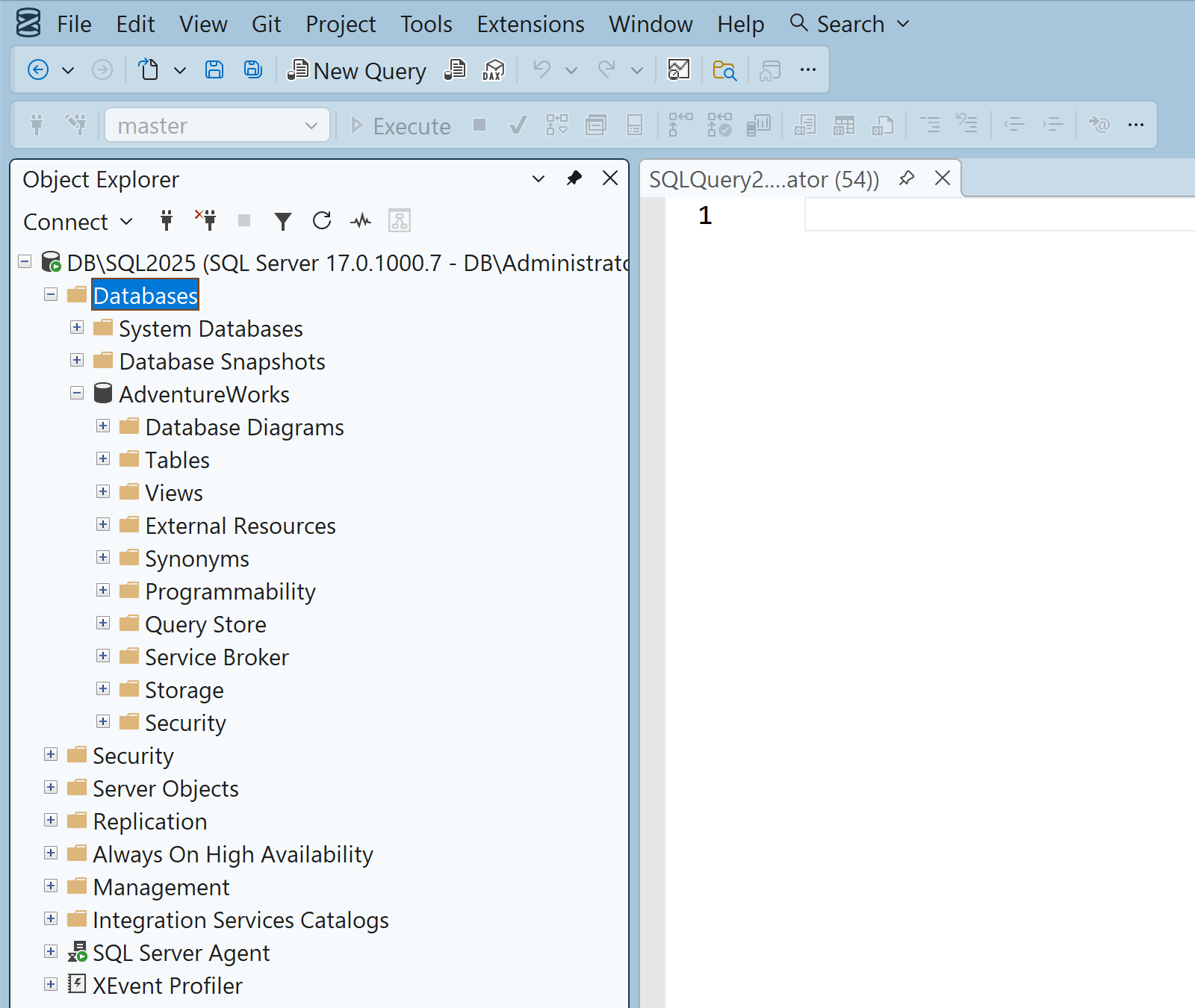
What you can do with SSMS
SSMS brings together graphical tools and rich editors to help you:
- Connect securely to SQL Server, Azure SQL, and related services. Manage objects by using Object Explorer and design tools.
- Query, script, and tune workloads by using the Query Editor, execution plans, and built-in performance tools.
- Administer business intelligence features such as Integration Services (SSIS), Analysis Services (SSAS), and Reporting Services (SSRS).
Components and features
Explore the full set of capabilities, including AI assistance, performance tools, source control, and BI administration, in Components and features in SQL Server Management Studio.
Highlights in SSMS 22
| Feature | Description | Article |
|---|---|---|
| AI assistance (Preview) | GitHub Copilot in SSMS adds chat and right-click code actions, plus model selection and BYOM. | Get started with GitHub Copilot in SQL Server Management Studio (Preview) |
| Query Hint Recommendation (Preview) | Assess queries and apply recommended hints. | Query Hint Recommendation tool (Preview) |
| Modern connection experience | Updated dialog, Fabric browsing, and improved encryption visibility. | Connect to a SQL Server instance |
For full details of the latest features, see Release notes for SQL Server Management Studio (SSMS).
Administer SSIS, SSAS, and SSRS
Use SSMS to view, configure, and administer SQL Server Integration Services (SSIS), SQL Server Analysis Services (SSAS), and SQL Server Reporting Services (SSRS) at the server level.
For development of packages, models, or reports, use SQL Server Data Tools (SSDT).
Note
Starting with SQL Server 2025 (17.x), on-premises reporting services are consolidated under Power BI Report Server. For more information, see Reporting Services consolidation FAQ.
Non-English language versions
The Visual Studio Installer selects a default language pack for SSMS that matches the language of your operating system. You can change the default language at any time. For more information, see Modify SQL Server Management Studio workloads, components, and language packs.
Support policy
The SQL Tools team follows the Microsoft Modern Lifecycle Policy.
For more information, see the original Modern Lifecycle Policy announcement and the Modern Policy FAQs.
For diagnostic data collection and feature usage information, see the SQL Server privacy supplement and diagnostic data collection.
 Get help
- Ideas for SQL: Have suggestions for improving SQL Server?
- Microsoft Q & A (SQL Server)
- DBA Stack Exchange (tag sql-server): Ask SQL Server questions
- Stack Overflow (tag sql-server): Answers to SQL development questions
- Reddit: General discussion about SQL Server
- Microsoft SQL Server License Terms and Information
- Support options for business users
- Additional SQL Server help and feedback
 Contribute to SQL documentation
Did you know that you can edit SQL content yourself? If you do so, not only do you help improve our documentation, but you also get credited as a contributor to the page.
For more information, see Edit Microsoft Learn documentation.