หมายเหตุ
การเข้าถึงหน้านี้ต้องได้รับการอนุญาต คุณสามารถลอง ลงชื่อเข้าใช้หรือเปลี่ยนไดเรกทอรีได้
การเข้าถึงหน้านี้ต้องได้รับการอนุญาต คุณสามารถลองเปลี่ยนไดเรกทอรีได้
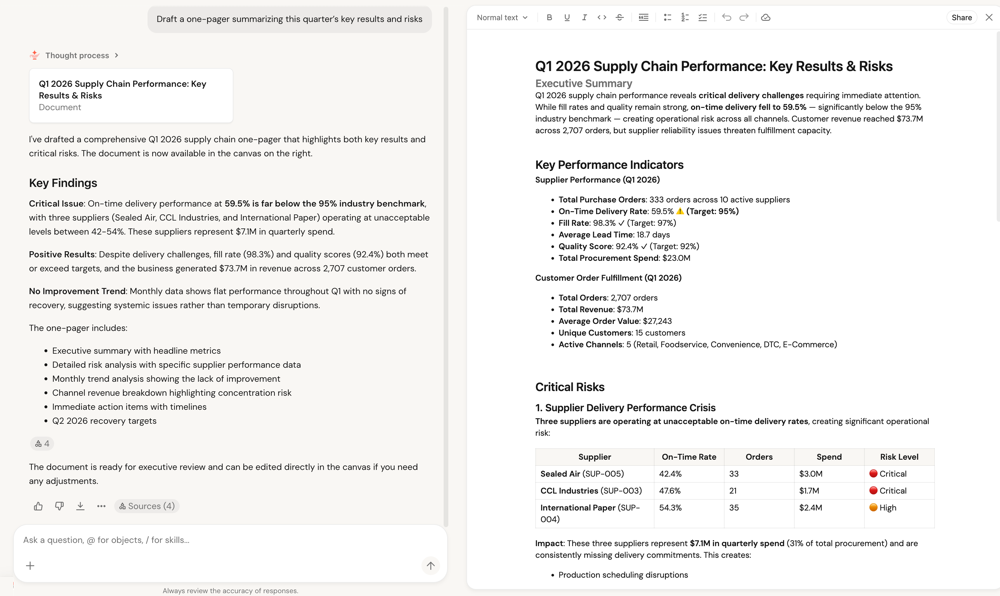
Documents in Genie One let you turn chat responses into shareable, editable documents without leaving the interface. You can ask Genie One to draft a document for you, or click Draft a document in chat. The document opens in a canvas pane alongside the conversation, where you can edit it and share it with others.
Create a document
To create a document from a chat conversation:
In a chat thread, ask Genie to draft a document. Alternatively, click Draft a document from the Genie One homepage. Genie might ask follow-up questions to help draft the document.
Tip
Tell Genie to do this for you:
Draft a one-pager summarizing this quarter's key results and risks.Genie One generates the document and opens it in a canvas pane. You can edit the content using the toolbar at the top of the pane.
Share a document
To share a document with others:
- In the document canvas pane, click Share in the upper-right corner.
- In the sharing dialog, type to search for users, groups, or service principals to add.
- To share using a link, click Copy link.