หมายเหตุ
การเข้าถึงหน้านี้ต้องได้รับการอนุญาต คุณสามารถลอง ลงชื่อเข้าใช้หรือเปลี่ยนไดเรกทอรีได้
การเข้าถึงหน้านี้ต้องได้รับการอนุญาต คุณสามารถลองเปลี่ยนไดเรกทอรีได้
This article describes how to manage your Dell PowerScale Preview resource.
Resource overview
Begin by signing in to the Azure portal.
In the Azure portal search bar, enter All resources and select All resources from the results.
From the Resources list, select your resource.
The Azure portal shows the resource with the Overview page open, by default.
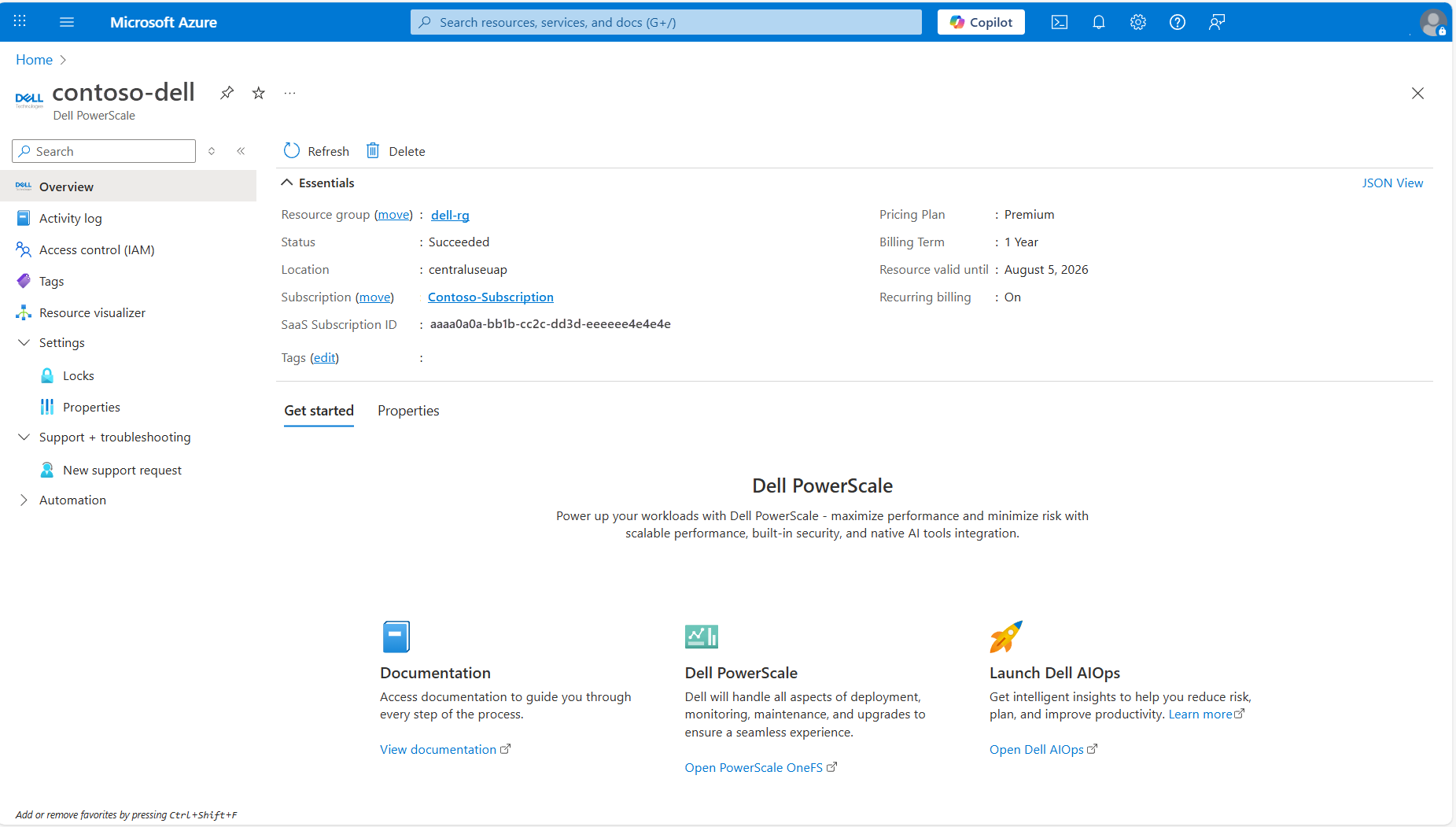
The Essentials details include:
- Resource group
- Status
- Location
- Subscription
- SaaS Subscription ID
- Tags
- Pricing Plan
- Billing Term
- Resource valid until
- Recurring billing
To manage your resource, select the links next to the corresponding details.
Below the essentials, you can navigate to other details about your resource by selecting the links.
Delete a resource
To delete a resource:
- In the menu at the top of the page for the resource, select Delete.
- In the Delete a resource pane, select Delete.
- Select Delete again to confirm deletion.
After the resource is deleted, all billing for that resource through Azure Marketplace stops.
Get support
You can request support from the Azure portal, or go to the Dell support page.
Begin by signing in to the Azure portal.
- In the Azure portal, go to the resource.
- From the service menu, select Support + troubleshooting > New Support Request. A support request appears in the working pane.
- Select the partner's link to log a support request.