หมายเหตุ
การเข้าถึงหน้านี้ต้องได้รับการอนุญาต คุณสามารถลอง ลงชื่อเข้าใช้หรือเปลี่ยนไดเรกทอรีได้
การเข้าถึงหน้านี้ต้องได้รับการอนุญาต คุณสามารถลองเปลี่ยนไดเรกทอรีได้
Genie is the Azure Databricks AI experience. It gives every user in your organization a single place to ask data questions, explore dashboards, and run apps. Every answer is grounded in your organization's data and governed through Unity Catalog.
Genie is part of a family of AI experiences built on the same governed data foundation:
- Genie: A simplified interface for business users to discover and interact with data assets.
- Genie Spaces: Domain-specific environments where data teams configure trusted data, metrics, and business rules that power Genie answers.
- Genie Code: The AI coding and data assistant for developers and technical practitioners inside the Azure Databricks workspace.
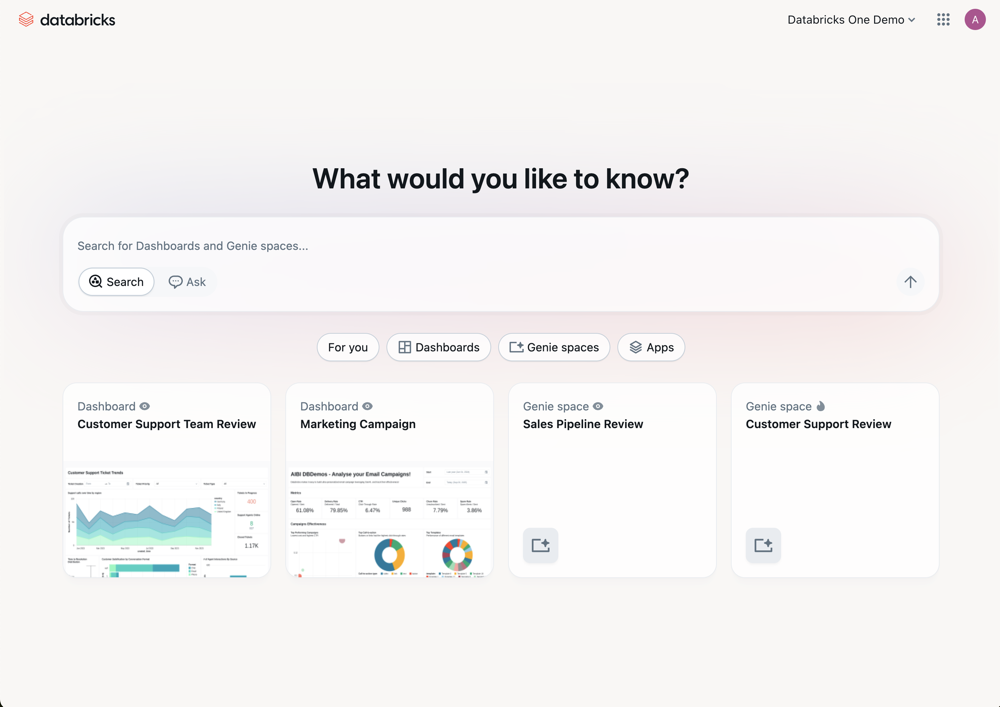
Genie interface
| Topic | Description |
|---|---|
| Use the Genie interface | Navigate the Genie interface, browse assets, and interact with your data. |
| Chat in Genie | Ask data questions in natural language and get answers grounded in your organization's data. |
| Account-level Genie | Discover and interact with shared assets across all workspaces in your account from a single entry point. |
Genie Code
| Topic | Description |
|---|---|
| Genie Code | Learn about Genie Code capabilities across notebooks, pipelines, dashboards, and more. |
| Use Genie Code | Chat with Genie Code, get inline suggestions, and run agentic tasks in your workspace. |
| Add custom instructions | Customize Genie Code behavior with workspace-level and personal instructions. |
Genie Spaces
| Topic | Description |
|---|---|
| What is a Genie Space | Learn how Genie Spaces work and how to set one up. |
| Create and manage a Genie Space | Configure datasets, sample queries, and instructions to create a trusted data environment for business users. |
| Tune Genie Space quality | Add metrics, business rules, and verified answers to improve Genie response quality. |