หมายเหตุ
การเข้าถึงหน้านี้ต้องได้รับการอนุญาต คุณสามารถลอง ลงชื่อเข้าใช้หรือเปลี่ยนไดเรกทอรีได้
การเข้าถึงหน้านี้ต้องได้รับการอนุญาต คุณสามารถลองเปลี่ยนไดเรกทอรีได้
Important
This feature is in Public Preview. Workspace admins can control access to this feature from the Previews page. See Manage Azure Databricks previews.
As covered in Feature Views, a Feature View can be registered in Unity Catalog as a logical feature definition and then materialized for more efficient training and inference. After you create and register Feature View definitions in Unity Catalog, you can optionally materialize them. The Feature View definitions and materialization status are viewable from the Catalog Explorer for discovery and debugging.
Permissions
- To search for and open a Feature View definition, you need the
READ FEATUREprivilege on the Feature View, along withUSE CATALOGandUSE SCHEMAon the parent catalog and schema. - Viewing the status of materialized features requires the same
READ FEATUREprivilege. However, to follow a link to the underlying materialization pipeline, you need access to the workspace that is running that pipeline.
Use the Catalog Explorer
Feature Views are shown in the Unity Catalog Catalog Explorer under the Functions heading inside a catalog and schema, alongside any other functions you may have. You can distinguish Feature Views from other functions by the icon used. Feature Views are also visible inside the Functions tab inside the Schema details view. See What are schemas in Azure Databricks? for more information on Unity Catalog schemas.
Explore Feature Views
Below is an example Feature View details page in the Catalog Explorer. It contains a Definition section and a materialized features section, as discussed below.
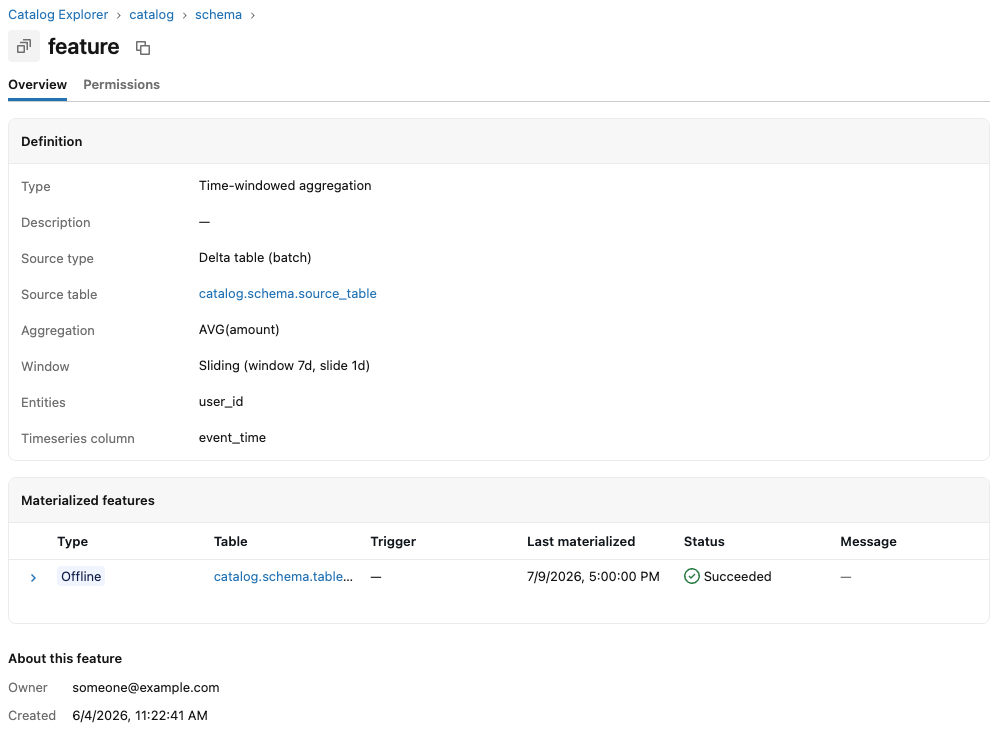
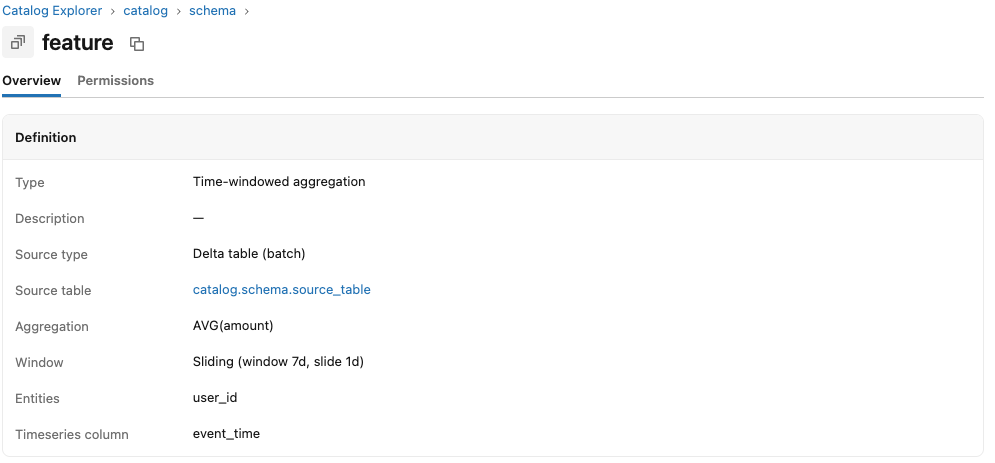
Definition section
The definition section displays basic information about the feature with links to the underlying source table. A feature view is a Unity Catalog securable object, so principals can be granted permissions in the Permissions tab like any Unity Catalog securable. See Feature Views for more information about Feature View definitions.
Materialized features section
When you materialize a Feature View, Databricks stores its computed feature values in a table so they can be reused for model training, batch scoring, and online serving. The materialized features section shows the state of these tables:
- Each materialized feature is backed by a table that holds the feature data at rest. Offline features are stored in a Delta table, while online features are stored in the online Feature Store. You can click through to view the backing table.
- Features are materialized as a group, so a single table holds multiple features, with each feature stored as one column.
- Each backing table is an independent Unity Catalog object, so you govern access to it like any other Unity Catalog table.
- The last materialization time and its success or failure are shown for each materialized feature.
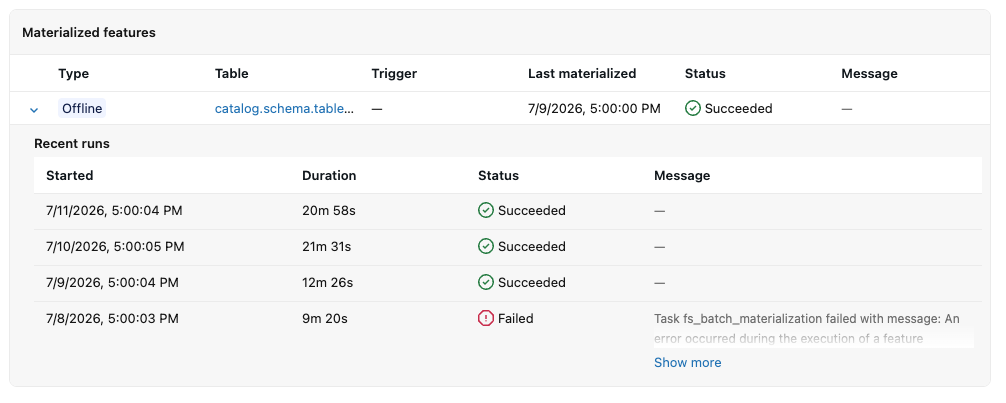
Materialization failures
Before any feature values are computed, Databricks runs a validation job for offline and online materialized features. This job separates user-facing errors, such as permission or configuration errors, from platform errors. Validation errors are surfaced directly on the materialized feature so you can correct the underlying issue.
If the underlying materialization pipeline fails after validation passes, this is likely a platform error that you can report to your Databricks support team for investigation.
The way a feature materializes depends on its trigger:
- Features that use a
CronScheduleorTableTriggerare materialized in batches. The results and any error messages are shown in the materialized features section. - Features that use a
StreamingModetrigger are materialized by a Lakeflow declarative pipeline. Once the Feature View definition passes validation, a link to the pipeline is shown so that you can view it.
As the materialization pipelines are system-managed, you cannot modify them directly, but you can use the REST API or the feature engineering SDK to delete these materialized features and their associated pipelines.
Limitations
- Feature View batch materialization is not currently visible inside the Jobs & Pipelines tab inside the UI. Feature View materialization pipelines for streaming triggers are, however, visible inside the Jobs & Pipelines tab under the System Managed tab.
- Features are not currently searchable inside the Catalog Explorer and do not show up under the Recent tab. However, you can navigate to Feature Views inside the Catalog Explorer.
- You cannot currently set alerts on materialization pipelines.