หมายเหตุ
การเข้าถึงหน้านี้ต้องได้รับการอนุญาต คุณสามารถลอง ลงชื่อเข้าใช้หรือเปลี่ยนไดเรกทอรีได้
การเข้าถึงหน้านี้ต้องได้รับการอนุญาต คุณสามารถลองเปลี่ยนไดเรกทอรีได้
By default, when Azure Web Application Firewall (WAF) on Azure Application Gateway blocks a request due to a matched rule, it returns a 403 status code with the message "The request is blocked." You can customize the response by configuring a custom status code and message to better suit your use case.
This article shows you how to configure a custom response page when Azure Application Gateway's Web Application Firewall (WAF) blocks a request by using the Azure portal. You can also configure custom responses by using the Azure CLI or PowerShell.
Configure a custom response status code and message
To customize the response status code and body, take the following steps:
Go to your Application Gateway WAF policy in the Azure portal.
Under Settings, select Policy settings.
In the Custom response section, enter the custom response status code and response body in Block response status code and Block response body respectively.
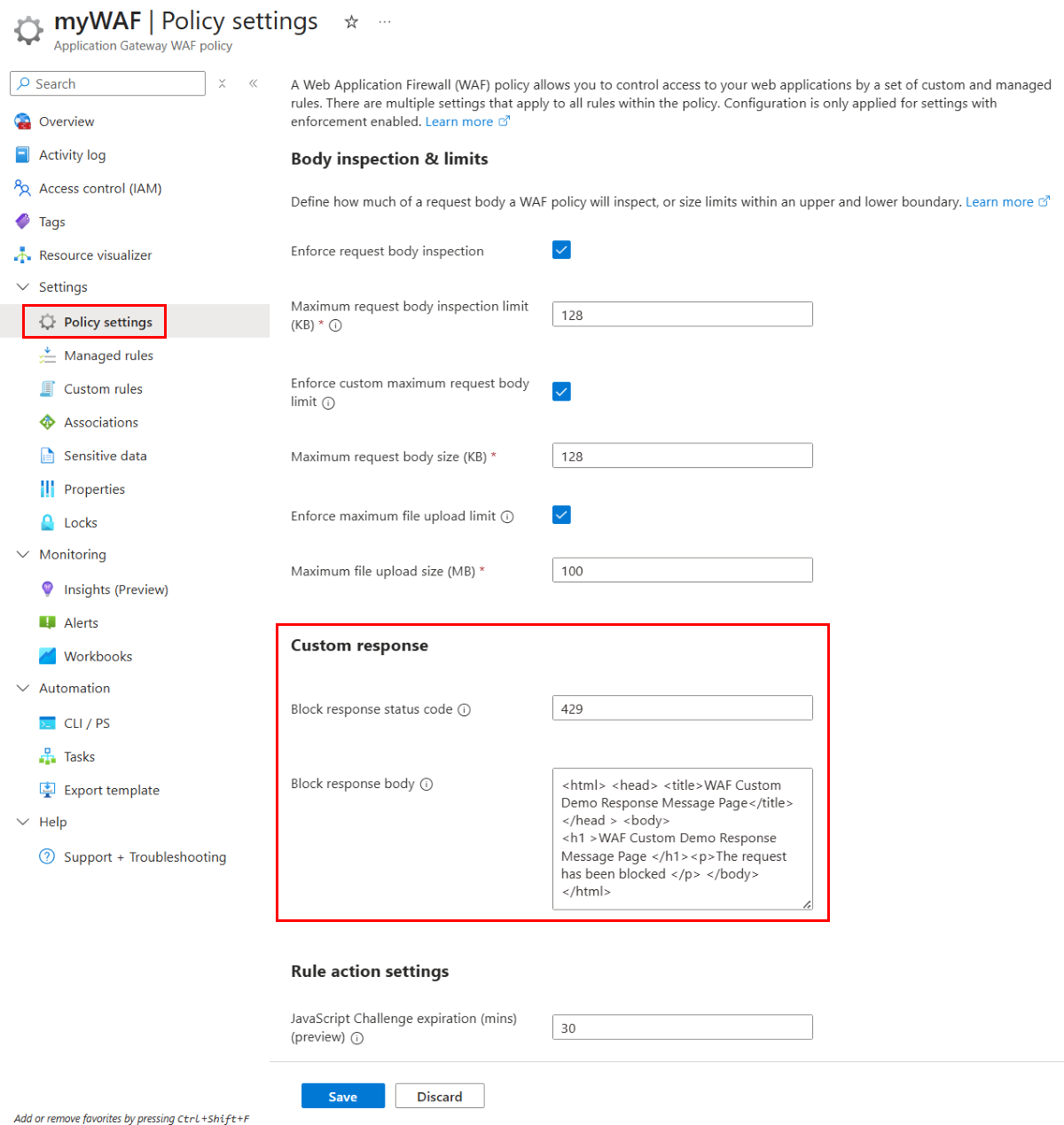
Select Save.
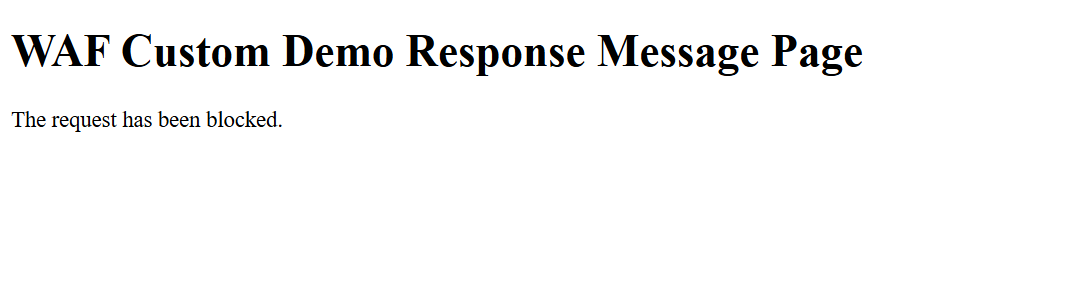
This example changes the default 403 response code to 429 and sets the brief message The request has been blocked.
Limitations
The following limitations apply when you configure custom responses for Azure Application Gateway WAF:
- You can enable up to 20 WAF policies with a custom block response status code and body within one Application Gateway.
- You can use one of the following custom status codes: 200, 403, 405, 406, 429, 990, 991, 992, 993, 994, 995, 996, 997, 998, 999.
- The maximum size for the custom block response body is 32 KB.
- You must use base64 encoding for the custom block response body when you use Azure Resource Manager (ARM) API.
- Custom block response status code and body aren't supported on Application Gateway for Containers WAF.