หมายเหตุ
การเข้าถึงหน้านี้ต้องได้รับการอนุญาต คุณสามารถลอง ลงชื่อเข้าใช้หรือเปลี่ยนไดเรกทอรีได้
การเข้าถึงหน้านี้ต้องได้รับการอนุญาต คุณสามารถลองเปลี่ยนไดเรกทอรีได้
Last updated by the developer on: March 25, 2026
General information
Information provided by to Microsoft:
| Information | Response |
|---|---|
| App name | WeActis |
| ID | mondata.saas-mdeco-cybersecuriteproactive |
| Company's website | https://mondata.ai |
| App's Terms of Use | https://mondata.ai/en/terms-conditions |
| Core functionality of the app | WeActis helps organizations secure Microsoft 365 by enabling employees, directly in Teams, to fix oversharing, outdated access, and sensitive data exposure - building strong data hygiene to confidently deploy Copilot. Integrates with Microsoft Purview. |
| Company headquarter location | Canada |
| App info page | https://weactis.com |
| What is the hosting environment or service model used to run your app? | Paas |
| Which hosting cloud providers does the app use? | Aws |
Questions
Questions or updates to any of the information you see here? Contact us!
How the app handles data
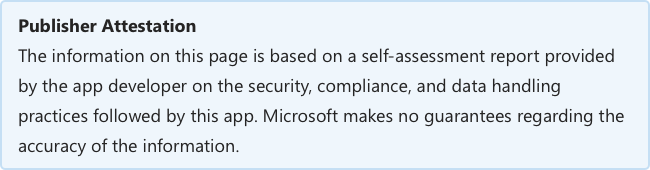
This information has been provided by about how this app collects and stores organizational data and the control that your organization will have over the data the app collects.
| Information | Response |
|---|---|
| Does the app or underlying infrastructure process any data relating to a Microsoft customer or their device? | Yes |
| What data is processed by your app? | Microsoft Audit logs |
| Does the app support TLS 1.1 or higher? | Yes |
| Does the app or underlying infrastructure store any Microsoft customer data? | Yes |
| What data is stored in your databases? | Microsoft Audit logs, Shared files metadata, M365 groups metadata, Users attributes |
| If underlying infastructure processes or stores Microsoft customer data, where is this data geographically stored? | Canada |
| Do you have an established data rentention and disposal process? | Yes |
| How long is data retained after account termination? | Not retained |
| Do you have an established data access management process? | Yes |
| Do you transfer customer data or customer content to third parties or sub-processors? | Yes |
| Do you have data sharing agreements in place with any third party service you share Microsoft customer data with? | Yes |
Questions
Questions or updates to any of the information you see here? Contact us!
Information from the Microsoft Cloud App Security catalog appears below.
| Information | Response |
|---|---|
| Do you perform annual penetration testing on the app? | Yes |
| Does the app have a documented disaster recovery plan, including a backup and restore strategy? | Yes |
| Does your environment use traditional anti-malware protection or application controls? | TraditionalAntiMalware, ApplicationControls |
| Do you have an established process for indentifying and risk ranking security vulnerabilities? | Yes |
| Do you have a policy that governs your service level agreement (SLA) for applying patches? | Yes |
| Do you carry out patch management activities according to your patching policy SLAs? | Yes |
| Does your enviroment have any unsupported operating systems or software? | No |
| Do you conduct quarterly vulnerability scanning on your app and the infastructure that supports it? | Yes |
| Do you have a firewall installed on your external network boundary? | Yes |
| Do you have an established change management process used to review and approve change requests before they are deployed to production? | Yes |
| Is an additional person reviewing and approving all code change requests submitted to production by the original developer? | Yes |
| Do secure coding practices take into account common vulnerability classes such as OWASP Top 10? | Yes |
| Multifactor Authentication (MFA) enabled for: | DNSManagement, Credential, CodeRepositories |
| Do you have an established process for provisioning, modification, and deletion of employee accounts? | Yes |
| Do you have Intrusion Detection and Prevention (IDPS) software deployed at the perimeter of the network boundary supporting your app? | Yes |
| Do you have event logging set up on all system components supporting your app? | Yes |
| Are all logs reviewed on a regular cadence by human or automated tooling to detect potential security events? | Yes |
| When a security event is detected are alerts automatically sent to an employee for triage? | Yes |
| Do you have a formal information security risk management process established? | Yes |
| Do you have a formal security incident response process documented and established? | Yes |
| Do you report app or service data breaches to supervisory authorities and individuals affected by the breach within 72 hours of detection? | Yes |
Questions
Questions or updates to any of the information you see here? Contact us!
| Information | Response |
|---|---|
| Does the app comply with the Health Insurance Portability and Accounting Act (HIPAA)? | N/A |
| Does the app comply with Health Information Trust Alliance, Common Security Framework (HITRUST CSF)? | N/A |
| Does the app comply with Service Organization Controls (SOC 1)? | N/A |
| Does the app comply with Service Organization Controls (SOC 2)? | Yes |
| Which SOC 2 certification did you achieve? | type2 |
| Most recent SOC2 certification date | 2025-12-23 |
| Does the app comply with Service Organization Controls (SOC 3)? | No |
| Do you carry out annual PCI DSS assessments against the appand its supporting environment? | N/A |
| Is the app International Organization for Standardization (ISO 27001) certified? | Yes |
| Does the app comply with International Organization for Standardization (ISO 27018)? | N/A |
| Does the app comply with International Organization for Standardization (ISO 27017)? | N/A |
| Does the app comply with International Organization for Standardization (ISO 27002)? | N/A |
| Is the app Federal Risk and Authorization Management Program (FedRAMP) compliant? | No |
| Does the app comply with Family Educational Rights and Privacy Act (FERPA)? | N/A |
| Does the app comply with Children's Online Privacy Protection Act (COPPA)? | N/A |
| Does the app comply with Sarbanes-Oxley Act (SOX)? | N/A |
| Does the app comply with NIST 800-171? | N/A |
| Has the app been Cloud Security Alliance (CSA Star) certified? | No |
Questions
Questions or updates to any of the information you see here? Contact us!
| Information | Response |
|---|---|
| Do you have GDPR or other privacy or data protection requirements or obligations (such as CCPA)? | No |
Questions
Questions or updates to any of the information you see here? Contact us!
| Information | Response |
|---|---|
| Does your application integrate with Microsoft identity platform (Microsoft Entra ID) for single-sign on, API access, etc.? | Yes |
| Have you reviewed and complied with all applicable best practices outlined in the Microsoft identity platform integration checklist? | Yes |
| Does your app use the latest version of MSAL (Microsoft Authentication Library) or Microsoft Identity Web for authentication? | No |
| Does your app support Conditional Access policies? | Yes |
| If your app does not use one of the above libraries, what authentication library or libraries does it use? | We are currently using the MSAL (Microsoft Authentication Library) and work is being done to update to the latest version. |
| List the types of policies supported | All policies except CAE and Intune Mobile App Protection. |
| Does your app support Continuous Access Evaluation (CAE) | No |
| Does your app store any credentials in code? | No |
| Apps and add-ins for Microsoft 365 might use additional Microsoft APIs outside of Microsoft Graph. Does your app or add-in use additional Microsoft APIs? | Yes |
Data access using Microsoft Graph
Graph Permission Permission Type Justification Microsoft Entra App ID AppCatalog.Read.All application Check to see if the WeActis Teams app is installed in the client’s tenant. 9f296362-f7c7-45e6-b69b-2563da1586f1 ChannelMember.ReadWrite.All delegated Create private channels and assign owners to them using the token, context and permissions of the logged-in users. 9f296362-f7c7-45e6-b69b-2563da1586f1 Directory.Read.All application Perform the initial synchronization of WeActis and retrieve the groups and member of a group, Teams their channels and owners, resources where a user is a member, users with admin roles. 9f296362-f7c7-45e6-b69b-2563da1586f1 Directory.Read.All delegated Retrieve user information from his/her token, context and permissions: Contextual data on Azure AD directory objects to present them to the user + Devices connected to the Microsoft account 9f296362-f7c7-45e6-b69b-2563da1586f1 Files.Read.All application Perform the initial synchronization of WeActis and retrieve the list of files or folders from a private channel. 9f296362-f7c7-45e6-b69b-2563da1586f1 Files.ReadWrite delegated Revoke user direct shares using his/her token, context and permissions 9f296362-f7c7-45e6-b69b-2563da1586f1 Group.ReadWrite.All delegated Retrieve information from user groups and perform the following actions using the user’s token, context and permissions: Create groups, update user groups. 9f296362-f7c7-45e6-b69b-2563da1586f1 GroupMember.ReadWrite.All delegated Create Teams teams or SharePoint sites with individual owners using the token, context and permissions of the logged-in users. 9f296362-f7c7-45e6-b69b-2563da1586f1 InformationProtectionPolicy.Read.All application Retrieve the organization’s sensitivity labels to set their sensitivity levels in WeActis. 9f296362-f7c7-45e6-b69b-2563da1586f1 Reports.Read.All application Retrieve activity statistics from the groups to determine if they should be archived. 9f296362-f7c7-45e6-b69b-2563da1586f1 Sites.Read.All delegated Retrieve file or folder information from a SharePoint site using the token, context and permissions of the logged-in users. 9f296362-f7c7-45e6-b69b-2563da1586f1 Sites.Read.All application Perform the initial synchronization of WeActis and retrieve the SharePoint sites, shared files, metadata from sites and shared information from a file or folder. 9f296362-f7c7-45e6-b69b-2563da1586f1 Team.Create delegated Create a Teams team using the token, context and permissions of the logged-in users. 9f296362-f7c7-45e6-b69b-2563da1586f1 TeamMember.ReadWrite.All delegated Add or remove a team member using the token, context and permissions of the logged-in users. 9f296362-f7c7-45e6-b69b-2563da1586f1 User.Invite.All delegated Invite a guest collaborator as a logged-in users using his/her token, context and permissions. 9f296362-f7c7-45e6-b69b-2563da1586f1 User.ReadWrite.All delegated Remove guest collaborators using the token, context and permissions of the logged-in users. 9f296362-f7c7-45e6-b69b-2563da1586f1 openid delegated Connect the user to the WeActis app. 9f296362-f7c7-45e6-b69b-2563da1586f1 profile delegated Retrieve basic profile information from the logged-in users using his/her token, context and permissions. 9f296362-f7c7-45e6-b69b-2563da1586f1 AppCatalog.Read.All application Check to see if the WeActis Teams app is installed in the client’s tenant. e9ea4b31-fd52-443b-ab5a-8b25e2a45cbb ChannelMember.ReadWrite.All delegated Create private channels and assign owners to them using the token, context and permissions of the logged-in users. e9ea4b31-fd52-443b-ab5a-8b25e2a45cbb ChannelSettings.ReadWrite.All delegated Archive a team on behalf of the user. e9ea4b31-fd52-443b-ab5a-8b25e2a45cbb Directory.Read.All application Perform the initial synchronization of WeActis and retrieve the groups and member of a group, Teams their channels and owners, resources where a user is a member, users with admin roles. e9ea4b31-fd52-443b-ab5a-8b25e2a45cbb Directory.Read.All delegated Retrieve user information from his/her token, context and permissions: Contextual data on Azure AD directory objects to present them to the user + Devices connected to the Microsoft account e9ea4b31-fd52-443b-ab5a-8b25e2a45cbb Files.Read.All application Perform the initial synchronization of WeActis and retrieve the list of files or folders from a private channel. e9ea4b31-fd52-443b-ab5a-8b25e2a45cbb Files.ReadWrite delegated Revoke user direct shares using his/her token, context and permissions e9ea4b31-fd52-443b-ab5a-8b25e2a45cbb Group.ReadWrite.All delegated Retrieve information from user groups and perform the following actions using the user’s token, context and permissions: Create groups, update user groups. e9ea4b31-fd52-443b-ab5a-8b25e2a45cbb GroupMember.ReadWrite.All delegated Create Teams teams or SharePoint sites with individual owners using the token, context and permissions of the logged-in users. e9ea4b31-fd52-443b-ab5a-8b25e2a45cbb InformationProtectionPolicy.Read.All application Retrieve the organization’s sensitivity labels to set their sensitivity levels in WeActis. e9ea4b31-fd52-443b-ab5a-8b25e2a45cbb Reports.Read.All application Retrieve activity statistics from the groups to determine if they should be archived. e9ea4b31-fd52-443b-ab5a-8b25e2a45cbb Sites.Read.All delegated Retrieve file or folder information from a SharePoint site using the token, context and permissions of the logged-in users. e9ea4b31-fd52-443b-ab5a-8b25e2a45cbb Sites.Read.All application Perform the initial synchronization of WeActis and retrieve the SharePoint sites, shared files, metadata from sites and shared information from a file or folder. e9ea4b31-fd52-443b-ab5a-8b25e2a45cbb Team.Create delegated Create a Teams team using the token, context and permissions of the logged-in users. e9ea4b31-fd52-443b-ab5a-8b25e2a45cbb TeamMember.ReadWrite.All delegated Add or remove a team member using the token, context and permissions of the logged-in users. e9ea4b31-fd52-443b-ab5a-8b25e2a45cbb TeamSettings.ReadWrite.All delegated Archive a private channel on behalf of the user. e9ea4b31-fd52-443b-ab5a-8b25e2a45cbb User.Invite.All delegated Invite a guest collaborator as a logged-in users using his/her token, context and permissions. e9ea4b31-fd52-443b-ab5a-8b25e2a45cbb User.ReadWrite.All delegated Remove guest collaborators using the token, context and permissions of the logged-in users. e9ea4b31-fd52-443b-ab5a-8b25e2a45cbb openid delegated Connect the user to the WeActis app. e9ea4b31-fd52-443b-ab5a-8b25e2a45cbb profile delegated Retrieve basic profile information from the logged-in users using his/her token, context and permissions. e9ea4b31-fd52-443b-ab5a-8b25e2a45cbb
This application does not have Additional APIs.
Questions
Questions or updates to any of the information you see here? Contact us!