หมายเหตุ
การเข้าถึงหน้านี้ต้องได้รับการอนุญาต คุณสามารถลอง ลงชื่อเข้าใช้หรือเปลี่ยนไดเรกทอรีได้
การเข้าถึงหน้านี้ต้องได้รับการอนุญาต คุณสามารถลองเปลี่ยนไดเรกทอรีได้
These are the latest features in the Stable release of Microsoft Edge DevTools.
DevTools has a new user interface
DevTools has a new look, starting with Microsoft Edge 120! The major design updates are:
The new Activity Bar with icons.
The Quick View panel in place of the Drawer at the bottom of DevTools.
The Activity Bar and Quick View can be switched to a vertical orientation. Update: The vertical Activity Bar is no longer supported, in Microsoft Edge 144 and future versions.
You can easily open, close, and move tools around.

See the blog post: Inside the all-new Edge DevTools user interface.
If you prefer the legacy UI, you can switch back by going to DevTools > Settings > Preferences and selecting the Switch back to the legacy DevTools UI checkbox. After reloading DevTools, the legacy UI appears.
The "Explain with Copilot in DevTools" feature is generally available
You can now ask DevTools to explain any Console error, Console warning, or code snippet by using Copilot in Edge:

This feature is enabled by default, starting with Microsoft Edge 120. See the blog post: Navigate the unexpected: using Copilot in Edge and DevTools.
If you don't see the feature, you might need to enable Copilot in Edge first. To learn more, see:
If you have any questions, comments, or feedback about the feature, please leave a comment in the GitHub Issue: [Feedback][Experiment] Explain errors, warnings, and source code in the Console and Sources tools.
New Recorder tool to record and replay user flows and measure performance
Use the Recorder tool to help you record and replay common user flows and measure performance. You can edit your recordings and share them by importing and exporting.
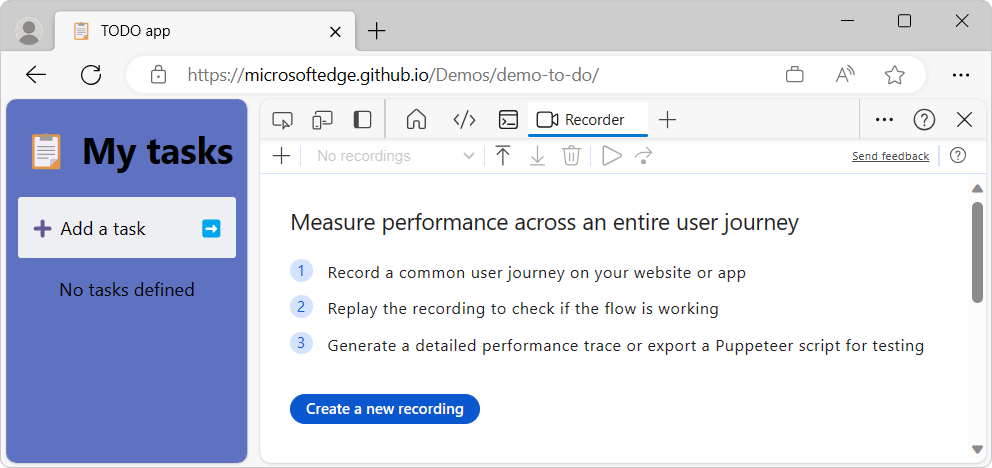
The initial view in the Recorder tool gives an overview of how to use the tool:
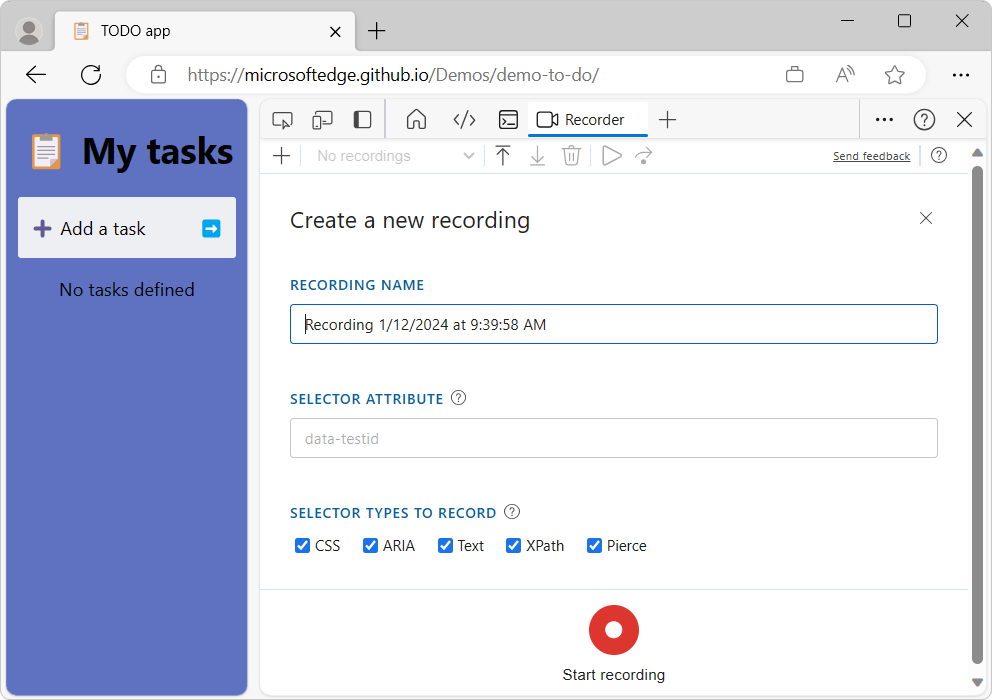
After you click the Create a new recording button, you can name the recording and specify a selector attribute:
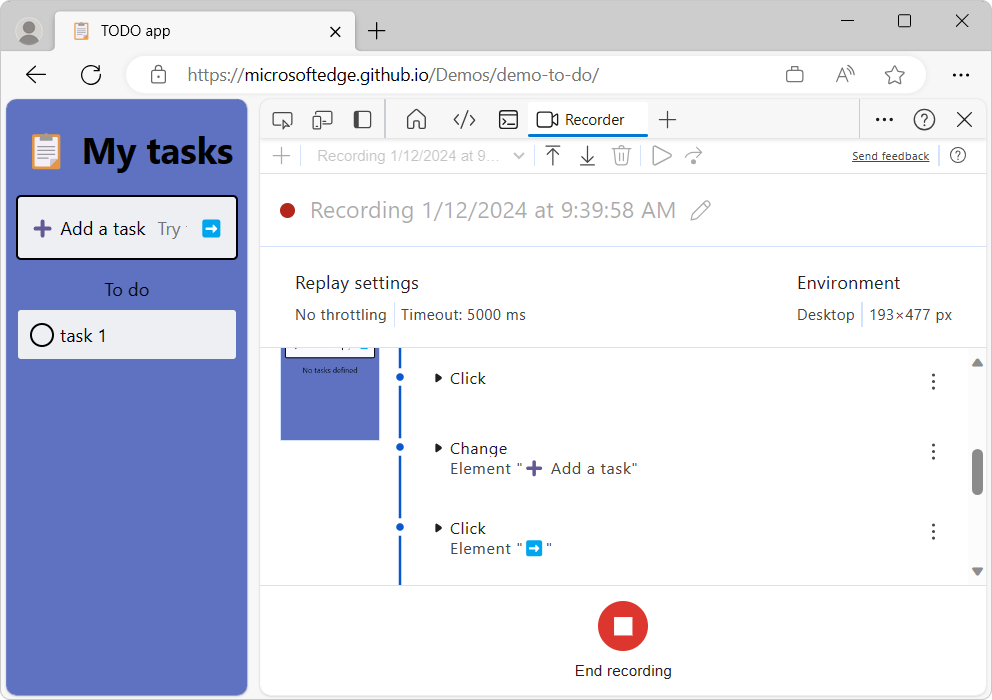
During recording, interactions with the webpage are listed:
See also:
Announcements from the Chromium project
Microsoft Edge 120 also includes the following updates from the Chromium project:
- Third-party cookie phaseout
- Analyze your website's cookies with the Privacy Sandbox Analysis Tool
- Enhanced ignore listing
- The Elements panel now shows URLs for
#documentnodes - Effective Content Security Policy in the Application panel
- Improved animation debugging
- 'Do you trust this code?' dialog in Sources and self-XSS warning in Console
- Event listener breakpoints in web workers and worklets
- The new media badge for
<audio>and<video> - Preloading renamed to Speculative loading
- Accessibility improvements