Azure Cosmos DB design pattern: Document Versioning
Document versioning is used to track the current version of a document and store historical documents in another collection. Where schema versioning tracks the schema changes, document versioning tracks the data changes. This pattern works well when there are few document versions to be tracked.
This sample demonstrates:
- ✅ It showcases how to implement document versioning in Azure Cosmos DB to track and manage the current and historical versions of documents.
- ✅ The example illustrates the separation of current document versions stored in a
CurrentOrderStatuscollection and historical document versions stored in aHistoricalOrderStatuscollection. - ✅ It highlights the integration of Azure Cosmos DB change feed processor running as a .NET [BackGroundService] (https://learn.microsoft.com/dotnet/architecture/microservices/multi-container-microservice-net-applications/background-tasks-with-ihostedservice) capture and copy the versioned documents to the historical collection, enabling efficient tracking and management of document versions.
Web front end
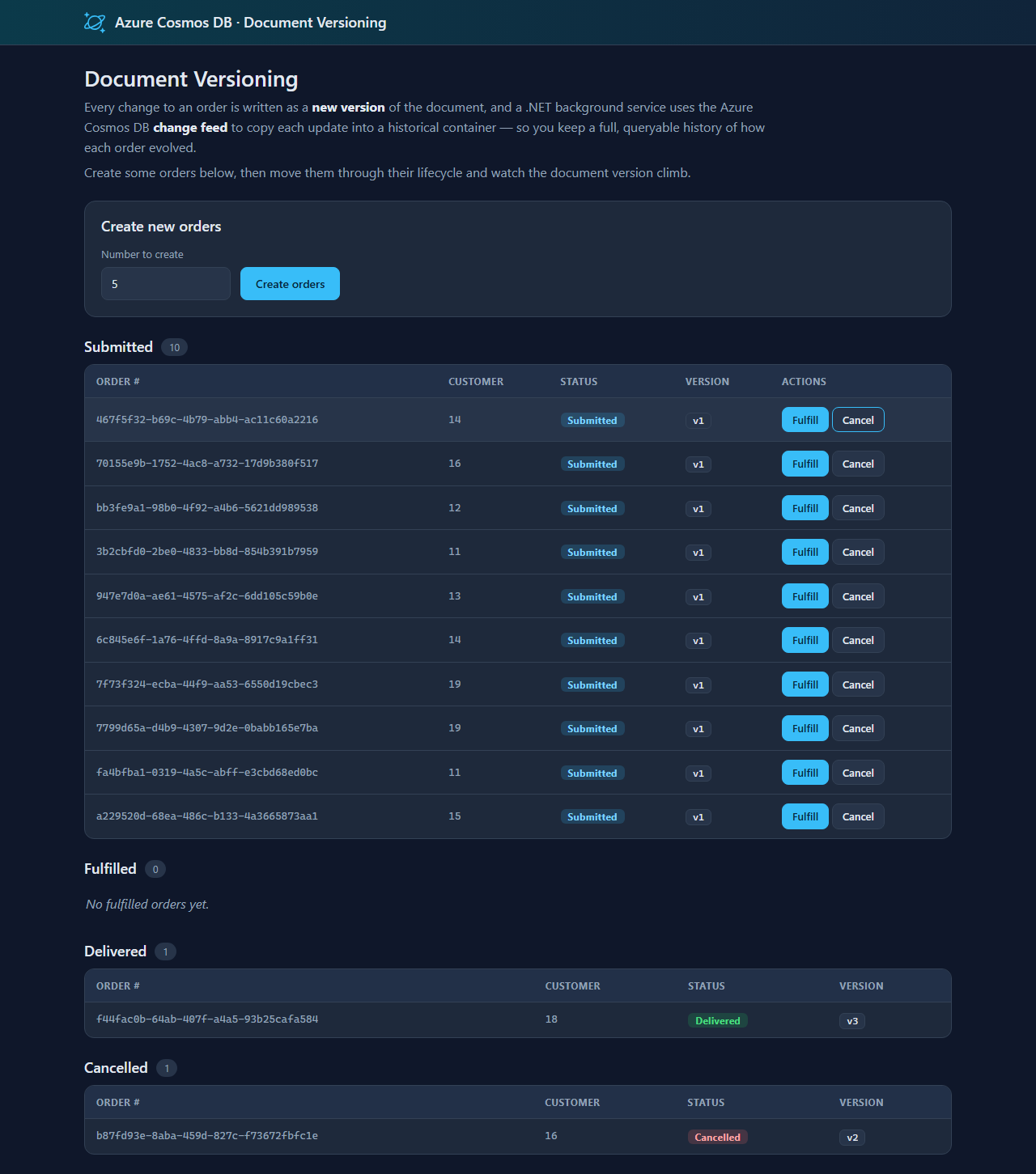
Create orders and move them through their lifecycle (Fulfill, Deliver, Cancel) and watch each order's document version climb as every change is written as a new version:
Common scenario
Some industries have regulations for data retention that require historical versions to be retained and tracked. Auditing and document control are other reasons for tracking versions. With document versioning, the current versions of documents are stored in a collection named to store the current documents. A second collection is named to store historical documents. This improves performance by allowing queries on current versions to be polled quickly without having to filter the historical results. The document versioning itself is handled at the application layer - outside of Azure Cosmos DB.
Solution
In this example, we will explore document versioning using orders in an eCommerce environment.
Suppose we have this document:
{
  "customerId": 10,
  "orderId": 1101,
  "status": "Submitted",
  "orderDetails": [
    {"productName": "Product 1", "quantity": 1},
    {"productName": "Product 2", "quantity": 3}
  ]
}
Now, suppose the customer had to cancel the order. The replacement document could look like this:
{
  "customerId": 10,
  "orderId": 1101,
  "status": "Cancelled",
  "orderDetails": [
    {"productName": "Product 1", "quantity": 1},
    {"productName": "Product 2", "quantity": 3}
  ]
}
Looking at these documents, though, there is no easy way to tell which of these documents is the current document. By using document versioning, add a property to the document to track the version number. Update the current document in a CurrentOrderStatus container and add the change to the HistoricalOrderStatus container. In the project here, you can see how to implement the document versioning feature with the following components:
- A website that allows you to create orders and change the order status. The website updates the document version and saves the document to the current status container.
- An Archiver Service implemented as a .NET Background service that itself implements Cosmos DB Change Feed that sees when the Order Helper updates the order and copies the versioned document to the historical status container.
Getting the code
Using Terminal or VS Code
Directions for installing pre-requisites and cloning this repository are in the root README.
Set up application configuration
The website reads its settings from the CosmosDb configuration section — see Configuration and authentication in the root README. When nothing is configured, the website defaults to the local emulator (https://localhost:8081), so it runs with zero setup. It creates the DocumentVersionDB database with the CurrentOrderStatus and HistoricalOrderStatus containers on first run.
Run the demo locally
Start the local emulator first (see the root README), or point at your own account:
docker compose up -d
Interactive web front end
cd source/website
dotnet run
Open the URL it prints, then create a batch of orders and move them through Fulfill, Deliver, and Cancel. Each change writes a new version: the order's document version increments in the CurrentOrderStatus container, and the Archiver background service copies every version into HistoricalOrderStatus through the change feed — so the full history is retained.
(Optional) Deploy and run in Azure with azd
The steps above are the all-local way to run the sample. If you'd rather run the all-Azure way — the sample deployed and running in Azure — this pattern includes an Azure Developer CLI (azd) template. Running locally is unchanged; the deployment files (azure.yaml, infra/) have no effect unless you run azd up.
It provisions and deploys, intentionally minimal and cheap:
- An App Service web app (Basic B1 with "Always On", so the in-app Change Feed processor keeps running).
- A serverless Azure Cosmos DB account with local (key) authentication disabled.
- The web app reaches Cosmos DB keyless, via a user-assigned managed identity — no keys or connection strings are stored anywhere.
Deploy
From the document-versioning folder:
azd up
azd prompts for an environment name, subscription, and location, then provisions the resources and deploys the site. When it finishes it prints the site URL — open it and create/fulfill orders exactly as in the local walkthrough above.
Clean up
azd down
Summary
The NoSQL Document Versioning design pattern is used in NoSQL databases to manage different versions of documents efficiently. In scenarios where documents need to be updated frequently while retaining their historical states, this pattern ensures that changes are tracked and stored without overwriting the original data.