หมายเหตุ
การเข้าถึงหน้านี้ต้องได้รับการอนุญาต คุณสามารถลอง ลงชื่อเข้าใช้หรือเปลี่ยนไดเรกทอรีได้
การเข้าถึงหน้านี้ต้องได้รับการอนุญาต คุณสามารถลองเปลี่ยนไดเรกทอรีได้
Use these property pages to change the default behavior of the code editor when you're programming in C or C++.
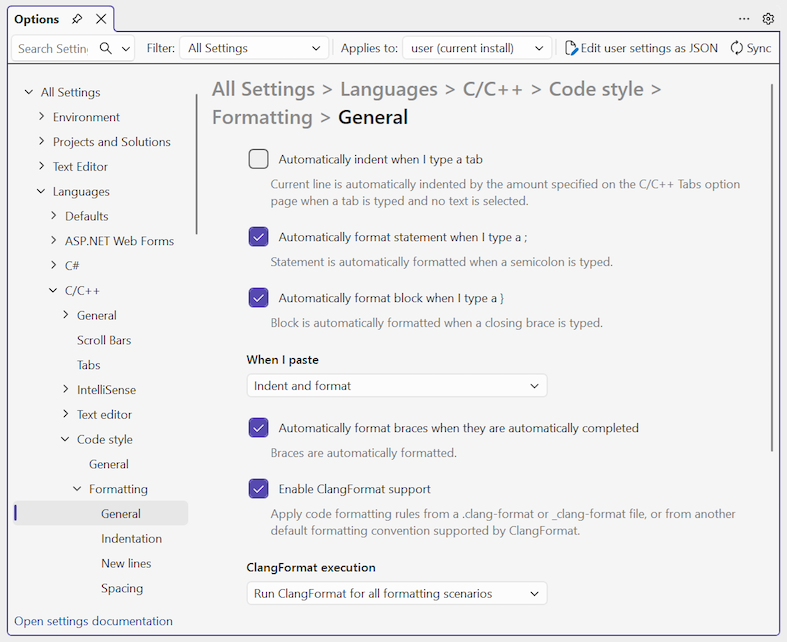
To access these settings in the Options pane, expand the All Settings > Languages > C/C++ > Code Style > Formatting > General section.
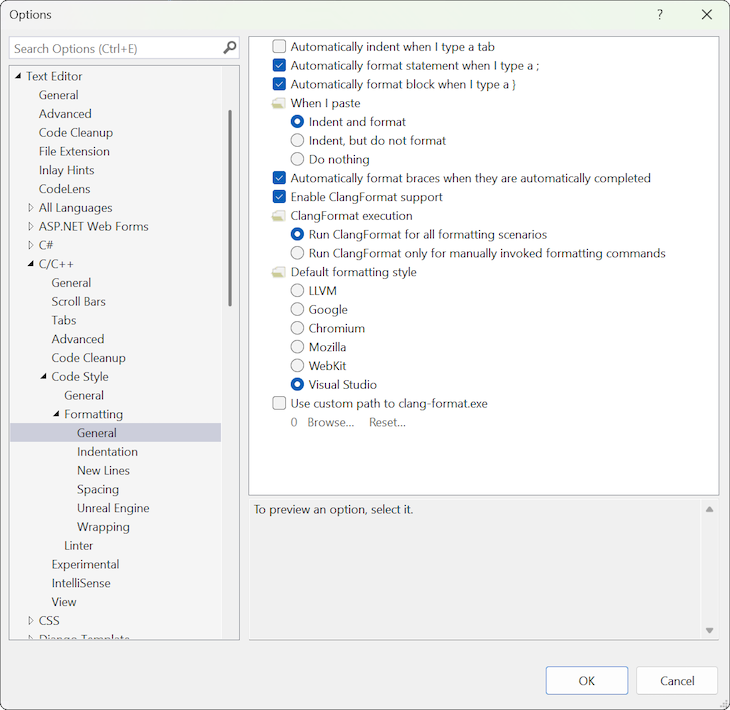
To access these settings in the Options dialog, expand the Text Editor > C/C++ > Code Style > Formatting > General section.
Note
Your computer might show different names or locations for some of the Visual Studio user interface elements in the following instructions. The Visual Studio edition that you have and the settings that you use determine these elements. For more information, see Personalize the Visual Studio IDE.
General options
The General section has options for formatting statements and blocks as you type them.
The page also has options for configuring support for ClangFormat version 5.0. ClangFormat is a utility that makes it easy to style and format your code based on a set of rules that can be configured in a _clang-format (.clang-format) file.
Configuring ClangFormat options
ClangFormat support is enabled by default. You can choose which common formatting conventions to apply to all your projects: LLVM, Google, Chromium, Mozilla, or WebKit. You can also create a custom format definition _clang-format (.clang-format) file. If this file is present in a project folder, Visual Studio uses the file to format all source code files in that folder and its subfolders.
By default, Visual Studio runs the clang-format.exe file in the background and applies formatting as you type. You can also specify to only run the file for manually invoked formatting commands Format Document (Ctrl+K, Ctrl+D) or Format Selection (Ctrl + K, Ctrl + F).
Other options: Indentation, Spacing, and more
The Formatting section contains other subsections with more settings: Indentation, New Lines, Spacing, Unreal Engine, and Wrapping pages.
Note
When ClangFormat is enabled, Visual Studio ignores the settings in these sections.
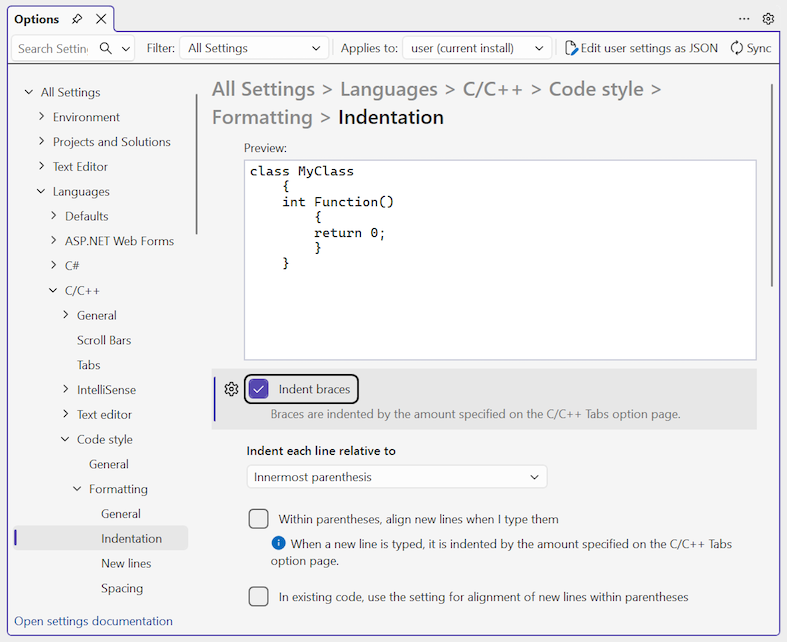
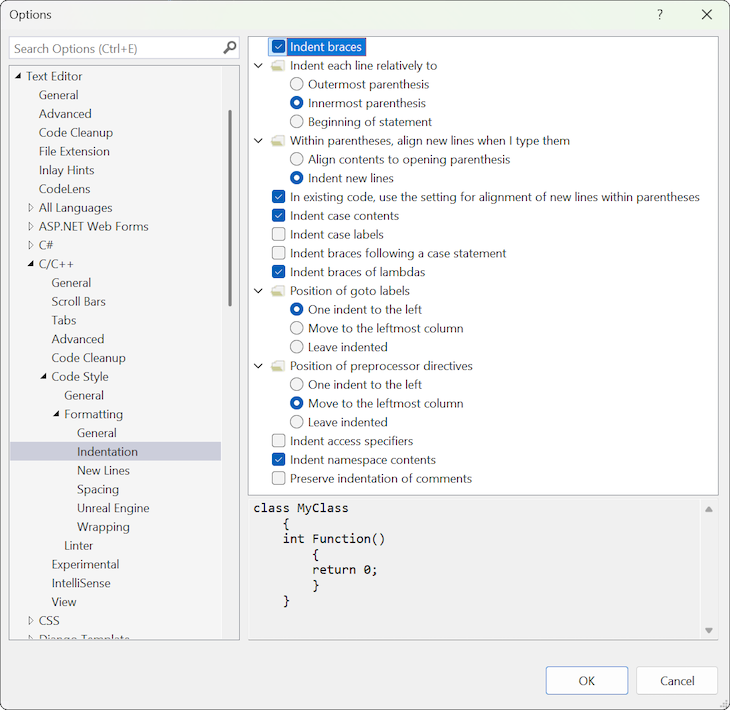
To see how a setting can affect formatting, select the setting and review the example in the Preview pane. The following image shows how the Indentation > Indent braces setting can affect formatting: