หมายเหตุ
การเข้าถึงหน้านี้ต้องได้รับการอนุญาต คุณสามารถลอง ลงชื่อเข้าใช้หรือเปลี่ยนไดเรกทอรีได้
การเข้าถึงหน้านี้ต้องได้รับการอนุญาต คุณสามารถลองเปลี่ยนไดเรกทอรีได้
Visual Studio provides several refactorings for modernizing C# syntax with newer language features. You can access these refactorings through the Quick Actions and Refactorings menu (Ctrl+.).
Use new()
Applies to: C#
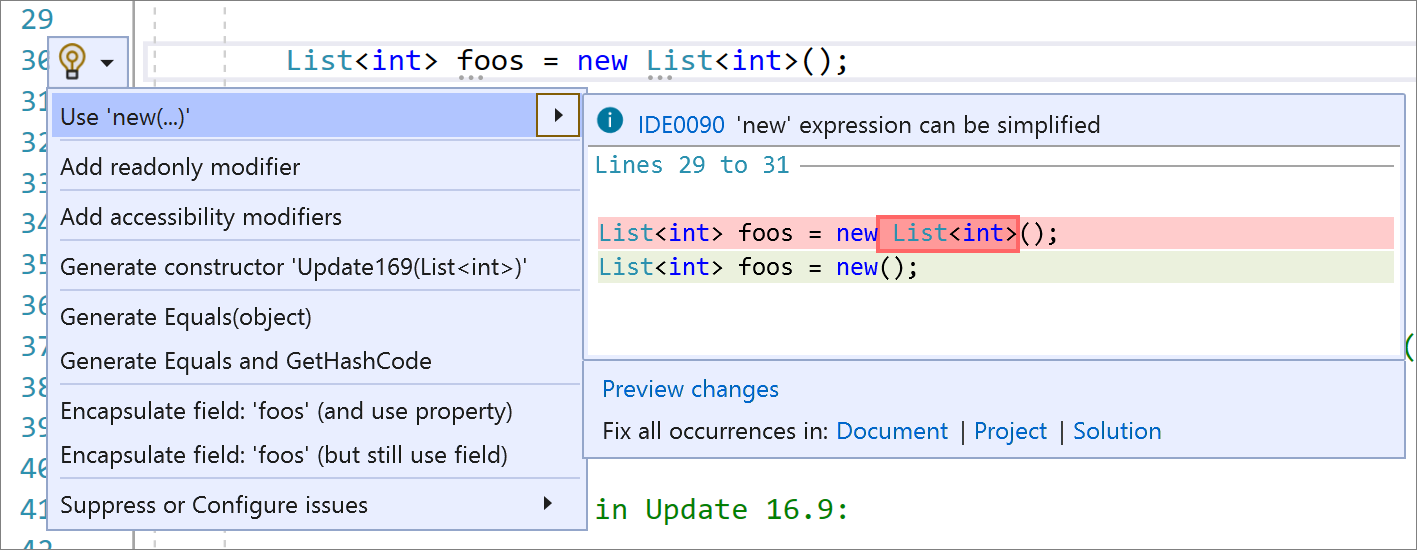
This refactoring uses new() (target-typed new expressions) so you don't have to write repetitive code by repeating the type twice. It's useful when you can't use var or have a code style preference to not use var.
Place your caret on the field declaration.
Press Ctrl+. to trigger the Quick Actions and Refactorings menu.
Select Use 'new(…)':
Use pattern matching
Applies to: C#
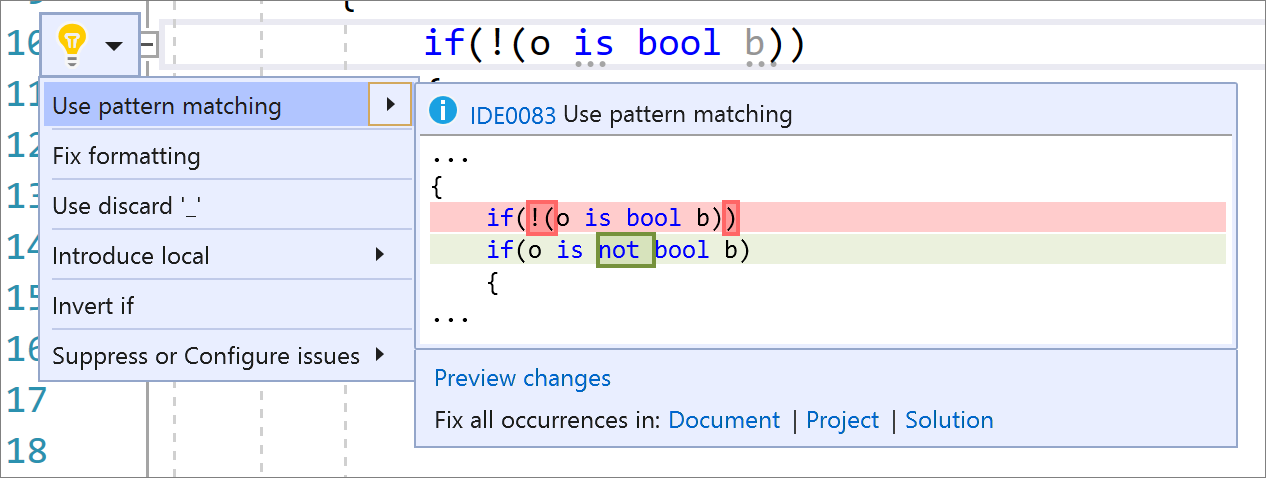
This refactoring applies C# pattern matching capabilities to make code more clear and concise.
Place your caret inside the statement.
Press Ctrl+. to trigger the Quick Actions and Refactorings menu.
Select Use pattern matching.
Use expression body or block body for lambda expressions
Applies to: C#
This refactoring converts a lambda expression to use either an expression body or a block body, according to your preference.
- Place your cursor on the right of a lambda operator.
- Press Ctrl+. to trigger the Quick Actions and Refactorings menu.

- Select Use block body for lambda expressions or Use expression body for lambda expressions.