หมายเหตุ
การเข้าถึงหน้านี้ต้องได้รับการอนุญาต คุณสามารถลอง ลงชื่อเข้าใช้หรือเปลี่ยนไดเรกทอรีได้
การเข้าถึงหน้านี้ต้องได้รับการอนุญาต คุณสามารถลองเปลี่ยนไดเรกทอรีได้
The Notifications tool window shows messages about Visual Studio, including critical issues with your license and informational notifications of updates to Visual Studio or to packages.
A bell icon at the bottom right of the Visual Studio IDE shows the count of notifications. Click the bell to open the Notifications tool window.
You can also open the Notifications tool window by the menu entry View > User Notifications**.
To open the Notifications tool window with the keyboard, press the key sequence Ctrl+/, Ctrl+N.
You can also press Ctrl+Q to bring up Feature Search, and type in Notifications to find and open the window.
The following image shows a typical user notification, showing that a new preview is available for installation:
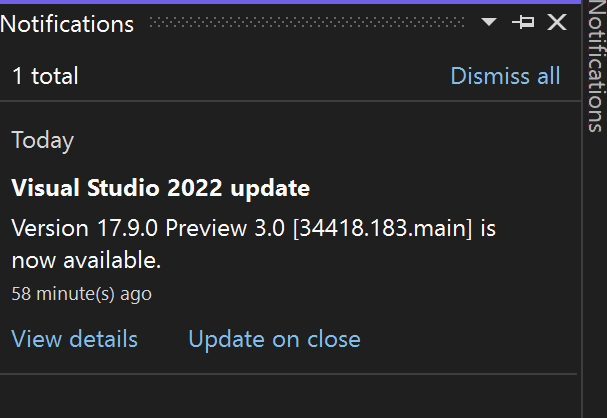
If you click on the View details link, the Visual Studio installer opens. Close any other instance of the installer before clicking the link. To install later, you can choose the Update on close link. Visual Studio will start the update the next time you close the IDE.
Dismiss notifications by pressing the X next to the notification, or click on Dismiss All to dismiss all notifications.