หมายเหตุ
การเข้าถึงหน้านี้ต้องได้รับการอนุญาต คุณสามารถลอง ลงชื่อเข้าใช้หรือเปลี่ยนไดเรกทอรีได้
การเข้าถึงหน้านี้ต้องได้รับการอนุญาต คุณสามารถลองเปลี่ยนไดเรกทอรีได้
AI coding assistants can create a working app quickly, but they can also combine APIs from different generations of Windows development. A response might look convincing while mixing WinUI 3 with UWP, WPF, WinUI 2, or .NET MAUI.
In this tutorial, you use an AI coding assistant to build Task Tally, a small WinUI 3 task app. More importantly, you learn how to direct the assistant, inspect its work, and verify the result against Microsoft Learn.
The tutorial uses this cycle:
Ask → Generate → Build → Inspect → Verify → Refine
The assistant can write code and explain it, but the compiler, the running app, and the current documentation remain your sources of truth.
What you build
Task Tally lets a user:
- Add and delete tasks.
- Mark tasks complete.
- Save tasks in local app storage.
- Resize the window without losing access to commands.
- Use the app with a keyboard and accessibility tools.
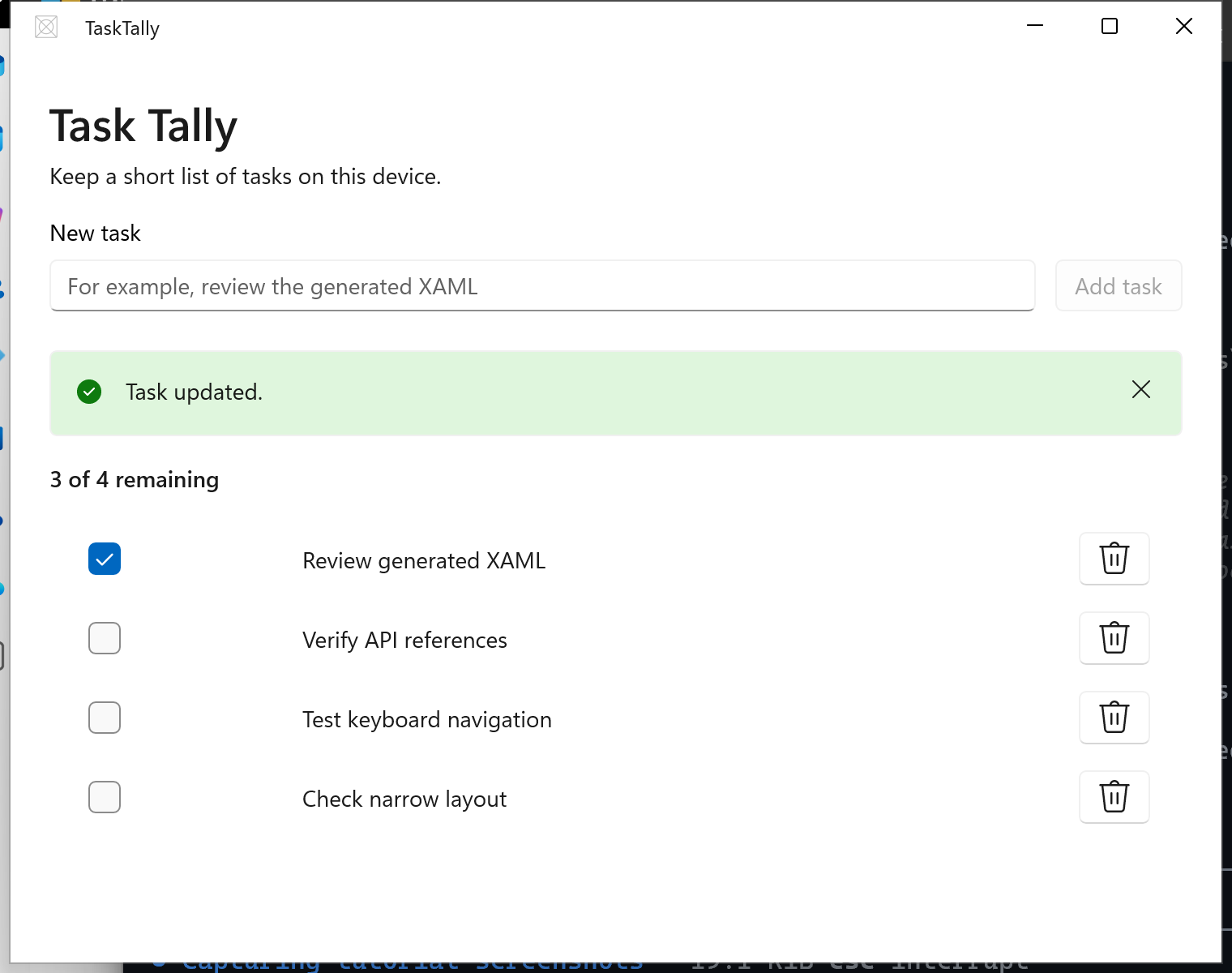
You use C#, WinUI 3, the Windows App SDK, and the MVVM Toolkit. The app is packaged with MSIX for local development.
What you learn
- Write requirements that keep generated code within WinUI 3.
- Break a feature into prompts that you can build and verify independently.
- Inspect generated project files, namespaces, controls, and data binding.
- Verify Windows APIs against Microsoft Learn.
- Recognize common AI-generated mistakes in Windows app code.
- Test generated code instead of accepting it because it looks plausible.
Prerequisites
Complete Quickstart: Create and run a WinUI 3 project first, using either its Visual Studio or command-line setup. You also need an AI coding assistant that can read and edit files in your project.
You create a separate TaskTally project in this tutorial. The Notes tutorial is an alternative for learning XAML and C# fundamentals, not a prerequisite.
You don't need previous WinUI experience. The prompts in this tutorial are tool-neutral, so adapt their command wording to your assistant.
Tip
Explore the Windows App Development CLI
Prefer command-line tools? The Windows App Development CLI (winapp) provides tools for Windows SDK setup, package identity, manifests, certificates, and MSIX packaging. It's currently available in public preview and is optional for this tutorial. You can continue with the Visual Studio or .NET CLI workflow described here.
Important
Review changes before you accept them. Don't paste credentials, private source code, personal data, or other sensitive information into a service that isn't approved for that data.
ทํางานร่วมกับเราใน GitHub
แหล่งที่มาสำหรับเนื้อหานี้สามารถพบได้บน GitHub ซึ่งคุณยังสามารถสร้างและตรวจสอบปัญหาและคำขอดึงข้อมูลได้ สำหรับข้อมูลเพิ่มเติม ให้ดูคู่มือผู้สนับสนุนของเรา

Windows developer