BackgroundWorker Sınıf
Tanım
Önemli
Bazı bilgiler ürünün ön sürümüyle ilgilidir ve sürüm öncesinde önemli değişiklikler yapılmış olabilir. Burada verilen bilgilerle ilgili olarak Microsoft açık veya zımni hiçbir garanti vermez.
Ayrı bir iş parçacığında bir işlemi yürütür.
public ref class BackgroundWorker : IDisposablepublic ref class BackgroundWorker : System::ComponentModel::Componentpublic class BackgroundWorker : IDisposablepublic class BackgroundWorker : System.ComponentModel.Componenttype BackgroundWorker = class
interface IDisposabletype BackgroundWorker = class
inherit ComponentPublic Class BackgroundWorker
Implements IDisposablePublic Class BackgroundWorker
Inherits Component- Devralma
-
BackgroundWorker
- Devralma
- Uygulamalar
Örnekler
Aşağıdaki kod örneği, zaman alan bir işlemi zaman uyumsuz olarak yürütmek için sınıfının temellerini BackgroundWorker gösterir. Aşağıdaki çizimde çıktının bir örneği gösterilmektedir.
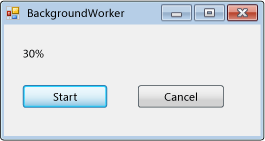
Bu kodu denemek için bir Windows Forms uygulaması oluşturun. adlı resultLabel bir Label denetim ekleyin ve ve cancelAsyncButtonadlı startAsyncButton iki Button denetim ekleyin. Her iki düğme için de olay işleyicileri oluşturun Click . Araç Kutusu'nun Bileşenler sekmesinden adlı backgroundWorker1bir BackgroundWorker bileşen ekleyin. için BackgroundWorker, ProgressChangedve RunWorkerCompleted olay işleyicileri oluşturunDoWork. Formun kodunda var olan kodu aşağıdaki kodla değiştirin.
using System;
using System.ComponentModel;
using System.Windows.Forms;

namespace BackgroundWorkerSimple;

public partial class Form1 : Form
{
    public Form1()
    {
        InitializeComponent();
        backgroundWorker1.WorkerReportsProgress = true;
        backgroundWorker1.WorkerSupportsCancellation = true;
    }

    void startAsyncButton_Click(object sender, EventArgs e)
    {
        if (!backgroundWorker1.IsBusy)
        {
            // Start the asynchronous operation.
            backgroundWorker1.RunWorkerAsync();
        }
    }

    void cancelAsyncButton_Click(object sender, EventArgs e)
    {
        if (backgroundWorker1.WorkerSupportsCancellation)
        {
            // Cancel the asynchronous operation.
            backgroundWorker1.CancelAsync();
        }
    }

    // This event handler is where the time-consuming work is done.
    void backgroundWorker1_DoWork(object sender, DoWorkEventArgs e)
    {
        BackgroundWorker worker = sender as BackgroundWorker;

        for (int i = 1; i <= 10; i++)
        {
            if (worker.CancellationPending)
            {
                e.Cancel = true;
                break;
            }
            else
            {
                // Perform a time consuming operation and report progress.
                System.Threading.Thread.Sleep(500);
                worker.ReportProgress(i * 10);
            }
        }
    }

    // This event handler updates the progress.
    void backgroundWorker1_ProgressChanged(object sender, ProgressChangedEventArgs e) =>
        resultLabel.Text = e.ProgressPercentage.ToString() + "%";

    // This event handler deals with the results of the background operation.
    void backgroundWorker1_RunWorkerCompleted(object sender, RunWorkerCompletedEventArgs e) =>
        resultLabel.Text = e.Cancelled ?
        "Canceled!"
        : e.Error != null ? "Error: " + e.Error.Message : "Done!";
}
Imports System.ComponentModel

Public Class Form1

    Public Sub New()
        InitializeComponent()
        backgroundWorker1.WorkerReportsProgress = True
        backgroundWorker1.WorkerSupportsCancellation = True
    End Sub

    Private Sub startAsyncButton_Click(ByVal sender As System.Object, _
    ByVal e As System.EventArgs) Handles startAsyncButton.Click
        If Not backgroundWorker1.IsBusy Then
            ' Start the asynchronous operation.
            backgroundWorker1.RunWorkerAsync()
        End If
    End Sub

    Private Sub cancelAsyncButton_Click(ByVal sender As System.Object, _
    ByVal e As System.EventArgs) Handles cancelAsyncButton.Click
        If backgroundWorker1.WorkerSupportsCancellation Then
            ' Cancel the asynchronous operation.
            backgroundWorker1.CancelAsync()
        End If
    End Sub

    ' This event handler is where the time-consuming work is done.
    Private Sub backgroundWorker1_DoWork(ByVal sender As System.Object, _
    ByVal e As DoWorkEventArgs) Handles backgroundWorker1.DoWork
        Dim worker As BackgroundWorker = CType(sender, BackgroundWorker)
        Dim i As Integer

        For i = 1 To 10
            If (worker.CancellationPending) Then
                e.Cancel = True
                Exit For
            Else
                ' Perform a time consuming operation and report progress.
                System.Threading.Thread.Sleep(500)
                worker.ReportProgress(i * 10)
            End If
        Next
    End Sub

    ' This event handler updates the progress.
    Private Sub backgroundWorker1_ProgressChanged(ByVal sender As System.Object, _
    ByVal e As ProgressChangedEventArgs) Handles backgroundWorker1.ProgressChanged
        resultLabel.Text = (e.ProgressPercentage.ToString() + "%")
    End Sub

    ' This event handler deals with the results of the background operation.
    Private Sub backgroundWorker1_RunWorkerCompleted(ByVal sender As System.Object, _
    ByVal e As RunWorkerCompletedEventArgs) Handles backgroundWorker1.RunWorkerCompleted
        If e.Cancelled Then
            resultLabel.Text = "Canceled!"
        ElseIf e.Error IsNot Nothing Then
            resultLabel.Text = "Error: " & e.Error.Message
        Else
            resultLabel.Text = "Done!"
        End If
    End Sub
End Class
Aşağıdaki kod örneği, zaman alan bir işlemi zaman uyumsuz olarak yürütmek için sınıfının kullanımını BackgroundWorker gösterir. Aşağıdaki çizimde çıktının bir örneği gösterilmektedir.
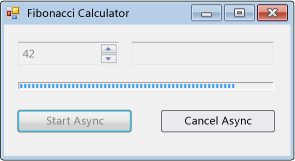
İşlem seçilen Fibonacci numarasını hesaplar, hesaplama devam ederken ilerleme durumunu bildirir ve bekleyen bir hesaplamanın iptal edilmesine izin verir.
#using <System.Drawing.dll>
#using <System.dll>
#using <System.Windows.Forms.dll>

using namespace System;
using namespace System::Collections;
using namespace System::ComponentModel;
using namespace System::Drawing;
using namespace System::Threading;
using namespace System::Windows::Forms;

public ref class FibonacciForm: public System::Windows::Forms::Form
{
private:

   int numberToCompute;
   int highestPercentageReached;

   System::Windows::Forms::NumericUpDown^ numericUpDown1;
   System::Windows::Forms::Button^ startAsyncButton;
   System::Windows::Forms::Button^ cancelAsyncButton;
   System::Windows::Forms::ProgressBar^ progressBar1;
   System::Windows::Forms::Label ^ resultLabel;
   System::ComponentModel::BackgroundWorker^ backgroundWorker1;

public:
   FibonacciForm()
   {
      InitializeComponent();
      numberToCompute = highestPercentageReached = 0;
      InitializeBackgoundWorker();
   }


private:

   // Set up the BackgroundWorker object by
   // attaching event handlers.
   void InitializeBackgoundWorker()
   {
      backgroundWorker1->DoWork += gcnew DoWorkEventHandler( this, &FibonacciForm::backgroundWorker1_DoWork );
      backgroundWorker1->RunWorkerCompleted += gcnew RunWorkerCompletedEventHandler( this, &FibonacciForm::backgroundWorker1_RunWorkerCompleted );
      backgroundWorker1->ProgressChanged += gcnew ProgressChangedEventHandler( this, &FibonacciForm::backgroundWorker1_ProgressChanged );
   }

   void startAsyncButton_Click( System::Object^ /*sender*/, System::EventArgs^ /*e*/ )
   {

      // Reset the text in the result label.
      resultLabel->Text = String::Empty;

      // Disable the UpDown control until
      // the asynchronous operation is done.
      this->numericUpDown1->Enabled = false;

      // Disable the Start button until
      // the asynchronous operation is done.
      this->startAsyncButton->Enabled = false;

      // Enable the Cancel button while
      // the asynchronous operation runs.
      this->cancelAsyncButton->Enabled = true;

      // Get the value from the UpDown control.
      numberToCompute = (int)numericUpDown1->Value;

      // Reset the variable for percentage tracking.
      highestPercentageReached = 0;

      // Start the asynchronous operation.
      backgroundWorker1->RunWorkerAsync( numberToCompute );
   }

   void cancelAsyncButton_Click( System::Object^ /*sender*/, System::EventArgs^ /*e*/ )
   {
      // Cancel the asynchronous operation.
      this->backgroundWorker1->CancelAsync();

      // Disable the Cancel button.
      cancelAsyncButton->Enabled = false;
   }

   // This event handler is where the actual,
   // potentially time-consuming work is done.
   void backgroundWorker1_DoWork( Object^ sender, DoWorkEventArgs^ e )
   {
      // Get the BackgroundWorker that raised this event.
      BackgroundWorker^ worker = dynamic_cast<BackgroundWorker^>(sender);

      // Assign the result of the computation
      // to the Result property of the DoWorkEventArgs
      // object. This is will be available to the
      // RunWorkerCompleted eventhandler.
      e->Result = ComputeFibonacci( safe_cast<Int32>(e->Argument), worker, e );
   }

   // This event handler deals with the results of the
   // background operation.
   void backgroundWorker1_RunWorkerCompleted( Object^ /*sender*/, RunWorkerCompletedEventArgs^ e )
   {
      // First, handle the case where an exception was thrown.
      if ( e->Error != nullptr )
      {
         MessageBox::Show( e->Error->Message );
      }
      else
      if ( e->Cancelled )
      {
         // Next, handle the case where the user cancelled
         // the operation.
         // Note that due to a race condition in
         // the DoWork event handler, the Cancelled
         // flag may not have been set, even though
         // CancelAsync was called.
         resultLabel->Text = "Cancelled";
      }
      else
      {
         // Finally, handle the case where the operation
         // succeeded.
         resultLabel->Text = e->Result->ToString();
      }

      // Enable the UpDown control.
      this->numericUpDown1->Enabled = true;

      // Enable the Start button.
      startAsyncButton->Enabled = true;

      // Disable the Cancel button.
      cancelAsyncButton->Enabled = false;
   }

   // This event handler updates the progress bar.
   void backgroundWorker1_ProgressChanged( Object^ /*sender*/, ProgressChangedEventArgs^ e )
   {
      this->progressBar1->Value = e->ProgressPercentage;
   }

   // This is the method that does the actual work. For this
   // example, it computes a Fibonacci number and
   // reports progress as it does its work.
   long ComputeFibonacci( int n, BackgroundWorker^ worker, DoWorkEventArgs ^ e )
   {
      // The parameter n must be >= 0 and <= 91.
      // Fib(n), with n > 91, overflows a long.
      if ( (n < 0) || (n > 91) )
      {
         throw gcnew ArgumentException( "value must be >= 0 and <= 91","n" );
      }

      long result = 0;

      // Abort the operation if the user has cancelled.
      // Note that a call to CancelAsync may have set
      // CancellationPending to true just after the
      // last invocation of this method exits, so this
      // code will not have the opportunity to set the
      // DoWorkEventArgs.Cancel flag to true. This means
      // that RunWorkerCompletedEventArgs.Cancelled will
      // not be set to true in your RunWorkerCompleted
      // event handler. This is a race condition.
      if ( worker->CancellationPending )
      {
         e->Cancel = true;
      }
      else
      {
         if ( n < 2 )
         {
            result = 1;
         }
         else
         {
            result = ComputeFibonacci( n - 1, worker, e ) + ComputeFibonacci( n - 2, worker, e );
         }

         // Report progress as a percentage of the total task.
         int percentComplete = (int)((float)n / (float)numberToCompute * 100);
         if ( percentComplete > highestPercentageReached )
         {
            highestPercentageReached = percentComplete;
            worker->ReportProgress( percentComplete );
         }
      }

      return result;
   }

   void InitializeComponent()
   {
      this->numericUpDown1 = gcnew System::Windows::Forms::NumericUpDown;
      this->startAsyncButton = gcnew System::Windows::Forms::Button;
      this->cancelAsyncButton = gcnew System::Windows::Forms::Button;
      this->resultLabel = gcnew System::Windows::Forms::Label;
      this->progressBar1 = gcnew System::Windows::Forms::ProgressBar;
      this->backgroundWorker1 = gcnew System::ComponentModel::BackgroundWorker;
      (dynamic_cast<System::ComponentModel::ISupportInitialize^>(this->numericUpDown1))->BeginInit();
      this->SuspendLayout();

      //
      // numericUpDown1
      //
      this->numericUpDown1->Location = System::Drawing::Point( 16, 16 );
      array<Int32>^temp0 = {91,0,0,0};
      this->numericUpDown1->Maximum = System::Decimal( temp0 );
      array<Int32>^temp1 = {1,0,0,0};
      this->numericUpDown1->Minimum = System::Decimal( temp1 );
      this->numericUpDown1->Name = "numericUpDown1";
      this->numericUpDown1->Size = System::Drawing::Size( 80, 20 );
      this->numericUpDown1->TabIndex = 0;
      array<Int32>^temp2 = {1,0,0,0};
      this->numericUpDown1->Value = System::Decimal( temp2 );

      //
      // startAsyncButton
      //
      this->startAsyncButton->Location = System::Drawing::Point( 16, 72 );
      this->startAsyncButton->Name = "startAsyncButton";
      this->startAsyncButton->Size = System::Drawing::Size( 120, 23 );
      this->startAsyncButton->TabIndex = 1;
      this->startAsyncButton->Text = "Start Async";
      this->startAsyncButton->Click += gcnew System::EventHandler( this, &FibonacciForm::startAsyncButton_Click );

      //
      // cancelAsyncButton
      //
      this->cancelAsyncButton->Enabled = false;
      this->cancelAsyncButton->Location = System::Drawing::Point( 153, 72 );
      this->cancelAsyncButton->Name = "cancelAsyncButton";
      this->cancelAsyncButton->Size = System::Drawing::Size( 119, 23 );
      this->cancelAsyncButton->TabIndex = 2;
      this->cancelAsyncButton->Text = "Cancel Async";
      this->cancelAsyncButton->Click += gcnew System::EventHandler( this, &FibonacciForm::cancelAsyncButton_Click );

      //
      // resultLabel
      //
      this->resultLabel->BorderStyle = System::Windows::Forms::BorderStyle::Fixed3D;
      this->resultLabel->Location = System::Drawing::Point( 112, 16 );
      this->resultLabel->Name = "resultLabel";
      this->resultLabel->Size = System::Drawing::Size( 160, 23 );
      this->resultLabel->TabIndex = 3;
      this->resultLabel->Text = "(no result)";
      this->resultLabel->TextAlign = System::Drawing::ContentAlignment::MiddleCenter;

      //
      // progressBar1
      //
      this->progressBar1->Location = System::Drawing::Point( 18, 48 );
      this->progressBar1->Name = "progressBar1";
      this->progressBar1->Size = System::Drawing::Size( 256, 8 );
      this->progressBar1->Step = 2;
      this->progressBar1->TabIndex = 4;

      //
      // backgroundWorker1
      //
      this->backgroundWorker1->WorkerReportsProgress = true;
      this->backgroundWorker1->WorkerSupportsCancellation = true;

      //
      // FibonacciForm
      //
      this->ClientSize = System::Drawing::Size( 292, 118 );
      this->Controls->Add( this->progressBar1 );
      this->Controls->Add( this->resultLabel );
      this->Controls->Add( this->cancelAsyncButton );
      this->Controls->Add( this->startAsyncButton );
      this->Controls->Add( this->numericUpDown1 );
      this->Name = "FibonacciForm";
      this->Text = "Fibonacci Calculator";
      (dynamic_cast<System::ComponentModel::ISupportInitialize^>(this->numericUpDown1))->EndInit();
      this->ResumeLayout( false );
   }
};

[STAThread]
int main()
{
   Application::Run( gcnew FibonacciForm );
}
using System;
using System.ComponentModel;
using System.Drawing;
using System.Windows.Forms;

namespace BackgroundWorkerExample;

public class FibonacciForm : Form
{
    int numberToCompute;
    int highestPercentageReached;

    NumericUpDown numericUpDown1;
    Button startAsyncButton;
    Button cancelAsyncButton;
    ProgressBar progressBar1;
    Label resultLabel;
    BackgroundWorker backgroundWorker1;

    public FibonacciForm()
    {
        InitializeComponent();

        InitializeBackgroundWorker();
    }

    // Set up the BackgroundWorker object by
    // attaching event handlers.
    void InitializeBackgroundWorker()
    {
        backgroundWorker1.DoWork +=
             backgroundWorker1_DoWork;
        backgroundWorker1.RunWorkerCompleted +=

        backgroundWorker1_RunWorkerCompleted;
        backgroundWorker1.ProgressChanged +=

        backgroundWorker1_ProgressChanged;
    }

    void startAsyncButton_Click(object sender,
        EventArgs e)
    {
        // Reset the text in the result label.
        resultLabel.Text = string.Empty;

        // Disable the UpDown control until
        // the asynchronous operation is done.
        numericUpDown1.Enabled = false;

        // Disable the Start button until
        // the asynchronous operation is done.
        startAsyncButton.Enabled = false;

        // Enable the Cancel button while
        // the asynchronous operation runs.
        cancelAsyncButton.Enabled = true;

        // Get the value from the UpDown control.
        numberToCompute = (int)numericUpDown1.Value;

        // Reset the variable for percentage tracking.
        highestPercentageReached = 0;

        // Start the asynchronous operation.
        backgroundWorker1.RunWorkerAsync(numberToCompute);
    }

    void cancelAsyncButton_Click(object sender,
        EventArgs e)
    {
        // Cancel the asynchronous operation.
        backgroundWorker1.CancelAsync();

        // Disable the Cancel button.
        cancelAsyncButton.Enabled = false;
    }

    // This event handler is where the actual,
    // potentially time-consuming work is done.
    void backgroundWorker1_DoWork(object sender,
        DoWorkEventArgs e)
    {
        // Get the BackgroundWorker that raised this event.
        BackgroundWorker worker = sender as BackgroundWorker;

        // Assign the result of the computation
        // to the Result property of the DoWorkEventArgs
        // object. This is will be available to the
        // RunWorkerCompleted eventhandler.
        e.Result = ComputeFibonacci((int)e.Argument, worker, e);
    }

    // This event handler deals with the results of the
    // background operation.
    void backgroundWorker1_RunWorkerCompleted(
        object sender, RunWorkerCompletedEventArgs e)
    {
        // First, handle the case where an exception was thrown.
        if (e.Error != null)
        {
            _ = MessageBox.Show(e.Error.Message);
        }
        else if (e.Cancelled)
        {
            // Next, handle the case where the user canceled
            // the operation.
            // Note that due to a race condition in
            // the DoWork event handler, the Cancelled
            // flag may not have been set, even though
            // CancelAsync was called.
            resultLabel.Text = "Canceled";
        }
        else
        {
            // Finally, handle the case where the operation
            // succeeded.
            resultLabel.Text = e.Result.ToString();
        }

        // Enable the UpDown control.
        numericUpDown1.Enabled = true;

        // Enable the Start button.
        startAsyncButton.Enabled = true;

        // Disable the Cancel button.
        cancelAsyncButton.Enabled = false;
    }

    // This event handler updates the progress bar.
    void backgroundWorker1_ProgressChanged(object sender,
        ProgressChangedEventArgs e) => progressBar1.Value = e.ProgressPercentage;

    // This is the method that does the actual work. For this
    // example, it computes a Fibonacci number and
    // reports progress as it does its work.
    long ComputeFibonacci(int n, BackgroundWorker worker, DoWorkEventArgs e)
    {
        // The parameter n must be >= 0 and <= 91.
        // Fib(n), with n > 91, overflows a long.
        if (n is < 0 or > 91)
        {
            throw new ArgumentException(
                "value must be >= 0 and <= 91", nameof(n));
        }

        long result = 0;

        // Abort the operation if the user has canceled.
        // Note that a call to CancelAsync may have set
        // CancellationPending to true just after the
        // last invocation of this method exits, so this
        // code will not have the opportunity to set the
        // DoWorkEventArgs.Cancel flag to true. This means
        // that RunWorkerCompletedEventArgs.Cancelled will
        // not be set to true in your RunWorkerCompleted
        // event handler. This is a race condition.

        if (worker.CancellationPending)
        {
            e.Cancel = true;
        }
        else
        {
            result = n < 2
                ? 1
                : ComputeFibonacci(n - 1, worker, e) +
                         ComputeFibonacci(n - 2, worker, e);

            // Report progress as a percentage of the total task.
            int percentComplete =
                (int)(n / (float)numberToCompute * 100);
            if (percentComplete > highestPercentageReached)
            {
                highestPercentageReached = percentComplete;
                worker.ReportProgress(percentComplete);
            }
        }

        return result;
    }

    #region Windows Form Designer generated code

    void InitializeComponent()
    {
        numericUpDown1 = new NumericUpDown();
        startAsyncButton = new Button();
        cancelAsyncButton = new Button();
        resultLabel = new Label();
        progressBar1 = new ProgressBar();
        backgroundWorker1 = new BackgroundWorker();
        ((ISupportInitialize)numericUpDown1).BeginInit();
        SuspendLayout();
        //
        // numericUpDown1
        //
        numericUpDown1.Location = new Point(16, 16);
        numericUpDown1.Maximum = new decimal(new int[] {
            91,
            0,
            0,
            0});
        numericUpDown1.Minimum = new decimal(new int[] {
            1,
            0,
            0,
            0});
        numericUpDown1.Name = "numericUpDown1";
        numericUpDown1.Size = new Size(80, 20);
        numericUpDown1.TabIndex = 0;
        numericUpDown1.Value = new decimal(new int[] {
            1,
            0,
            0,
            0});
        //
        // startAsyncButton
        //
        startAsyncButton.Location = new Point(16, 72);
        startAsyncButton.Name = "startAsyncButton";
        startAsyncButton.Size = new Size(120, 23);
        startAsyncButton.TabIndex = 1;
        startAsyncButton.Text = "Start Async";
        startAsyncButton.Click += startAsyncButton_Click;
        //
        // cancelAsyncButton
        //
        cancelAsyncButton.Enabled = false;
        cancelAsyncButton.Location = new Point(153, 72);
        cancelAsyncButton.Name = "cancelAsyncButton";
        cancelAsyncButton.Size = new Size(119, 23);
        cancelAsyncButton.TabIndex = 2;
        cancelAsyncButton.Text = "Cancel Async";
        cancelAsyncButton.Click += cancelAsyncButton_Click;
        //
        // resultLabel
        //
        resultLabel.BorderStyle = BorderStyle.Fixed3D;
        resultLabel.Location = new Point(112, 16);
        resultLabel.Name = "resultLabel";
        resultLabel.Size = new Size(160, 23);
        resultLabel.TabIndex = 3;
        resultLabel.Text = "(no result)";
        resultLabel.TextAlign = ContentAlignment.MiddleCenter;
        //
        // progressBar1
        //
        progressBar1.Location = new Point(18, 48);
        progressBar1.Name = "progressBar1";
        progressBar1.Size = new Size(256, 8);
        progressBar1.Step = 2;
        progressBar1.TabIndex = 4;
        //
        // backgroundWorker1
        //
        backgroundWorker1.WorkerReportsProgress = true;
        backgroundWorker1.WorkerSupportsCancellation = true;
        //
        // FibonacciForm
        //
        ClientSize = new Size(1794, 927);
        Controls.Add(progressBar1);
        Controls.Add(resultLabel);
        Controls.Add(cancelAsyncButton);
        Controls.Add(startAsyncButton);
        Controls.Add(numericUpDown1);
        Name = "FibonacciForm";
        Text = "Fibonacci Calculator";
        ((ISupportInitialize)numericUpDown1).EndInit();
        ResumeLayout(false);
    }
    #endregion

    [STAThread]
    static void Main() => Application.Run(new FibonacciForm());
}
Imports System.ComponentModel
Imports System.Windows.Forms

Public Class FibonacciForm
    Inherits Form

    Private numberToCompute As Integer = 0
    Private highestPercentageReached As Integer = 0

    Private numericUpDown1 As NumericUpDown
    Private WithEvents startAsyncButton As Button
    Private WithEvents cancelAsyncButton As Button
    Private progressBar1 As ProgressBar
    Private resultLabel As Label
    Private WithEvents backgroundWorker1 As System.ComponentModel.BackgroundWorker


    Public Sub New()
        InitializeComponent()
    End Sub

    Private Sub startAsyncButton_Click(ByVal sender As System.Object,
    ByVal e As System.EventArgs) _
    Handles startAsyncButton.Click

        ' Reset the text in the result label.
        resultLabel.Text = [String].Empty

        ' Disable the UpDown control until
        ' the asynchronous operation is done.
        numericUpDown1.Enabled = False

        ' Disable the Start button until
        ' the asynchronous operation is done.
        startAsyncButton.Enabled = False

        ' Enable the Cancel button while
        ' the asynchronous operation runs.
        cancelAsyncButton.Enabled = True

        ' Get the value from the UpDown control.
        numberToCompute = CInt(numericUpDown1.Value)

        ' Reset the variable for percentage tracking.
        highestPercentageReached = 0


        ' Start the asynchronous operation.
        backgroundWorker1.RunWorkerAsync(numberToCompute)
    End Sub

    Private Sub cancelAsyncButton_Click(
    ByVal sender As System.Object,
    ByVal e As System.EventArgs) _
    Handles cancelAsyncButton.Click

        ' Cancel the asynchronous operation.
        backgroundWorker1.CancelAsync()

        ' Disable the Cancel button.
        cancelAsyncButton.Enabled = False

    End Sub

    ' This event handler is where the actual work is done.
    Private Sub backgroundWorker1_DoWork(
    ByVal sender As Object,
    ByVal e As DoWorkEventArgs) _
    Handles backgroundWorker1.DoWork

        ' Get the BackgroundWorker object that raised this event.
        Dim worker As BackgroundWorker =
            CType(sender, BackgroundWorker)

        ' Assign the result of the computation
        ' to the Result property of the DoWorkEventArgs
        ' object. This is will be available to the
        ' RunWorkerCompleted eventhandler.
        e.Result = ComputeFibonacci(e.Argument, worker, e)
    End Sub

    ' This event handler deals with the results of the
    ' background operation.
    Private Sub backgroundWorker1_RunWorkerCompleted(
    ByVal sender As Object, ByVal e As RunWorkerCompletedEventArgs) _
    Handles backgroundWorker1.RunWorkerCompleted

        ' First, handle the case where an exception was thrown.
        If (e.Error IsNot Nothing) Then
            MessageBox.Show(e.Error.Message)
        ElseIf e.Cancelled Then
            ' Next, handle the case where the user canceled the
            ' operation.
            ' Note that due to a race condition in
            ' the DoWork event handler, the Cancelled
            ' flag may not have been set, even though
            ' CancelAsync was called.
            resultLabel.Text = "Canceled"
        Else
            ' Finally, handle the case where the operation succeeded.
            resultLabel.Text = e.Result.ToString()
        End If

        ' Enable the UpDown control.
        numericUpDown1.Enabled = True

        ' Enable the Start button.
        startAsyncButton.Enabled = True

        ' Disable the Cancel button.
        cancelAsyncButton.Enabled = False
    End Sub

    ' This event handler updates the progress bar.
    Private Sub backgroundWorker1_ProgressChanged(
    ByVal sender As Object, ByVal e As ProgressChangedEventArgs) _
    Handles backgroundWorker1.ProgressChanged

        progressBar1.Value = e.ProgressPercentage

    End Sub

    ' This is the method that does the actual work. For this
    ' example, it computes a Fibonacci number and
    ' reports progress as it does its work.
    Function ComputeFibonacci(
        ByVal n As Integer,
        ByVal worker As BackgroundWorker,
        ByVal e As DoWorkEventArgs) As Long

        ' The parameter n must be >= 0 and <= 91.
        ' Fib(n), with n > 91, overflows a long.
        If n < 0 OrElse n > 91 Then
            Throw New ArgumentException(
                "value must be >= 0 and <= 91", "n")
        End If

        Dim result As Long = 0

        ' Abort the operation if the user has canceled.
        ' Note that a call to CancelAsync may have set
        ' CancellationPending to true just after the
        ' last invocation of this method exits, so this
        ' code will not have the opportunity to set the
        ' DoWorkEventArgs.Cancel flag to true. This means
        ' that RunWorkerCompletedEventArgs.Cancelled will
        ' not be set to true in your RunWorkerCompleted
        ' event handler. This is a race condition.
        If worker.CancellationPending Then
            e.Cancel = True
        Else
            If n < 2 Then
                result = 1
            Else
                result = ComputeFibonacci(n - 1, worker, e) +
                         ComputeFibonacci(n - 2, worker, e)
            End If

            ' Report progress as a percentage of the total task.
            Dim percentComplete As Integer =
                CSng(n) / CSng(numberToCompute) * 100
            If percentComplete > highestPercentageReached Then
                highestPercentageReached = percentComplete
                worker.ReportProgress(percentComplete)
            End If

        End If

        Return result

    End Function


    Private Sub InitializeComponent()
        numericUpDown1 = New NumericUpDown
        startAsyncButton = New Button
        cancelAsyncButton = New Button
        resultLabel = New Label
        progressBar1 = New ProgressBar
        backgroundWorker1 = New System.ComponentModel.BackgroundWorker
        CType(numericUpDown1, System.ComponentModel.ISupportInitialize).BeginInit()
        SuspendLayout()
        '
        'numericUpDown1
        '
        numericUpDown1.Location = New System.Drawing.Point(16, 16)
        numericUpDown1.Maximum = New Decimal(New Integer() {91, 0, 0, 0})
        numericUpDown1.Minimum = New Decimal(New Integer() {1, 0, 0, 0})
        numericUpDown1.Name = "numericUpDown1"
        numericUpDown1.Size = New System.Drawing.Size(80, 20)
        numericUpDown1.TabIndex = 0
        numericUpDown1.Value = New Decimal(New Integer() {1, 0, 0, 0})
        '
        'startAsyncButton
        '
        startAsyncButton.Location = New System.Drawing.Point(16, 72)
        startAsyncButton.Name = "startAsyncButton"
        startAsyncButton.Size = New System.Drawing.Size(120, 23)
        startAsyncButton.TabIndex = 1
        startAsyncButton.Text = "Start Async"
        '
        'cancelAsyncButton
        '
        cancelAsyncButton.Enabled = False
        cancelAsyncButton.Location = New System.Drawing.Point(153, 72)
        cancelAsyncButton.Name = "cancelAsyncButton"
        cancelAsyncButton.Size = New System.Drawing.Size(119, 23)
        cancelAsyncButton.TabIndex = 2
        cancelAsyncButton.Text = "Cancel Async"
        '
        'resultLabel
        '
        resultLabel.BorderStyle = BorderStyle.Fixed3D
        resultLabel.Location = New System.Drawing.Point(112, 16)
        resultLabel.Name = "resultLabel"
        resultLabel.Size = New System.Drawing.Size(160, 23)
        resultLabel.TabIndex = 3
        resultLabel.Text = "(no result)"
        resultLabel.TextAlign = System.Drawing.ContentAlignment.MiddleCenter
        '
        'progressBar1
        '
        progressBar1.Location = New System.Drawing.Point(18, 48)
        progressBar1.Name = "progressBar1"
        progressBar1.Size = New System.Drawing.Size(256, 8)
        progressBar1.TabIndex = 4
        '
        'backgroundWorker1
        '
        backgroundWorker1.WorkerReportsProgress = True
        backgroundWorker1.WorkerSupportsCancellation = True
        '
        'FibonacciForm
        '
        ClientSize = New System.Drawing.Size(292, 118)
        Controls.Add(progressBar1)
        Controls.Add(resultLabel)
        Controls.Add(cancelAsyncButton)
        Controls.Add(startAsyncButton)
        Controls.Add(numericUpDown1)
        Name = "FibonacciForm"
        Text = "Fibonacci Calculator"
        CType(numericUpDown1, System.ComponentModel.ISupportInitialize).EndInit()
        ResumeLayout(False)

    End Sub

    <STAThread()> _
    Shared Sub Main()
        Application.Run(New FibonacciForm)
    End Sub
End Class
Açıklamalar
BackgroundWorker sınıfı, ayrı, ayrılmış bir iş parçacığı üzerinde bir işlem çalıştırmanıza olanak tanır. İndirmeler ve veritabanı işlemleri gibi zaman alan işlemler, kullanıcı arabiriminizin (UI) çalışırken yanıt vermeyi durdurmuş gibi görünmesine neden olabilir. Yanıt veren bir kullanıcı arabirimi istediğinizde ve bu tür işlemlerle ilişkili uzun gecikmelerle karşılaştığınızda, BackgroundWorker sınıfı kullanışlı bir çözüm sağlar.
Arka planda zaman alan bir işlem yürütmek için bir BackgroundWorker oluşturun ve işleminizin ilerleme durumunu bildiren olayları dinleyin ve işleminiz tamamlandığında sinyal verin. Program aracılığıyla oluşturabilir BackgroundWorker veya Araç Kutusu'nunBileşenler sekmesinden formunuza sürükleyebilirsiniz. öğesini BackgroundWorker Windows Forms Tasarımcısı'nda oluşturursanız, Bileşen Tepsisi'nde görünür ve özellikleri Özellikler penceresinde görüntülenir.
Arka plan işlemini ayarlamak için olay için bir olay işleyicisi DoWork ekleyin. Bu olay işleyicisinde zaman alan işleminizi çağır. İşlemi başlatmak için öğesini çağırın RunWorkerAsync. İlerleme güncelleştirmelerinin bildirimlerini almak için olayı işleyebilir ProgressChanged . İşlem tamamlandığında bildirim almak için olayı işleyebilir RunWorkerCompleted .
Uyarı
Olay işleyicinizdeki DoWork kullanıcı arabirimi nesnelerini işlememeye dikkat etmelisiniz. Bunun yerine ve RunWorkerCompleted olayları aracılığıyla kullanıcı arabirimiyle ProgressChanged iletişim kurun.
BackgroundWorker olaylar sınırlar arasında AppDomain sıralanmaz. Birden fazla AppDomainiçinde çok iş parçacıklı işlemler gerçekleştirmek için bir BackgroundWorker bileşen kullanmayın.
Arka plan işleminiz bir parametre gerektiriyorsa, parametresiyle çağrısında RunWorkerAsync bulunur. Olay işleyicisinin DoWork içinde parametresini özelliğinden DoWorkEventArgs.Argument ayıklayabilirsiniz.
BackgroundWorker hakkında daha fazla bilgi için, Nasıl Yapılır: Bir İşlemi Arka Planda Çalıştırma bölümüne bakın.
Oluşturucular
| Name | Description |
|---|---|
| BackgroundWorker() |
BackgroundWorker sınıfının yeni bir örneğini başlatır. |
Özellikler
| Name | Description |
|---|---|
| CancellationPending |
Uygulamanın bir arka plan işleminin iptalini isteyip istemediğini belirten bir değer alır. |
| CanRaiseEvents |
Bileşenin olay oluşturup oluşturamayacağını belirten bir değer alır. (Devralındığı yer: Component) |
| Container |
öğesini IContainer içeren öğesini Componentalır. (Devralındığı yer: Component) |
| DesignMode |
öğesinin şu anda tasarım modunda olup olmadığını Component gösteren bir değer alır. (Devralındığı yer: Component) |
| Events |
Bu Componentöğesine eklenen olay işleyicilerinin listesini alır. (Devralındığı yer: Component) |
| IsBusy |
öğesinin zaman uyumsuz bir işlem çalıştırıp çalıştırmadığını BackgroundWorker belirten bir değer alır. |
| Site |
öğesini alır veya ayarlar ISiteComponent. (Devralındığı yer: Component) |
| WorkerReportsProgress |
İlerleme durumu güncelleştirmelerini raporlayıp bildiremeyeceğini BackgroundWorker belirten bir değer alır veya ayarlar. |
| WorkerSupportsCancellation |
öğesinin zaman uyumsuz iptali BackgroundWorker destekleyip desteklemediğini belirten bir değer alır veya ayarlar. |
Yöntemler
| Name | Description |
|---|---|
| CancelAsync() |
Bekleyen bir arka plan işleminin iptalini istemektedir. |
| CreateObjRef(Type) |
Uzak bir nesneyle iletişim kurmak için kullanılan bir ara sunucu oluşturmak için gereken tüm ilgili bilgileri içeren bir nesne oluşturur. (Devralındığı yer: MarshalByRefObject) |
| Dispose() |
Yönetilmeyen kaynakları serbest bırakma, serbest bırakma veya sıfırlama ile ilişkili uygulama tanımlı görevleri gerçekleştirir. |
| Dispose() |
tarafından Componentkullanılan tüm kaynakları serbest bırakır. (Devralındığı yer: Component) |
| Dispose(Boolean) |
Bu yöntem hiçbir şey yapmaz. |
| Dispose(Boolean) |
tarafından Component kullanılan yönetilmeyen kaynakları serbest bırakır ve isteğe bağlı olarak yönetilen kaynakları serbest bırakır. (Devralındığı yer: Component) |
| Equals(Object) |
Belirtilen nesnenin geçerli nesneye eşit olup olmadığını belirler. (Devralındığı yer: Object) |
| GetHashCode() |
Varsayılan karma işlevi işlevi görür. (Devralındığı yer: Object) |
| GetLifetimeService() |
Geçersiz.
Bu örnek için yaşam süresi ilkesini denetleen geçerli yaşam süresi hizmet nesnesini alır. (Devralındığı yer: MarshalByRefObject) |
| GetService(Type) |
veya Componenttarafından Container sağlanan bir hizmeti temsil eden bir nesnesi döndürür. (Devralındığı yer: Component) |
| GetType() |
Geçerli örneğin Type alır. (Devralındığı yer: Object) |
| InitializeLifetimeService() |
Geçersiz.
Bu örneğin yaşam süresi ilkesini denetlemek için bir yaşam süresi hizmet nesnesi alır. (Devralındığı yer: MarshalByRefObject) |
| MemberwiseClone() |
Geçerli Objectbasit bir kopyasını oluşturur. (Devralındığı yer: Object) |
| MemberwiseClone(Boolean) |
Geçerli MarshalByRefObject nesnenin sığ bir kopyasını oluşturur. (Devralındığı yer: MarshalByRefObject) |
| OnDoWork(DoWorkEventArgs) |
Olayı tetikler DoWork . |
| OnProgressChanged(ProgressChangedEventArgs) |
Olayı tetikler ProgressChanged . |
| OnRunWorkerCompleted(RunWorkerCompletedEventArgs) |
Olayı tetikler RunWorkerCompleted . |
| ReportProgress(Int32, Object) |
Olayı tetikler ProgressChanged . |
| ReportProgress(Int32) |
Olayı tetikler ProgressChanged . |
| RunWorkerAsync() |
Arka plan işleminin yürütülmesini başlatır. |
| RunWorkerAsync(Object) |
Arka plan işleminin yürütülmesini başlatır. |
| ToString() |
Geçerli nesneyi temsil eden bir dize döndürür. (Devralındığı yer: Object) |
| ToString() |
Varsa, adını Stringiçeren bir Component döndürür. Bu yöntem geçersiz kılınmamalıdır. (Devralındığı yer: Component) |
Ekinlikler
| Name | Description |
|---|---|
| Disposed |
Bileşen yöntemine Dispose() yapılan bir çağrıyla atıldığında gerçekleşir. (Devralındığı yer: Component) |
| DoWork |
Çağrıldığında RunWorkerAsync() gerçekleşir. |
| ProgressChanged |
Çağrıldığında ReportProgress(Int32) gerçekleşir. |
| RunWorkerCompleted |
Arka plan işlemi tamamlandığında, iptal edildiğinde veya bir özel durum oluştuğunda gerçekleşir. |
