Lưu ý
Cần có ủy quyền mới truy nhập được vào trang này. Bạn có thể thử đăng nhập hoặc thay đổi thư mục.
Cần có ủy quyền mới truy nhập được vào trang này. Bạn có thể thử thay đổi thư mục.
A Power BI visual's landing page can display information in your Power BI visual card before the card gets data. A visual's landing page can display:
- Text that explains how to use the visual.
- A link to your website.
- A link to a video.
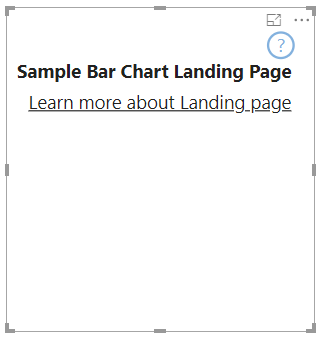
This article explains how to design a landing page for your visual. The landing page appears whenever the visual has no data in it.
Note
Designing a Power BI visual landing page is supported in API version 2.3.0 and above. To find out which version you're using, check the apiVersion in the pbiviz.json file.
Create a landing page
To create a landing page, two capabilities must be set in the capabilities.json file.
- For the landing page to work, enable
supportsLandingPage. - For the landing page to be displayed in view mode, or for the visual to be interactive even when in no data-roles mode, enable
supportsEmptyDataView.
    {
        "supportsLandingPage": true,
        "supportsEmptyDataView": true,
    }
Example of a visual with a landing page
The following code shows how a landing page can be added to a bar chart visual.
export class BarChart implements IVisual {
    //...
    private element: HTMLElement;
    private isLandingPageOn: boolean;
    private LandingPageRemoved: boolean;
    private LandingPage: d3.Selection<any>;

    constructor(options: VisualConstructorOptions) {
            //...
            this.element = options.element;
            //...
    }

    public update(options: VisualUpdateOptions) {
    //...
        this.HandleLandingPage(options);
    }

    private HandleLandingPage(options: VisualUpdateOptions) {
        if(!options.dataViews || !options.dataViews[0]?.metadata?.columns?.length){
            if(!this.isLandingPageOn) {
                this.isLandingPageOn = true;
                const SampleLandingPage: Element = this.createSampleLandingPage(); //create a landing page
                this.element.appendChild(SampleLandingPage);
                this.LandingPage = d3.select(SampleLandingPage);
            }

        } else {
                if(this.isLandingPageOn && !this.LandingPageRemoved){
                    this.LandingPageRemoved = true;
                    this.LandingPage.remove();
                }
        }
    }