Lưu ý
Cần có ủy quyền mới truy nhập được vào trang này. Bạn có thể thử đăng nhập hoặc thay đổi thư mục.
Cần có ủy quyền mới truy nhập được vào trang này. Bạn có thể thử thay đổi thư mục.
Generates HTTP file from the intercepted requests and responses.
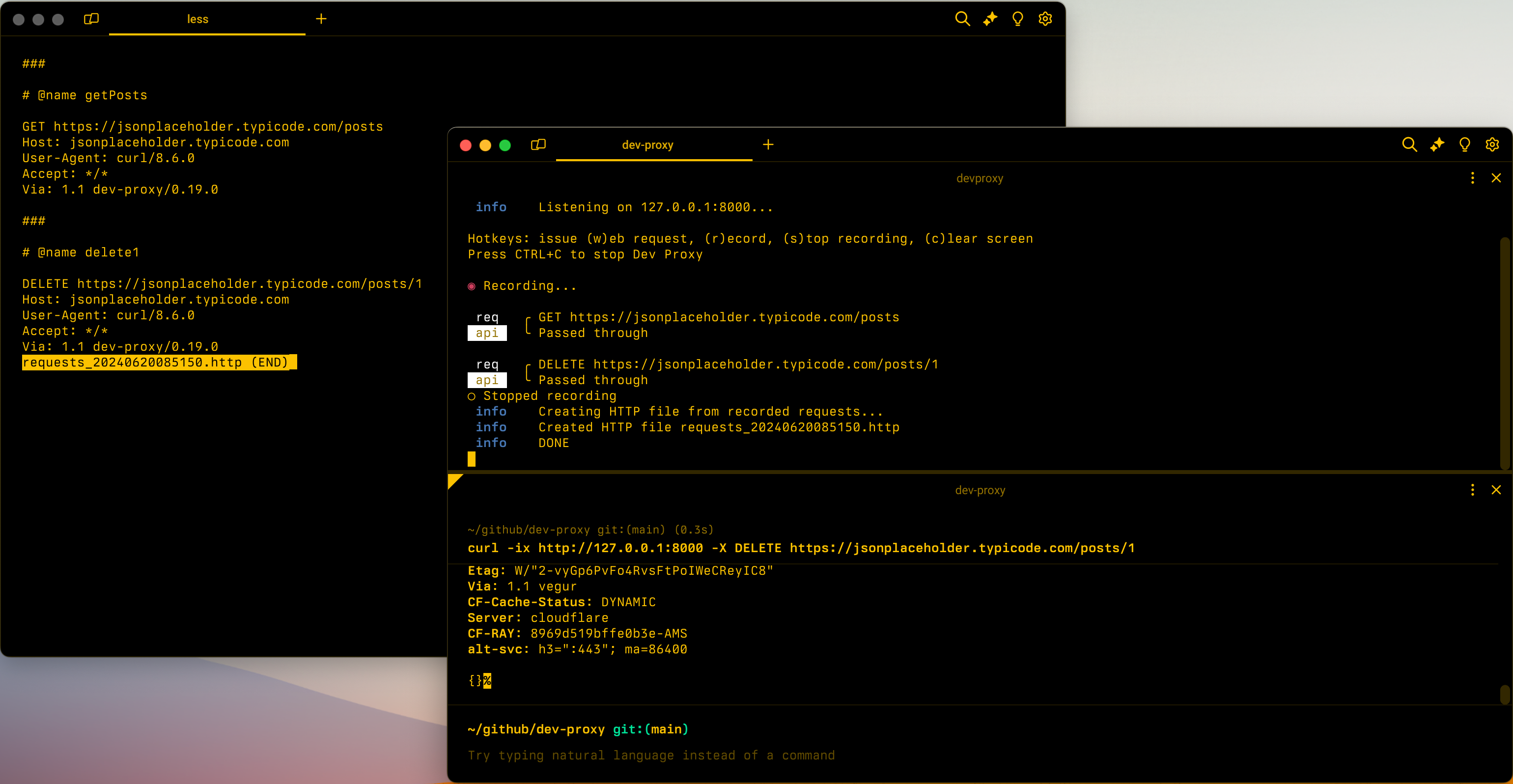
Configuration example
{
  "$schema": "https://raw.githubusercontent.com/dotnet/dev-proxy/main/schemas/v2.0.0/rc.schema.json",
  "plugins": [
    {
      "name": "HttpFileGeneratorPlugin",
      "enabled": true,
      "pluginPath": "~appFolder/plugins/DevProxy.Plugins.dll",
      "configSection": "httpFileGeneratorPlugin"
    }
  ],
  "httpFileGeneratorPlugin": {
    "$schema": "https://raw.githubusercontent.com/dotnet/dev-proxy/main/schemas/v2.0.0/httpfilegeneratorplugin.schema.json",
    "includeOptionsRequests": false
  }
}
Configuration properties
| Property | Description | Default |
|---|---|---|
includeOptionsRequests |
Determines whether to include OPTIONS requests in the generated HTTP file |
false |
Command line options
None
Remarks
When the plugin generates the HTTP file, it extracts authorization information such as bearer tokens and API keys from request headers and query string parameters. It replaces the actual values with placeholders and stores them in variables for easier management.
For example, for the following request:
GET https://jsonplaceholder.typicode.com/posts?api-key=123
The plugin generates the following HTTP file:
@jsonplaceholder_typicode_com_api_key = api-key

###

# @name getPosts

GET https://jsonplaceholder.typicode.com/posts?api-key={{jsonplaceholder_typicode_com_api_key}}
Host: jsonplaceholder.typicode.com
User-Agent: curl/8.6.0
Accept: */*
Via: 1.1 dev-proxy/0.27.0
The plugin creates variables for each combination of hostname and request header/query string parameter. If multiple requests use the same combination, the plugin reuses the variable.
Cộng tác với chúng tôi trên GitHub
Bạn có thể tìm thấy nguồn cho nội dung này trên GitHub, nơi bạn cũng có thể tạo và xem lại các vấn đề và yêu cầu kéo. Để biết thêm thông tin, hãy xem hướng dẫn dành cho người đóng góp của chúng tôi.
