Lưu ý
Cần có ủy quyền mới truy nhập được vào trang này. Bạn có thể thử đăng nhập hoặc thay đổi thư mục.
Cần có ủy quyền mới truy nhập được vào trang này. Bạn có thể thử thay đổi thư mục.
Delays responses by a random number of milliseconds from the configured range. Supports both HTTP requests and STDIO communication.
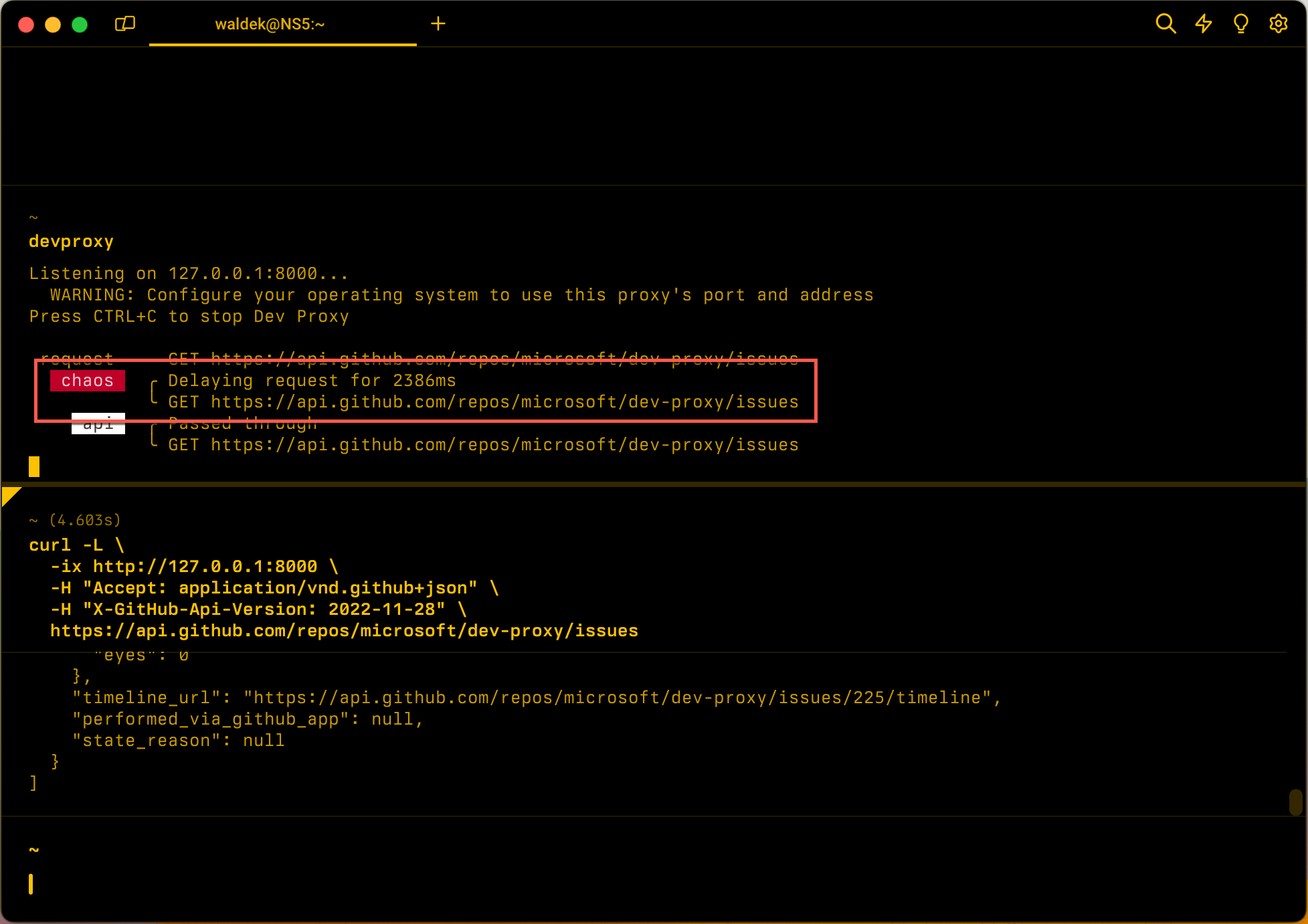
Configuration example
{
  "$schema": "https://raw.githubusercontent.com/dotnet/dev-proxy/main/schemas/v2.0.0/rc.schema.json",
  "plugins": [
    {
      "name": "LatencyPlugin",
      "enabled": true,
      "pluginPath": "~appFolder/plugins/DevProxy.Plugins.dll",
      "configSection": "latencyPlugin"
    }
  ],
  "latencyPlugin": {
    "$schema": "https://raw.githubusercontent.com/dotnet/dev-proxy/main/schemas/v2.0.0/latencyplugin.schema.json",
    "minMs": 200,
    "maxMs": 10000
  }
}
Configuration properties
| Property | Description | Default |
|---|---|---|
minMs |
The minimum amount of delay added to a request in milliseconds. | 0 |
maxMs |
The maximum amount of delay added to a request in milliseconds. | 5000 |
Command line options
None
STDIO support
When you use the LatencyPlugin with the STDIO command, the plugin adds artificial latency to stdout responses. Simulating latency is useful for testing how your application handles slow Model Context Protocol (MCP) server responses or other STDIO-based tools.
Configuration example for STDIO
{
  "$schema": "https://raw.githubusercontent.com/dotnet/dev-proxy/main/schemas/v2.1.0/rc.schema.json",
  "plugins": [
    {
      "name": "LatencyPlugin",
      "enabled": true,
      "pluginPath": "~appFolder/plugins/DevProxy.Plugins.dll",
      "configSection": "latencyPlugin"
    },
    {
      "name": "MockSTDIOResponsePlugin",
      "enabled": true,
      "pluginPath": "~appFolder/plugins/DevProxy.Plugins.dll",
      "configSection": "mockSTDIOResponsePlugin"
    }
  ],
  "latencyPlugin": {
    "$schema": "https://raw.githubusercontent.com/dotnet/dev-proxy/main/schemas/v2.1.0/latencyplugin.schema.json",
    "minMs": 100,
    "maxMs": 500
  },
  "mockSTDIOResponsePlugin": {
    "$schema": "https://raw.githubusercontent.com/dotnet/dev-proxy/main/schemas/v2.1.0/mockSTDIOresponseplugin.schema.json",
    "mocksFile": "STDIO-mocks.json"
  }
}
Then run:
devproxy STDIO npx -y @modelcontextprotocol/server-filesystem
Next step
Cộng tác với chúng tôi trên GitHub
Bạn có thể tìm thấy nguồn cho nội dung này trên GitHub, nơi bạn cũng có thể tạo và xem lại các vấn đề và yêu cầu kéo. Để biết thêm thông tin, hãy xem hướng dẫn dành cho người đóng góp của chúng tôi.
