Lưu ý
Cần có ủy quyền mới truy nhập được vào trang này. Bạn có thể thử đăng nhập hoặc thay đổi thư mục.
Cần có ủy quyền mới truy nhập được vào trang này. Bạn có thể thử thay đổi thư mục.
When you use the Sources tool to step through code, sometimes you pause on code that you don't recognize and don't want to step through, such as code for a Microsoft Edge extension that's installed.
To avoid pausing on extension code:
In DevTools, in the upper right, click the Settings (
 ) button.
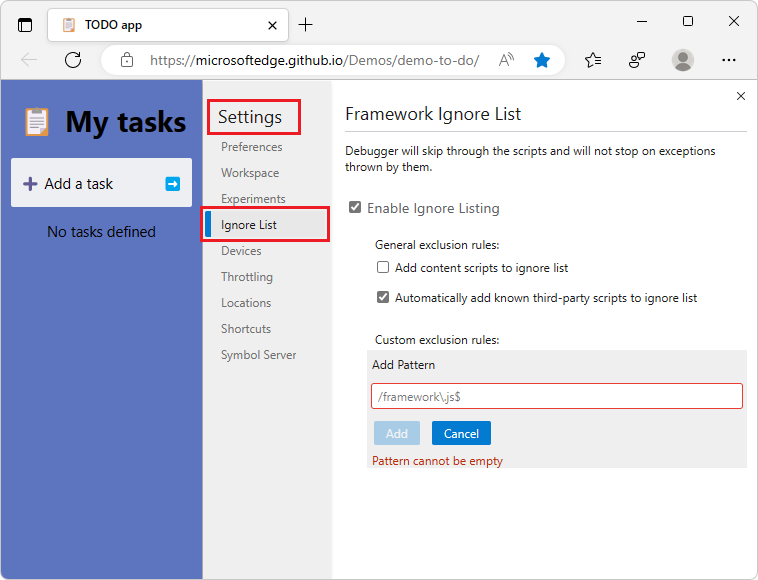
In the Settings > Ignore List page, select the Add content scripts to ignore list checkbox:
Click the Close DevTools (
 ) button.
See also
- Step 4: Step through the code in Get started debugging JavaScript
- Content scripts at MDN.
Note
Portions of this page are modifications based on work created and shared by Google and used according to terms described in the Creative Commons Attribution 4.0 International License.
The original page was found at https://developer.chrome.com/docs/devtools/javascript/ignore-chrome-extension-scripts/ and was authored by Kayce Basques.
 This work is licensed under a Creative Commons Attribution 4.0 International License.