Lưu ý
Cần có ủy quyền mới truy nhập được vào trang này. Bạn có thể thử đăng nhập hoặc thay đổi thư mục.
Cần có ủy quyền mới truy nhập được vào trang này. Bạn có thể thử thay đổi thư mục.
This section describes how to work with breakpoints by using WinDbg.
Breakpoints menu
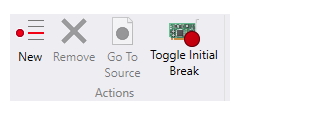
Use the Breakpoints menu to create new and remove existing breakpoints. You can also toggle the initial breakpoint. (Currently, the initial breakpoint is kernel only.)
Breakpoints window
Use the View menu to open the Breakpoints window so that you can view, set, and clear breakpoints. You can also double-click a breakpoint to open its source file.

The Breakpoints window keeps a running total of each time that the breakpoint is hit.
The general process of working with breakpoints is similar to previous versions of WinDbg. For more information about setting breakpoints, see Set breakpoints in WinDbg (Classic).