Windows 窗体
一组用于开发图形用户界面的 .NET Framework 托管库。
115 个问题
' cx='32' cy='32' r='32' /%3E%3Ctext x='50%25' y='55%25' dominant-baseline='middle' text-anchor='middle' fill='%23FFF' %3EJX%3C/text%3E%3C/svg%3E)
你好 & 谢谢 ; 我正在尝试在 WebBrowser1 中捕获 MouseUp 事件。. 但是我有两个代码不起作用: 请问,我做错了什么? 感谢您的帮助...
代码 1:
     Private Sub WebBrowser1_MouseUp(ByVal sender As Object, ByVal e As System.Windows.Forms.MouseEventArgs)

         MsgBox("We are Here : Sub WebBrowser1_MouseUp(ByVal sender As Object, ByVal e As System.Windows.Forms.MouseEventArgs)")

     End Sub
代码2:
Private Sub WebBrowser1_MouseUp(ByVal sender As System.Object, ByVal e As System.Windows.Forms.MouseEventArgs) Handles Me.MouseUp
    If e.Button = MouseButtons.Left Then
        MsgBox("Form1_MouseUp(ByVal sender As System.Object, ByVal e AsSystem.Windows.Forms.MouseEventArgs) Handles MyBase.MouseUp")

    End If
End Sub
Note:此问题总结整理于:vs 2019 vb.net .vb How to capture a MouseUp event in WebBrowser1.

' cx='32' cy='32' r='32' /%3E%3Ctext x='50%25' y='55%25' dominant-baseline='middle' text-anchor='middle' fill='%23FFF' %3EHL%3C/text%3E%3C/svg%3E)
首先,WebBrowser控件没有鼠标向上事件。因为鼠标事件发生在显示的文档中,而不是控件本身。 因此,您需要捕获与 webBrowser 控件中的文档对象关联的鼠标事件。 这是我的测试代码,你可以参考。
 Private Sub WebBrowser1_DocumentCompleted(sender As Object, e As WebBrowserDocumentCompletedEventArgs) Handles WebBrowser1.DocumentCompleted
        AddHandler WebBrowser1.Document.MouseUp, AddressOf eventSub
    End Sub
    Sub eventSub(ByVal sender As Object, ByVal e As System.Windows.Forms.HtmlElementEventArgs)
        Dim event_html As New HtmlElementEventHandler(AddressOf webMouseUp)
        event_html.Invoke(sender, e)
    End Sub
    Sub webMouseUp(ByVal sender As Object, ByVal e As System.Windows.Forms.HtmlElementEventArgs)
        If e.MouseButtonsPressed = Windows.Forms.MouseButtons.Left Then
            MsgBox("left clicked!")
        End If
    End Sub
    Private Sub Form1_Load(sender As Object, e As EventArgs) Handles MyBase.Load
        WebBrowser1.DocumentText =
    "<html><body>Please enter your name:<br/>" &
    "<input type='text' name='userName'/><br/>" &
    "<a href='http://www.microsoft.com'>continue</a>" &
    "</body></html>"
    End Sub
结果: >>如何“添加对 HTML 对象库Microsoft引用”?
您可以按照以下步骤添加它: 右键单击项目 ->Add-> Reference->Search for Microsoft HTML and select Microsoft.mshtml->OK 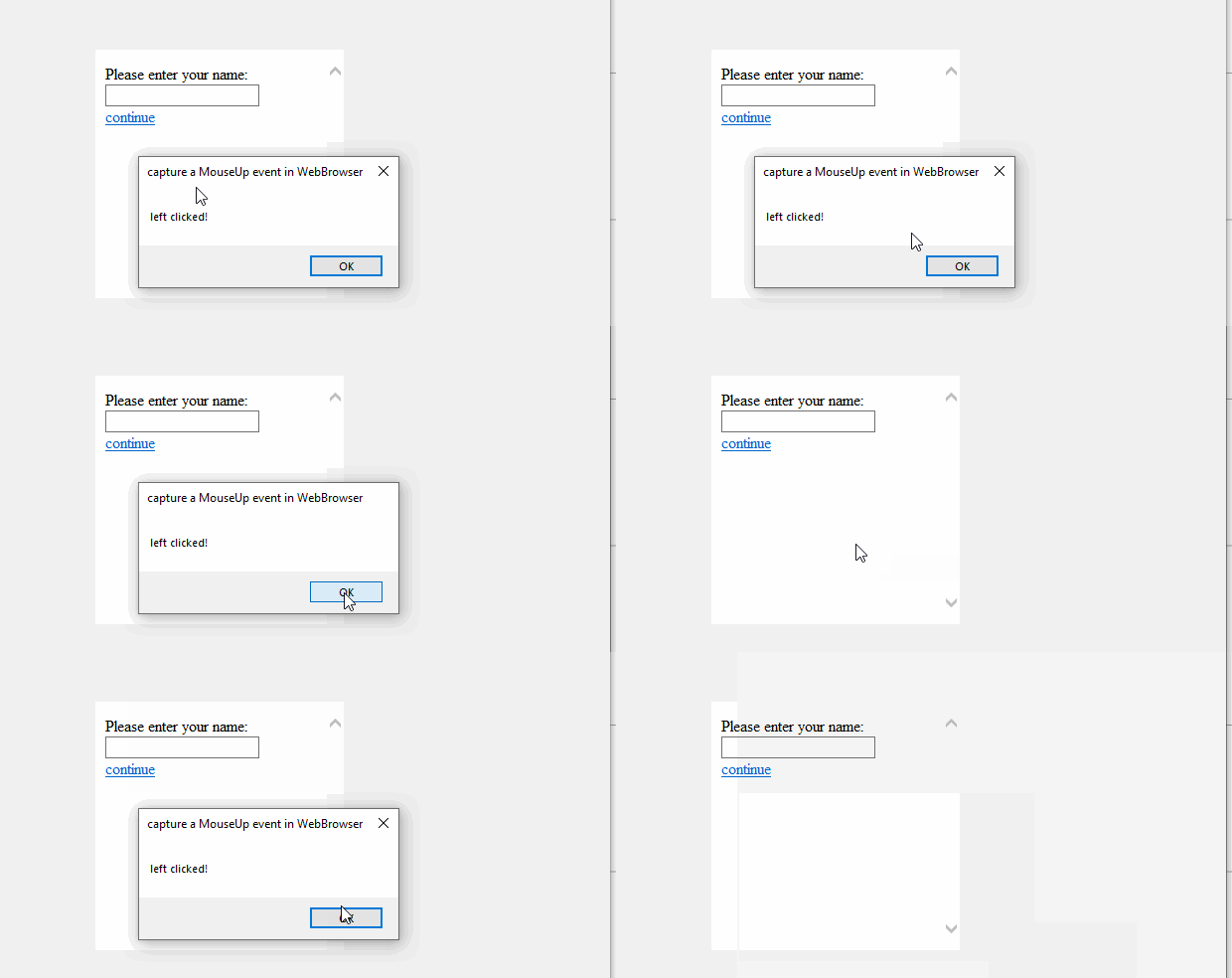
如果回复有帮助,请单击“接受答案”并投赞成票。
注意:如果您想接收此线程的相关电子邮件通知,请按照我们文档中的步骤启用电子邮件通知。