重要
插件仅支持作为 声明性代理中的作。 智能 Microsoft 365 Copilot 副驾驶®中未启用它们。
API 插件是声明性代理的自定义作,用于将 REST API 与 OpenAPI 规范连接到智能 Microsoft 365 Copilot 副驾驶®。 本指南演示如何使用 TypeSpec 和 Microsoft 365 代理工具包将 API 插件添加到声明性代理。
先决条件
- Copilot 扩展性选项的要求中指定的要求
- 本演练 (现有的 REST API 使用 JSON 占位符 API)
- Visual Studio Code
- Microsoft 365 代理工具包
- 使用 Microsoft 365 Agents Toolkit 和 TypeSpec for 智能 Microsoft 365 Copilot 副驾驶® 创建的代理
提示
为了获得最佳结果,请确保生成的 API 遵循 如何使 OpenAPI 文档在扩展 Copilot 时有效中详述的准则。
添加 GET 作
若要开始,请添加一个 GET 作以列出所有帖子项。 打开 文件, main.tsp 并在命名空间 PostsAPI 中添加 MyAgent 包含以下内容的新命名空间。
// Omitted for brevity
namespace MyAgent {
  // Omitted for brevity
  @service
  @server("https://jsonplaceholder.typicode.com")
  @actions(#{
    nameForHuman: "Posts APIs",
    descriptionForHuman: "Manage blog post items with the JSON Placeholder API.",
    descriptionForModel: "Read, create, update and delete blog post items with the JSON Placeholder API."
  })
  namespace PostsAPI {

    /**
     * List all blog post items.
     */
    @route("/posts")
    @get op listPosts(): PostItem[];

    /**
     * Structure of a blog post item.
     */
    model PostItem {
      /**
       * The ID of the user who created the post.
       */
      userId: integer;

      /**
       * The ID of the post.
       */
      @visibility(Lifecycle.Read)
      id: integer;

      /**
       * The title of the post.
       */
      title: string;

      /**
       * The body of the post.
       */
      body: string;
    }
  }
  // Omitted for brevity
}
此代码定义 PostItem 模型和 REST API GET /posts。
GET使用查询参数添加作
GET上一示例中的作不采用任何参数。 若要启用按用户 ID 进行筛选,请使用 GET 可选的查询参数更新作,以按用户 ID 筛选结果。
打开 文件, main.tsp 将现有 listPosts 作替换为以下内容。
/**
 * List all blog post items.
  * @param userId The ID of the user who created the post. If not provided, all posts will be returned.
  */
@route("/posts")
@get op listPosts(@query userId?: integer): PostItem[];
@query userId?添加的 参数将 listPosts REST API 更新为 GET /posts?userId={userId}。
向作添加自适应卡GET
向作添加自适应卡片listPosts会更改生成的响应中的引文呈现方式。
在 appPackage 目录中创建名为 post-卡.json 的新文件,并添加以下内容。
{
  "type": "AdaptiveCard",
  "$schema": "http://adaptivecards.io/schemas/adaptive-card.json",
  "version": "1.5",
  "body": [
    {
      "type": "Container",
      "$data": "${$root}",
      "items": [
        {
          "type": "TextBlock",
          "text": "**${if(title, title, 'N/A')}**",
          "wrap": true
        },
        {
          "type": "TextBlock",
          "text": "${if(body, body, 'N/A')}",
          "wrap": true
        }
      ]
    }
  ],
  "actions": [
    {
      "type": "Action.OpenUrl",
      "title": "Read More",
      "url": "https://www.bing.com/search?q=https://jsonplaceholder.typicode.com/posts/${id}"
    }
  ]
}
main.tsp打开 文件并将@card修饰器添加到作,listPosts如以下代码片段所示。
/**
 * List all blog post items.
  * @param userId The ID of the user who created the post. If not provided, all posts will be returned.
  */
@route("/posts")
@card(#{ dataPath: "$", file: "post-card.json", properties: #{ title: "$.title" } })
@get op listPosts(@query userId?: integer): PostItem[];
添加 POST 作
main.tsp打开 文件,并在 PostsAPI 命名空间中添加以下内容。
/**
 * Create a new blog post item.
 * @param post The post item to create.
 */
@route("/posts")
@post op createPost(@body post: PostItem): PostItem;
此代码定义 REST API POST /posts,用于创建新的博客文章。
添加 PATCH 作
main.tsp打开 文件,并在 PostsAPI 命名空间中添加以下内容。
/**
 * Updates a blog post item.
 * @param id The ID of the post to update.
 * @param post The updated post item.
 */
@route("/posts/{id}")
@patch op updatePost(@path id: integer, @body post: PostItem): PostItem;
此代码定义 REST API PATCH /posts/{id},用于更新现有博客文章。
添加 DELETE 作
main.tsp打开 文件,并在 PostsAPI 命名空间中添加以下内容。
/**
 * Deletes a blog post item.
 * @param id The ID of the post to delete.
 */
@route("/posts/{id}")
@delete op deletePost(@path id: integer): void;
此代码定义 REST API DELETE /posts/{id},这会删除现有博客文章。
测试自定义作
- 选择左侧活动栏中 的“Microsoft 365 代理工具包 ”图标。
- 在“ 生命周期 ”窗格中,选择“ 预配”。
- 等待预配完成,然后在浏览器中打开 https://m365.cloud.microsoft/ 。
- 从代理列表中选择代理。
- 使用以下提示测试代理,或尝试自己的代理。
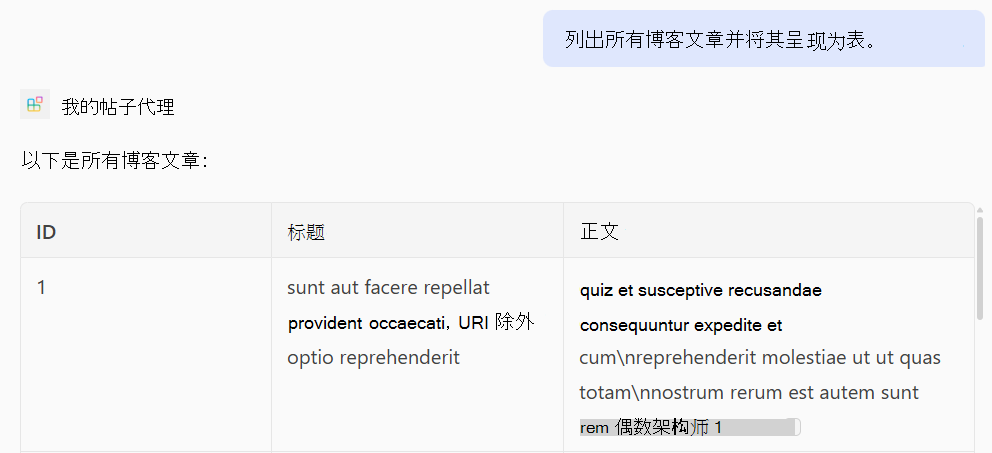
测试 GET作
提示: “列出所有博客文章并将其呈现为表格。”
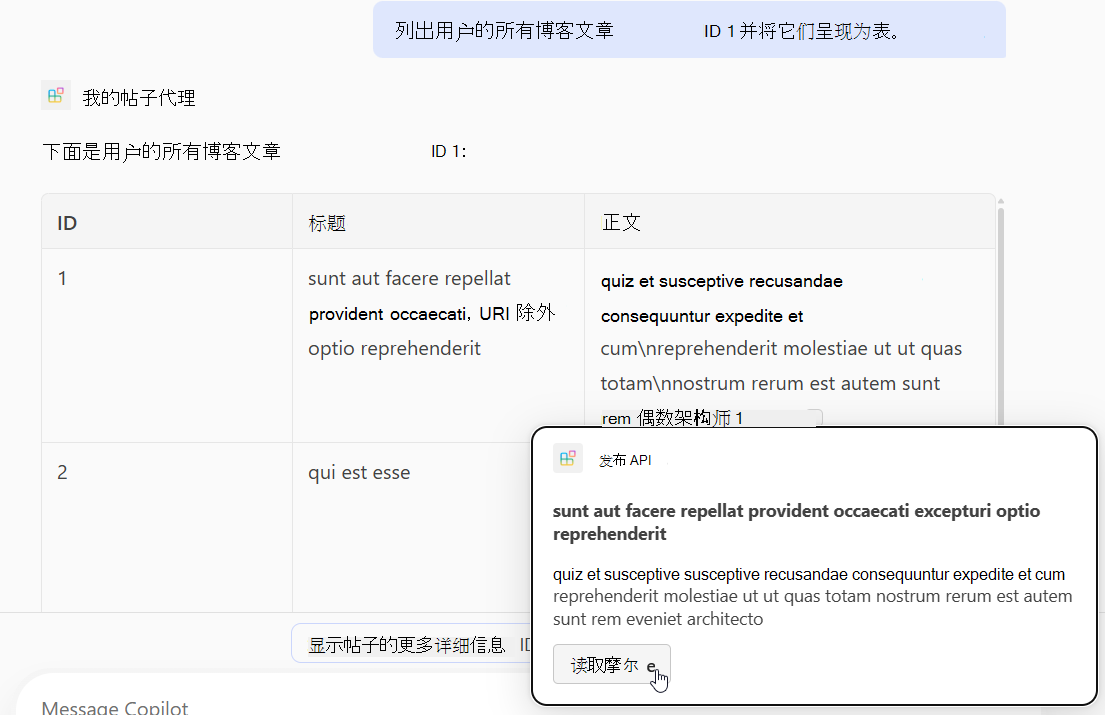
提示: “列出 ID 为 1 的用户的所有博客文章,并将其呈现为表。”
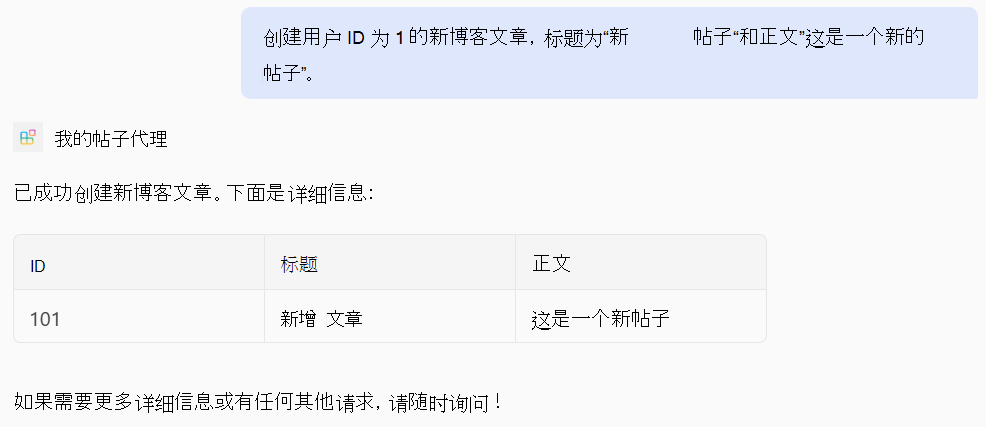
测试 POST作
提示: “创建一篇具有用户 ID 1、标题'New Post'和正文'这是一篇新文章'的新博客文章。”
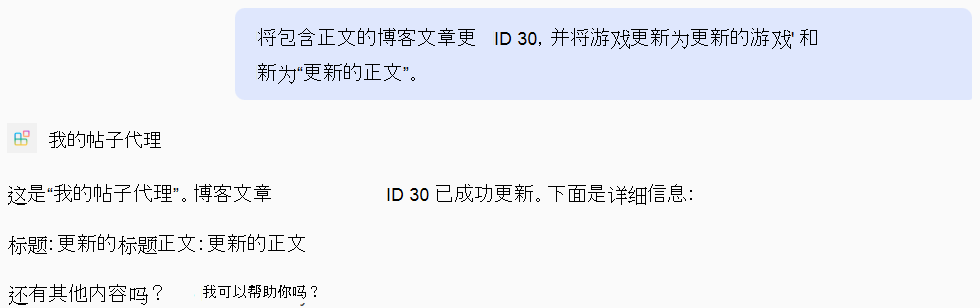
测试 PATCH作
提示: “使用 ID 30 更新博客文章,并将标题更新为'已更新标题',将正文更新为'更新的正文'。”
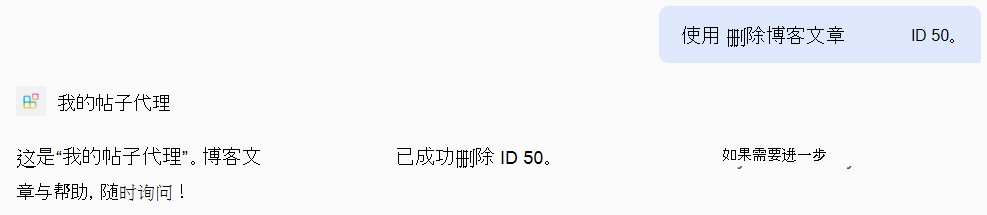
测试 DELETE作
提示: “删除 ID 为 50 的博客文章。”
完整 main.tsp 文件的示例
下面是添加了 、POST、 PATCH和 DELETE作的完整main.tsp文件GET示例。
import "@typespec/http";
import "@typespec/openapi3";
import "@microsoft/typespec-m365-copilot";

using TypeSpec.Http;
using TypeSpec.M365.Copilot.Actions;
using TypeSpec.M365.Copilot.Agents;

@agent(
  "My Posts Agent",
  "Declarative agent focusing on blog posts management."
)

@instructions("""
  You should help users with blog posts management.
  You can read, create, update and delete blog post items.
  You can also search for blog posts by user ID.
""")

@conversationStarter(#{
  title: "List Blog Posts",
  text: "List all blog posts and render them as a table."
})

@conversationStarter(#{
  title: "Lists a user's blog posts",
  text: "List all blog posts for the user with ID 1 and render them as a table."
})

@conversationStarter(#{
  title: "Delete a blog post",
  text: "Delete the blog post with ID 50."
})

@conversationStarter(#{
  title: "Update a blog post",
  text: "Update the blog post with ID 30 and update the title to 'Updated Title' and body to 'Updated Body'."
})

@conversationStarter(#{
  title: "Create a blog post",
  text: "Create a new blog post with user ID 1, title 'New Post' and body 'This is a new post'."
})

@conversationStarter(#{
  title: "Get a blog post",
  text: "Get all the details about the blog post with ID 10."
})

namespace MyAgent {
  @service
  @server("https://jsonplaceholder.typicode.com")
  @actions(#{
    nameForHuman: "Posts APIs",
    descriptionForHuman: "Manage blog post items on JSON Placeholder APIs.",
    descriptionForModel: "Read, create, update and delete blog post items on the JSON Placeholder APIs."
  })
  namespace PostsAPI {
    /**
     * List all blog post items.
     * @param userId The ID of the user who created the post. If not provided, all posts will be returned.
     */
    @route("/posts")
    @card(#{ dataPath: "$", file: "post-card.json", properties: #{ title: "$.title" } })
    @get op listPosts(@query userId?: integer): PostItem[];

    /**
     * Get a blog post item by ID.
     */
    @route("/posts/{id}")
    @card(#{ dataPath: "$", file: "post-card.json", properties: #{ title: "$.title" } })
    @get op getPost(@path id: integer): PostItem;

    /**
     * Create a new blog post item.
     * @param post The post item to create.
     */
    @route("/posts")
    @post op createPost(@body post: PostItem): PostItem;

    /**
     * Updates a blog post item.
     * @param id The ID of the post to update.
     * @param post The updated post item.
     */
    @route("/posts/{id}")
    @patch op updatePost(@path id: integer, @body post: PostItem): PostItem;

    /**
     * Deletes a blog post item.
     * @param id The ID of the post to delete.
     */
    @route("/posts/{id}")
    @delete op deletePost(@path id: integer): void;

    model PostItem {
      /**
       * The ID of the user who created the post.
       */
      userId: integer;

      /**
       * The ID of the post.
       */
      @visibility(Lifecycle.Read)
      id: integer;

      /**
       * The title of the post.
       */
      title: string;

      /**
       * The body of the post.
       */
      body: string;
    }
  }
}