本教程是一系列教程中的第三个教程,介绍如何使用插件。
- 教程:编写和注册插件
- 教程:调试插件
- 教程:更新插件(本教程)
有关支持概念和技术详细信息的详细说明,请参阅:
目标
本教程介绍使用插件执行的常见任务。在本教程中,你将:
- 更新插件程序集
- 创建和注册同步插件
- 在插件中使用配置数据
- 抛出错误以显示给用户
- 在代码中配置和使用预实体映像
- 取消注册程序集、插件或步骤
本教程的目标是:
- 创建一个在账户表的“更新”消息预验证阶段注册的同步插件。
- 评估注册插件时作为配置数据传递的一组字符串值。
- 如果帐户的名称更改为其中一个值,并且上一个值不包含新名称,请取消该操作并将错误消息发送回用户。
先决条件
- 完整 教程:编写和注册插件。
- 教程:建议调试插件 ,但不是必需的。
Note
由于本教程中详细介绍了许多基本步骤 :编写和注册插件,因此本教程不包含这些步骤的相同级别详细信息。
创建新的插件类
- 在 Visual Studio 中,向
ValidateAccountName.cs项目添加一个名为 的新类。Note
对程序集进行重大更改时,请更新程序集版本。 如果计划更新属于托管解决方案的程序集,此步骤尤其重要。 版本是程序集的完全限定名称的一部分,该名称是程序集的唯一标识符。 解决方案更新过程可能无法识别程序集在程序集的完全限定名称未更改时发生更改。
- 将以下代码添加到类并重新生成程序集。
using Microsoft.Xrm.Sdk;
using System;
using System.Collections.Generic;
using System.Linq;

namespace BasicPlugin
{
  public class ValidateAccountName : IPlugin
  {
    //Invalid names from unsecure configuration
    private List<string> invalidNames = new List<string>();

    // Constructor to capture the unsecure configuration
    public ValidateAccountName(string unsecure)
    {
      // Parse the configuration data and set invalidNames
      if (!string.IsNullOrWhiteSpace(unsecure))
        unsecure.Split(',').ToList().ForEach(s =>
        {
          invalidNames.Add(s.Trim());
        });
    }
    public void Execute(IServiceProvider serviceProvider)
    {

      // Obtain the tracing service
      ITracingService tracingService =
      (ITracingService)serviceProvider.GetService(typeof(ITracingService));
      try
      {

        // Obtain the execution context from the service provider.
        IPluginExecutionContext context = (IPluginExecutionContext)
            serviceProvider.GetService(typeof(IPluginExecutionContext));

        // Verify all the requirements for the step registration
        if (context.InputParameters.Contains("Target") && //Is a message with Target
            context.InputParameters["Target"] is Entity && //Target is an entity
            ((Entity)context.InputParameters["Target"]).LogicalName.Equals("account") && //Target is an account
            ((Entity)context.InputParameters["Target"])["name"] != null && //account name is passed
            context.MessageName.Equals("Update") && //Message is Update
            context.PreEntityImages["a"] != null && //PreEntityImage with alias 'a' included with step
            context.PreEntityImages["a"]["name"] != null) //account name included with PreEntityImage with step
        {
          // Obtain the target entity from the input parameters.
          var entity = (Entity)context.InputParameters["Target"];
          var newAccountName = (string)entity["name"];
          var oldAccountName = (string)context.PreEntityImages["a"]["name"];

          if (invalidNames.Count > 0)
          {
            tracingService.Trace("ValidateAccountName: Testing for {0} invalid names:", invalidNames.Count);

            if (invalidNames.Contains(newAccountName.ToLower().Trim()))
            {
              tracingService.Trace("ValidateAccountName: new name '{0}' found in invalid names.", newAccountName);

              // Test whether the old name contained the new name
              if (!oldAccountName.ToLower().Contains(newAccountName.ToLower().Trim()))
              {
                tracingService.Trace("ValidateAccountName: new name '{0}' not found in '{1}'.", newAccountName, oldAccountName);

                string message = string.Format("You can't change the name of this account from '{0}' to '{1}'.", oldAccountName, newAccountName);

                throw new InvalidPluginExecutionException(message);
              }

              tracingService.Trace("ValidateAccountName: new name '{0}' found in old name '{1}'.", newAccountName, oldAccountName);
            }

            tracingService.Trace("ValidateAccountName: new name '{0}' not found in invalidNames.", newAccountName);
          }
          else
          {
            tracingService.Trace("ValidateAccountName: No invalid names passed in configuration.");
          }
        }
        else
        {
          tracingService.Trace("ValidateAccountName: The step for this plug-in is not configured correctly.");
        }
      }
      catch (Exception ex)
      {
        tracingService.Trace("BasicPlugin: {0}", ex.ToString());
        throw;
      }
    }
  }
}
关于代码
- 此类包含一个构造函数,用于捕获您在配置步骤时设置的不安全配置。
- 该类需要特定的步骤配置才能正常工作:
- 更新消息
- 在“账户”表上
- 属性中包含账户名称
- 使用特定别名“a”的 PreEntityImage
- PreEntityImage 中包含名称列。
- 如果步骤配置不正确,插件会在跟踪日志中写明其配置不正确。
- 如果您未在配置中设置无效名称,插件会在跟踪日志中记录未向配置传递任何无效名称。
- 如果新名称与使用配置设置的任何无效名称匹配 ,并且 原始名称不包含新名称,则插件将引发一条 InvalidPluginExecutionException 包含不允许此操作的消息。
更新插件程序集注册信息
你已从教程中注册了现有程序集 :编写和注册插件。 若要在不注销现有程序集的情况下添加新 的 ValidateAccountName 插件,请更新它。
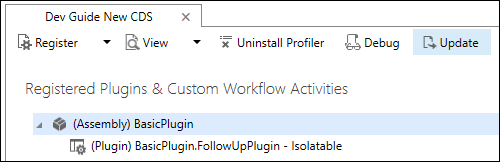
选择 (程序集)基本插件 ,然后选择 “更新”。
在 “更新程序集:基本插件 ”对话框中,通过选择省略号(...)指定程序集的位置。 加载程序集。
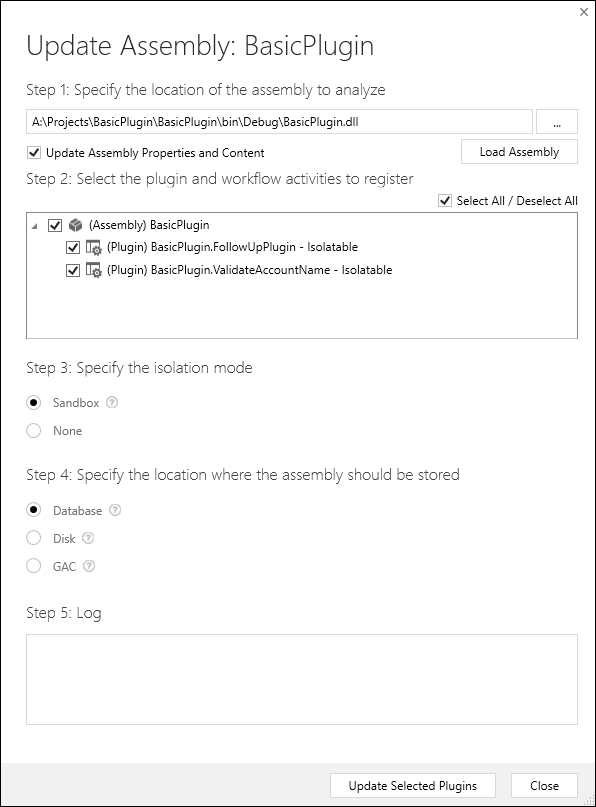
验证是否已选择程序集和两个插件,然后选择“ 更新所选插件”。
配置新的步骤
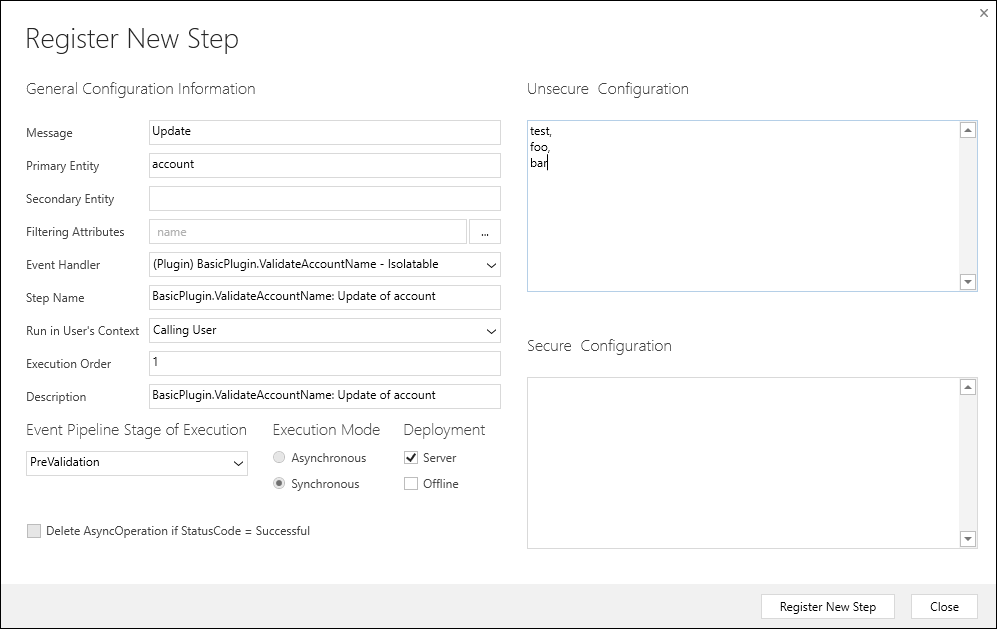
使用以下设置配置 ValidateAccountName 插件:
| Setting | 价值 |
|---|---|
| 消息 | Update |
| 主实体 | 帐户 |
| 筛选属性 | 名字 |
| 事件管道的执行阶段 | 预验证 |
| 执行模式 | 同步 |
| 不安全配置 | 测试, foo, 酒吧 |
添加图像
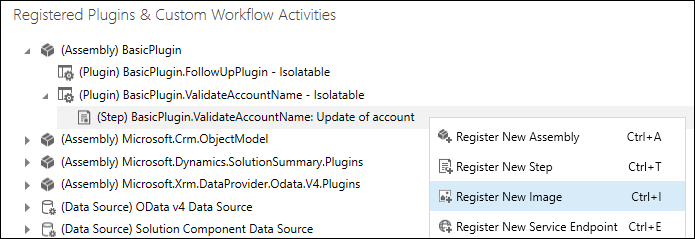
右键单击刚刚注册的步骤,然后选择“ 注册新映像”。
在 “注册新映像 ”对话框中,使用以下设置配置映像:
Setting 价值 映像类型 处理前图像 Name 帐户 实体别名 a Parameters 名字 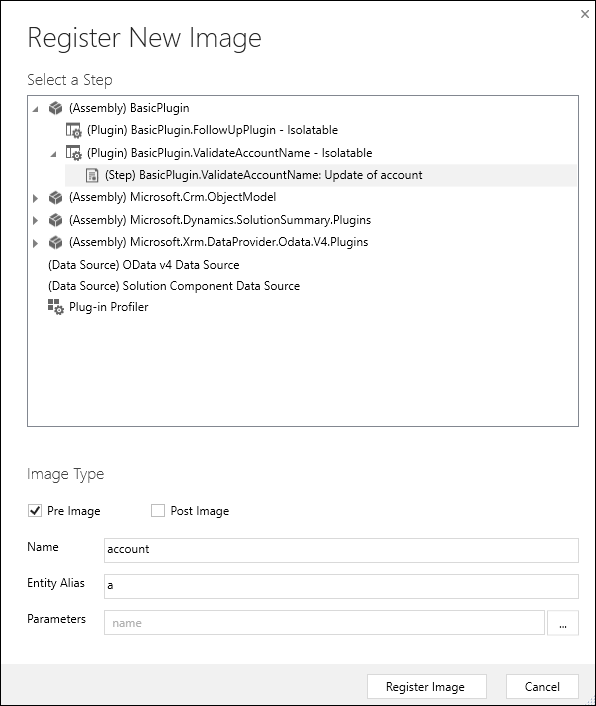
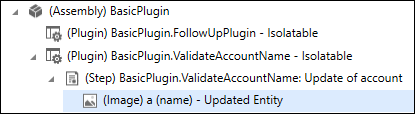
注册映像时,可在插件注册工具中看到该映像。
重要
创建实体映像时的默认行为是选择所有列。 但是,此选择可以减少 Web 服务性能。 仅包含所需的列。
测试插件
打开应用程序并尝试将现有帐户名更新为
test或foobar。尝试保存时,应会看到以下消息:
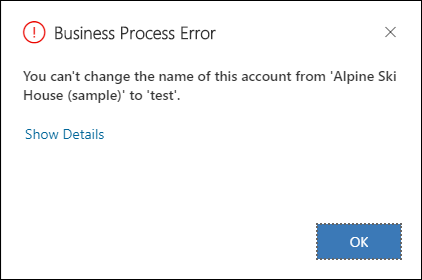
如果你更新了一个现有账户,并且其名称包含
test、foo或bar,然后再将该账户更新为test、foo或bar,则你不应看到该消息。
注销程序集、插件和步骤
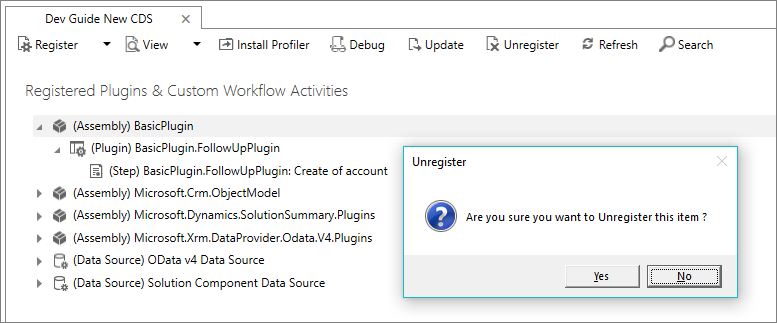
使用插件注册工具 取消注册 (删除)任何程序集、插件或步骤。 删除程序集会删除该程序集的所有插件和步骤。