练习 - 使用 Concurrent 函数测试性能
可通过本实操练习探索如何使用 Concurrent 函数来增强性能。
登录 Power Apps。
从主屏幕左侧的导航菜单中依次选择 +创建 > 空白应用 > 创建(从空白画布应用下)。
使用适当的标题为您的应用命名,然后选择创建。
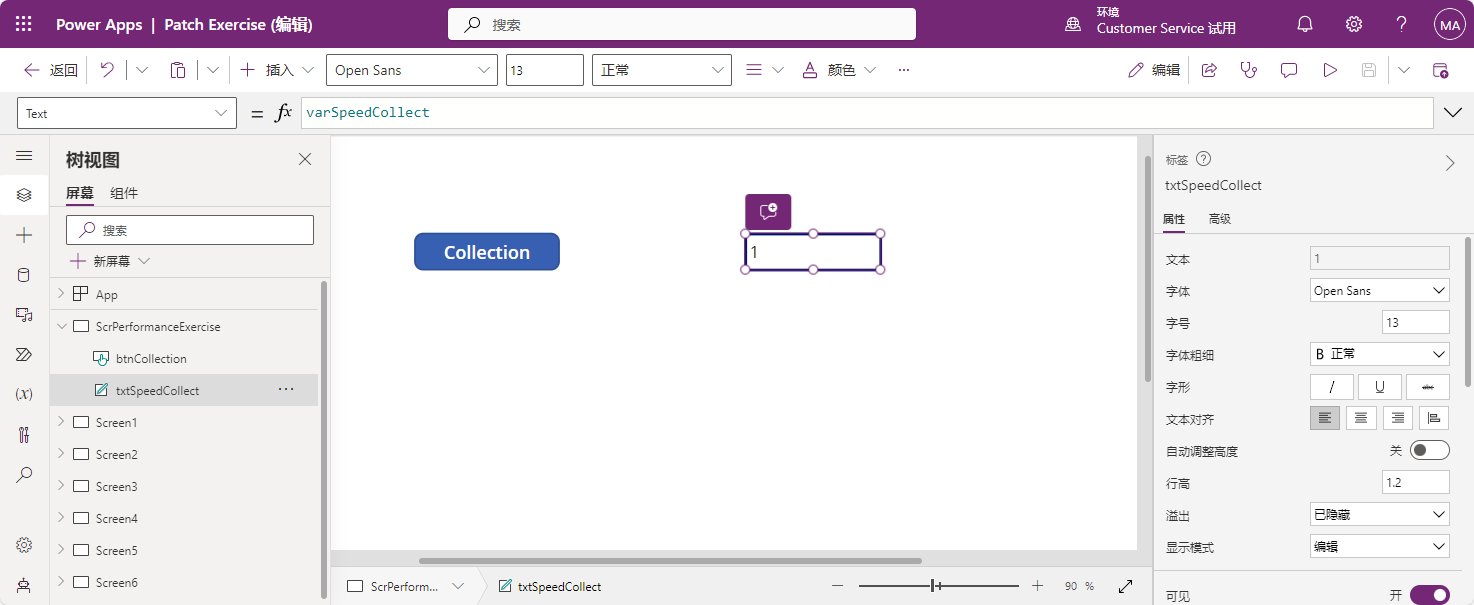
首先,我们来构建两个集合,但不 使用 Concurrent 函数。 插入按钮控件,命名为 btnCollection,将其 Text 属性设置为
"Collection",将其 OnSelect 属性设置为此公式:Set(varStart,Now()); ClearCollect(colFruit, {Name: "banana", Category: "fruit",AvgCost: .49}, {Name: "peach", Category: "fruit",AvgCost: 1.12}, {Name: "strawberry", Category: "fruit",AvgCost: 2.99}, {Name: "apple", Category: "fruit",AvgCost: 0.98}, {Name: "orange", Category: "fruit",AvgCost: 1.49}, {Name: "pear", Category: "fruit",AvgCost: 0.97}, {Name: "cantaloupe", Category: "fruit",AvgCost: 3.99}, {Name: "pineapple", Category: "fruit",AvgCost: 2.49}, {Name: "cherry", Category: "fruit",AvgCost: 4.99}, {Name: "mango", Category: "fruit",AvgCost: .99} ); ClearCollect(colVegetable, {Name: "carrot", Category: "vegetable",AvgCost: .95}, {Name: "lettuce", Category: "vegetable",AvgCost: 1.69}, {Name: "potato", Category: "vegetable",AvgCost: 5.14}, {Name: "zuccini", Category: "vegetable",AvgCost: 1.99}, {Name: "broccoli", Category: "vegetable",AvgCost: 1.49}, {Name: "cabbage", Category: "vegetable",AvgCost: 2.48}, {Name: "celery", Category: "vegetable",AvgCost: 1.65}, {Name: "asparagus", Category: "vegetable",AvgCost: 2.99}, {Name: "kale", Category: "vegetable",AvgCost: 1.99}, {Name: "cauliflower", Category: "vegetable",AvgCost: 3.24}); Set(varSpeedCollect, Text(DateDiff(varStart, Now(), TimeUnit.Milliseconds)));插入一个文本标签,将其 BorderThickness 属性设为 3,将其重命名为 lblSpeedCollect,然后将其 Text 属性设为:
varSpeedCollect按住 Alt 键并选择 Collection 按钮。 txtSpeedCollect 标签会以毫秒为单位显示运行流程所用的时间。
现在,我们在应用中添加 Concurrent 功能,并比较性能。 插入另一按钮控件,命名为 btnConcurrent,将其 Text 属性设为“Concurrent”,将其 OnSelect 属性设为此公式:
Set(varStart,Now()); Concurrent( ClearCollect(collectFruit, {Name: "banana", Category: "fruit",AvgCost: .49}, {Name: "peach", Category: "fruit",AvgCost: 1.12}, {Name: "strawberry", Category: "fruit",AvgCost: 2.99}, {Name: "apple", Category: "fruit",AvgCost: 0.98}, {Name: "orange", Category: "fruit",AvgCost: 1.49}, {Name: "pear", Category: "fruit",AvgCost: 0.97}, {Name: "cantaloupe", Category: "fruit",AvgCost: 3.99}, {Name: "pineapple", Category: "fruit",AvgCost: 2.49}, {Name: "cherry", Category: "fruit",AvgCost: 4.99}, {Name: "mango", Category: "fruit",AvgCost: .99} ), ClearCollect(collectVegetable, {Name: "carrot", Category: "vegetable",AvgCost: .95}, {Name: "lettuce", Category: "vegetable",AvgCost: 1.69}, {Name: "potato", Category: "vegetable",AvgCost: 5.14}, {Name: "zucchini", Category: "vegetable",AvgCost: 1.99}, {Name: "broccoli", Category: "vegetable",AvgCost: 1.49}, {Name: "cabbage", Category: "vegetable",AvgCost: 2.48}, {Name: "celery", Category: "vegetable",AvgCost: 1.65}, {Name: "asparagus", Category: "vegetable",AvgCost: 2.99}, {Name: "kale", Category: "vegetable",AvgCost: 1.99}, {Name: "cauliflower", Category: "vegetable",AvgCost: 3.24})); Set(varSpeedConcurrent, Text(DateDiff(varStart, Now(), TimeUnit.Milliseconds)));插入另一文本标签,将其 BorderThickness 属性设为 3,重命名为 lblSpeedConcurrent,然后将其 Text 属性设为:
varSpeedConcurrent按住 Alt 键并选择 Concurrent 按钮。 系统将创建两个相同的集合,您应该可以注意到,构建时间减少了一半。
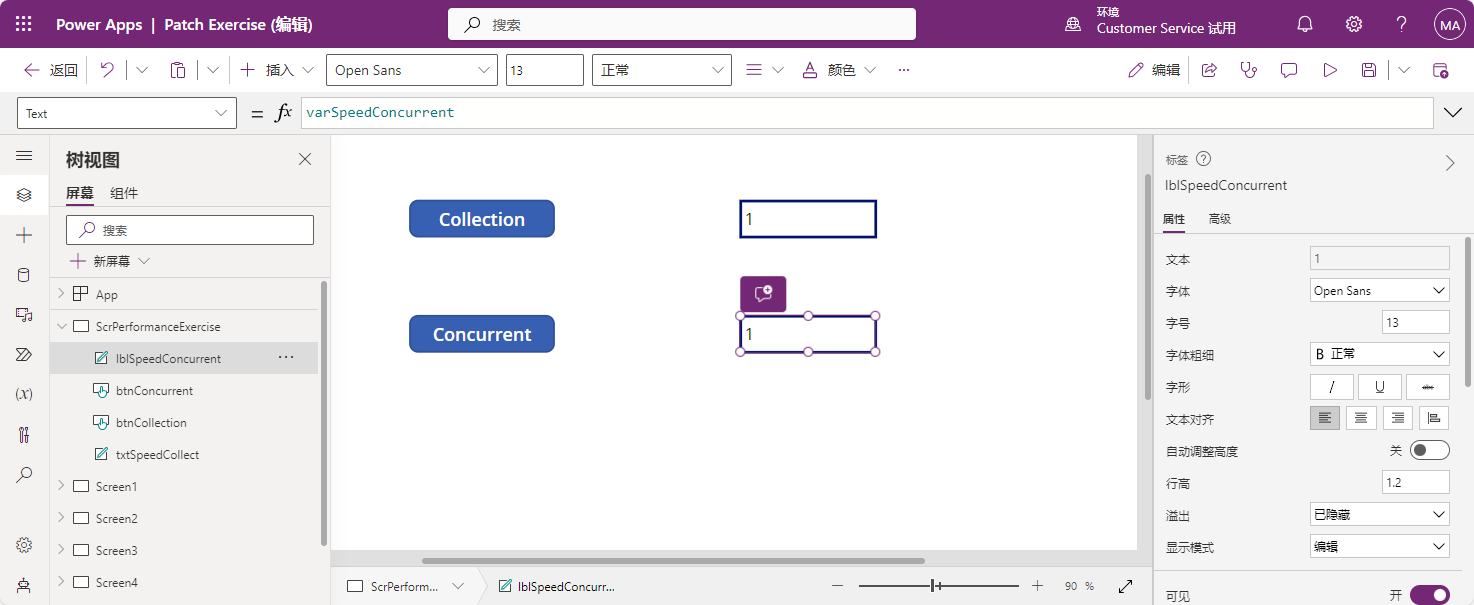
您可以看到,添加 Concurrent 函数可增强构建集合的性能。 您可以使用此函数同时运行多个流程,请注意,您无法预测 Concurrent 函数中公式开始和结束的顺序, 只要您的结果不依赖于 Concurrent 函数中的其他结果,所有任务都可以同时运行。 此方法可以显著提升您的应用性能。