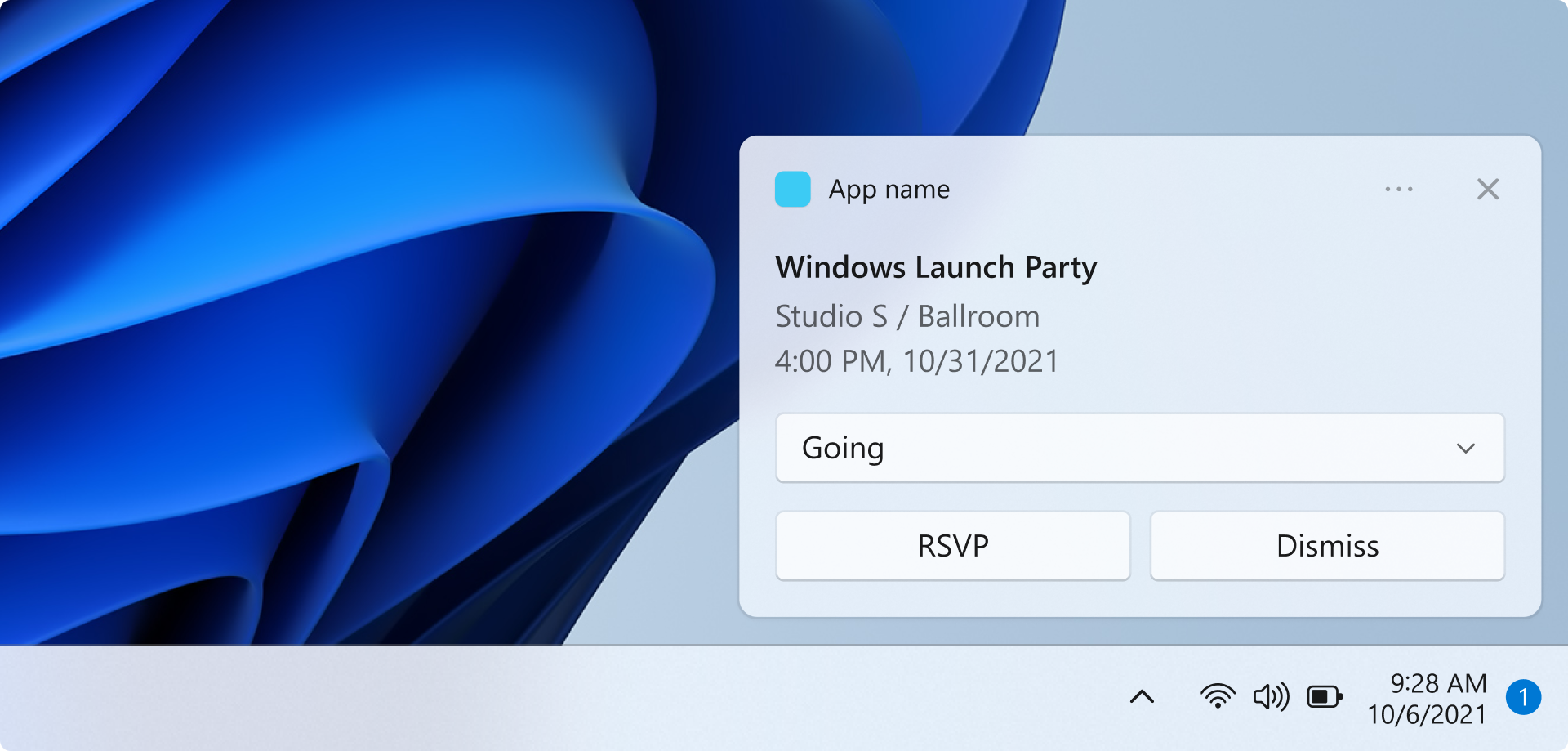
在本快速入门中,你将创建一个 WinUI 应用,该应用使用 Windows 应用 SDK 发送和响应本地应用通知。
有关实现应用通知的完整示例应用,请参阅 GitHub 上的 Windows 应用 SDK 示例存储库。
Important
提升权限的管理应用不支持应用通知。
Prerequisites
- 安装 Visual Studio 2026
- 包括用于 C++ 的 C++ 工作负载或用于 C# 开发的 .NET 工作负载。
- 确保选择了.NET桌面开发下的 MSIX 打包工具。
- 确保已选择Windows应用程序开发。
- 确保已选择Windows UI 应用程序开发。
有关在 Visual Studio 中管理工作负荷的详细信息,请参阅 Modify Visual Studio 工作负载、组件和语言包。 有关 WinUI 入门的详细信息,请参阅 创建并运行 WinUI 3 项目。 若要将Windows 应用 SDK添加到现有项目,请参阅 在现有项目中使用Windows 应用 SDK。
在 Visual Studio 中创建新的 WinUI 应用项目
- 在Visual Studio中,创建新项目。
- 在“ 创建新项目 ”对话框中,将语言筛选器设置为“C#”或“C++”,并将平台筛选器设置为“WinUI”,然后选择“空白应用,打包(桌面中的 WinUI 3)”项目模板。
- 将新项目命名为“AppNotificationsExample”。
发送本地应用通知
在本部分中,你将向应用添加一个按钮,用于在单击时发送本地应用通知。 通知将包括文本内容和应用徽标图像。 你还将添加两个只读文本框,当用户单击通知时,该文本框将显示激活参数。
首先,向您的界面添加一个 Button 控件和两个 TextBox 控件:
<!-- MainWindow.xaml -->
<Button x:Name="SendNotificationButton" Content="Send App Notification" Click="SendNotificationButton_Click"/>

<TextBlock Text="Activation arguments:" FontWeight="SemiBold" Margin="0,12,0,0"/>
<TextBox x:Name="ActionTextBox" Header="action" IsReadOnly="True" PlaceholderText="(none)"/>
<TextBox x:Name="ExampleEventIdTextBox" Header="exampleEventId" IsReadOnly="True" PlaceholderText="(none)"/>
应用通知 API 位于 Microsoft.Windows.AppNotifications 和 Microsoft.Windows.AppNotifications.Builder 命名空间。 将以下引用添加到项目:
// MainWindow.xaml.cs
using Microsoft.Windows.AppNotifications;
using Microsoft.Windows.AppNotifications.Builder;
现在,将以下代码添加到按钮单击处理程序。 此示例使用 AppNotificationBuilder 构造通知内容,包括当用户单击通知、应用徽标图像和文本时将传回应用的参数。 通知还包括一个按钮,用于演示在不启动应用的 UI 的情况下执行操作。 BuildNotification 方法创建 AppNotification 对象,AppNotificationManager.Show 向用户显示它。
// MainWindow.xaml.cs
private void SendNotificationButton_Click(object sender, RoutedEventArgs e)
{
    var appNotification = new AppNotificationBuilder()
        .AddArgument("action", "NotificationClick")
        .AddArgument("exampleEventId", "1234")
        .SetAppLogoOverride(new System.Uri("ms-appx:///Assets/Square150x150Logo.png"), AppNotificationImageCrop.Circle)
        .AddText("This is text content for an app notification.")
        .AddButton(new AppNotificationButton("Perform action without launching app")
            .AddArgument("action", "BackgroundAction"))
        .BuildNotification();

    AppNotificationManager.Default.Show(appNotification);
}
此时,可以生成并运行应用。 单击“ 发送应用通知 ”按钮以显示通知。 请注意,单击通知尚不执行任何操作, 在下一部分中,你将了解如何处理应用激活,以便在用户单击通知时应用可以做出响应。
Note
当应用以管理员权限(提升)运行时,不支持应用通知。 显示 将静默失败,不会显示通知。 在测试通知功能时,请务必在不提升权限的情况下运行你的应用程序。
更新应用包清单文件
该文件 Package.appmanifest 提供应用 MSIX 包的详细信息。 若要在用户与应用通知交互时启动应用,必须更新应用包清单文件,以便应用注册到系统作为应用通知激活的目标。 有关应用包清单的详细信息,请参阅 应用包清单。
- 右键单击 解决方案资源管理器 中的文件并选择 View Code,编辑 package.appxmanifest 文件。
- 向
xmlns:com="http://schemas.microsoft.com/appx/manifest/com/windows10"添加xmlns:desktop="http://schemas.microsoft.com/appx/manifest/desktop/windows10"和<Package>命名空间。 - 在
<desktop:Extension>下添加<Extensions>元素。 将Category属性设置为"windows.toastNotificationActivation"声明应用可以通过应用通知激活。- 添加
<desktop:ToastNotificationActivation>子元素,并将ToastActivatorCLSID设置为一个唯一标识应用程序的GUID。 - 可以通过转到 Tools > create GUID 在 Visual Studio 中生成 GUID。
- 添加
- 在下方
<com:Extension>添加一个<Extensions>元素,并将Category属性设置为"windows.comServer"。 下面显示的示例清单文件显示了此元素的语法。- 将
Executable元素的<com:ExeServer>属性更新为你的可执行文件名称。 对于此示例,名称将为"AppNotificationsExample.exe". - 指定
Arguments="----AppNotificationActivated:",以确保Windows 应用 SDK可以将通知的有效负载作为 AppNotification 类型进行处理。 - 将
<com:Class>元素的Id属性设置为用于ToastActivatorCLSID属性的同一 GUID。
- 将
<!--package.appxmanifest-->

<Package
  xmlns:com="http://schemas.microsoft.com/appx/manifest/com/windows10"
  xmlns:desktop="http://schemas.microsoft.com/appx/manifest/desktop/windows10"
  ...
  <Applications>
    <Application>
      ...
      <Extensions>

        <!--Specify which CLSID to activate when notification is clicked-->
        <desktop:Extension Category="windows.toastNotificationActivation">
          <desktop:ToastNotificationActivation ToastActivatorCLSID="replaced-with-your-guid-C173E6ADF0C3" />
        </desktop:Extension>

        <!--Register COM CLSID-->
        <com:Extension Category="windows.comServer">
          <com:ComServer>
            <com:ExeServer Executable="SampleApp.exe" DisplayName="SampleApp" Arguments="----AppNotificationActivated:">
              <com:Class Id="replaced-with-your-guid-C173E6ADF0C3" />
            </com:ExeServer>
          </com:ComServer>
        </com:Extension>

      </Extensions>
    </Application>
  </Applications>
 </Package>
处理来自应用通知的激活
当用户单击通知中的应用通知或按钮时,你的应用需要相应地做出响应。 有两种常见的激活方案:
- 使用 UI 启动 — 用户单击通知正文,应用应启动或来到前台,并显示相关内容。
- 后台操作 - 用户在通知中单击一个按钮,该按钮触发操作(如发送答复),而不显示任何应用 UI。
为了支持这两种场景,应用的激活流程应在OnLaunched创建主窗口,但不立即激活它。 请改为注册 AppNotificationManager.NotificationInvoked 事件,调用 AppNotificationManager.Register,然后检查 AppInstance.GetActivatedEventArgs 以确定这是正常启动还是应等待 NotificationInvoked的 COM 激活路径。 然后,代码可以决定是否以无提示方式显示窗口或处理操作并退出。
该 NotificationInvoked 事件处理在应用正在运行时发生的单击。 当应用未运行时,Windows通过 COM 激活启动应用,并且激活类型将报告为 Launch,而不是AppNotification。 然后通知参数通过 NotificationInvoked 事件传递。
Important
在调用 AppInstance.GetActivatedEventArgs 之前,必须调用 AppNotificationManager.Register。
Important
对于桌面应用,在通知 XML 有效负载中设置 activationType="background" 的操作会被忽略。 必须在代码中处理激活参数,并决定是否显示窗口。
// App.xaml.cs
using Microsoft.UI.Xaml;
using Microsoft.Windows.AppLifecycle;
using Microsoft.Windows.AppNotifications;

namespace AppNotificationsExample;

public partial class App : Application
{
    private Window? _window;

    public App()
    {
        InitializeComponent();
    }

    protected override void OnLaunched(Microsoft.UI.Xaml.LaunchActivatedEventArgs args)
    {
        _window = new MainWindow();

        AppNotificationManager.Default.NotificationInvoked += OnNotificationInvoked;
        AppNotificationManager.Default.Register();

        var activatedArgs = AppInstance.GetCurrent().GetActivatedEventArgs();

        if (activatedArgs.Kind == ExtendedActivationKind.AppNotification)
        {
            // App was launched by clicking a notification
            var notificationArgs = (AppNotificationActivatedEventArgs)activatedArgs.Data;
            HandleNotification(notificationArgs);
        }
        else
        {
            // Normal launch
            _window.Activate();
        }
    }

    private void OnNotificationInvoked(AppNotificationManager sender, AppNotificationActivatedEventArgs args)
    {
        // Notification clicked while app is already running
        HandleNotification(args);
    }

    private void HandleNotification(AppNotificationActivatedEventArgs args)
    {
        var action = args.Arguments.ContainsKey("action") ? args.Arguments["action"] : "(none)";
        var exampleEventId = args.Arguments.ContainsKey("exampleEventId") ? args.Arguments["exampleEventId"] : "(none)";

        _window!.DispatcherQueue.TryEnqueue(() =>
        {
            switch (action)
            {
                case "BackgroundAction":
                    // Handle the action without showing the app window.
                    // If the window was never shown, exit the app.
                    if (!_window.Visible)
                    {
                        Application.Current.Exit();
                    }
                    break;

                default:
                    // Bring the app to the foreground and display the notification arguments.
                    _window.Activate();
                    ((MainWindow)_window).UpdateNotificationUI(action, exampleEventId);
                    break;
            }
        });
    }
}
添加一个 UpdateNotificationUI 方法到 MainWindow 以在前面添加的文本框中显示通知参数。
// MainWindow.xaml.cs
public void UpdateNotificationUI(string action, string exampleEventId)
{
    DispatcherQueue.TryEnqueue(() =>
    {
        ActionTextBox.Text = action;
        ExampleEventIdTextBox.Text = exampleEventId;
    });
}
