適用於: Azure Data Factory Azure Synapse Analytics
提示
Data Factory in Microsoft Fabric 是下一代的 Azure Data Factory,擁有更簡單的架構、內建 AI 及新功能。 如果你是資料整合新手,建議先從 Fabric Data Factory 開始。 現有的 ADF 工作負載可升級至 Fabric,以存取資料科學、即時分析與報告等新能力。
資料流可同時在 Azure Data Factory 資料管線和 Azure Synapse Analytics 資料管線中使用。 本文適用於映射資料流。 如果您不熟悉資料轉換,請參閱入門文章使用對應資料流程轉換資料。
提示
關於 Dataflow Gen2 中的等效轉換(自訂欄位),請參閱 Dataflow Gen2 資料流使用者映射指南。
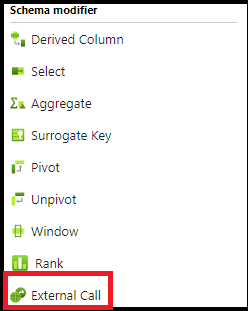
外部呼叫轉換讓資料工程師能逐列呼叫外部 REST 端點,將自訂結果加入資料流中。
組態
在 [外部呼叫轉換組態] 面板中,您會先挑選您想要連線的外部端點類型。 下一步是對應輸入資料行。 最後,定義下游轉換所取用的輸出資料結構。
設定
選擇內嵌資料集類型以及相關聯的連結服務。 目前僅支援 REST。 然而,SQL 儲存程序及其他連結服務類型也會被提供。 如需設定屬性的說明,請參閱 REST 來源組態。
映射
您可以選擇自動對應,將所有輸入資料行傳遞至端點。 您也可以選擇手動設定資料行,並重新命名傳送至目標端點的資料行。
輸出
您將於此定義外部呼叫輸出的資料結構。 你可以定義主體的結構,並選擇如何儲存標頭和外部呼叫回傳的狀態。
如果您選擇儲存正文、標題和狀態,請先為每個元素選擇資料行名稱,以便下游資料轉換時取用這些名稱。
您可以使用 ADF 資料流程語法,手動定義本文資料結構。 要定義主體的欄位名稱與資料型態,選擇「匯入投影」,並允許 ADF 偵測外部呼叫的結構輸出。 以下為天氣 REST API GET 呼叫輸出之結構描述定義範例:
({@context} as string[],
		geometry as (coordinates as string[][][],
		type as string),
		properties as (elevation as (unitCode as string,
		value as string),
		forecastGenerator as string,
		generatedAt as string,
		periods as (detailedForecast as string, endTime as string, icon as string, isDaytime as string, name as string, number as string, shortForecast as string, startTime as string, temperature as string, temperatureTrend as string, temperatureUnit as string, windDirection as string, windSpeed as string)[],
		units as string,
		updateTime as string,
		updated as string,
		validTimes as string),
		type as string)
範例
包含資料流程指令碼的範例

source(output(
		id as string
	),
	allowSchemaDrift: true,
	validateSchema: false,
	ignoreNoFilesFound: false) ~> source1
Filter1 call(mapColumn(
		id
	),
	skipDuplicateMapInputs: false,
	skipDuplicateMapOutputs: false,
	output(
		headers as [string,string],
		body as (name as string)
	),
	allowSchemaDrift: true,
	store: 'restservice',
	format: 'rest',
	timeout: 30,
	httpMethod: 'POST',
	entity: 'api/Todo/',
	requestFormat: ['type' -> 'json'],
	responseFormat: ['type' -> 'json', 'documentForm' -> 'documentPerLine']) ~> ExternalCall1
source1 filter(toInteger(id)==1) ~> Filter1
ExternalCall1 sink(allowSchemaDrift: true,
	validateSchema: false,
	skipDuplicateMapInputs: true,
	skipDuplicateMapOutputs: true,
	store: 'cache',
	format: 'inline',
	output: false,
	saveOrder: 1) ~> sink1
資料流程指令碼
ExternalCall1 sink(allowSchemaDrift: true,
	validateSchema: false,
	skipDuplicateMapInputs: true,
	skipDuplicateMapOutputs: true,
	store: 'cache',
	format: 'inline',
	output: false,
	saveOrder: 1) ~> sink1