dbt (資料組建工具) 是一個開發環境,可讓資料分析師和資料工程師只要撰寫 select 陳述式即可轉換資料。 dbt 負責將這些 select 陳述式轉換成資料表和檢視。 dbt 會將程式碼編譯成原始 SQL,然後在 Azure Databricks 的指定資料庫中執行該程式碼。 dbt 支援共同作業編碼模式和最佳做法,例如:版本控制、文件和模組化。
dbt 不會擷取或載入資料。 dbt 只著重於轉換步驟,使用「載入後轉換」架構。 dbt 假設您在資料庫中已有一份資料複本。
本文著重於 dbt Cloud。 dbt Cloud 具有對排程作業、CI/CD、服務文件、監視和警示,以及整合式開發環境 (IDE)的周全支援。
另有一個稱為 dbt Core 的 dbt 本機版可供使用。 dbt Core 讓您能在本機開發電腦上,使用您選擇的文字編輯器或 IDE 撰寫 dbt 程式碼,然後從命令列執行 dbt。 dbt Core 包含 dbt 命令列介面 (CLI)。 dbt CLI 可免費使用,並且開放原始碼。 如需詳細資訊,請參閱連線至 dbt Core。
由於 dbt Cloud 和 dbt Core 可以使用託管的 git 存放庫 (例如,在 GitHub、GitLab 或 BitBucket 上),因此,您可以使用 dbt Cloud 建立一個 dbt 專案,然後使其可供 dbt Cloud 和 dbt Core 使用者使用。 如需詳細資訊,請參閱 dbt 網站上的建立 dbt 專案和使用現有的專案。
如需 dbt 的一般概觀,請觀看下列 YouTube 影片 (26 分鐘)。
使用 Partner Connect 連線至 dbt Cloud
本節說明如何使用 Partner Connect 將 Databricks SQL 倉庫連線至 dbt Cloud,然後為 dbt Cloud 授與對資料的讀取存取權。
標準連線與 dbt Cloud 之間的差異
若要使用 Partner Connect 連線至 dbt Cloud,請遵循使用 Partner Connect 連線至資料準備合作夥伴中的步驟。 dbt Cloud 連線在下列方式與標準資料準備和轉換連線不同:
- 除了服務主體和個人存取權杖之外,Partner Connect 還會預設建立一個名為 DBT_CLOUD_ENDPOINT 的 SQL 倉儲 (先前稱為 SQL 端點)。
連線的步驟
若要使用 Partner Connect 連線至 dbt Cloud,請執行下列動作:
連線至 dbt Cloud 之後,您的 dbt Cloud 儀表板隨即出現。 若要探索 dbt Cloud 專案,請在 dbt 標誌旁邊的功能表列中,從第一個下拉式功能表選取您的 dbt 帳戶名稱 (如果未顯示),然後從第二個下拉式功能表選取 [Databricks Partner Connect 試用版] 專案 (如果未顯示)。
提示
若要檢視項目的設定,請單擊 [三條條紋] 或 [漢堡] 功能表,單擊 [ 帳戶設定 > 專案],然後單擊項目的名稱。 若要檢視連線設定,請按一下 [連線] 旁邊的連結。 若要變更任何設定,請按一下 [編輯]。
若要檢視此專案的 Azure Databricks 個人存取權杖資訊,請按一下功能表列上的 [人員] 圖示,按一下 [設定檔] > [認證] > [Databricks Partner Connect 試用版],然後按一下專案的名稱。 若要進行變更,請按一下 [編輯]。
授予 dbt Cloud 資料讀取權限的步驟
Partner Connect 僅在預設目錄上授予 DBT_CLOUD_USER 服務主體僅限建立的權限。 請在 Azure Databricks 工作區中執行這些步驟,為 DBT_CLOUD_USER 服務主體授與對所選擇資料的讀取存取權。
警告
您可以參照這些步驟進行調整,為 dbt Cloud 授予在工作區內各目錄、資料庫和資料表上的額外存取權限。 不過,基於安全性最佳做法,Databricks 強烈建議僅授予 DBT_CLOUD_USER 服務主體需要使用的個別資料表存取權,且僅提供這些資料表的讀取權限。
按一下
![[資料] 圖示。](../../_static/images/product-icons/dataicon.svg) 在側邊欄中點擊目錄。
在側邊欄中點擊目錄。在右上方的下拉式清單中選取 SQL 倉儲 (DBT_CLOUD_ENDPOINT)。

- 在 [目錄總管] 下,選取包含您資料表的資料庫的目錄。
- 選取包含您的資料表的資料庫。
- 選取您的資料表。
提示
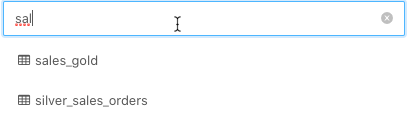
如果您沒有看到列出的目錄、資料庫或資料表,請在 [選取目錄]、[選取資料庫] 或 [篩選資料表] 方塊中分別輸入名稱的任何部分,以縮小清單範圍。
按一下 [權限]。
請按一下 授權。
若要輸入以新增多位使用者或群組,請選取DBT_CLOUD_USER。 這是 Partner Connect 在上一節中為您建立的 Azure Databricks 服務主體。
提示
如果您沒有看到 [DBT_CLOUD_USER],請在 [鍵入以新增多個使用者或群組]
DBT_CLOUD_USER方塊中開始鍵入 ,直到它出現在清單中,然後加以選取。僅選取
SELECT和READ METADATA即可授與唯讀存取權。按一下 [確定]。
對要授與 dbt Cloud 讀取存取權的每個額外資料表重複步驟 4-9。
對 dbt Cloud 連線進行疑難排解
如果有人在 dbt Cloud 中刪除了此帳戶的專案,然後您按一下 [dbt] 磚,則會出現一則錯誤訊息,指出找不到該專案。 若要修正此問題,請按一下 [刪除連線],然後從頭開始執行此程序,以重新建立連線。
手動連線至 dbt Cloud
本節說明如何將 Azure Databricks 工作區中的 Azure Databricks 叢集或 Databricks SQL 倉儲連線至 dbt Cloud。
重要
Databricks 建議連線至 SQL 倉儲。 如果您沒有 Databricks SQL 存取權,或想要執行 Python 模型,您可以改為連線到叢集。
需求
Azure Databricks 工作區中的叢集或 SQL 倉儲。
叢集或 SQL 倉儲的連線詳細數據,特別是 伺服器主機名、 埠和 HTTP 路徑 值。
Azure Databricks 個人存取權杖或 Microsoft Entra ID (先前稱為 Azure Active Directory) 權杖。 若要建立個人存取權杖,請遵循為 工作區使用者建立個人存取權杖中的步驟。
若要將 dbt Cloud 連線至 Unity Catalog 管理的資料,則必須使用 dbt 1.1 版或更新版本。
本文中的步驟會建立一個使用最新 dbt 版本的新環境。 如需有關升級現有環境的 dbt 版本的資訊,請參閱 dbt 文件中的升級至雲端中的最新版 dbt。
步驟 1:註冊 dbt Cloud
移至 dbt Cloud - 註冊,然後輸入您的電子郵件、名稱和公司資訊。 建立密碼,然後按一下 [建立我的帳戶]。
步驟 2:建立 dbt 專案
在此步驟中,您將建立一個 dbt 專案,其中包含一個至 Azure Databricks 叢集或 SQL 倉儲的連線、一個包含原始程式碼的存放庫,以及一個或多個環境 (例如測試和生產環境)。
按一下 [設定] 圖示,然後按一下 [帳戶設定]。
按一下新增專案。
對於 [名稱],輸入專案的唯一名稱,然後按一下 [繼續]。
從 [ 選擇連線 ] 下拉功能表中選取 Azure Databricks 計算連線,或建立新的連線:
點選 新增連線。
[新增連線] 精靈向導會在新的分頁中開啟。
按一下 [Databricks],然後按一下 [下一步]。
注意
Databricks 建議使用
dbt-databricks,其支援 Unity Catalog,而非dbt-spark。 根據預設,新專案使用dbt-databricks。 若要將現有的專案移轉至dbt-databricks,請參閱 dbt 文件中的從 dbt-spark 移轉至 dbt-databricks。在 [設定] 下,對於 [伺服器主機名稱],輸入需求中的伺服器主機名稱值。
對於 [HTTP 路徑],輸入需求中的 [HTTP 路徑] 值。
如果您的工作區已啟用 Unity 目錄,請在 [選擇性設定]下,輸入要使用的 dbt 目錄名稱。
點選 儲存。
返回 [新增專案 精靈],然後從 [ 連線] 下拉功能表中選取您剛建立的連線。
在 [開發認證] 下,對於 [權杖],根據需求輸入個人存取權杖或 Microsoft Entra ID 權杖。
針對 架構,輸入您想要 dbt 建立數據表和檢視的架構名稱。
按一下 [測試連接] 。
如果測試順利完成,請按下 [儲存]。
如需詳細資訊,請參閱 dbt 網站上的連線至 Databricks ODBC。
提示
若要檢視或變更此專案的設定,或完全刪除專案,請按一下 [設定] 圖示,按一下 [帳戶設定] > [專案],然後按一下專案的名稱。 若要變更設定,請按一下 [編輯]。 若要刪除專案,請按一下 [編輯] > [刪除專案]。
若要檢視或變更此專案的 Azure Databricks 個人存取權杖值,請按一下 [人員] 圖示,按一下 [設定檔] > [認證],然後按一下專案的名稱。 若要進行變更,請按一下 [編輯]。
連線至 Azure Databricks 叢集或 Databricks SQL 倉儲之後,遵循畫面上的指示來 [設定存放庫],然後按一下 [繼續]。
設定存放庫之後,遵循畫面上的指示來邀請使用者,然後按一下 [完成]。 或按一下 [略過和完成]。
教學
在本節中,您將使用 dbt Cloud 專案來處理一些範例資料。 本節假設您已建立專案,並已開啟該專案的 dbt Cloud IDE。
步驟 1:建立和執行模型
在此步驟中,您將使用 dbt Cloud IDE 建立並執行模型,即 select 陳述式。這些陳述式可根據資料庫中的現有資料,在同一資料庫中建立新檢視 (預設值) 或新資料表。 此程式會根據 範例數據集 diamonds 數據表建立模型。
提示
如果你的工作區已啟用搭配無伺服器 SQL 倉庫的 Unity Catalog,Databricks 建議將必須維持最新狀態的正式環境模型具體化為實體化檢視或串流資料表,而不是具體化為資料表或檢視。 這些實體化會以增量方式更新,而不是在每次執行時重新計算完整結果。 請參考 步驟 4:保持模型新鮮,並使用具體化的視圖和串流表。
使用下列程式代碼來建立此數據表。
DROP TABLE IF EXISTS diamonds;

CREATE TABLE diamonds USING CSV OPTIONS (path "/databricks-datasets/Rdatasets/data-001/csv/ggplot2/diamonds.csv", header "true")
此程式假設此資料表已在工作區的 default 資料庫中建立。
開啟專案後,按一下 UI 頂端的 [開發]。
按一下 初始化 dbt 專案。
按一下 [認可並同步],輸入認可訊息,然後按一下 [認可]。
按一下 [建立分支],輸入您的分支名稱,然後按一下 [提交]。
建立第一個模型:按一下 [建立新檔案]。
在文字編輯器中,輸入下列 SQL 陳述式。 此語句只會從
diamonds數據表中選取每個鑽石的克拉、切工、顏色和淨度詳細數據。config區塊會指示 dbt 根據這個語句在資料庫中建立數據表。{{ config( materialized='table', file_format='delta' ) }}select carat, cut, color, clarity from diamonds提示
如需其他
config選項 (例如merge累加策略),請參閱 dbt 文件中的 Databricks 組態。按一下 另存新檔。
對於檔案名稱,輸入
models/diamonds_four_cs.sql,然後按一下 [建立]。建立第二個模型:按一下右上角的
![[建立新檔案] 圖示](../../_static/images/third-party-integrations/dbt-cloud-create-new-file.png) ([建立新檔案])。
([建立新檔案])。在文字編輯器中,輸入下列 SQL 陳述式。 此語句會從
colors數據表的 [diamonds_four_cs] 數據行中選取唯一值,先依字母順序排序結果。 由於沒有config區塊,此模型將指示 dbt 根據此陳述式在資料庫中建立檢視。select distinct color from diamonds_four_cs sort by color asc按一下 另存新檔。
對於檔案名稱,輸入
models/diamonds_list_colors.sql,然後按一下 [建立]。建立第三個模型:按一下右上角的
([建立新檔案])。在文字編輯器中,輸入下列 SQL 陳述式。 此陳述式依色彩計算寶石的平均價格,並依平均價格從最高到最低對結果進行排序。 此模型將指示 dbt 根據此陳述式在資料庫中建立檢視。
select color, avg(price) as price
from diamonds
group by color
order by price desc
按一下 另存新檔。
對於檔案名稱,輸入
models/diamonds_prices.sql,然後按一下 [建立]。執行模型:在命令列中,使用上述三個檔案的路徑執行
dbt run命令。 在default資料庫中,dbt 會建立一個名為diamonds_four_cs的資料表,以及兩個名為diamonds_list_colors和diamonds_prices的檢視。 dbt 會從其相關的.sql檔名取得這些檢視和數據表名稱。dbt run --model models/diamonds_four_cs.sql models/diamonds_list_colors.sql models/diamonds_prices.sql... ... | 1 of 3 START table model default.diamonds_four_cs.................... [RUN] ... | 1 of 3 OK created table model default.diamonds_four_cs............... [OK ...] ... | 2 of 3 START view model default.diamonds_list_colors................. [RUN] ... | 2 of 3 OK created view model default.diamonds_list_colors............ [OK ...] ... | 3 of 3 START view model default.diamonds_prices...................... [RUN] ... | 3 of 3 OK created view model default.diamonds_prices................. [OK ...] ... | ... | Finished running 1 table model, 2 view models ... Completed successfully Done. PASS=3 WARN=0 ERROR=0 SKIP=0 TOTAL=3執行下列 SQL 程式代碼來列出新檢視的相關信息,以及從數據表和檢視中選取所有數據列。
如果要連線至叢集,您可以從連結至叢集的筆記本中執行此 SQL 程式碼,並將 SQL 指定為筆記本的預設語言。 如果要連線至 SQL 倉儲,您可以從查詢執行此 SQL 程式碼。
SHOW views IN default+-----------+----------------------+-------------+ | namespace | viewName | isTemporary | +===========+======================+=============+ | default | diamonds_list_colors | false | +-----------+----------------------+-------------+ | default | diamonds_prices | false | +-----------+----------------------+-------------+SELECT * FROM diamonds_four_cs+-------+---------+-------+---------+ | carat | cut | color | clarity | +=======+=========+=======+=========+ | 0.23 | Ideal | E | SI2 | +-------+---------+-------+---------+ | 0.21 | Premium | E | SI1 | +-------+---------+-------+---------+ ...SELECT * FROM diamonds_list_colors+-------+ | color | +=======+ | D | +-------+ | E | +-------+ ...SELECT * FROM diamonds_prices+-------+---------+ | color | price | +=======+=========+ | J | 5323.82 | +-------+---------+ | I | 5091.87 | +-------+---------+ ...
步驟 2:建立和執行更複雜的模型
在此步驟中,您會為一組相關的數據表建立更複雜的模型。 這些數據表包含三支球隊在一個賽季中進行六場比賽的虛構體育聯盟的相關信息。 此程式會建立數據表、建立模型,以及執行模型。
執行下列 SQL 程式代碼來建立必要的資料表。
如果要連線至叢集,您可以從連結至叢集的筆記本中執行此 SQL 程式碼,並將 SQL 指定為筆記本的預設語言。 如果要連線至 SQL 倉儲,您可以從查詢執行此 SQL 程式碼。
此步驟中的數據表和檢視會從
zzz_開始,以協助識別它們作為此範例的一部分。 您不需要針對自己的數據表和檢視遵循此模式。DROP TABLE IF EXISTS zzz_game_opponents; DROP TABLE IF EXISTS zzz_game_scores; DROP TABLE IF EXISTS zzz_games; DROP TABLE IF EXISTS zzz_teams; CREATE TABLE zzz_game_opponents ( game_id INT, home_team_id INT, visitor_team_id INT ) USING DELTA; INSERT INTO zzz_game_opponents VALUES (1, 1, 2); INSERT INTO zzz_game_opponents VALUES (2, 1, 3); INSERT INTO zzz_game_opponents VALUES (3, 2, 1); INSERT INTO zzz_game_opponents VALUES (4, 2, 3); INSERT INTO zzz_game_opponents VALUES (5, 3, 1); INSERT INTO zzz_game_opponents VALUES (6, 3, 2); -- Result: -- +---------+--------------+-----------------+ -- | game_id | home_team_id | visitor_team_id | -- +=========+==============+=================+ -- | 1 | 1 | 2 | -- +---------+--------------+-----------------+ -- | 2 | 1 | 3 | -- +---------+--------------+-----------------+ -- | 3 | 2 | 1 | -- +---------+--------------+-----------------+ -- | 4 | 2 | 3 | -- +---------+--------------+-----------------+ -- | 5 | 3 | 1 | -- +---------+--------------+-----------------+ -- | 6 | 3 | 2 | -- +---------+--------------+-----------------+ CREATE TABLE zzz_game_scores ( game_id INT, home_team_score INT, visitor_team_score INT ) USING DELTA; INSERT INTO zzz_game_scores VALUES (1, 4, 2); INSERT INTO zzz_game_scores VALUES (2, 0, 1); INSERT INTO zzz_game_scores VALUES (3, 1, 2); INSERT INTO zzz_game_scores VALUES (4, 3, 2); INSERT INTO zzz_game_scores VALUES (5, 3, 0); INSERT INTO zzz_game_scores VALUES (6, 3, 1); -- Result: -- +---------+-----------------+--------------------+ -- | game_id | home_team_score | visitor_team_score | -- +=========+=================+====================+ -- | 1 | 4 | 2 | -- +---------+-----------------+--------------------+ -- | 2 | 0 | 1 | -- +---------+-----------------+--------------------+ -- | 3 | 1 | 2 | -- +---------+-----------------+--------------------+ -- | 4 | 3 | 2 | -- +---------+-----------------+--------------------+ -- | 5 | 3 | 0 | -- +---------+-----------------+--------------------+ -- | 6 | 3 | 1 | -- +---------+-----------------+--------------------+ CREATE TABLE zzz_games ( game_id INT, game_date DATE ) USING DELTA; INSERT INTO zzz_games VALUES (1, '2020-12-12'); INSERT INTO zzz_games VALUES (2, '2021-01-09'); INSERT INTO zzz_games VALUES (3, '2020-12-19'); INSERT INTO zzz_games VALUES (4, '2021-01-16'); INSERT INTO zzz_games VALUES (5, '2021-01-23'); INSERT INTO zzz_games VALUES (6, '2021-02-06'); -- Result: -- +---------+------------+ -- | game_id | game_date | -- +=========+============+ -- | 1 | 2020-12-12 | -- +---------+------------+ -- | 2 | 2021-01-09 | -- +---------+------------+ -- | 3 | 2020-12-19 | -- +---------+------------+ -- | 4 | 2021-01-16 | -- +---------+------------+ -- | 5 | 2021-01-23 | -- +---------+------------+ -- | 6 | 2021-02-06 | -- +---------+------------+ CREATE TABLE zzz_teams ( team_id INT, team_city VARCHAR(15) ) USING DELTA; INSERT INTO zzz_teams VALUES (1, "San Francisco"); INSERT INTO zzz_teams VALUES (2, "Seattle"); INSERT INTO zzz_teams VALUES (3, "Amsterdam"); -- Result: -- +---------+---------------+ -- | team_id | team_city | -- +=========+===============+ -- | 1 | San Francisco | -- +---------+---------------+ -- | 2 | Seattle | -- +---------+---------------+ -- | 3 | Amsterdam | -- +---------+---------------+建立第一個模型:按一下右上角的
([建立新檔案])。在文字編輯器中,輸入下列 SQL 陳述式。 此語句會建立一個數據表,提供每個遊戲的詳細數據,例如小組名稱和分數。
config區塊會指示 dbt 根據這個語句在資料庫中建立數據表。-- Create a table that provides full details for each game, including -- the game ID, the home and visiting teams' city names and scores, -- the game winner's city name, and the game date.{{ config( materialized='table', file_format='delta' ) }}-- Step 4 of 4: Replace the visitor team IDs with their city names. select game_id, home, t.team_city as visitor, home_score, visitor_score, -- Step 3 of 4: Display the city name for each game's winner. case when home_score > visitor_score then home when visitor_score > home_score then t.team_city end as winner, game_date as date from ( -- Step 2 of 4: Replace the home team IDs with their actual city names. select game_id, t.team_city as home, home_score, visitor_team_id, visitor_score, game_date from ( -- Step 1 of 4: Combine data from various tables (for example, game and team IDs, scores, dates). select g.game_id, go.home_team_id, gs.home_team_score as home_score, go.visitor_team_id, gs.visitor_team_score as visitor_score, g.game_date from zzz_games as g, zzz_game_opponents as go, zzz_game_scores as gs where g.game_id = go.game_id and g.game_id = gs.game_id ) as all_ids, zzz_teams as t where all_ids.home_team_id = t.team_id ) as visitor_ids, zzz_teams as t where visitor_ids.visitor_team_id = t.team_id order by game_date desc按一下 另存新檔。
對於檔案名稱,輸入
models/zzz_game_details.sql,然後按一下 [建立]。建立第二個模型:按一下右上角的
([建立新檔案])。在文字編輯器中,輸入下列 SQL 陳述式。 此陳述會建立一個視圖,列出該賽季各隊的勝敗紀錄。
-- Create a view that summarizes the season's win and loss records by team.

-- Step 2 of 2: Calculate the number of wins and losses for each team.
select
  winner as team,
  count(winner) as wins,
  -- Each team played in 4 games.
  (4 - count(winner)) as losses
from (
  -- Step 1 of 2: Determine the winner and loser for each game.
  select
    game_id,
    winner,
    case
      when
        home = winner
          then
            visitor
      else
        home
    end as loser
  from zzz_game_details
)
group by winner
order by wins desc
按一下 另存新檔。
對於檔案名稱,輸入
models/zzz_win_loss_records.sql,然後按一下 [建立]。執行模型:在命令列中,使用上述兩個檔案的路徑執行
dbt run命令。 在default資料庫 (在專案設定中指定) 中,dbt 會建立一個名為zzz_game_details的資料表和一個名為zzz_win_loss_records的檢視。 dbt 會從其相關的.sql檔名取得這些檢視和數據表名稱。dbt run --model models/zzz_game_details.sql models/zzz_win_loss_records.sql... ... | 1 of 2 START table model default.zzz_game_details.................... [RUN] ... | 1 of 2 OK created table model default.zzz_game_details............... [OK ...] ... | 2 of 2 START view model default.zzz_win_loss_records................. [RUN] ... | 2 of 2 OK created view model default.zzz_win_loss_records............ [OK ...] ... | ... | Finished running 1 table model, 1 view model ... Completed successfully Done. PASS=2 WARN=0 ERROR=0 SKIP=0 TOTAL=2執行下列 SQL 程式代碼來列出新檢視的相關信息,以及從數據表和檢視中選取所有數據列。
如果要連線至叢集,您可以從連結至叢集的筆記本中執行此 SQL 程式碼,並將 SQL 指定為筆記本的預設語言。 如果要連線至 SQL 倉儲,您可以從查詢執行此 SQL 程式碼。
SHOW VIEWS FROM default LIKE 'zzz_win_loss_records';+-----------+----------------------+-------------+ | namespace | viewName | isTemporary | +===========+======================+=============+ | default | zzz_win_loss_records | false | +-----------+----------------------+-------------+SELECT * FROM zzz_game_details;+---------+---------------+---------------+------------+---------------+---------------+------------+ | game_id | home | visitor | home_score | visitor_score | winner | date | +=========+===============+===============+============+===============+===============+============+ | 1 | San Francisco | Seattle | 4 | 2 | San Francisco | 2020-12-12 | +---------+---------------+---------------+------------+---------------+---------------+------------+ | 2 | San Francisco | Amsterdam | 0 | 1 | Amsterdam | 2021-01-09 | +---------+---------------+---------------+------------+---------------+---------------+------------+ | 3 | Seattle | San Francisco | 1 | 2 | San Francisco | 2020-12-19 | +---------+---------------+---------------+------------+---------------+---------------+------------+ | 4 | Seattle | Amsterdam | 3 | 2 | Seattle | 2021-01-16 | +---------+---------------+---------------+------------+---------------+---------------+------------+ | 5 | Amsterdam | San Francisco | 3 | 0 | Amsterdam | 2021-01-23 | +---------+---------------+---------------+------------+---------------+---------------+------------+ | 6 | Amsterdam | Seattle | 3 | 1 | Amsterdam | 2021-02-06 | +---------+---------------+---------------+------------+---------------+---------------+------------+SELECT * FROM zzz_win_loss_records;+---------------+------+--------+ | team | wins | losses | +===============+======+========+ | Amsterdam | 3 | 1 | +---------------+------+--------+ | San Francisco | 2 | 2 | +---------------+------+--------+ | Seattle | 1 | 3 | +---------------+------+--------+
步驟 3:建立並執行測試
在此步驟中,您將建立測試,這些測試是您對模型所做的判斷提示。 執行這些測試時,dbt 會告訴您專案中的每個測試是通過還是失敗。
有兩種類型的測試。 結構描述測試 (以 YAML 撰寫) 會傳回未通過判斷提示的記錄數目。 此數字為零時,表示所有記錄都通過,因此測試也通過。 資料測試是必須傳回零個記錄才算通過的特定查詢。
建立結構描述測試:按一下右上角的
([建立新檔案])。在文字編輯器中,輸入下列內容。 此檔案包含架構測試,可判斷指定的數據行是否具有唯一值、不是 Null、只有指定的值或組合。
version: 2

models:
  - name: zzz_game_details
    columns:
      - name: game_id
        tests:
          - unique
          - not_null
      - name: home
        tests:
          - not_null
          - accepted_values:
              values: ['Amsterdam', 'San Francisco', 'Seattle']
      - name: visitor
        tests:
          - not_null
          - accepted_values:
              values: ['Amsterdam', 'San Francisco', 'Seattle']
      - name: home_score
        tests:
          - not_null
      - name: visitor_score
        tests:
          - not_null
      - name: winner
        tests:
          - not_null
          - accepted_values:
              values: ['Amsterdam', 'San Francisco', 'Seattle']
      - name: date
        tests:
          - not_null
  - name: zzz_win_loss_records
    columns:
      - name: team
        tests:
          - unique
          - not_null
          - relationships:
              to: ref('zzz_game_details')
              field: home
      - name: wins
        tests:
          - not_null
      - name: losses
        tests:
          - not_null
按一下 另存新檔。
對於檔案名稱,輸入
models/schema.yml,然後按一下 [建立]。建立第一個資料測試:按一下右上角的
([建立新檔案])。在文字編輯器中,輸入下列 SQL 陳述式。 此檔案包含一個資料測試,用於確定常規賽季外是否進行了任何比賽。
-- This season's games happened between 2020-12-12 and 2021-02-06.
-- For this test to pass, this query must return no results.

select date
from zzz_game_details
where date < '2020-12-12'
or date > '2021-02-06'
按一下 另存新檔。
對於檔案名稱,輸入
tests/zzz_game_details_check_dates.sql,然後按一下 [建立]。建立第二個資料測試:按一下右上角的
([建立新檔案])。在文字編輯器中,輸入下列 SQL 陳述式。 此檔案包含一個資料測試,用於確定是否有任何分數為負或任何比賽為平局。
-- This sport allows no negative scores or tie games.
-- For this test to pass, this query must return no results.

select home_score, visitor_score
from zzz_game_details
where home_score < 0
or visitor_score < 0
or home_score = visitor_score
按一下 另存新檔。
對於檔案名稱,輸入
tests/zzz_game_details_check_scores.sql,然後按一下 [建立]。建立第三個資料測試:按一下右上角的
([建立新檔案])。在文字編輯器中,輸入下列 SQL 陳述式。 此檔案包含一項資料測試,用來判定是否有任何球隊出現負數的勝場或敗場、勝場或敗場多於已進行的比賽場數,或已進行的比賽場數超過允許的場數。
-- Each team participated in 4 games this season.
-- For this test to pass, this query must return no results.

select wins, losses
from zzz_win_loss_records
where wins < 0 or wins > 4
or losses < 0 or losses > 4
or (wins + losses) > 4
按一下 另存新檔。
對於檔案名稱,輸入
tests/zzz_win_loss_records_check_records.sql,然後按一下 [建立]。執行測試:在命令列中,執行
dbt test命令。
步驟四:透過實體化的視圖和串流表保持模型新鮮
當模型必須隨著新資料的到來保持最新時,應將其具體化為具象化的視圖或串流表格,而非單一的表格或視圖。 具體化檢視會逐步刷新查詢結果,因此 Azure Databricks 只會更新變更內容,而非每次重新計算整個結果,這使得實體化檢視適合用於聚合及提供給儀表板的資料。 串流資料表會以增量方式擷取僅追加或串流的來源資料,例如到達雲端儲存體的檔案,且不會重新處理已讀取過的資料列。 兩者皆由Lakeflow管線支持,且是生產轉型的推薦具體化方案,必須持續更新。
注意
此步驟需要一個已啟用 Unity Catalog 且具備無伺服器 SQL 倉儲的工作區。
materialized_view 實體化是 dbt 內建的,而 streaming_table 則由 dbt-databricks 轉接器提供。
建立實體化視圖模型:點擊右上角的
(建立新檔案)。在文字編輯器中,輸入下列 SQL 陳述式。 這與
diamonds_prices視圖中的聚合相同,但config區塊會指示 dbt 建立具體化視圖。 與每次查詢都會重新計算的視圖不同,具體化視圖會預先計算結果並逐步刷新。{{ config( materialized='materialized_view' ) }}select color, avg(price) as price from diamonds group by color order by price desc按一下 另存新檔。
對於檔案名稱,輸入
models/diamonds_prices_mv.sql,然後按一下 [建立]。建立串流資料表模型:點擊右上角的
(建立新檔案)。在文字編輯器中,輸入下列 SQL 陳述式。 該
config區塊指示 dbt 建立一個串流資料表,逐步擷取原始diamondsCSV 檔案。read_filestable-valued 函式讀取檔案,STREAM關鍵字則在每次刷新時只處理新到達的資料。{{ config( materialized='streaming_table' ) }}select * from stream read_files( '/databricks-datasets/Rdatasets/data-001/csv/ggplot2/diamonds.csv', format => 'csv', header => true )按一下 另存新檔。
對於檔案名稱,輸入
models/diamonds_raw_stream.sql,然後按一下 [建立]。執行模型:在命令列中,使用上述兩個檔案的路徑執行
dbt run命令。dbt run --model models/diamonds_prices_mv.sql models/diamonds_raw_stream.sql
更新這些模型時請留意以下行為:
- 更改串流資料表的查詢並不會重新處理已經被接收的資料。 DBT 使用
CREATE OR REFRESH,僅將更新後的查詢應用於未來的列。 若要重新處理可用的來源資料,請使用--full-refresh執行。 - 更改實體化視圖的設定時,dbt 需要先刪除再重新建立該視圖,但排程變更除外。
- 你使用
databricks_tags設定的標籤在套用後,便無法透過 dbt 移除。 若要移除標籤,請直接使用 Azure Databricks 或後置掛鉤。
關於完整支援的配置清單,如排程刷新、分割與列篩選,請參閱 dbt 文件中的 Materialized 視圖與串流資料表 。
步驟五:清理
您可以執行下列 SQL 程式代碼,以刪除您為此範例建立的數據表和檢視。
如果要連線至叢集,您可以從連結至叢集的筆記本中執行此 SQL 程式碼,並將 SQL 指定為筆記本的預設語言。 如果要連線至 SQL 倉儲,您可以從查詢執行此 SQL 程式碼。
DROP TABLE zzz_game_opponents;
DROP TABLE zzz_game_scores;
DROP TABLE zzz_games;
DROP TABLE zzz_teams;
DROP TABLE zzz_game_details;
DROP VIEW zzz_win_loss_records;

DROP MATERIALIZED VIEW diamonds_prices_mv;
DROP TABLE diamonds_raw_stream;
DROP TABLE diamonds;
DROP TABLE diamonds_four_cs;
DROP VIEW diamonds_list_colors;
DROP VIEW diamonds_prices;
注意
如果你沒完成 第四步,請省略 DROP MATERIALIZED VIEW diamonds_prices_mv and DROP TABLE diamonds_raw_stream 陳述。
下一步
- 深入了解 dbt 模型。
- 了解如何測試您的 dbt 專案。
- 了解如何使用 Jinja (一種範本化語言) 在 dbt 專案中進行 SQL 程式設計。
- 了解 dbt 最佳做法。
- 了解更多可讓你的資料維持在最新狀態的具體化。 請參閱 使用獨立的物質化視圖 和 使用獨立串流表。