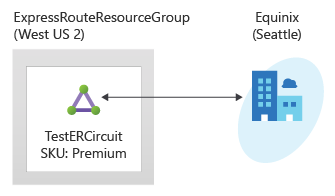
在本快速入門中,您會使用 Terraform 來建立 Azure ExpressRoute 線路及其相關聯的基礎結構。 Terraform 範本會建立完整的 ExpressRoute 配置,包括虛擬網路、ExpressRoute 閘道、電路配置,以及私人對等連線。 所有資源都使用可配置的參數進行部署,可讓您根據特定需求自訂部署。
Terraform 可啟用雲端基礎結構的定義、預覽和部署。 使用 Terraform,您可以使用 HCL 語法建立組態檔。 HCL 語法可讓您指定雲端提供者 (例如 Azure) 和構成雲端基礎結構的元素。 建立組態檔之後,您會建立一個 執行計劃 ,讓您在部署基礎結構變更之前先預覽這些變更。 驗證變更之後,您可以套用執行計畫來部署基礎結構。
在本文中,您將學會如何:
- 建立具有唯一名稱的 Azure 資源群組
- 建立一個虛擬網路,並為閘道建立子網路
- 建立具有可設定 SKU 的 ExpressRoute 閘道
- 使用可設定的服務提供者設定建立 ExpressRoute 線路
- 設定 ExpressRoute 線路的私人對等互連
- 輸出關鍵資源識別碼和組態詳細資料
先決條件
建立具有有效訂閱的 Azure 帳戶。 您可以 免費建立帳戶。
實作 Terraform 程式碼
附註
本文的範例程式代碼位於 Azure Terraform GitHub 存放庫中。 您可以檢視包含 目前和舊版 Terraform 測試結果的記錄檔。
建立目錄,然後在目錄中測試並執行範例 Terraform 程式碼,且設為目前的目錄。
建立名為
main.tf的檔案,並插入下列程式碼:# Create Resource Group resource "random_pet" "rg_name" { prefix = var.resource_group_name_prefix } resource "azurerm_resource_group" "rg" { location = var.resource_group_location name = random_pet.rg_name.id tags = var.tags } # Random String for unique naming resource "random_string" "name" { length = 8 special = false upper = false lower = true numeric = false } # Create Virtual Network resource "azurerm_virtual_network" "vnet" { name = "vnet-${random_string.name.result}" address_space = var.virtual_network_address_space location = azurerm_resource_group.rg.location resource_group_name = azurerm_resource_group.rg.name tags = var.tags } # Create ExpressRoute Gateway using Azure Verified Module with HOBO module "expressroute_gateway" { source = "Azure/avm-ptn-vnetgateway/azurerm" version = "~> 0.10.0" # Basic Configuration location = azurerm_resource_group.rg.location name = "vgw-${random_string.name.result}" parent_id = azurerm_resource_group.rg.id # ExpressRoute Gateway Configuration type = "ExpressRoute" sku = var.gateway_sku hosted_on_behalf_of_public_ip_enabled = var.enable_hosted_on_behalf_of_public_ip # Enable Azure-managed public IP (HOBO) # Virtual Network Configuration virtual_network_id = azurerm_virtual_network.vnet.id subnet_address_prefix = var.gateway_subnet_address_prefix # GatewaySubnet CIDR # Optional: Enable telemetry for Azure Verified Module enable_telemetry = true # Express Route Circuit Connection (if circuit is provided) express_route_circuits = var.express_route_circuit_id != null ? { "primary" = { id = var.express_route_circuit_id connection = { authorization_key = var.express_route_authorization_key } } } : {} tags = merge(var.tags, { environment = "production" project = "expressroute-hobo" gateway_type = "ExpressRoute" deployment = "azure-verified-module" }) depends_on = [azurerm_virtual_network.vnet] } # Create ExpressRoute Circuit (if enabled) resource "azurerm_express_route_circuit" "circuit" { count = var.create_express_route_circuit ? 1 : 0 name = "erc-${random_string.name.result}" resource_group_name = azurerm_resource_group.rg.name location = azurerm_resource_group.rg.location service_provider_name = var.service_provider_name peering_location = var.peering_location bandwidth_in_mbps = var.bandwidth_in_mbps sku { tier = var.circuit_sku_tier family = var.circuit_sku_family } tags = merge(var.tags, { environment = "production" project = "expressroute-hobo" }) } # Create ExpressRoute Circuit Peering (if circuit is created) resource "azurerm_express_route_circuit_peering" "private" { count = var.create_express_route_circuit && var.create_private_peering ? 1 : 0 peering_type = "AzurePrivatePeering" express_route_circuit_name = azurerm_express_route_circuit.circuit[0].name resource_group_name = azurerm_resource_group.rg.name primary_peer_address_prefix = var.primary_peer_address_prefix secondary_peer_address_prefix = var.secondary_peer_address_prefix vlan_id = var.vlan_id peer_asn = var.peer_asn }建立名為
outputs.tf的檔案,並插入下列程式碼:output "resource_group_name" { description = "Name of the resource group" value = azurerm_resource_group.rg.name } output "express_route_circuit_id" { description = "ID of the ExpressRoute circuit (if created)" value = var.create_express_route_circuit ? azurerm_express_route_circuit.circuit[0].id : null } output "express_route_circuit_service_key" { description = "Service key for the ExpressRoute circuit (if created)" value = var.create_express_route_circuit ? azurerm_express_route_circuit.circuit[0].service_key : null sensitive = true } output "gateway_id" { description = "ID of the ExpressRoute Virtual Network Gateway" value = module.expressroute_gateway.virtual_network_gateway.id } output "gateway_name" { description = "Name of the ExpressRoute Virtual Network Gateway" value = module.expressroute_gateway.virtual_network_gateway.name } output "gateway_subnet_id" { description = "ID of the GatewaySubnet created by the module" value = module.expressroute_gateway.subnet.id } output "hosted_on_behalf_of_public_ip_note" { description = "Information about the Azure-managed public IP for ExpressRoute gateway" value = "This ExpressRoute Virtual Network Gateway uses an Azure-managed public IP address. The public IP is automatically provisioned and managed by Azure, and is not visible in your subscription's public IP resources. This feature is only available for ExpressRoute gateways, not VPN gateways." } output "public_ip_addresses" { description = "Public IP addresses created by the module (empty when using HOBO for ExpressRoute)" value = module.expressroute_gateway.public_ip_addresses } output "virtual_network_id" { description = "ID of the virtual network" value = azurerm_virtual_network.vnet.id } output "virtual_network_gateway_connections" { description = "Virtual Network Gateway Connections created by the module" value = module.expressroute_gateway.virtual_network_gateway_connections }建立名為
providers.tf的檔案,並插入下列程式碼:terraform { required_version = ">= 1.3" required_providers { azapi = { source = "Azure/azapi" version = "~> 2.4" } azurerm = { source = "hashicorp/azurerm" version = "~> 4.0" } random = { source = "hashicorp/random" version = "~> 3.5" } } } provider "azurerm" { features {} }建立名為
variables.tf的檔案,並插入下列程式碼:variable "resource_group_location" { type = string default = "eastus" description = "Location of the resource group." } variable "resource_group_name_prefix" { type = string default = "rg" description = "Prefix of the resource group name that's combined with a random ID so name is unique in your Azure subscription." } variable "tags" { type = map(string) default = {} description = "A map of tags to assign to all resources." } # Virtual Network Configuration variable "virtual_network_address_space" { type = list(string) default = ["10.0.0.0/16"] description = "The address space that is used by the virtual network." validation { condition = length(var.virtual_network_address_space) > 0 error_message = "At least one address space must be provided." } } variable "gateway_subnet_address_prefix" { type = string default = "10.0.0.0/24" description = "The address prefix for the GatewaySubnet. Must be at least /29." validation { condition = can(cidrhost(var.gateway_subnet_address_prefix, 0)) && tonumber(split("/", var.gateway_subnet_address_prefix)[1]) <= 29 error_message = "gateway_subnet_address_prefix must be a valid CIDR block with at least /29 prefix." } } # ExpressRoute Gateway Configuration variable "gateway_sku" { type = string default = "ErGw1AZ" description = "The SKU of the ExpressRoute Virtual Network Gateway. Valid values: ErGw1AZ, ErGw2AZ, ErGw3AZ, ErGwScale, HighPerformance, Standard, UltraPerformance." validation { condition = contains(["ErGw1AZ", "ErGw2AZ", "ErGw3AZ", "ErGwScale", "HighPerformance", "Standard", "UltraPerformance"], var.gateway_sku) error_message = "gateway_sku must be one of: ErGw1AZ, ErGw2AZ, ErGw3AZ, ErGwScale, HighPerformance, Standard, UltraPerformance." } } variable "enable_hosted_on_behalf_of_public_ip" { type = bool default = true description = "Enable Azure-managed public IP for the ExpressRoute gateway (HOBO feature). When enabled, Azure manages the public IP internally and it won't appear in your subscription." } # ExpressRoute Circuit Configuration variable "create_express_route_circuit" { type = bool default = true description = "Whether to create an ExpressRoute circuit. Set to false if you want to connect to an existing circuit." } variable "express_route_circuit_id" { type = string default = null description = "ID of an existing ExpressRoute circuit to connect to. Only used if create_express_route_circuit is false." } variable "express_route_authorization_key" { type = string default = null description = "Authorization key for connecting to an existing ExpressRoute circuit." sensitive = true } variable "service_provider_name" { type = string default = "Equinix" description = "The name of the ExpressRoute circuit service provider." } variable "peering_location" { type = string default = "Washington DC" description = "The name of the peering location and not the Azure resource location." } variable "bandwidth_in_mbps" { type = number default = 50 description = "The bandwidth in Mbps of the ExpressRoute circuit." validation { condition = contains([50, 100, 200, 500, 1000, 2000, 5000, 10000], var.bandwidth_in_mbps) error_message = "bandwidth_in_mbps must be one of: 50, 100, 200, 500, 1000, 2000, 5000, 10000." } } variable "circuit_sku_tier" { type = string default = "Standard" description = "The service tier of the ExpressRoute circuit SKU." validation { condition = contains(["Basic", "Local", "Standard", "Premium"], var.circuit_sku_tier) error_message = "circuit_sku_tier must be one of: Basic, Local, Standard, Premium." } } variable "circuit_sku_family" { type = string default = "MeteredData" description = "The billing mode for the ExpressRoute circuit SKU." validation { condition = contains(["MeteredData", "UnlimitedData"], var.circuit_sku_family) error_message = "circuit_sku_family must be either MeteredData or UnlimitedData." } } # ExpressRoute Private Peering Configuration variable "create_private_peering" { type = bool default = true description = "Whether to create Azure Private Peering for the ExpressRoute circuit." } variable "primary_peer_address_prefix" { type = string default = "192.168.10.16/30" description = "A /30 subnet for the primary link." validation { condition = can(cidrhost(var.primary_peer_address_prefix, 0)) error_message = "primary_peer_address_prefix must be a valid CIDR block." } } variable "secondary_peer_address_prefix" { type = string default = "192.168.10.20/30" description = "A /30 subnet for the secondary link." validation { condition = can(cidrhost(var.secondary_peer_address_prefix, 0)) error_message = "secondary_peer_address_prefix must be a valid CIDR block." } } variable "vlan_id" { type = number default = 200 description = "A valid VLAN ID to establish this peering on." validation { condition = var.vlan_id >= 1 && var.vlan_id <= 4094 error_message = "vlan_id must be between 1 and 4094." } } variable "peer_asn" { type = number default = 65001 description = "A valid private ASN for the customer side BGP session." validation { condition = (var.peer_asn >= 64512 && var.peer_asn <= 65534) || (var.peer_asn >= 4200000000 && var.peer_asn <= 4294967294) error_message = "peer_asn must be a valid private ASN (64512-65534 or 4200000000-4294967294)." } }
初始化 Terraform
執行 terraform init 以初始化 Terraform 部署。 此命令會下載管理 Azure 資源所需的 Azure 提供者。
terraform init -upgrade
要點:
-
-upgrade參數會將必要的提供者外掛程式升級至符合設定版本條件約束的最新版本。
建立 Terraform 執行計畫
執行 terraform 計劃 以建立執行計劃。
terraform plan -out main.tfplan
要點:
-
terraform plan命令會建立執行計畫,但不會執行。 相反地,其會決定要在您指定的設定檔中建立設定所需的動作。 此模式可讓您在對實際資源進行任何變更之前,先確認執行方案是否符合您的預期。 - 選用的
-out參數可讓您指定計畫的輸出檔。 使用-out參數可確保您所檢閱的方案就是所套用的方案。
套用 Terraform 執行計畫
執行 terraform apply 以將執行計劃套用至您的雲端基礎架構。
terraform apply main.tfplan
要點:
- 範例
terraform apply命令假設您之前已執行過terraform plan -out main.tfplan。 - 如果您為
-out參數指定了不同的檔案名稱,請在呼叫terraform apply時使用該檔案名稱。 - 若您未使用
-out參數,請呼叫terraform apply,不需要使用參數。
驗證結果
取得 Azure 資源群組名稱。
resource_group_name=$(terraform output -raw resource_group_name)取得 ExpressRoute 線路名稱。
circuit_name=$(terraform output -raw expressroute_circuit_name)取得閘道名稱。
gateway_name=$(terraform output -raw gateway_name)執行
az network express-route show來檢視 ExpressRoute 迴路。az network express-route show --name $circuit_name --resource-group $resource_group_name執行
az network vnet-gateway show以檢視 Azure 虛擬網路閘道。az network vnet-gateway show --name $gateway_name --resource-group $resource_group_name
清除資源
當您不再需要透過 Terraform 建立的資源時,請執行下列步驟:
執行 terraform 計劃 並指定
destroy旗標。terraform plan -destroy -out main.destroy.tfplan要點:
-
terraform plan命令會建立執行計畫,但不會執行。 相反地,其會決定要在您指定的設定檔中建立設定所需的動作。 此模式可讓您在對實際資源進行任何變更之前,先確認執行方案是否符合您的預期。 - 選用的
-out參數可讓您指定計畫的輸出檔。 使用-out參數可確保您所檢閱的方案就是所套用的方案。
-
執行 terraform apply 以套用執行計劃。
terraform apply main.destroy.tfplan
對 Azure 上的 Terraform 進行疑難排解
針對在 Azure 上使用 Terraform 時的常見問題進行疑難解答。
後續步驟
若要了解如何將虛擬網路連結至線路,請繼續進行 ExpressRoute 教學課程。