重要事項
本文中的部分資訊與發行前版本產品有關,在產品正式發行前可能會大幅度修改。 Microsoft 對此處提供的資訊,不提供任何明確或隱含的瑕疵擔保。
在這個例子中,你會被引導為代理人建立一個 GPT 工具 (技能) ,用來削弱 URL 的牙。
建立並上傳 GPT 工具至 Security Copilot
GPT 工具的定義如下:
Descriptor:
  Name: DCA_SampleGPT
  DisplayName: DCA_My Sample GPT Skillset
  Description: Skills for defanging URLs

SkillGroups:
  - Format: GPT
    Skills:
      - Name: DefangUrls
        DisplayName: Defang URLs
        Description: Defangs URLs in the given text
        Inputs:
          - Name: text
            Description: The text containing URLs to be defanged
        Settings:
          ModelName: gpt-4.1
          Template: |-
            To 'defang' a URL means to change the scheme to either hxxp or hxxps and replace '.' with '[.]' in the domain so that the URL is still easily readable by a human but doesn't automatically render as a hyperlink if rendered in a rich client such as Outlook. This is often done when sharing potentially malicious links to prevent the reader accidentally clicking on them and visiting a malicious website.

            Some examples of defanging URLs:
            1. https://example.com --> hxxps://example[.]com
            2. http://subdomain.example.com/path.with.dots/ --> hxxp://subdomain[.]example[.]com/path.with.dots/

            Defang any URLs in the following text and return the new text:
            {{text}}
關於如何上傳和啟用外掛的說明,請參見 Build agent manifest。
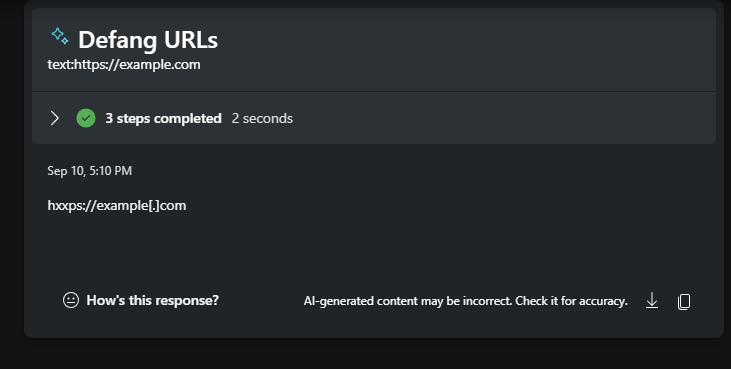
執行外掛後的最終結果: