Note
Access to this page requires authorization. You can try signing in or changing directories.
Access to this page requires authorization. You can try changing directories.
Update (04/15/2026): Azure Monitor Mobile Analytics Now in Public Preview — Migration Path for App Center Customers
We previously communicated that we had partnered with the Azure Monitor team to build an analytics solution for mobile platforms. This solution provides App Center customers who continue to use the Analytics feature with an alternative path forward.
Today, we are pleased to announce that this solution is now available in Public Preview and ready for App Center customers to begin migrating to. The solution is expected to reach General Availability (GA) later this year, and we will provide an additional notification when that happens.
Please use the following link to learn more about the new Azure Monitor mobile solution and how to migrate from App Center: https://aka.ms/azmon-migration
To ensure customers have sufficient time to complete their migration, we will extend support for the App Center Analytics & Diagnostics features until the end of March 2027. Until that date, the service will continue to operate with no changes.
If you have any questions about Azure Monitor or its new mobile capabilities, please contact Azure Support using the following link: https://aka.ms/azmon-support
Update (03/20/2025): Extension of Product Support for Analytics & Diagnostics
We understand that migrations of this scale can be challenging, which is why we have carefully listened to customer feedback. Based on the substantial feedback we received, we have partnered with the Azure Monitor team to build mobile platform support for Analytics capabilities directly within the Azure Monitor product. This will allow customers to choose Azure Monitor as an alternative solution to App Center.
We will also extend the product support for the App Center Analytics & Diagnostics feature until the end of June 2026. This extension will provide the Azure Monitor team additional time to finalize the implementation, and our customers will have more time to migrate to it once it is ready (the announcement will be made separately). Until then, customers will be able to use App Center Analytics & Diagnostics in the same way as before until June 30, 2026. The remaining App Center features will be retired as planned after March 31, 2025.
Visual Studio App Center Retirement
Visual Studio App Center is scheduled for retirement on March 31, 2025. After that date, it will not be possible to sign in with your user account nor make API calls. App Center will continue to be supported until March 31, 2025, with critical bug fixes and technical support.
Alternative solutions
The following notes outline alternative solutions to migrate off App Center. Our support team is available to address any additional questions at support@appcenter.ms.
| App Center capability | Recommended alternative solution |
|---|---|
| Build | We recommend migrating your builds from App Center to Azure Pipelines, leveraging the Export App Center Build feature. |
| Test | For app device testing, we recommend BrowserStack App Automate. BrowserStack provides access to 20,000+ real iOS and Android devices. BrowserStack has developed the Device Testing CLI to support migrating from Microsoft App Center to BrowserStack App Automate. You can find the full guidance for migration to BrowserStack here. |
| Distribution | We recommend Apple’s AppStore for iOS app production releases and Apple’s TestFlight for iOS app test releases. For Android applications, we recommend Google Play for production releases and Google Play Console for test releases. Azure Pipelines tasks can be used for distributing to AppStore/TestFlight and Google Play. For Microsoft Store applications, we recommend using Package Flights feature available in Partner Center. |
| CodePush | We have prepared a special version of CodePush that can be integrated into your app and run independently from App Center. You can access the source code and the documentation, which explains how to deploy and run it, in this GitHub repository. |
| Analytics & diagnostics | We recommend one of the Azure Native ISV services which provide rich capabilities for mobile analytics and diagnostics. By leveraging these Azure Native ISV services, you will be able to monitor your complete stack from device to your backend infrastructure on Azure. Click on each link below to see the documentation for Azure Native ISV service of your choice. Azure Native ISV Services: Microsoft Store app developers can access analytics & diagnostics data through Partner Center Dashboard. Additionally, UWP applications published in Microsoft Store can log custom events through the Microsoft Store Services SDK. |
Get support
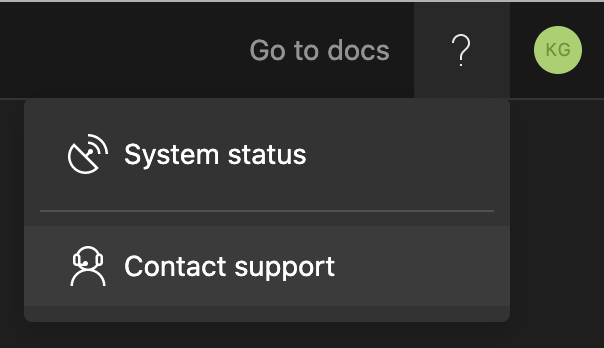
If you have any questions please reach out to our support team from the App Center portal directly by clicking ? > Contact support in the upper-right corner or send an email to support@appcenter.ms.