Note
Access to this page requires authorization. You can try signing in or changing directories.
Access to this page requires authorization. You can try changing directories.
Connecting your agents to tools gives them practical capabilities beyond text generation, like searching documents, querying tables, calling external APIs, or running custom code.
Azure Databricks recommends connecting agents to tools through MCP servers: use ready-to-use managed servers for Azure Databricks data, register external servers as governed MCP Services, or host your own. You can also define custom tools with Unity Catalog functions.
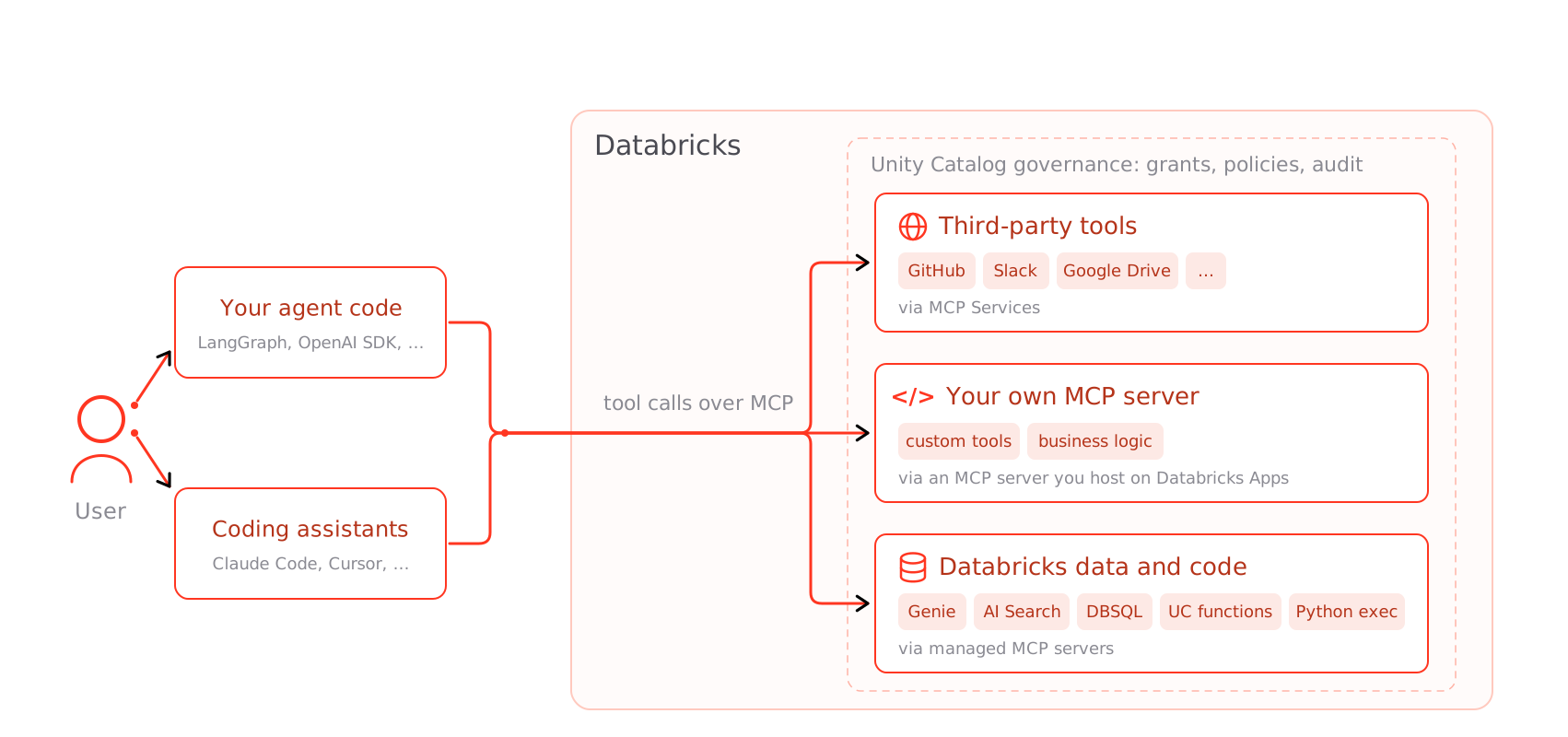
Connect agents to tools
| Approach | Description |
|---|---|
| Connect agents to third-party tools with MCP Services | Register an external MCP server as a governed Unity Catalog securable, or use a Databricks-provided one, to reach Slack, GitHub, and other third-party APIs. |
| Host your own MCP server | Host your own MCP server as a Databricks app to expose custom tools and business logic. |
| Let agents run code | Let agents run Python dynamically with the built-in system.ai.python_exec code interpreter. |
Connect agents to data
| Approach | Description |
|---|---|
| Connect agents to structured data | Query Unity Catalog tables, Genie Spaces, and Databricks SQL using the managed Genie and SQL MCP servers. |
| Connect agents to unstructured data | Search documents in Databricks AI Search (vector search) indexes using the managed AI Search MCP server. |
| Managed MCP servers | The ready-to-use managed MCP servers for Azure Databricks data—Genie, AI Search, Databricks SQL, and Unity Catalog functions—with their URLs and OAuth scopes. |
| Create tools with Unity Catalog functions | Wrap a known SQL query or custom Python logic as a governed Unity Catalog function tool. |
To call MCP servers from agent code, see Use MCP servers in agents. To connect a coding assistant like Claude Code or Cursor, see Connect MCPs to AI assistants and coding agents. For MCP concepts, the full server catalog, and pricing, see Model Context Protocol (MCP) on Azure Databricks.
To call REST APIs directly from agent code instead of through MCP, use the Unity Catalog connections proxy.