Note
Access to this page requires authorization. You can try signing in or changing directories.
Access to this page requires authorization. You can try changing directories.
MCP is an open-source standard that connects AI agents to tools, resources, prompts, and other contextual information. On Azure Databricks, Unity AI Gateway, the enterprise control plane, governs access and monitors activity across MCP servers and LLM endpoints.
- Access control: Managed and external MCP servers use Unity Catalog permissions to manage which users and service principals can access each server and its underlying data.
- Credential management: External MCP servers use Unity Catalog connections with managed OAuth to securely handle authentication without exposing credentials to end users.
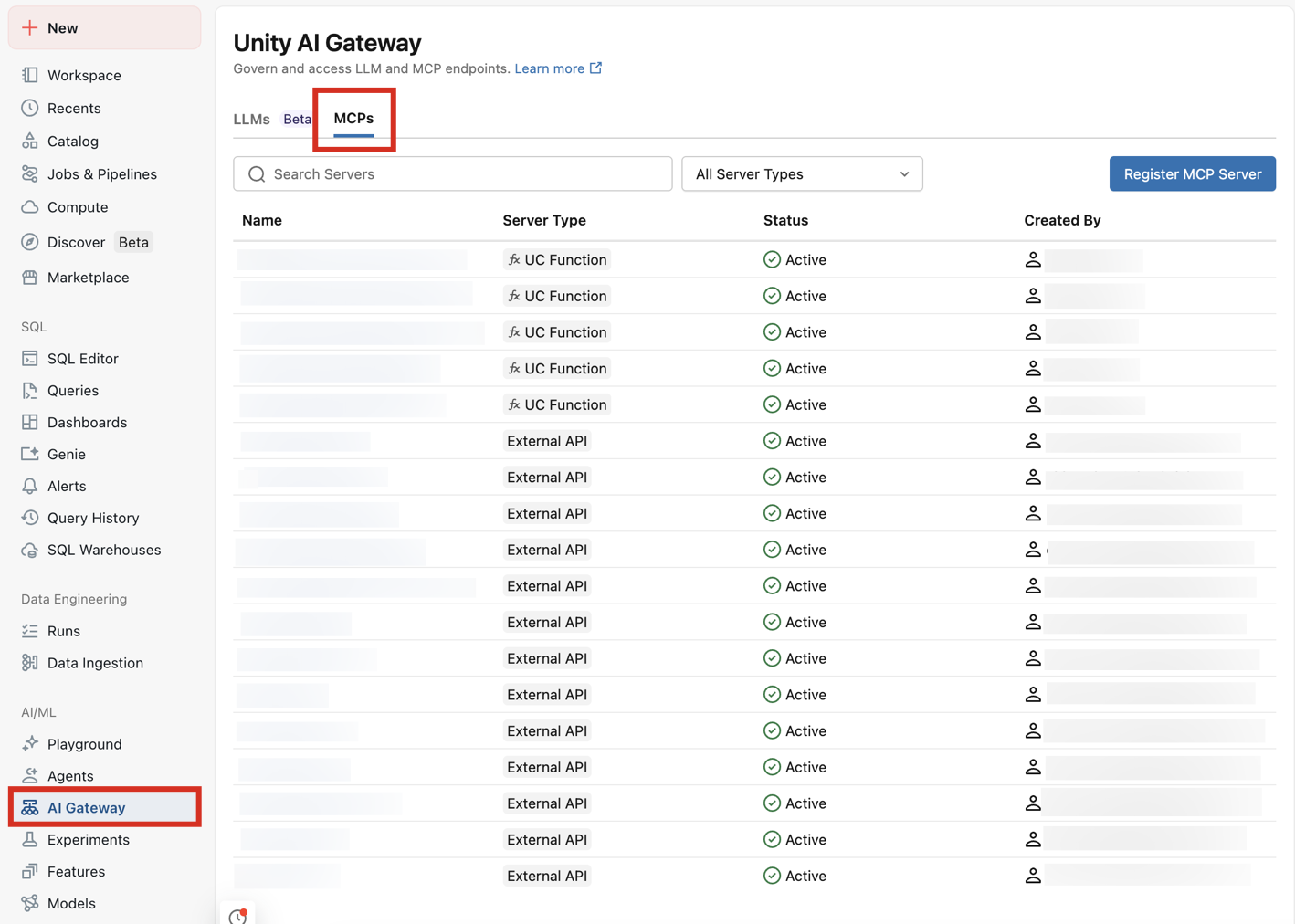
- Centralized visibility: View and manage all MCP servers in your workspace from Unity AI Gateway.
MCP is one way to give agents tools. For all approaches—including structured and unstructured data, code execution, and Unity Catalog function tools—see Connect agents to tools.
Set up an MCP server
| Path | Description |
|---|---|
| MCP Services in Unity Catalog | Connect to MCP servers hosted outside Azure Databricks using managed connections, and register them as Unity Catalog securables to govern access, filter tools, and apply service policies. |
| Host your own MCP server | Host your own MCP server as a Databricks app. |
Use MCP servers
| Path | Description |
|---|---|
| Use MCP servers in agents | Call managed, external, and custom MCP servers from agent code using the databricks-mcp library and agent frameworks. |
| Azure Databricks managed MCP servers | Pre-configured Azure Databricks servers for AI Search, Genie Spaces, Databricks SQL, and Unity Catalog functions. No setup required. |
| Connect MCPs to AI assistants and coding agents | Wire up Claude, Cursor, MCP Inspector, and other tools to your Azure Databricks MCPs. |
To see your available MCP servers, go to your workspace > AI Gateway > MCPs:
Compute pricing
Custom MCP servers are subject to Databricks Apps pricing.
Managed MCP server pricing depends on the type of feature:
Unity Catalog functions use serverless general compute pricing.
Genie Spaces use serverless SQL compute pricing.
Databricks SQL servers use Databricks SQL pricing.
AI Search indexes use AI Search pricing.