Note
Access to this page requires authorization. You can try signing in or changing directories.
Access to this page requires authorization. You can try changing directories.
Business Central includes several built-in reports, tracing functions, and tools to help auditors or controllers who are responsible for reporting on GST/HST.
GST/HST reports
Tip
If you have a production environment for Business Central online, you can click on a report ID in the following table to open the report in the product. If you want to stay on this page, hold down CTRL before you click. In most browsers, the report opens in a new browser tab.
The following table describes financial reports that deal with tax/GST/HST.
| To... | Open in Business Central (CTRL+select) | Learn more | ID |
|---|---|---|---|
| Reconcile GST/HST amounts in the general ledger with posted GST/HST entries. The report helps ensure accuracy when you file taxes. Use filters such as posting date and GST/HST period to validate that reported GST/HST aligns with transaction-level data. The alignment helps you be compliant and ready for audits. | G/L - Tax Reconciliation | About G/L - GST/HST Reconciliation | 11 |
| Calculate and report GST/HST that's due or refundable during tax filing by summarizing input and output GST/HST based on how you set up your custom GST/HST statement. Select the relevant statement and period to generate accurate, structured tax reports. | VAT Statement | About GST/HST Statement | 12 |
| Review and validate individual GST/HST transactions from posted sales, purchases, and journals for tax audits and accurate GST/HST reporting. Use filters such as posting date or GST/HST group to review specific entries and investigate discrepancies. | Tax Register | About GST/HST Register | 13 |
| Generate a declaration of intra-EU sales to GST/HST-registered customers for submission to the VIES system, ensuring compliance with EU tax regulations. Validate customer GST/HST numbers and country codes before running the report to avoid errors. Use this report when submitting required intra-EU sales data to tax authorities. | Tax- VIES Declaration Tax Auth | About GST/HST- VIES Declaration Tax Auth | 19 |
| Calculate and post GST/HST that's payable or refundable at the end of a filing period by generating a journal based on posted entries. This report helps streamline tax settlement and compliance work. | Calc. and Post Tax Settlement | About Calc. and Post GST/HST Settlement | 20 |
| Identify posted transactions where GST/HST was expected but not applied. The report helps ensure that your GST/HST setup is accurate, which prevents reporting errors before you file tax returns. | Tax Exceptions | About GST/HST Exceptions | 31 |
| Verify the validity of GST/HST registration numbers for customers and vendors by cross-checking them against the EU VIES system. Use this report regularly, and especially before you submit EU sales reports, to ensure compliance with cross-border GST/HST regulations and avoid reporting errors. | GST/HST Registration No. Check | About GST/HST Registration No. Check | 32 |
| Reconcile GST/HST entries with general ledger accounts before you file taxes by comparing GST/HST calculated on documents with posted GST/HST amounts. Use the report to ensure accuracy and alignment of GST/HST data during tax preparation. | Tax Reconciliation Report | About GST/HST Reconciliation Report | 743 |
| Review all posted GST/HST transactions grouped by document date in a register-style format. The report can help you with tax audits, reconciliations, and historical analysis across sales and purchase documents. | Day Book Tax Entry | About Day Book GST/HST Entry | 2500 |
Explore finance reports with Report Explorer
To get an overview of the reports that are available for finance, choose All Reports on your Home page. This action opens the Role Explorer, which is filtered to the features in the Report & Analysis option. Under the Finance heading, choose Explore.
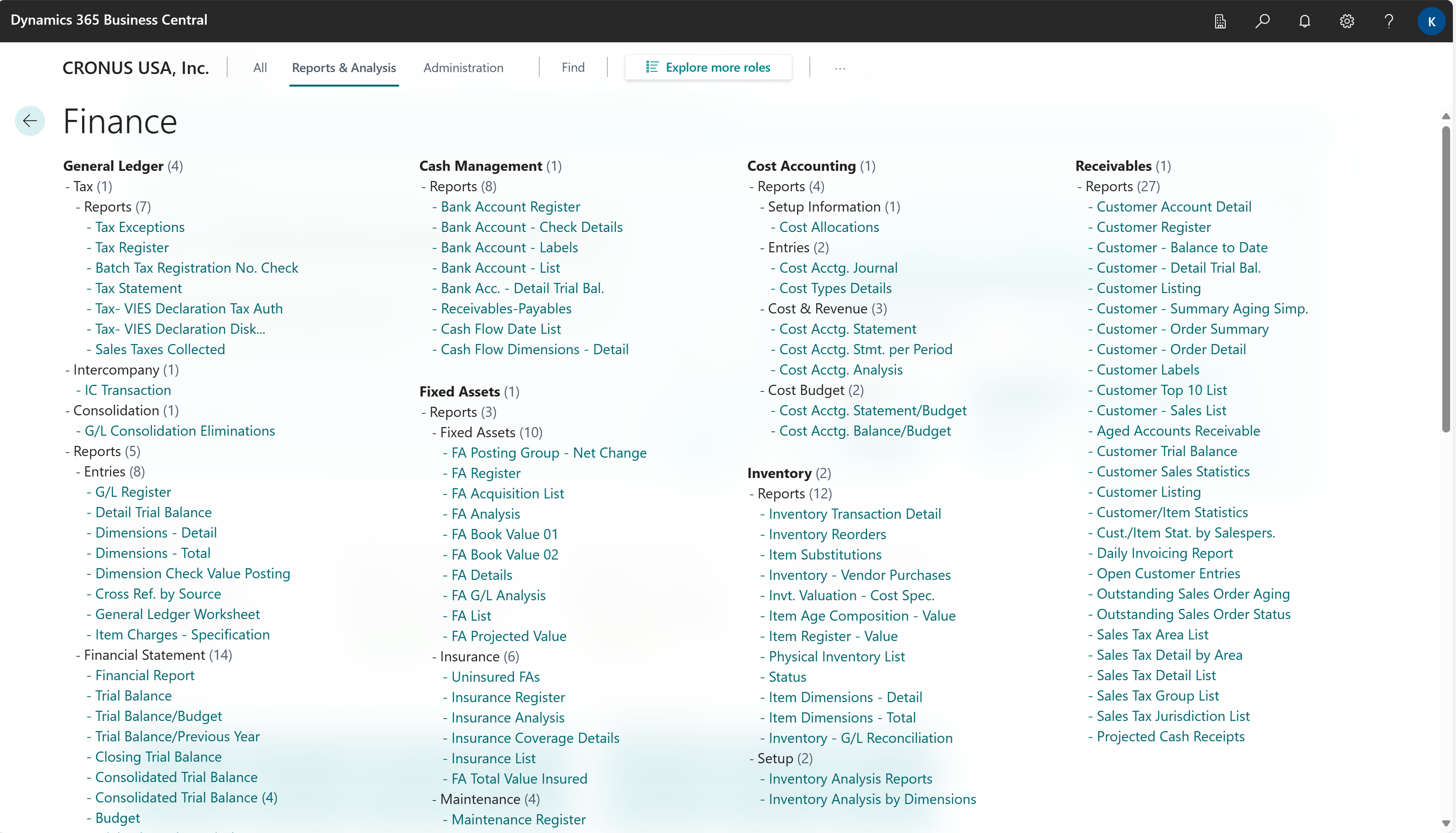
To learn more, go to Finding pages and reports with the role explorer.
Related information
GST/HST management overviewAd hoc analysis on finance data
Power BI finance app
Financial analytics