Microsoft Security | Microsoft Entra | Microsoft Entra ID
A cloud-based identity and access management service for securing user authentication and resource access

This browser is no longer supported.
Upgrade to Microsoft Edge to take advantage of the latest features, security updates, and technical support.
' cx='32' cy='32' r='32' /%3E%3Ctext x='50%25' y='55%25' dominant-baseline='middle' text-anchor='middle' fill='%23FFF' %3EVD%3C/text%3E%3C/svg%3E)
Hello,
I would like to delete old tenant i am not using anymore.
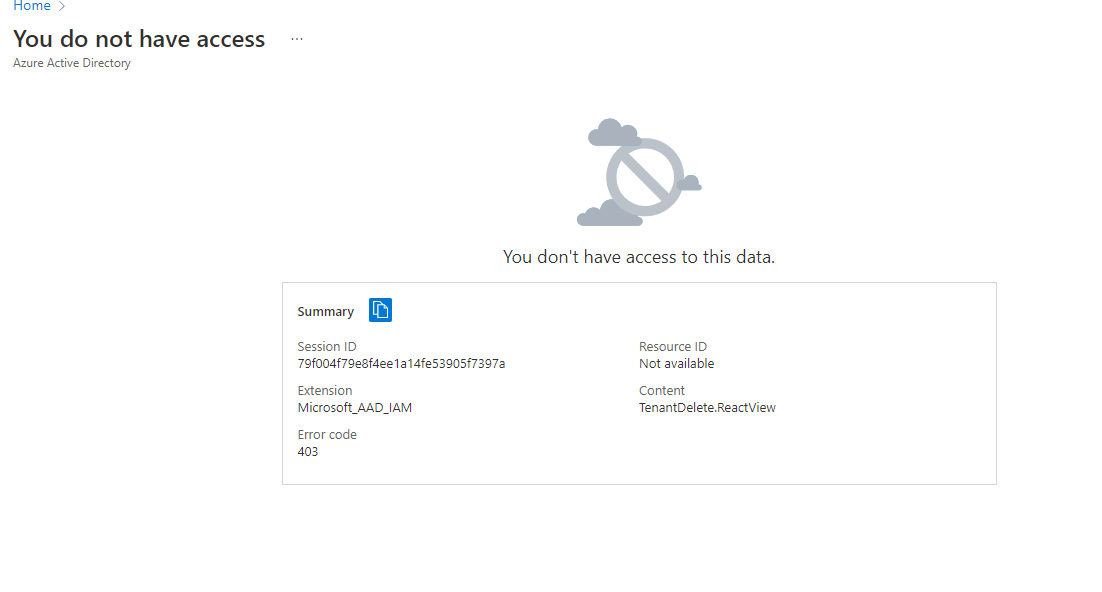
When i try to delete, i have error message : You don't have access to this data..
Also, i cannot see any users, groups, .....
Thanks in advance for your help.
A cloud-based identity and access management service for securing user authentication and resource access

@Vincent Depuiset
Thank you for your post!
From your error message - You don't have access to this data, can you make sure that the user you're signed in with is the Global Administrator for your organization. After following our Delete a tenant in Azure Active Directory documentation, as shared by @JimmySalian-2011 , if you're still having issues can you share a screenshot of what you're seeing so we can gain a better understanding of your issue?
If you have any other questions, please let me know.
Thank you for your time and patience throughout this issue.
Answer accepted by question author
@Vincent Depuiset
Thank you for following up on this and I'm glad that you were able to leave your Azure AD tenant! Since the Microsoft Q&A community has a policy that "The question author cannot accept their own answer. They can only accept answers by others", I'll repost your solution in case you'd like to "Accept" the answer.
Issue:
When trying to delete your
onmicrosoft.comtenant. Your user was a Global Admin and when trying to delete the tenant you received aYou do not have accesserror message. After troubleshooting, we found that your user only had theUserpermission and wasn't able to delete the tenant. Since you couldn't delete your tenant, which would've been ideal, you wanted to see if you could leave the Azure AD tenant.
Solution:
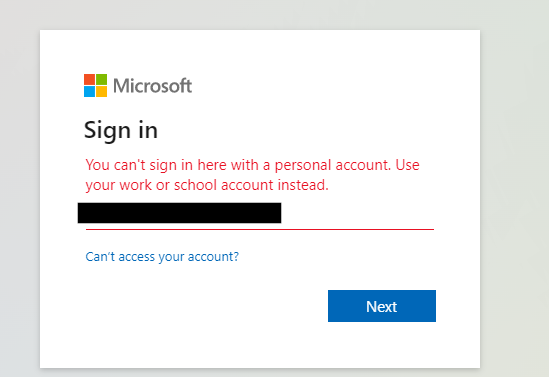
When trying to leave the tenant from the Azure Portal, you ran into a
You can't sign in here with a personal account...error message. However, leaving the tenant via the MyApps URL -https://myapps.microsoft.com/?tenantId=xxxx, resolved your issue.
----------
If you ever want to create another Azure AD tenant, since your user isn't associated with a tenant anymore, I'd recommend trying to sign-up for an Azure Free Trial or Pay-As-You-Go subscription and going through the sign-up wizard since it should create a new Azure AD tenant for you.
Links:
Azure Free Trial Sign-Up
Azure Pay-As-You-Go Sign-Up
I hope this helps!
If you have any other questions, please let me know.
Thank you again for your time and patience throughout this issue.
----------
Please remember to "Accept Answer" if any answer/reply helped, so that others in the community facing similar issues can easily find the solution.

Hi,
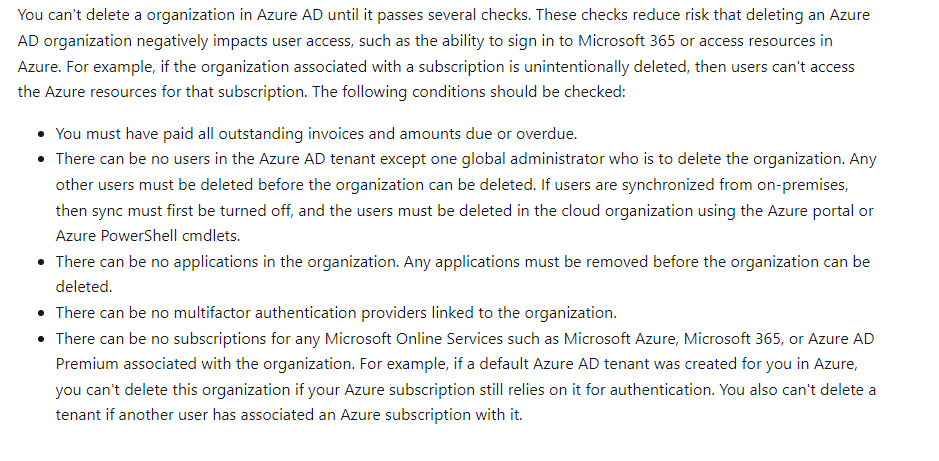
Before deleting verify if all the data is removed,deleted as it goes through several checks before deleting it. Check the pre-reqs here - directory-delete-howto
Hope this helps.
==
Please "Accept the answer" if the information helped you. This will help us and others in the community as well.
Hello,
thank you for your help. User i am using was Glabal admin for sure but apparently it is not anymore...
Indeed i am even not able to see users list.
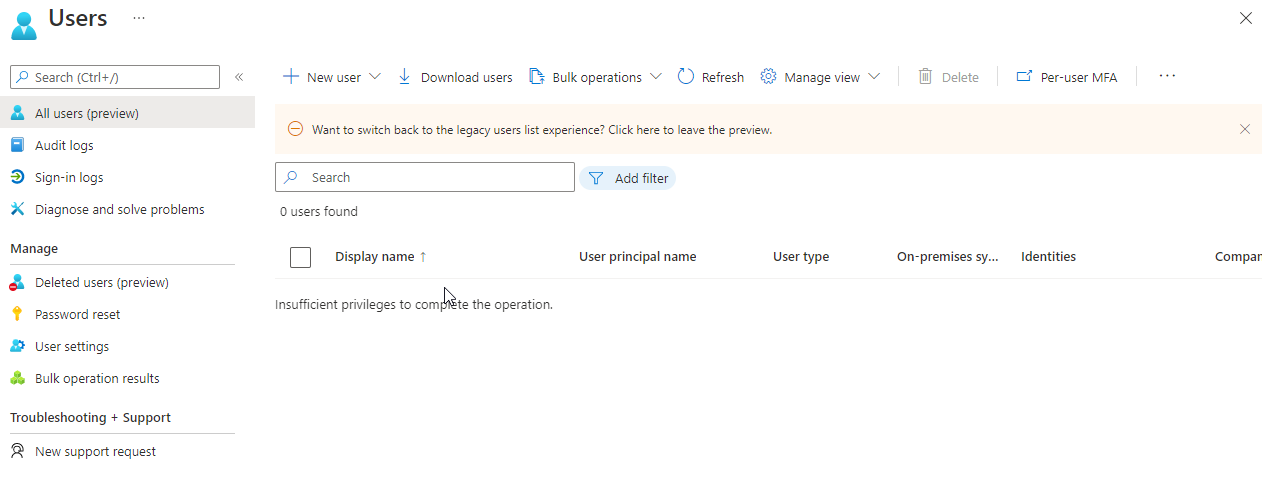
When i try to delete teant i have the following message :
It seems the deletion is in process now check in few days the status of this tenant.
==
Please "Accept the answer" if the information helped you. This will help us and others in the community as well.
@JimmySalian-2011 . Thank you.
Did something change just now ? Because it is like this for many weeks already.
@Vincent Depuiset
Thank you for following up on this!
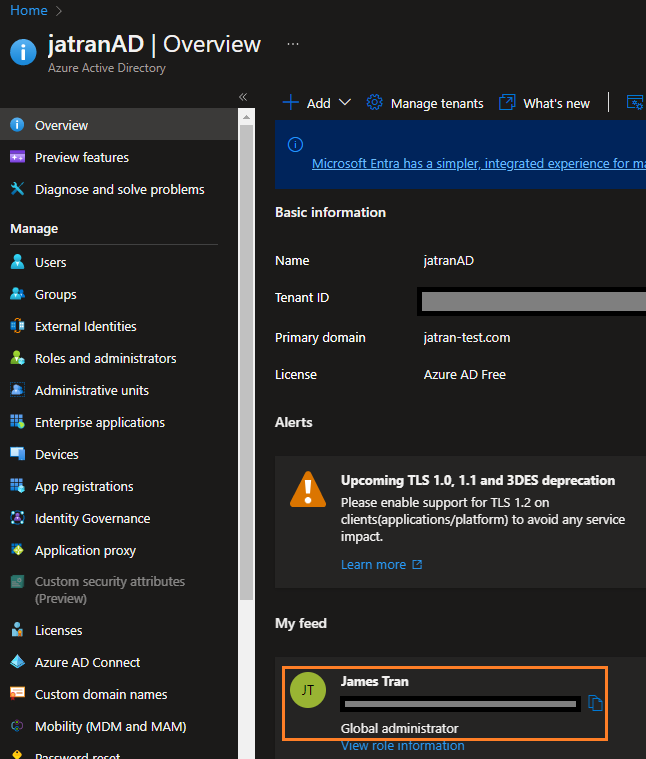
When you mention it's been like this for many weeks, can you share a screenshot of the Overview page of your Azure AD tenant (if you can still access it) to confirm your user permissions?
If you have any other questions, please let me know.
Thank you for your time and patience throughout this issue.
@Vincent Depuiset
Thank you for sharing the screenshot!
Since you don't have the appropriate permissions to view any other users as shown in your screenshot above, do you have a Global Admin account that you can sign in to in order to delete your tenant?
@Vincent Depuiset
I just wanted to check in and see if you had any other questions or if you were able to resolve this issue?
I still have tenant linked to my account.
This is not critical but would like to understand how i can leave the tenant or even better delete it.
@Vincent Depuiset
Thank you for following up on this!
Manage Tenants option on your Azure AD's Overview page, or the Directories + subscriptions setting. 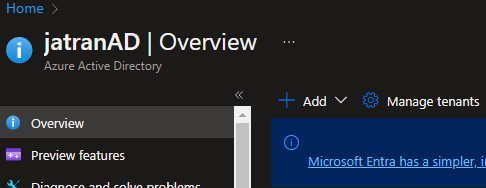
If you don't have an account that has Global Admin permission to delete your tenant, and you don't ever need access to this tenant again, you can see if it's possible to leave the tenant on the Manage Tenants page.
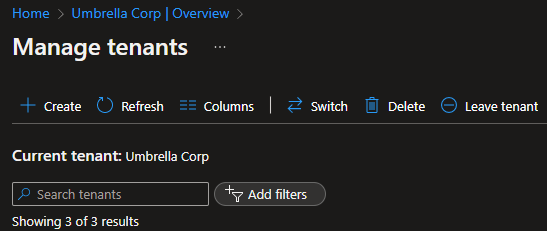
If you have any other questions, please let me know.
Thank you for your time and patience throughout this issue.
@JamesTran-MSFT thanks again for your support.
Unfortunately, i have no other user with Global admin rights.
When i try to leave tenant i have following message :
Hello,
I have been able to leave Tenant by using url : https://myapps.microsoft.com/?tenantId=xxxxxxxxxxxxxxxxxxxxxxxxxx
Then, under my account, i was able to choose organization and select tenant i want to leave.