Note
Access to this page requires authorization. You can try signing in or changing directories.
Access to this page requires authorization. You can try changing directories.
Important
This feature is part of the Frontier preview program. Frontier connects you directly with Microsoft's latest AI innovations. Frontier previews are subject to the existing preview terms of your customer agreements. As these features are still in development, their availability and capabilities might change over time.
Business Analytics is a dedicated app for business decision makers and general managers (GMs) to view and track the cost and usage of their organization's Microsoft AI services in one place. The app supports these scenarios and brings insights for licensed Microsoft 365 Copilot and usage-based AI services, such as Copilot Cowork, agents, and GitHub Copilot, together in a single experience.
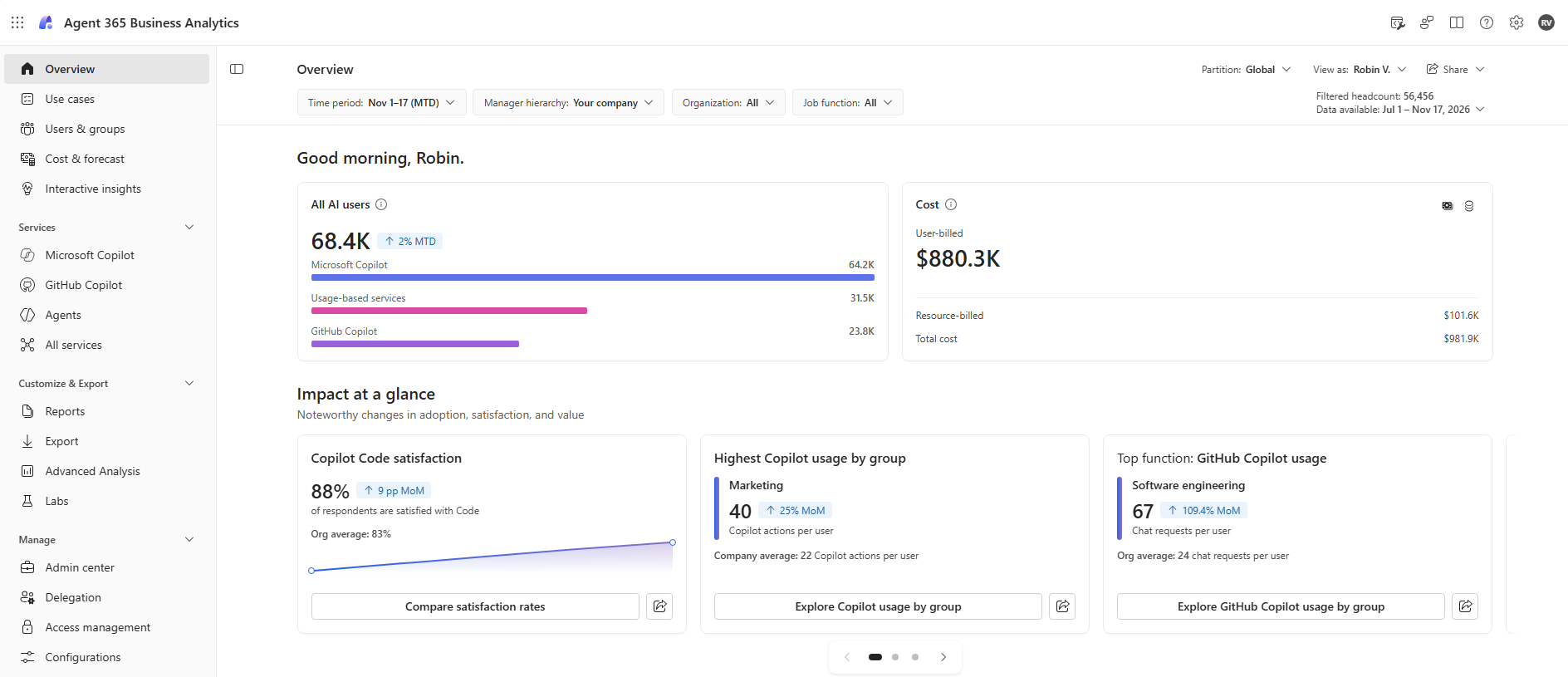
The pages of the Business Analytics are organized around the core questions that organizations ask about their AI investment:
| Page | Question it helps you answer |
|---|---|
| Overview | How is my organization using AI, what is it costing, and what needs my attention? |
| Use cases | What do people use Microsoft AI services for? |
| Cost & forecast | How is AI cost tracking against budget, and where is it likely to land? |
| Users & groups | Who is using AI services, and how intensely? |
| Services pages (Microsoft Copilot, GitHub Copilot, and Agents) | How is each AI service (Microsoft Copilot, GitHub Copilot, Work IQ API, agents, and other services) working? |
Key benefits
One place for AI cost, usage, and value. View insights across Microsoft 365 Copilot (per-user license) and usage-based AI services together, instead of switching between separate dashboards.
Proactive cost management and forecasting. Track spending against budget, see a quarter-end forecast, and spot accelerating burn rates before cost exceeds your targets.
Clear cost drivers. Quickly identify which service, use case, and AI model account for the largest share of cost.
Single entry point per service. Each AI service has one dedicated page, so you can easily move from a summary to service-specific insights.
Prerequisites
Tenant must have at least 50 Copilot licenses assigned.
Spending policies for usage-based services must be set up for users to use these services and get cost insights.
Access. Admins can assign access and set up partitions for viewing Business Analytics and its various components using the access management page.
The top three layers in the organization (CEO, their direct reports, and their next level of reports) get tenant-level access to the app. Managers of teams meeting the minimum group size of 10 can access insights for their own organization, including cost insights. Microsoft 365 global admins have access by default.
Users inherit the access and organizational scope of their existing roles from Viva Insights; role assignments don't need to be renewed. In addition, existing tenant-level settings such as minimum group size carry over from Viva Insights, which continue to hide aggregated insights for groups smaller than your configured thresholds.
Cost, budget, and usage-based service insights appear only when consumption insights are turned on for your role. Consumption insights are on by default for GMs. For business leaders, an admin must turn them on.
The admin must turn on billing in the Microsoft 365 admin center for users to see usage-based services and agents metrics.
Budget and limit data. Some insights, such as budget comparisons and user cost limits, appear only if your organization has set up spending policies, budgets, or user limits.
Now that you've learned the basics, start learning more about how your organization is using AI by visiting the Overview page.