Note
Access to this page requires authorization. You can try signing in or changing directories.
Access to this page requires authorization. You can try changing directories.
Note
This feature is available in all Microsoft Advertising markets.
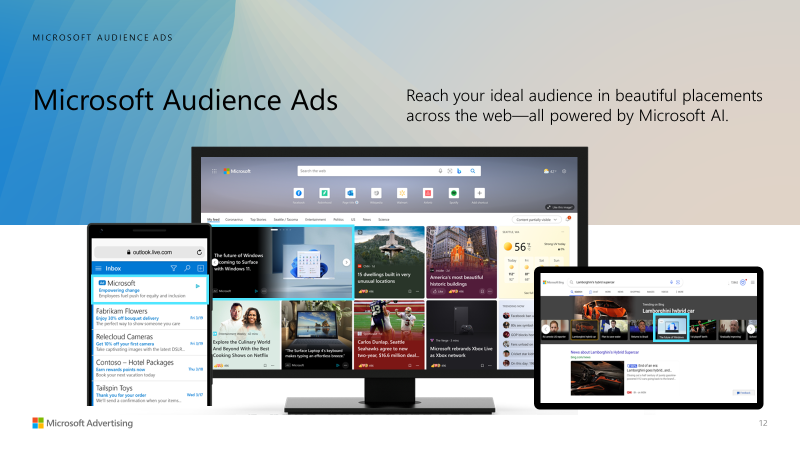
Audience ad types include Display, Native, and Online Video ads. Each ad type offers engaging formats to help you reach your ideal audience in placements across the web—all powered by Microsoft AI. Audience ads are visually rich and integrate naturally into page content. They are designed to be highly relevant for potential customers, including those who have demonstrated purchase intent and those who are ready to buy.
Audience ads on Outlook.com and other Microsoft sites are integrated into the user experience of the webpage where they are displayed. When a potential customer clicks an ad, it takes them directly to the advertiser's website. It's common for mobile views to only display a portion of the ad content followed by an ellipsis (...) to indicate that there's more text. This format is designed to make the ad blend naturally into the webpage's content while still providing a pathway to the full landing page after clicking the ad.
The benefits of using audience ads
- Create engaging and visually appealing ads from our diverse formats, including Display, Native, and Online Video ads.
- Reach a wide audience across Microsoft sites, including MSN, Microsoft Start, Microsoft Edge, Outlook.com, and publisher partners based on our unique knowledge about your potential customers. These placements are brand-safe, and we partner with Integral Ad Science-certified brand safety protection to ensure it.
- Take advantage of unique targeting options with LinkedIn audiences, in-market audiences, impression-based remarketing, and ad placement targeting.
- Optimize performance to meet awareness, leads, and conversion goals. We leverage our data about potential customers to help ensure that you meet your advertising goals.
How does audience marketing work?
While search engine marketing is focused on showing the best ad for a search query, audience marketing is all about showing the best ad for individuals. With audience marketing, you can reach your ideal audience in the right place at the right time. Microsoft Audience ads are targeted to potential customers based on our unique understanding of their interests.
Microsoft AI learns about individual consumers, including: 1) Their content preferences, 2) what products and services they're searching for, 3) what they've read on the web, 4) what they've purchased, and 5) LinkedIn profile data, among other variables. Then, our AI matches individuals with Audience ads that are personalized for them, so advertisers can reach an audience that's ready to take action.
Creating Audience ads
There are three types of Audience ads: Display, Native, and Online Video ads. You can also create ads by providing a feed or importing campaigns.
To create an Audience campaign with multiple ad types, see How do I create an Audience campaign?
Display ads
Display ads are designed to showcase your brand with eye-catching, customized image ads. These ads offer a variety of cross-device display placements for you to choose from, including banner, billboard, and half-page. To learn more about creating Display ads, see About Display ads.
Native ads
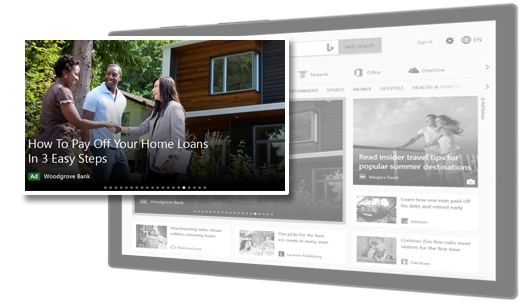
With Native ads, you can use creative assets such as images, logos, and videos to grab people's attention and drive clicks and conversions.
For more information about best practices for adding images to your Native ads, see Best practices for Audience ad images. To create Native ads, see How do I create Native ads? Here's an example of what Native ads with images could look like:
Online Video ads
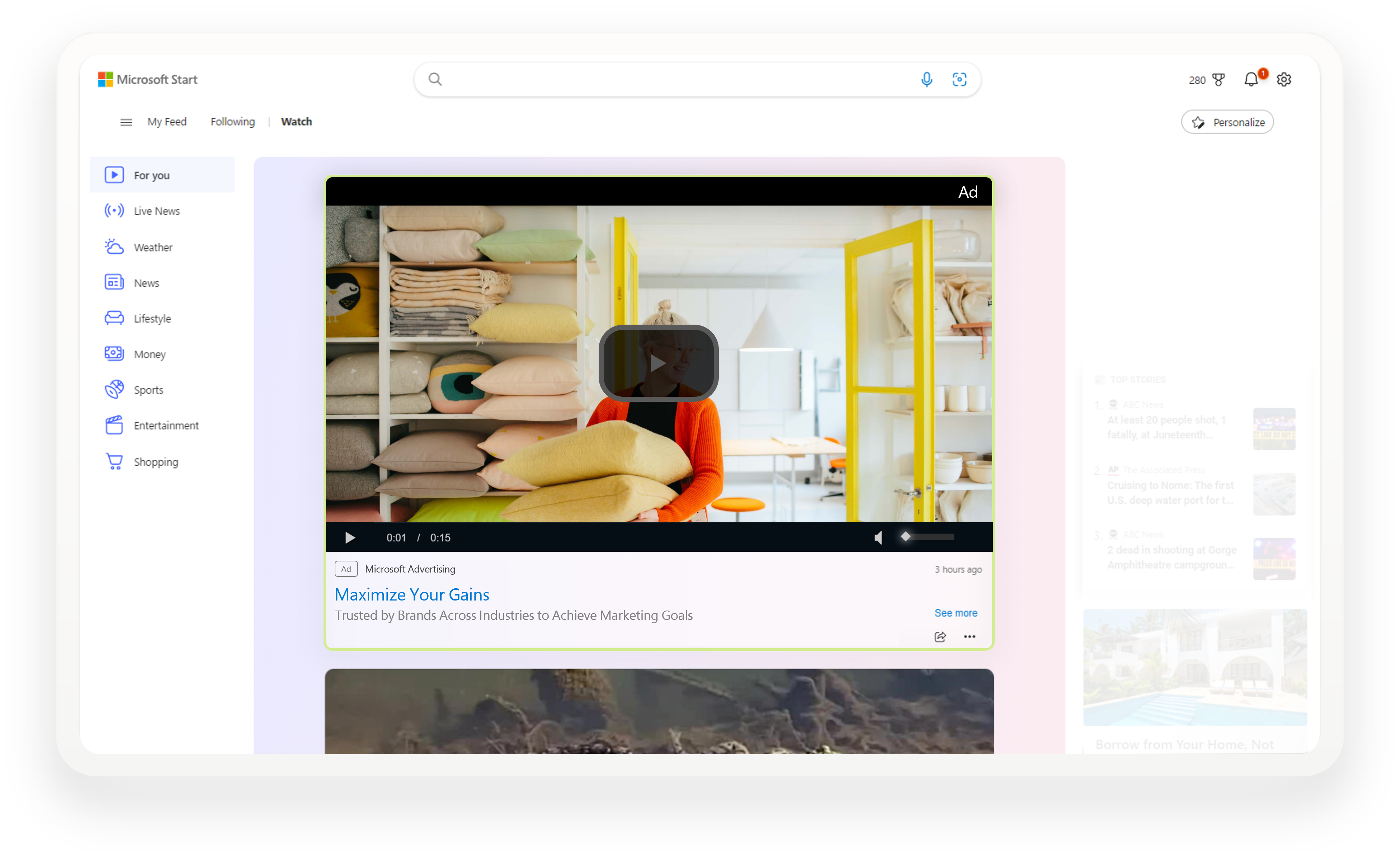
Video ads are designed to capture your audience's attention and showcase your brand, boost visibility, and expand your video ad reach. You can reach your target audience while they're streaming media. For more information about creating Online Video ads, see About Online Video ads.
Here's an example of what your Online Video ads could look like:
Creating Audience ads with feeds
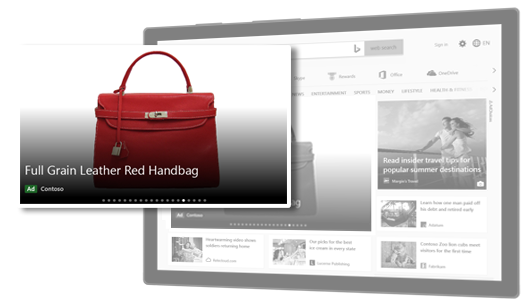
You can use dynamic remarketing lists to remarket to potential customers based on the specific products they have looked at, considered, or already purchased on your website. You can promote ads to those potential customers using the same product IDs from your catalog feed file. Here's an example of what a feed-based Audience ad could look like:
Creating Audience ads by importing campaigns
If you advertise on different platforms like Google Ads, Meta Ads, and Pinterest Ads, you can leverage those campaigns to create Audience ads by importing them. To learn more about importing campaigns, see Import campaigns directly from Google Ads, Import campaigns directly from Meta Ads, and Import campaigns directly from Pinterest Ads.