Community Center | Not monitored
Tag not monitored by Microsoft.

This browser is no longer supported.
Upgrade to Microsoft Edge to take advantage of the latest features, security updates, and technical support.
' cx='32' cy='32' r='32' /%3E%3Ctext x='50%25' y='55%25' dominant-baseline='middle' text-anchor='middle' fill='%23FFF' %3EKG%3C/text%3E%3C/svg%3E)
HI Team,
While enabling MDM user scope to all users using rest API, I could see that it requires some MobilityManagementPolicyId.
How to get this id so that we can invoke API using powershell?
Tag not monitored by Microsoft.

@Krupa Gundraju (Larsen & Toubro Infotech Limit) Thanks for posting in our Q&A.
For this issue, I have done the test in my lab. When we run the following request URL in graph explorer, we will get two ids. One is "Device Management Policy for Microsoft Intune Enrollment", the other is "Device Management Policy for Microsoft Intune".
https://graph.microsoft.com/beta/policies/mobileDeviceManagementPolicies
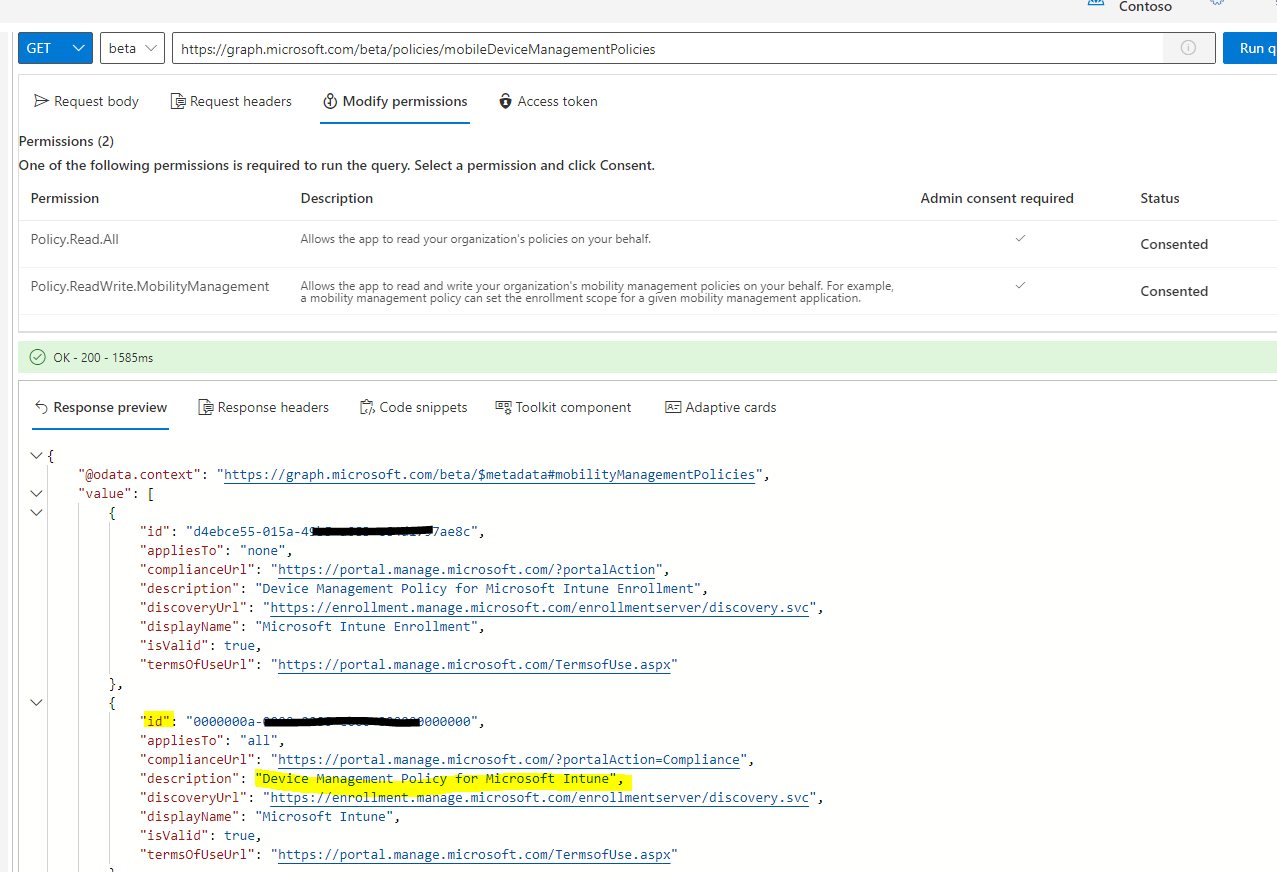
Please focus on "Device Management Policy for Microsoft Intune", it is the correct setting about Intune MDM scope.
Hope it will help.
If the answer is the right solution, please click "Accept Answer" and kindly upvote it. If you have extra questions about this answer, please click "Comment".
Note: Please follow the steps in our documentation to enable e-mail notifications if you want to receive the related email notification for this thread.

Hello @Krupa Gundraju (Larsen & Toubro Infotech Limit) and thanks for reaching out. To invoke the Update mobileDeviceManagementPolicy operation you will need to provide the id of a mobilityManagementPolicy object or resource. You can list available ones using the List mobileDeviceManagementPolicies operation.
You can retrieve a list of policies using MS Graph PowerShell use the following script:
   Select-MgProfile -Name "beta"
   Connect-MgGraph -Scopes Policy.Read.All
   Get-MgPolicyMobileDeviceManagementPolicy
And update one passing the id property value as the MobilityManagementPolicyId param:
   Select-MgProfile -Name "beta"
   Connect-MgGraph -Scopes Policy.ReadWrite.MobilityManagement
   Update-MgPolicyMobileDeviceManagementPolicy -MobilityManagementPolicyId {id} # follows additional parameters
Let us know if you need additional assistance. If the answer was helpful, please accept it and complete the quality survey so that others can find a solution.
Hi @Alfredo Revilla - Upwork Top Talent | IAM SWE SWA @Lu Dai-MSFT
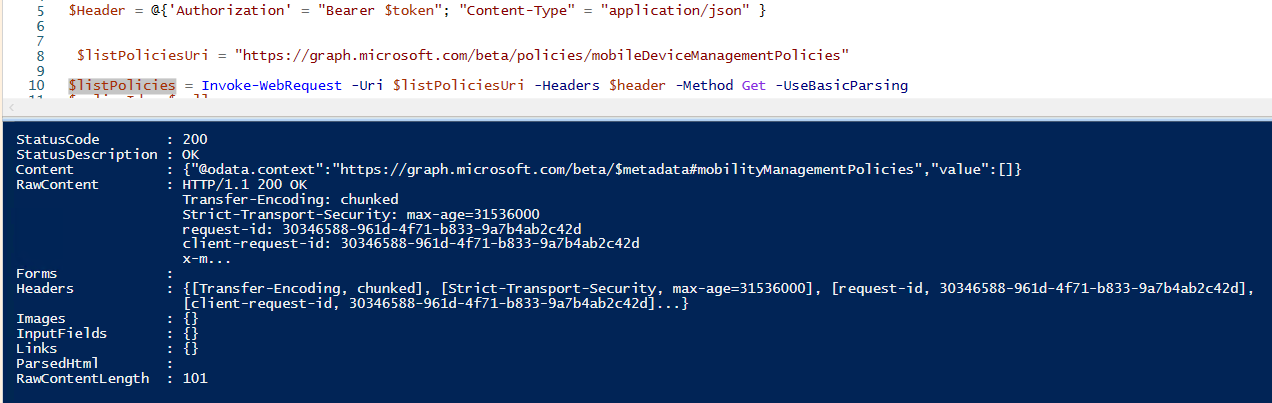
Using above get uri, the response content value is empty through power shell also it is empty. MAM id we are able to get but not MDM policy id. By any chance both ids are same??

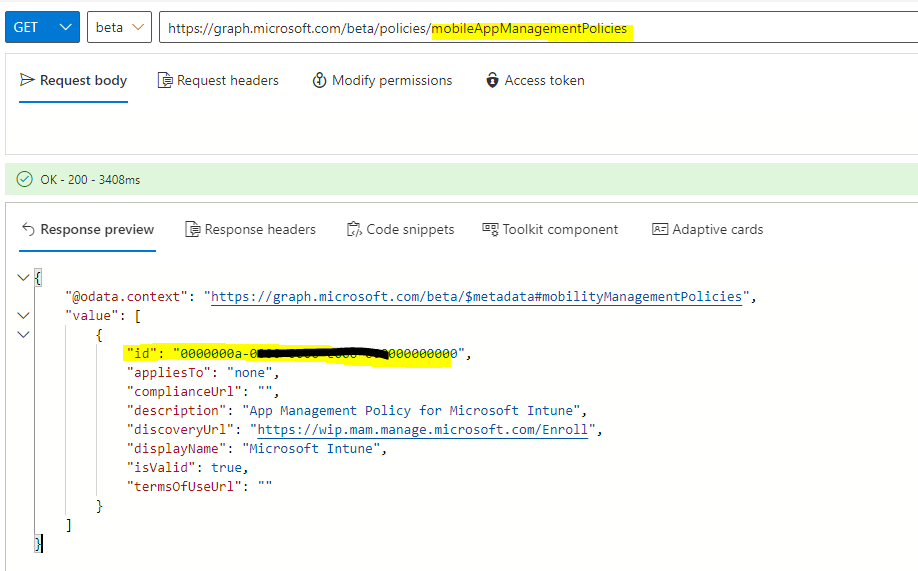
@Krupa Gundraju (Larsen & Toubro Infotech Limit) I have checked the id when I get mobileAppManagementPolicies resource. In my test, it is the same id as MDM.
Hello @Krupa Gundraju (Larsen & Toubro Infotech Limit) , I've updated my answer will information on how to use the PowerShell cmdlets.
Let us know if you need additional assistance. If the answer was helpful, please accept it and complete the quality survey so that others can find a solution.