Microsoft Security | Microsoft Entra | Microsoft Entra ID
A cloud-based identity and access management service for securing user authentication and resource access

This browser is no longer supported.
Upgrade to Microsoft Edge to take advantage of the latest features, security updates, and technical support.

I have an MVC portal, a Application inside AD and an external login via MS (owin). I can login correctly, but I can't read the external user app roles or tenantId. Can I read that information or do I need to user MSAL authentication?
There is the code to add external MS authentication:
app.UseMicrosoftAccountAuthentication(
clientId: WebConfigurationManager.AppSettings["ClientId"],
clientSecret: WebConfigurationManager.AppSettings["ClientSecret"]);

Hello @Maxim Stratan
Hope you got a chance to review the action plan suggested below. Please do let me know if you have any queries in the comments section. If you don't have any further queries and the suggestion works as per your business need. Please "Accept the answer" and "Upvote". This will help us and others in the community as well.
Thank,
Akshay Kaushik
Hello @Maxim Stratan ,
Thank you for posting your query on Microsoft Q&A. To extract roles of guest user you need to have them configured as per : Add app roles to your application and receive them in the token.
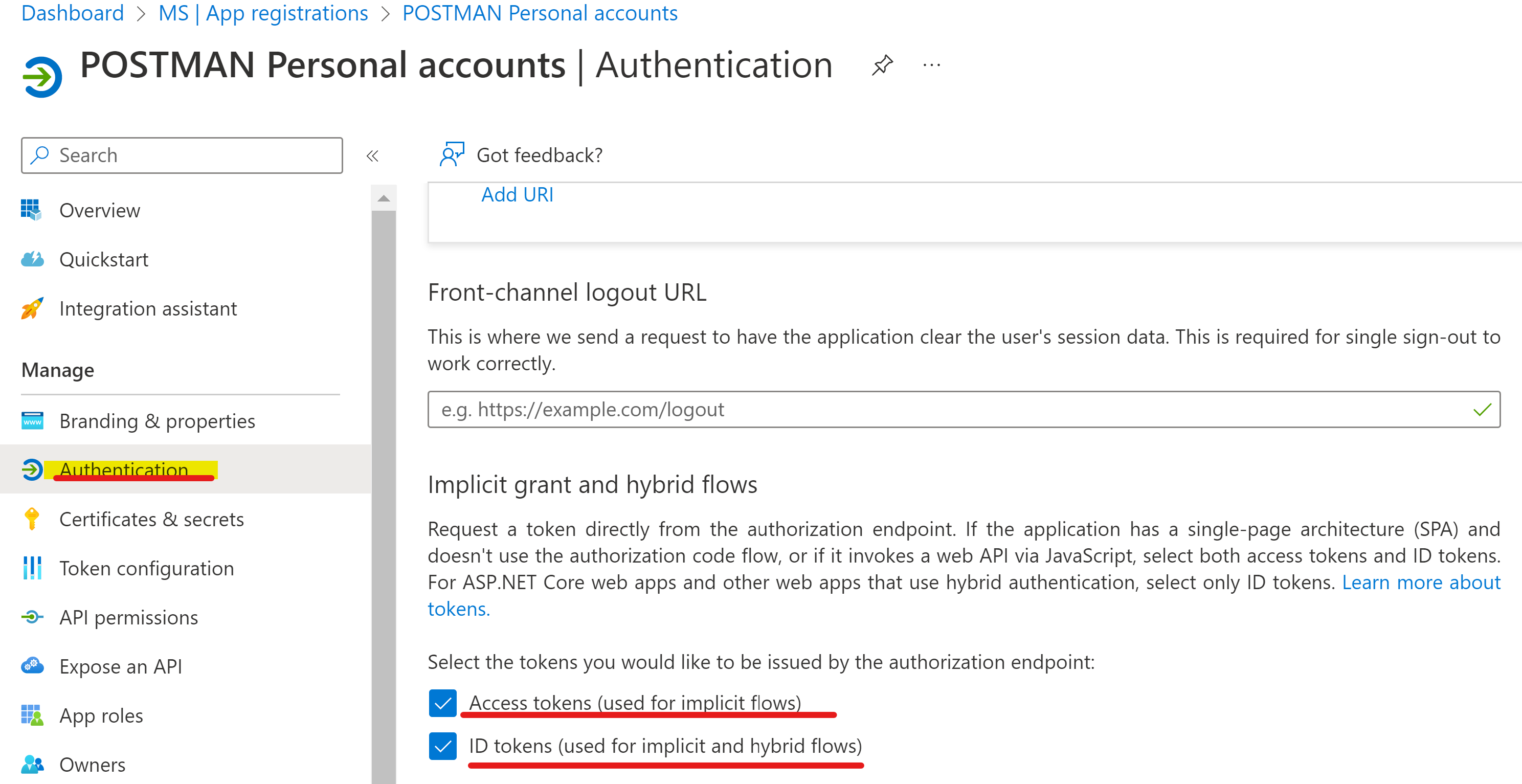
https://login.microsoftonline.com/{tenant_id}/oauth2/v2.0/authorize?
client_id={Application ID}
&response_type=code&id_token
&redirect_uri=http://localhost/myapp/
&response_mode=query
&scope=openid&https://graph.microsoft.com/mail.read
&state=12345
&nonce=abcde
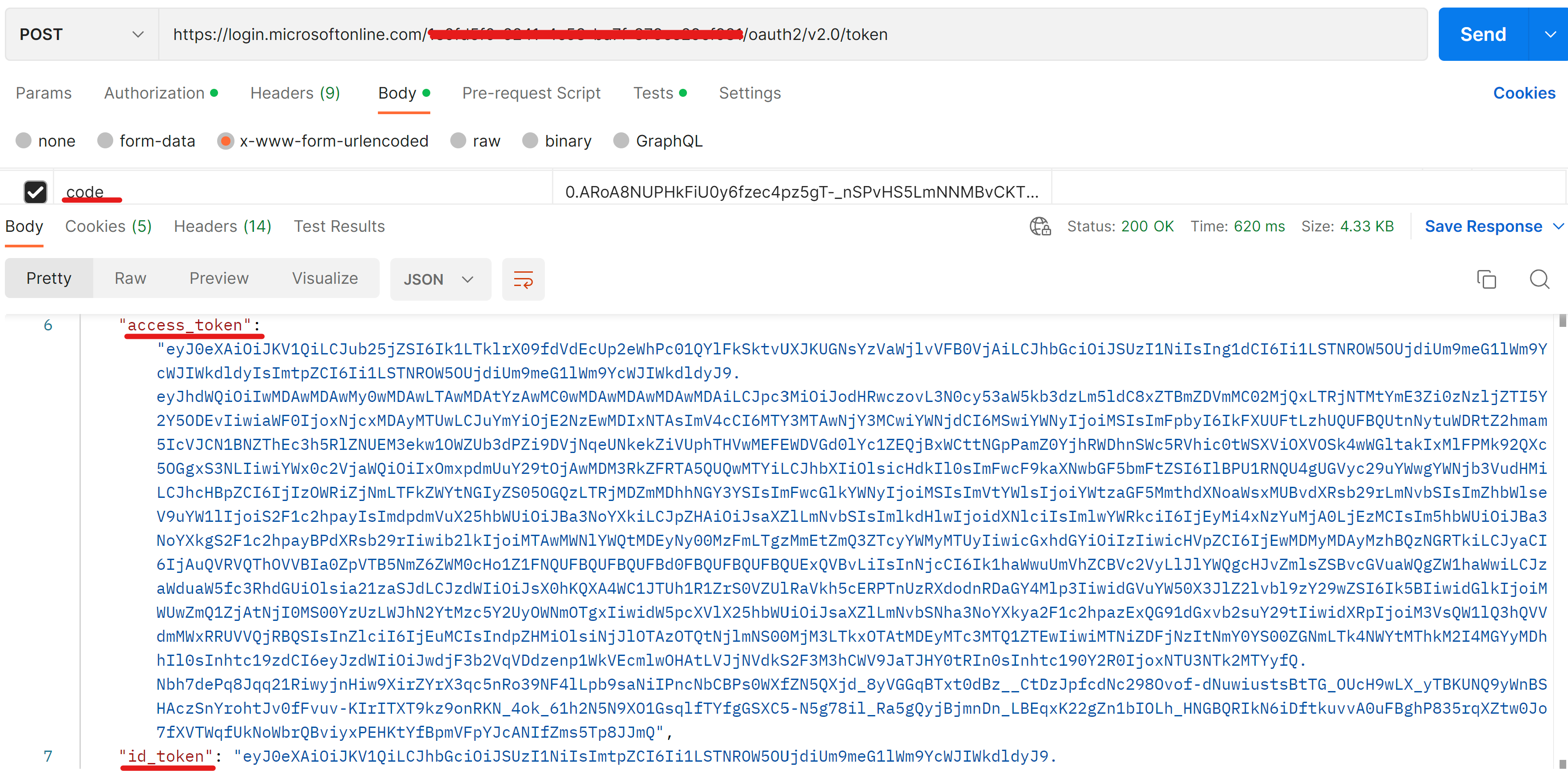
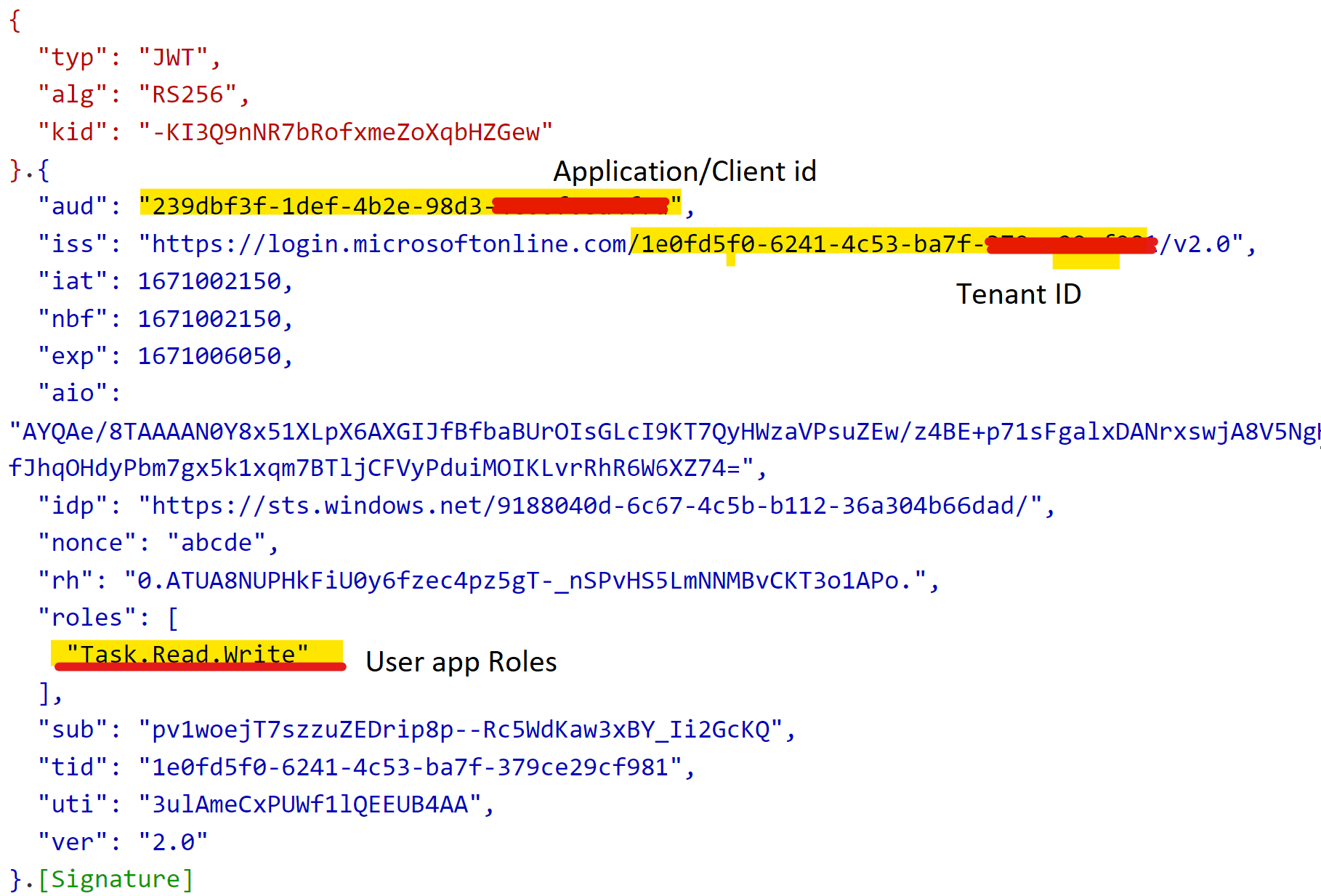
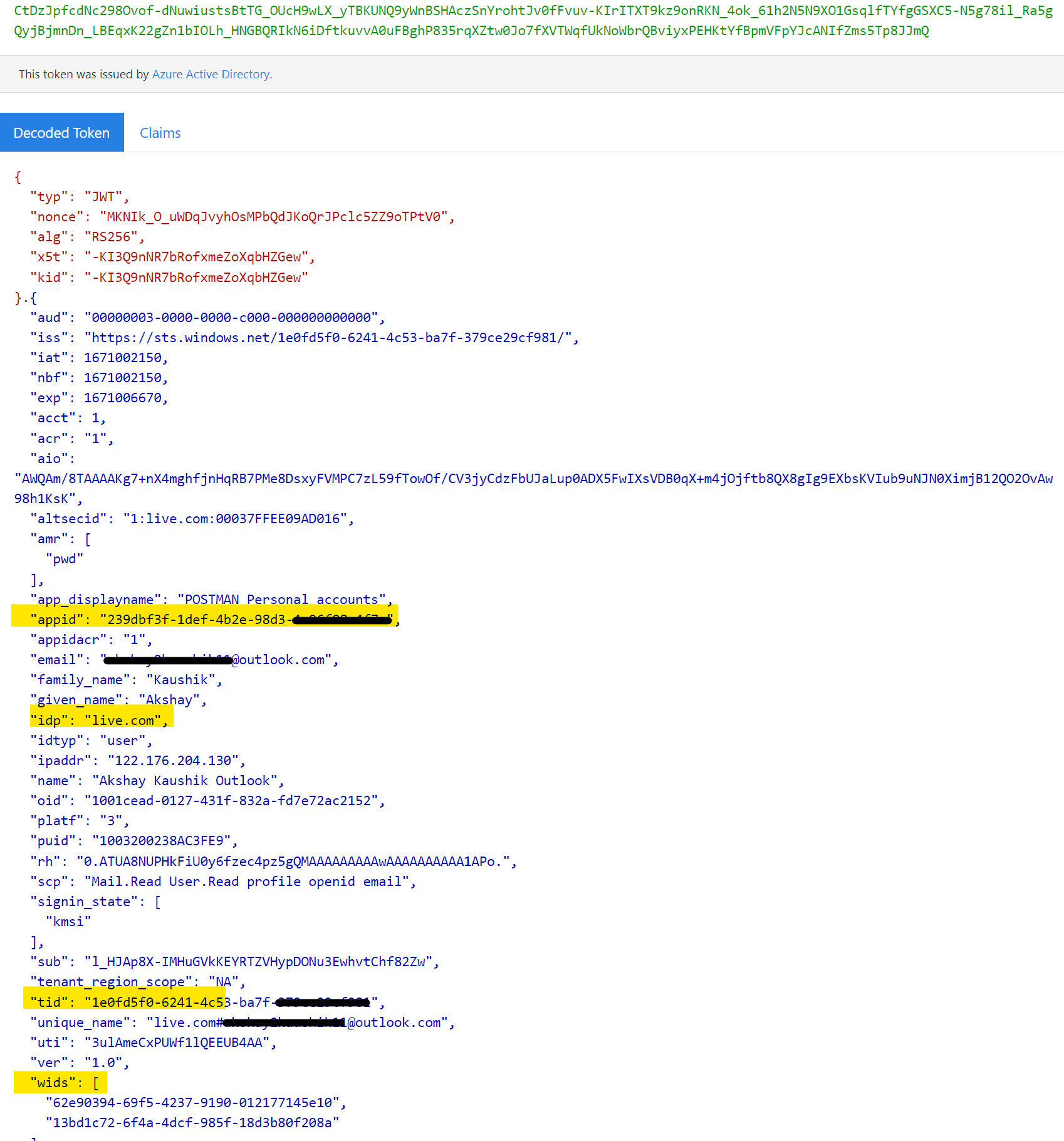
Please do let me know if you have any further queries in the comments section.
Thanks,
Akshay Kaushik
Please "Accept the answer", "Upvote" and rate your experience if the suggestion works as per your business need. This will help us and others in the community as well.