Azure Role-based access control
An Azure service that provides fine-grained access management for Azure resources, enabling you to grant users only the rights they need to perform their jobs.
This browser is no longer supported.
Upgrade to Microsoft Edge to take advantage of the latest features, security updates, and technical support.
' cx='32' cy='32' r='32' /%3E%3Ctext x='50%25' y='55%25' dominant-baseline='middle' text-anchor='middle' fill='%23FFF' %3ERY%3C/text%3E%3C/svg%3E)
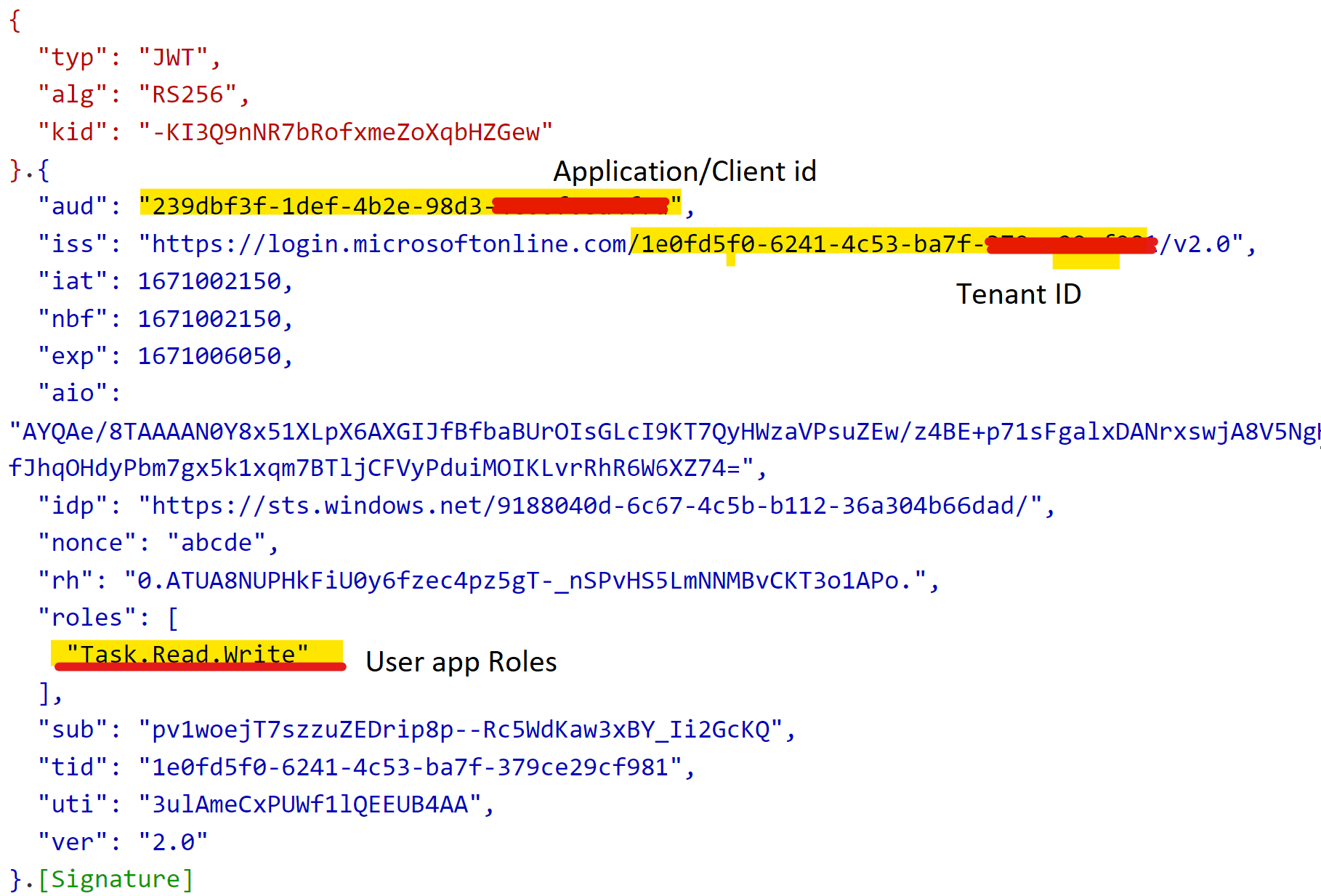
I have registered an application on AD, created the user and application roles after this I assign the application roles to the user. I want application role to be part of access token may be in claims. How can I achieve this please help.


Hope you got a chance to review the action plan suggested below. Please do let me know if you have any queries in the comments section. If you don't have any further queries and the suggestion works as per your business need. Please "Accept the answer(Yes)" and "share you feedback ". This will help us and others in the community as well.
Thanks,
Akshay Kaushik
Thank you for time and patience while posting your query on Microsoft Q&A. From above description I could understand that you are looking for way to get application Roles assigned to user in the oauth tokens as claims.
Please do correct me if this is not the case by responding in the comments section:
This could be achieved by as per Add app roles to your application and receive them in the token, also a similar request has been answered here:
To extract roles of user you need to have them configured as per : Add app roles to your application and receive them in the token.
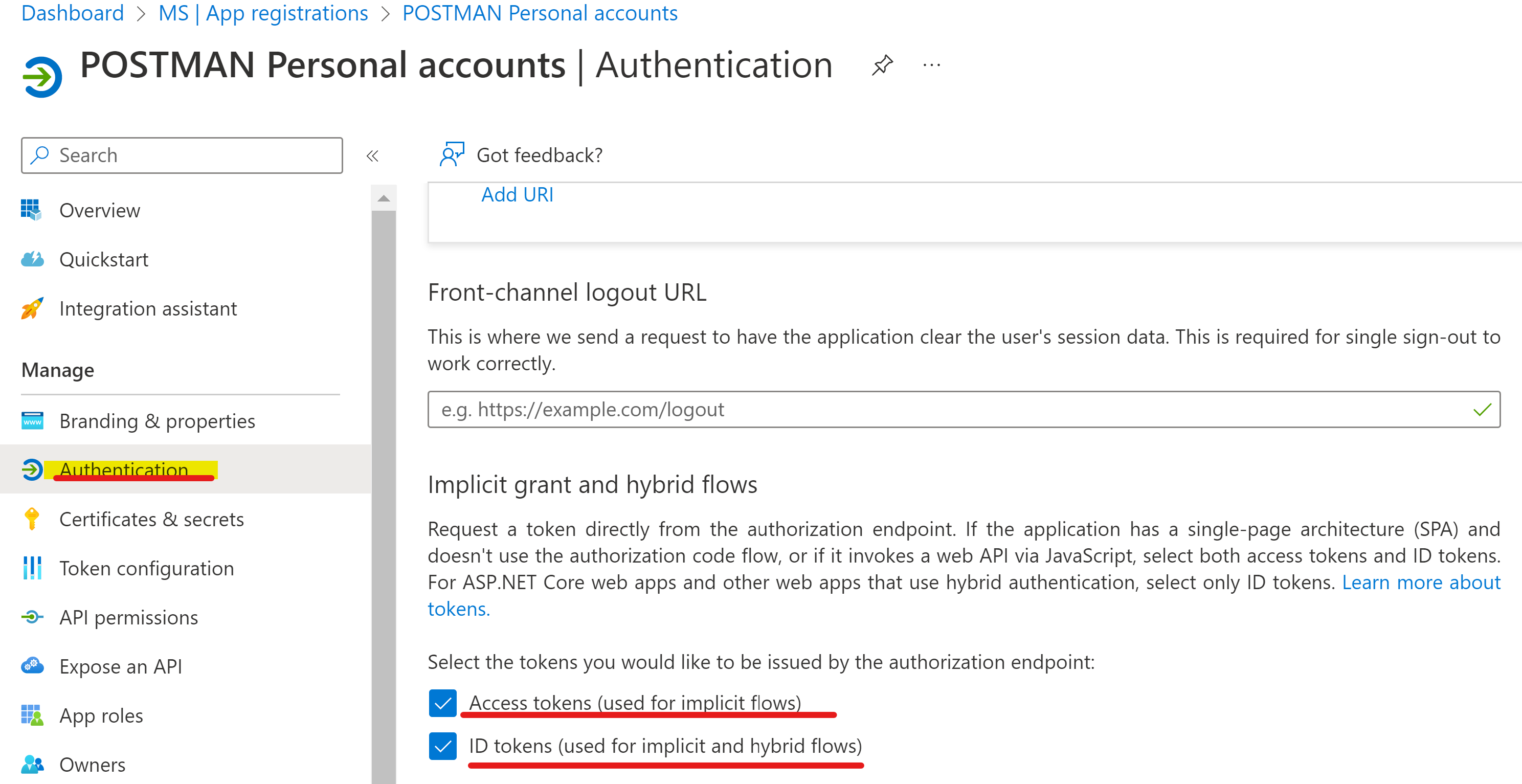
https://login.microsoftonline.com/{tenant_id}/oauth2/v2.0/authorize?
client_id={Application ID}
&response_type=code&id_token
&redirect_uri=http://localhost/myapp/
&response_mode=query
&scope=openid&https://graph.microsoft.com/mail.read
&state=12345
&nonce=abcde
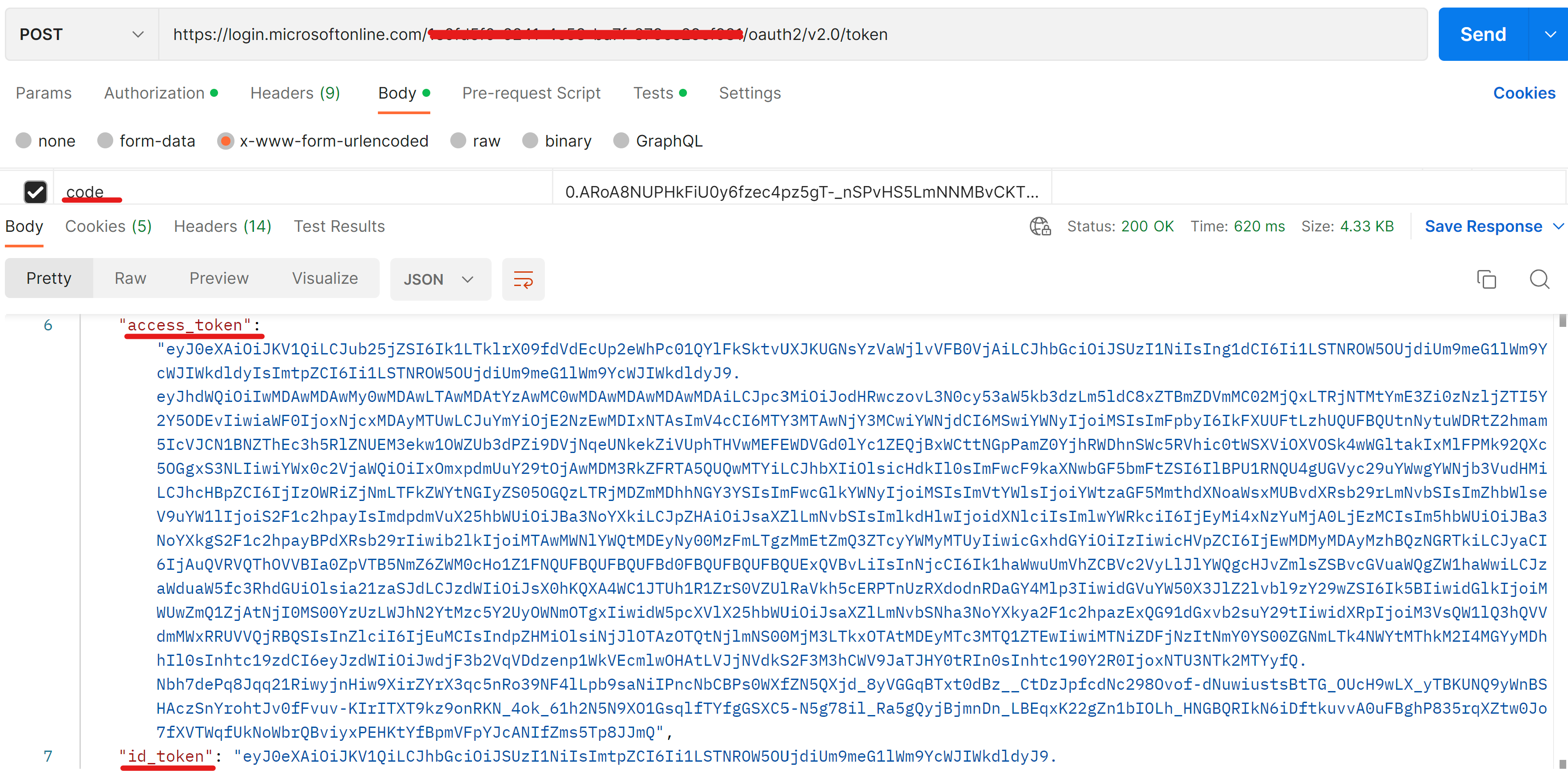
Thanks,
Akshay Kaushik
Please "Accept the answer" (Yes), and share your feedback if the suggestion answers you’re your query. This will help us and others in the community as well.