how can add extension to multiple file on windows 10 using windows powershell
hi, how can i add extensions to multiple extensionless files on windows 10
///
when i right click on folder holding shift key then choose powershell because there is no command prompt
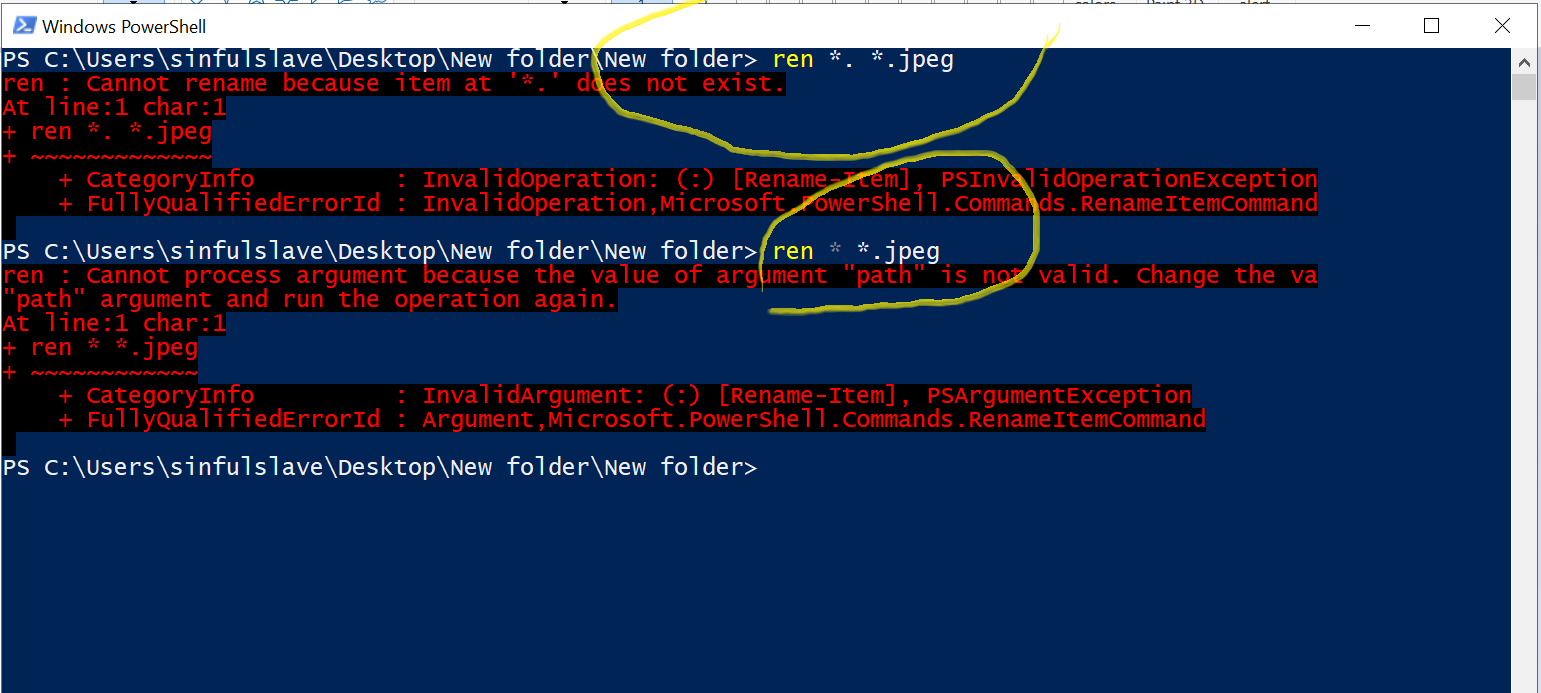
and enter this command ren *. *.jpeg it doesn't work even ren * *.jpeg didn't work also
i tried using cmd prompt by from start menu then locating file using cd then file location then typed the first command it worked so what is the right command for windows power shell and if there are any other methods it would be great
' cx='32' cy='32' r='32' /%3E%3Ctext x='50%25' y='55%25' dominant-baseline='middle' text-anchor='middle' fill='%23FFF' %3EA%3C/text%3E%3C/svg%3E)
