Microsoft Security | Intune | Other
Other Intune-related topics, including unsupported scenarios and platform-specific behaviors

This browser is no longer supported.
Upgrade to Microsoft Edge to take advantage of the latest features, security updates, and technical support.
' cx='32' cy='32' r='32' /%3E%3Ctext x='50%25' y='55%25' dominant-baseline='middle' text-anchor='middle' fill='%23FFF' %3EPP%3C/text%3E%3C/svg%3E)
Hello
I have a update ring through Intune. The problem is with feature updates. There are several 1909 computers.
I have the following setting in Intune.
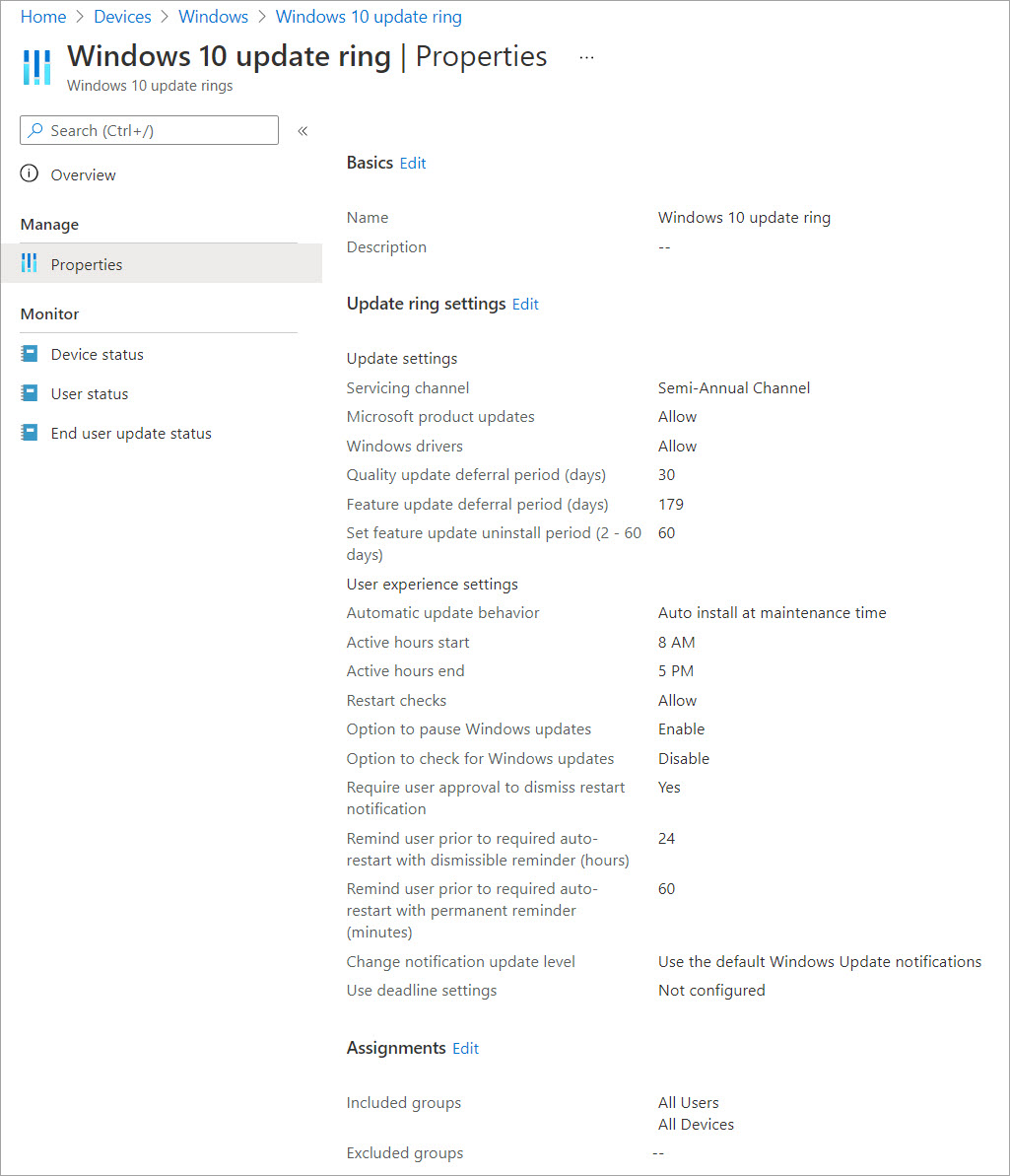
What could cause feature version not update?
Regards,
Pekka Pek
Hello after a while
It turned out that we can get around the issue. My collegue found out that there is a command line command or Powershell command with Windows update assistant.
That command appeared to work even if Intune was unable to feature update. That way we should be able to update several computers without end user contacting.
Regards,
Pekka

Without knowing details here, it's difficult to say anything definitive, but the above statement honestly makes no sense. Intune does not deploy feature updates. It merely configured WUfB policies that control how and when the Windows Update client on the system downloads and installs updates. There is no other way to install updates except to use the Windows Update client. Perhaps what you ran corrected an issue with the WU client -- as noted, without knowing exactly what was done though, not much else can be said.
Thank you for the information about technical background.
Myself I haven't had the possibility to confirm this behavior but I'm sure we can trust this observation of experienced colleague of mine.
Based on that, I also think that Windows update assistant runs some fixes in the background that solves the update issue.

Hi @Pekka Pekkonen , is your device/devices are Azure AD joined or Hybrid ?
you might want to check whether this configuration policy has been applied or it is showing "not applicable", if it is hybrid then you might need to enable Co-management for applying policies via Intune on hybrid joined Devices.
first please check Device status.
Thanks
Ajay
if it is hybrid then you might need to enable Co-management for applying policies via Intune on hybrid joined Devices.
This is not correct unless the device is also managed using ConfigMgr. Hybrid AAD joined in no way implies co-management is required for any purpose. Co-management is about managing Win 10 devices with both ConfigMgr and Intune. If there is no ConfigMgr, then co-management is irrelevant.
@Jason Sandys - thanks for the clarification.
Definitely check the device status in the Intune console to validate that the systems in question are receiving the profile/policy (as noted by AjayMahajan-4387).
A possible problem for these systems is that they are subject to a safeguard hold. To determine this, you need to configure update compliance: https://techcommunity.microsoft.com/t5/windows-it-pro-blog/access-safeguard-hold-details-with-update-compliance/ba-p/1809652
' cx='32' cy='32' r='32' /%3E%3Ctext x='50%25' y='55%25' dominant-baseline='middle' text-anchor='middle' fill='%23FFF' %3ECM%3C/text%3E%3C/svg%3E)
@Pekka Pekkonen For this issue, we can firstly check whether the update ring policy has been successfully deployed to the target device. We can see details in the following link:
https://techcommunity.microsoft.com/t5/intune-customer-success/support-tip-troubleshooting-windows-10-update-ring-policies/ba-p/714046
If the policy is applied, we can consider to use Update Compliance policy which mentioned in the link Jason provided to troubleshoot our issue:
https://learn.microsoft.com/en-us/mem/intune/protect/windows-update-compliance-reports#use-update-compliance
Hope it can help.
If the response is helpful, please click "Accept Answer" and upvote it.
Note: Please follow the steps in our documentation to enable e-mail notifications if you want to receive the related email notification for this thread.
Thank you all for the replies. I hope I can cover below the points you had.
The join should be Azure AD only.
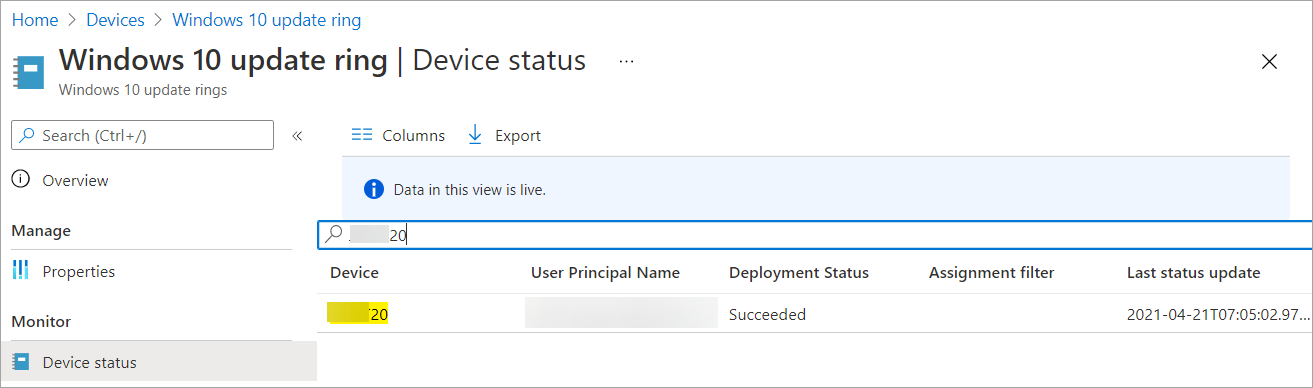
I took following screen shot from Azure AD.

I took one computer with issues. Seems it shows success.
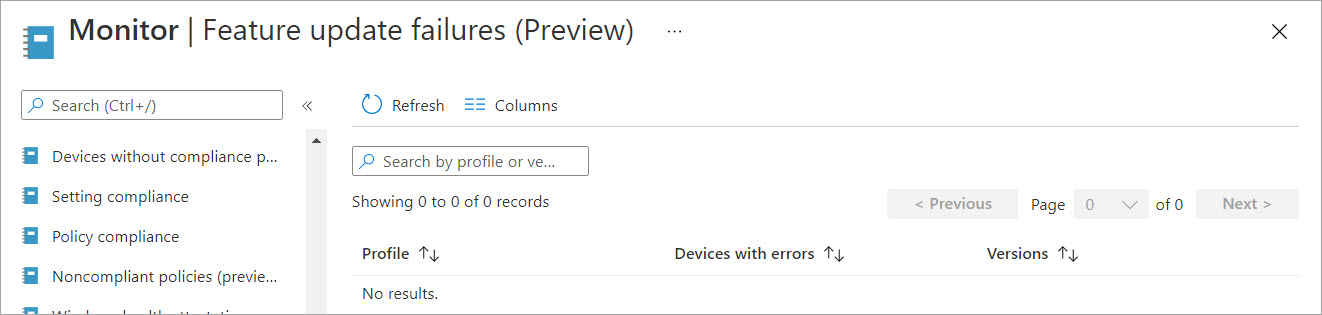
This is new feature for me. It shows that there is no failures.
Regards,
Pekka
@Pekka Pekkonen Thanks for your reply. From the pictures I noticed that the policy deployment status is succeeded, it means our Windows Update Ring policy is being successfully deployed. We can double confirm by checking the Registry: HKEY_LOCAL_MACHINE\SOFTWARE\Microsoft\PolicyManager\current\device\Update If the registry keys are correct, I wonder the issue can be with windows update side. For update compliance, could you confirm if we have added Update Compliance to our Azure subscription?
As another option, we can check the windows update log to see if there’s any finding. After researching, I find a link for your reference:
https://learn.microsoft.com/en-us/windows/deployment/update/windows-update-logs
However, if the issue still persists, we suggest to open case to get more help.
https://support.microsoft.com/en-us/topic/global-customer-service-phone-numbers-c0389ade-5640-e588-8b0e-28de8afeb3f2