
Any that may be relevant, possibly these ones.
-please don't forget to Accept as answer if the reply is helpful--
This browser is no longer supported.
Upgrade to Microsoft Edge to take advantage of the latest features, security updates, and technical support.
' cx='32' cy='32' r='32' /%3E%3Ctext x='50%25' y='55%25' dominant-baseline='middle' text-anchor='middle' fill='%23FFF' %3EO%3C/text%3E%3C/svg%3E)
Hi,
I am using Hyper-V on Windows Server 2016 and have few VMs. Everything was working smooth until today I noticed that VMs are in "saved" state and when I try to "start" the VMs I get a message that Hypervisor is not running.
It could be case that you have modified the BIOS, Virtualization is not enabled, modification in boot configuration data or data execution policy in BIOS ... etc.
However, as I said, it happen all sudden and surprisingly and I have not made any changes.
Note: I reboot the server, and VMs were back to normal, but would like to understand the possible reason of this to avoid future downtime.
Soon I will use this server in production, so I need to secure that issue is addresses properly.
' cx='32' cy='32' r='32' /%3E%3Ctext x='50%25' y='55%25' dominant-baseline='middle' text-anchor='middle' fill='%23FFF' %3EA%3C/text%3E%3C/svg%3E)
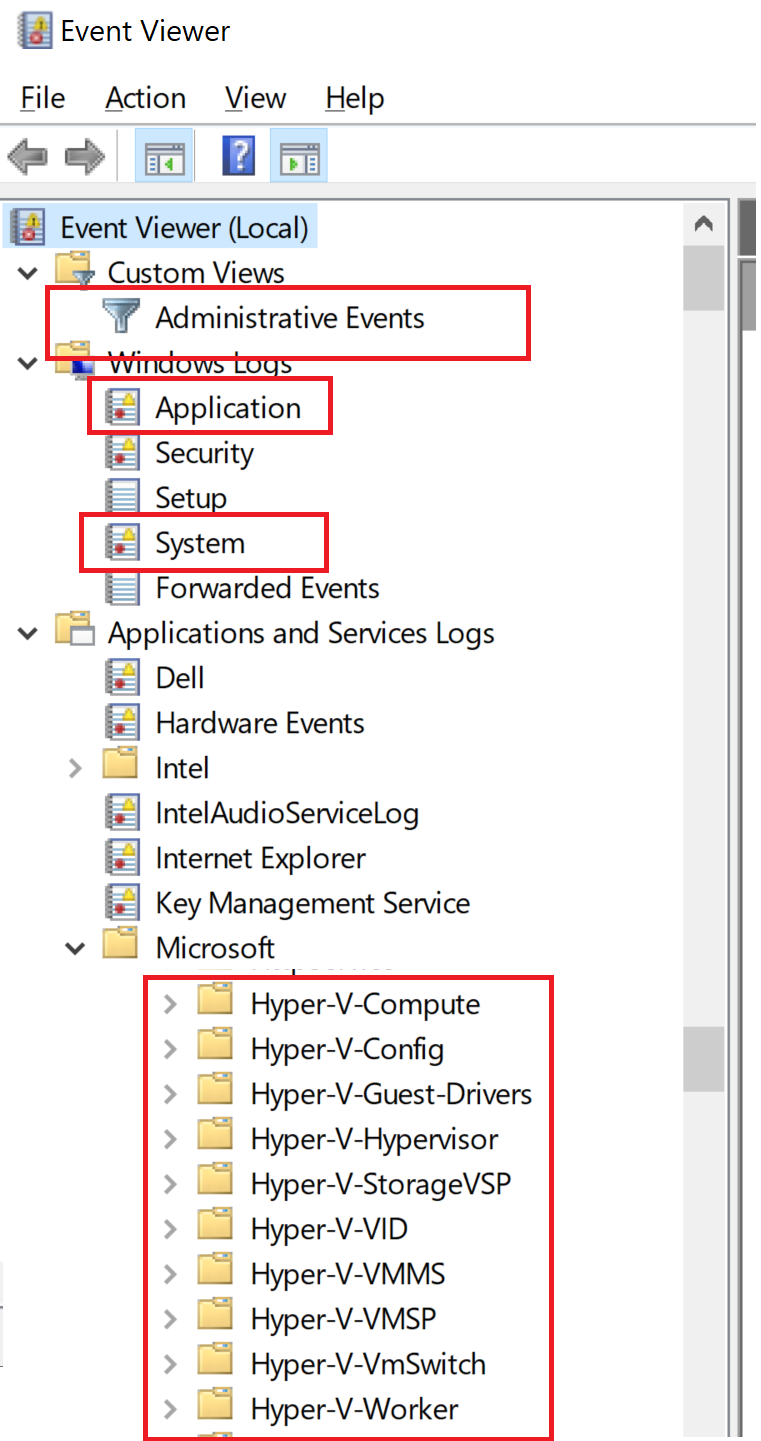
Any that may be relevant, possibly these ones.
-please don't forget to Accept as answer if the reply is helpful--
Hi,
It seems that unexpected errors occurred to Hyper-v service.
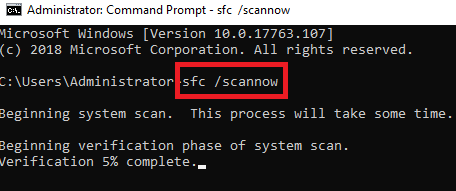
To identify the issue, you can try this cmdlet: sfc/ scannow and see if there’s any problem with the system:
Also please check if the VM is up to date.
You can also check event viewer and see if there’s any suspicious action that might lead to this issue.
Thanks for your time.
Best regards,
Danny
-----------------------------
If the Answer is helpful, please click "Accept Answer" and upvote it.
Note: Please follow the steps in our documentation to enable e-mail notifications if you want to receive the related email notification for this thread.
I'd check the event logs for possible clues / details. It sounds like all services were not started for some reason.
--please don't forget to Accept as answer if the reply is helpful--
Any specific logs?
And specific events /entries /error codes?
C:\Users\Administrator>sfc/scannow

Beginning system scan.  This process will take some time.

Beginning verification phase of system scan.
Verification 100% complete.

**Windows Resource Protection did not find any integrity violations.**