Share via

SecureBootEncodeUEFI.exe

Anonymous
2023-01-01T18:35:26+00:00

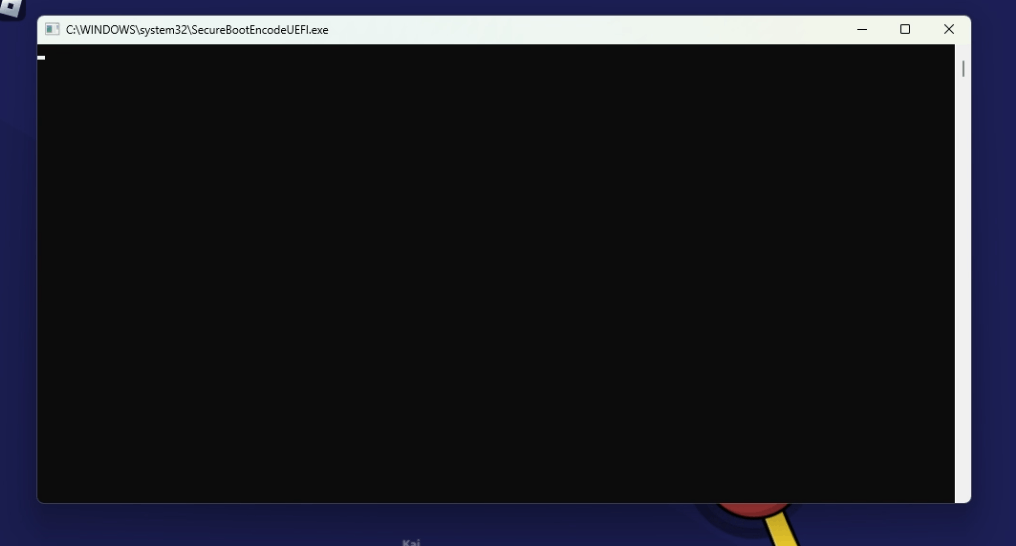
While i was playing i saw what looks like a cmd window open and close immediately but i managed to get a screenshot of it. Looking online i barely found any information about it, and i got a bit worried so im making this.

I have never had this happend to me.

I first went to task scheduler to see if there were any tasks that might be suspicious but to no avail. Next i went to the sytem32 folder and searched "SecureBootEncode" and found the .exe and 3 files located in "System32\Tasks\Microsoft\Windows\PI", the files are "SecureBootEncodeUEFI", "Secure-Boot-Update" and "Sqm-Tasks", with no extensions and File type of "File".

I tried to search for the same things on my laptop instead, but i didn't found the .exe, only 2 out of the 3 files, "Secure-Boot-Update" and "Sqm-Tasks".

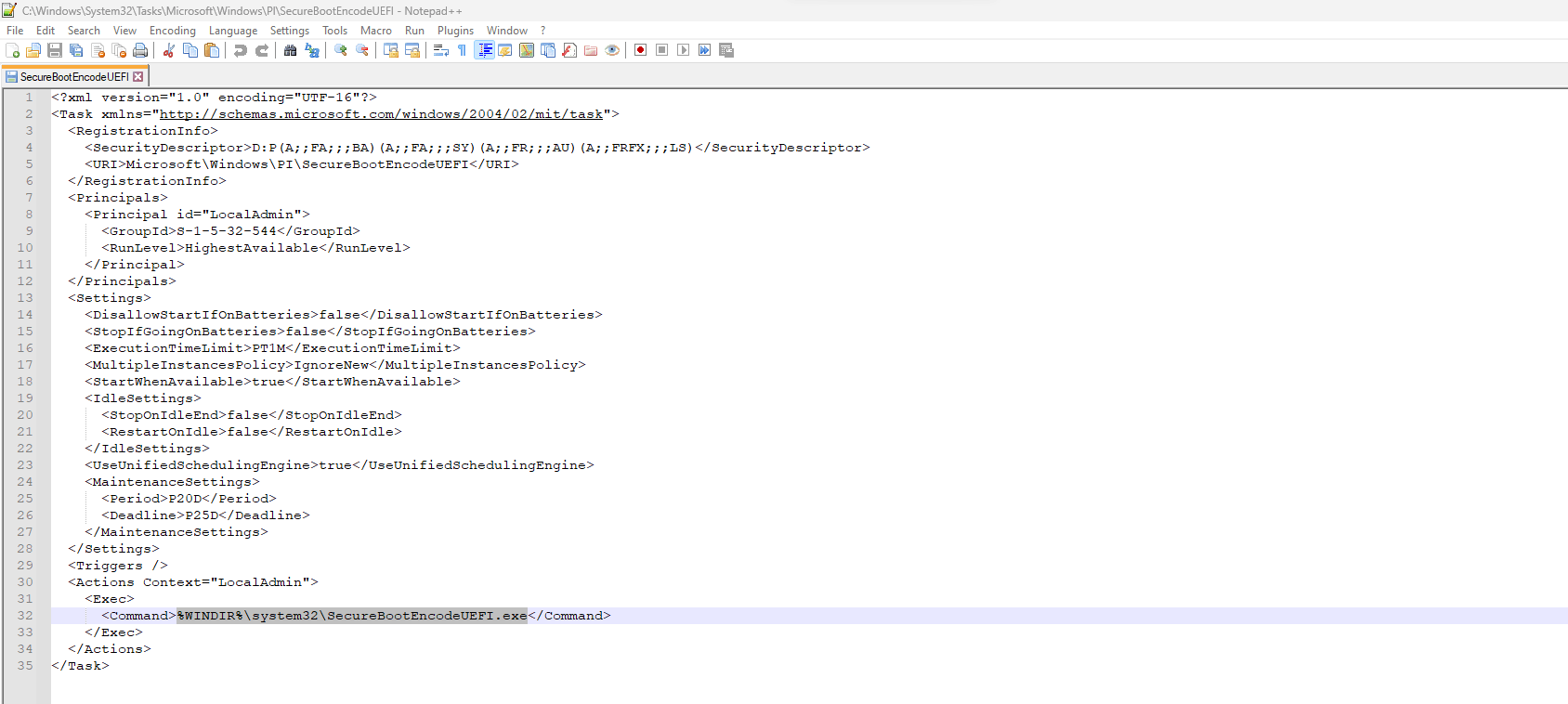
I tried opening the files in Notepad++ but only "SecureBootEncodeUEFI" could be opened, in XML format, and it looks like a task but with no set trigger.

My Questions are: are all these legit? and what are they exactly? I know they are something related to Secure Boot but i dont know what.

System Info:

Windows 11 version 22H2

Ryzen 5 3600

Nvidia GeForce GTX 1650

8GB DDR4 RAM

If it helps i also have PowerToys installed and UEFI is enabled along with TPM.

This is my first time writing here so apologies if this isn't in the correct topics or i got something wrong.

Images:
Windows for home | Windows 11 | Files, folders, and storage

Locked Question. This question was migrated from the Microsoft Support Community. You can vote on whether it's helpful, but you can't add comments or replies or follow the question.

0 comments No comments

38 answers

Sort by: Most helpful
  1. Anonymous
    2023-05-17T22:11:55+00:00

    I have been seeing CMD windows open and close constantly on my machine after the latest Windows 10 install. I have been wondering what on earth this is, and it just so happened that due to a rendering bug within Hyper-V guests, I was able to see remnants of the window border that had a UEFI.exe in the title. That lead me to search on Windows for a file with this name and it led me to SecureBootEncodeUEFI.exe and this thread.

    Is this a bug or virus? I cannot tell from the comments on this thread, but am happy to see others are experiencing it as well. I am hoping we can figure out what is going on here.

    Was this answer helpful?

    10 people found this answer helpful.
    0 comments No comments
  2. Anonymous
    2023-05-17T04:41:14+00:00

    Screenshot of the start of the event:

    Was this answer helpful?

    9 people found this answer helpful.
    0 comments No comments
  3. Anonymous
    2023-05-27T22:29:27+00:00

    I will write here too, so as not to run between the branches of discussions. As suggested by @EdMing from a similar thread on learn.Microsoft, the task in the task scheduler is located in \Microsoft\Windows\PI where you will see the "SecureBootEncodeUEFI" task that needs to be disabled.

    Was this answer helpful?

    8 people found this answer helpful.
    0 comments No comments
  4. Anonymous
    2023-02-20T19:39:15+00:00

    What I wonder is, what if these tools themselves are "patched" to make it look "not corrupt"? Could someone please share the md5 of their SecureBootEncodeUEFI.exe? My Windows edition is 11 Pro for Workstations, but I doubt this file changes over versions or editions...

    Was this answer helpful?

    7 people found this answer helpful.
    0 comments No comments
  5. Anonymous
    2023-05-27T08:34:56+00:00

    Yeah looks like a bug indeed @Max. It will go unacknowledged by Microsoft for half a year and somehow make its way as a fix in a subsequent update. 🤷‍♂️

    Was this answer helpful?

    6 people found this answer helpful.
    0 comments No comments
