Share via

SecureBootEncodeUEFI.exe

Anonymous
2023-01-01T18:35:26+00:00

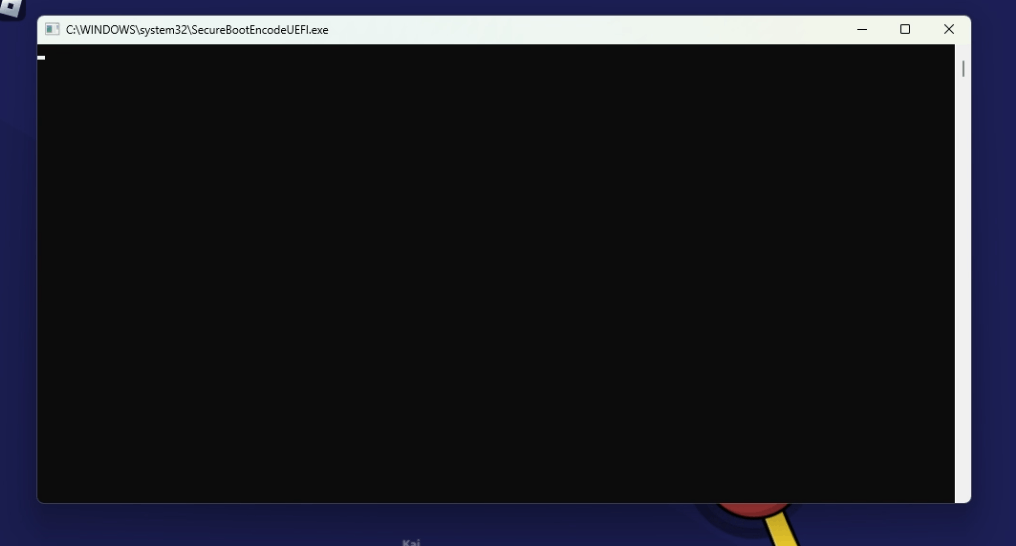
While i was playing i saw what looks like a cmd window open and close immediately but i managed to get a screenshot of it. Looking online i barely found any information about it, and i got a bit worried so im making this.

I have never had this happend to me.

I first went to task scheduler to see if there were any tasks that might be suspicious but to no avail. Next i went to the sytem32 folder and searched "SecureBootEncode" and found the .exe and 3 files located in "System32\Tasks\Microsoft\Windows\PI", the files are "SecureBootEncodeUEFI", "Secure-Boot-Update" and "Sqm-Tasks", with no extensions and File type of "File".

I tried to search for the same things on my laptop instead, but i didn't found the .exe, only 2 out of the 3 files, "Secure-Boot-Update" and "Sqm-Tasks".

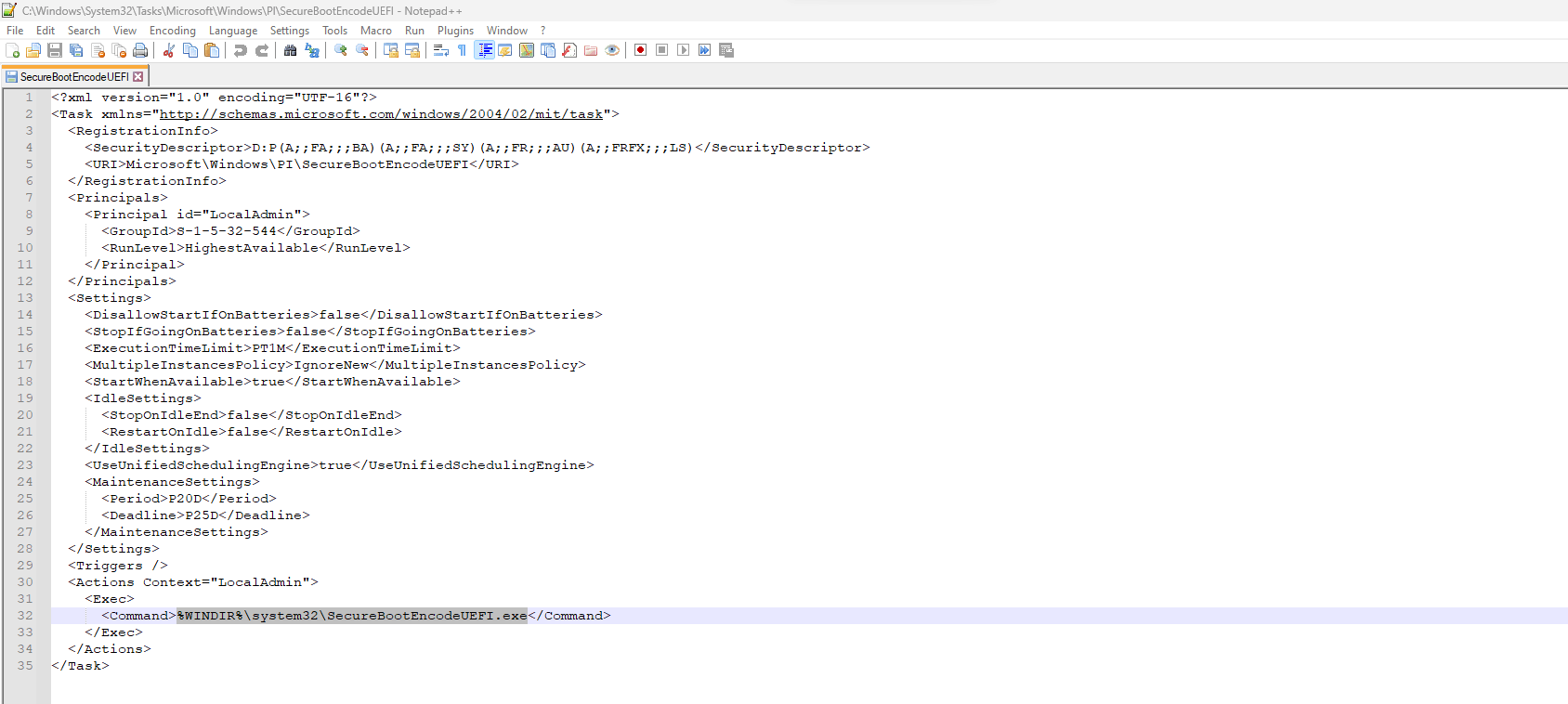
I tried opening the files in Notepad++ but only "SecureBootEncodeUEFI" could be opened, in XML format, and it looks like a task but with no set trigger.

My Questions are: are all these legit? and what are they exactly? I know they are something related to Secure Boot but i dont know what.

System Info:

Windows 11 version 22H2

Ryzen 5 3600

Nvidia GeForce GTX 1650

8GB DDR4 RAM

If it helps i also have PowerToys installed and UEFI is enabled along with TPM.

This is my first time writing here so apologies if this isn't in the correct topics or i got something wrong.

Images:
Windows for home | Windows 11 | Files, folders, and storage

Locked Question. This question was migrated from the Microsoft Support Community. You can vote on whether it's helpful, but you can't add comments or replies or follow the question.

0 comments No comments

38 answers

Sort by: Most helpful
  1. Anonymous
    2023-05-25T03:01:39+00:00

    I submitted the file to Microsoft Security Intelligence and the system didn't find anything suspicious.

    However, the behavior of the executable file is so suspicious that I do not exclude sabotage from within the MS, which is unlikely. Most likely a bug.

    Was this answer helpful?

    5 people found this answer helpful.
    0 comments No comments
  2. Anonymous
    2023-09-22T12:23:51+00:00

    Getting this too. As with others, ran a virus scan and nothing. Really irritating, as the only console windows I want popping up are the ones i tell to pop up. Anything else is just suspicious.

    If this is not malicious, its seemingly malicious behavior is going to make it harder to spot genuine malicious activity. As it is, a good second or third question when seeing potential malicious behavior on a computer is "Or is it just a Windows bug?"

    Was this answer helpful?

    4 people found this answer helpful.
    0 comments No comments
  3. Anonymous
    2023-07-17T09:44:33+00:00

    Still nothing about this? Given that several hundred people seem to have the same question this is a widespread issue...

    Was this answer helpful?

    4 people found this answer helpful.
    0 comments No comments
  4. Anonymous
    2023-06-30T17:50:48+00:00

    I found this information useful: https://support.microsoft.com/en-us/topic/kb5025885-how-to-manage-the-windows-boot-manager-revocations-for-secure-boot-changes-associated-with-cve-2023-24932-41a975df-beb2-40c1-99a3-b3ff139f832d

    Secure Boot is recommended by Microsoft to make a safe and trusted path from the Unified Extensible Firmware Interface (UEFI) through the Windows kernel's Trusted Boot sequence. Secure Boot helps prevent bootkit malware in the boot sequence. Disabling Secure Boot puts a device at risk of being infected by a bootkit malware.

    Discussion on reddit: https://www.reddit.com/r/computerviruses/comments/13e9b0s/gathers_encoded_secureboot_uefi_telemetry_in_task/

    Screenshot of task from my server:

    Was this answer helpful?

    4 people found this answer helpful.
    0 comments No comments
  5. Anonymous
    2023-05-14T13:59:15+00:00

    If SecureBootEncodeUEFI is missing or infected by malware, the following errors might appear:

    • SecureBootEncodeUEFI.exe (Not Responding)
    • SecureBootEncodeUEFI.exe is missing
    • SecureBootEncodeUEFI.exe popping up on Command Prompt

    If your computer’s SecureBootEncodeUEFI.exe executable behaves considerably differently, it may be feasible to repair it. Following the tutorial below will enable you to repair the problematic executable software and restore your computer’s regular operation.

    How to Fix Infected SecureBootEncodeUEFI.exe - SecuredStatus

    Was this answer helpful?

    3 people found this answer helpful.
    0 comments No comments
