Greg,
I DID find a solution to this problem. This solution was made possible because I have two screens.
So, here’s a solution to this problem involving two screens:
Step 1. I opened the EV window in my right screen; and I made all my tentative EV changes.
Step 2. I opened a NVIDIA Control Panel; and I rotated the content on my right screen via “Display/Rotate display/Portrait”.
The result:
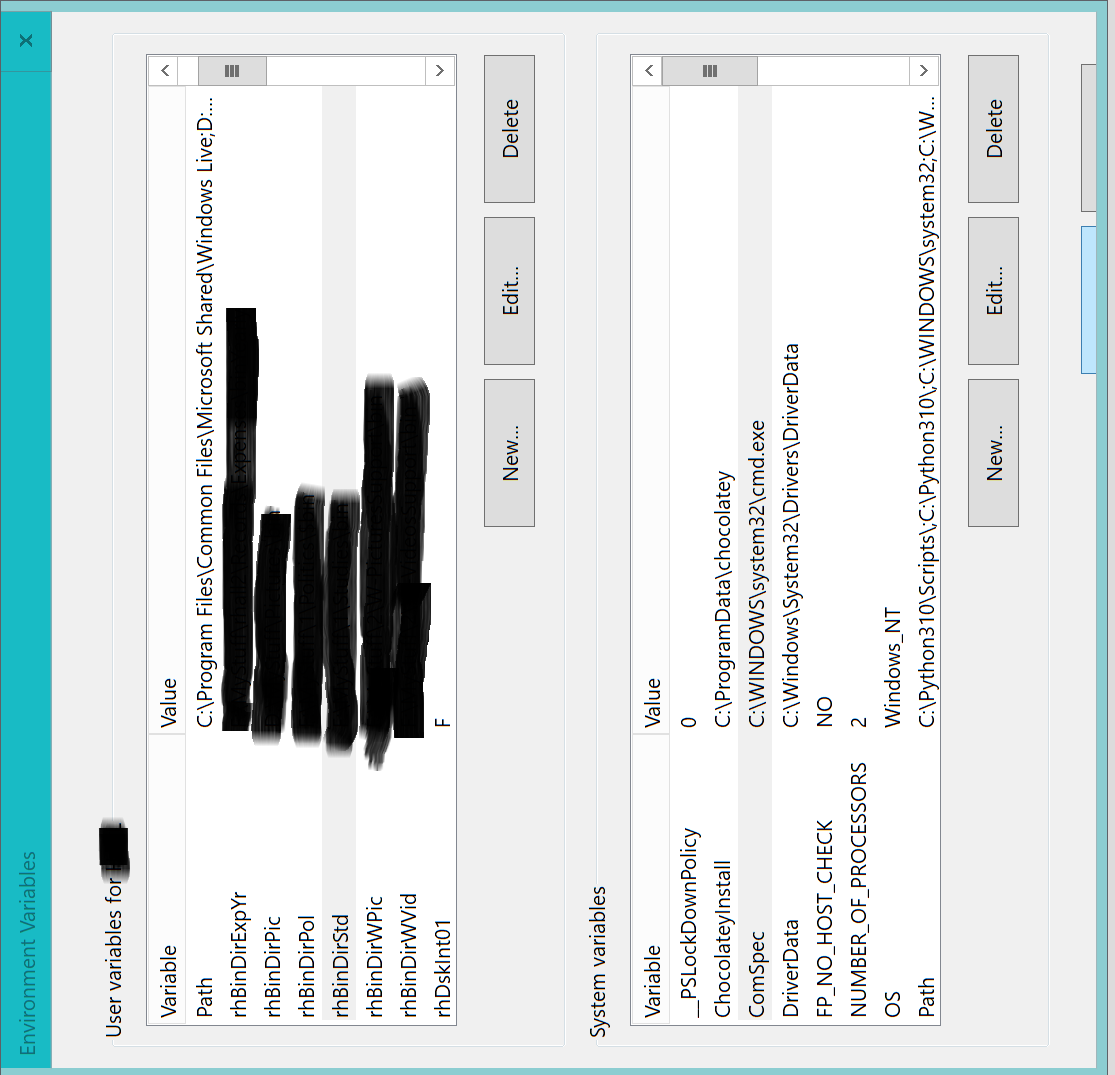
As you can see, the tops of the OK and Cancel buttons are slightly exposed. It was a little tricky, but I was able to move my mouse pointer to the OK button, and click on it. And thus, I was able to commit my EV changes to the operating system.
I’d rather have a scroll bar for the entire EV window, but this solution will work until that happens.
Greg, I appreciate your time and effort on this issue. I’m sure that you will be hearing from me again on some other issue. Thanks.
PS:
My first picture may cause some confusion. In that picture, the EV window is upright, and the OK and Cancel buttons are slightly exposed (as they are slightly exposed in the rotated EV window). They are slightly exposed in the upright EV window, because I used my mouse pointer to move that window upward, and then hold it in place. Thus, I couldn’t click on the OK button with my mouse pointer.
' cx='32' cy='32' r='32' /%3E%3Ctext x='50%25' y='55%25' dominant-baseline='middle' text-anchor='middle' fill='%23FFF' %3EA%3C/text%3E%3C/svg%3E)
