problem with length of Environment Variables window

Anonymous
2022-04-19T20:41:24+00:00

The Environment Variables window is too long for my screen.  As a result, I cannot access the “OK” and “Cancel” buttons.

Could a scroll bar for the entire Environment Variables window be added in order to allow those buttons to be reached?

Or is there way that they can be reached without such a scroll bar?

Thanks.

Windows for home | Windows 10 | Settings

Locked Question. This question was migrated from the Microsoft Support Community. You can vote on whether it's helpful, but you can't add comments or replies or follow the question.

0 comments No comments
{count} votes

10 answers

Sort by: Most helpful
  1. Anonymous
    2022-04-21T04:26:39+00:00

    Do you have a System Restore point going back before the WIndows Update that you think caused this? https://www.windowscentral.com/how-use-system-r...

    What is on the right click button for the EV window's icon on task bar when it's open? Do you see Maximize, Restore, or anything else that could jolt it into submission?

    0 comments No comments
  2. Anonymous
    2022-04-21T17:37:50+00:00

    Thanks for the suggestions, Greg.

    The last statement in my last message was very misleading.  I’m sorry about that.  Let me clarify:
    For many months, I did not do anything in my EV window.  About a month or two ago, I got into my EV window, and I SAW this problem.  So, I do NOT know WHEN the problem started.  And so, I don’t know which Windows Update caused the problem.

    And, I don’t have any System Restore points.

    As for your “right click” suggestion:  I tried that when I first saw this problem.  The Restore, Maximize, and Minimize buttons are disabled.  When I click on the Size button, I get a four headed arrow.  But the arrow doesn’t do anything.
      
    I think that I might have found a solution to this problem.  I’m working on that right now.  When I know for sure, I’ll send another message.

    0 comments No comments
  3. Anonymous
    2022-04-21T18:13:29+00:00

    If you place the four-headed arrow in the box can you drag it?

    System Restore is your first line of defense if Windows ever malfunctions as it can run even from recovery media to get you back before a problem started like a time machine, using points set automatically, when Windows Updates are installed, or that you manually set. It should always be turned on C drive with plenty of disk space (5-15%) configured. Here's how to check and when necessary how to run System Restore: https://www.windowscentral.com/how-use-system-r...

    Keep me posted on your progress as I will be here to help until the case is resolved.

    0 comments No comments
  4. Anonymous
    2022-04-21T19:43:26+00:00

    Greg,

    I DID find a solution to this problem.  This solution was made possible because I have two screens.

    So, here’s a solution to this problem involving two screens:

    Step 1. I opened the EV window in my right screen; and I made all my tentative EV changes.
    Step 2. I opened a NVIDIA Control Panel; and I rotated the content on my right screen via “Display/Rotate display/Portrait”.

    The result:
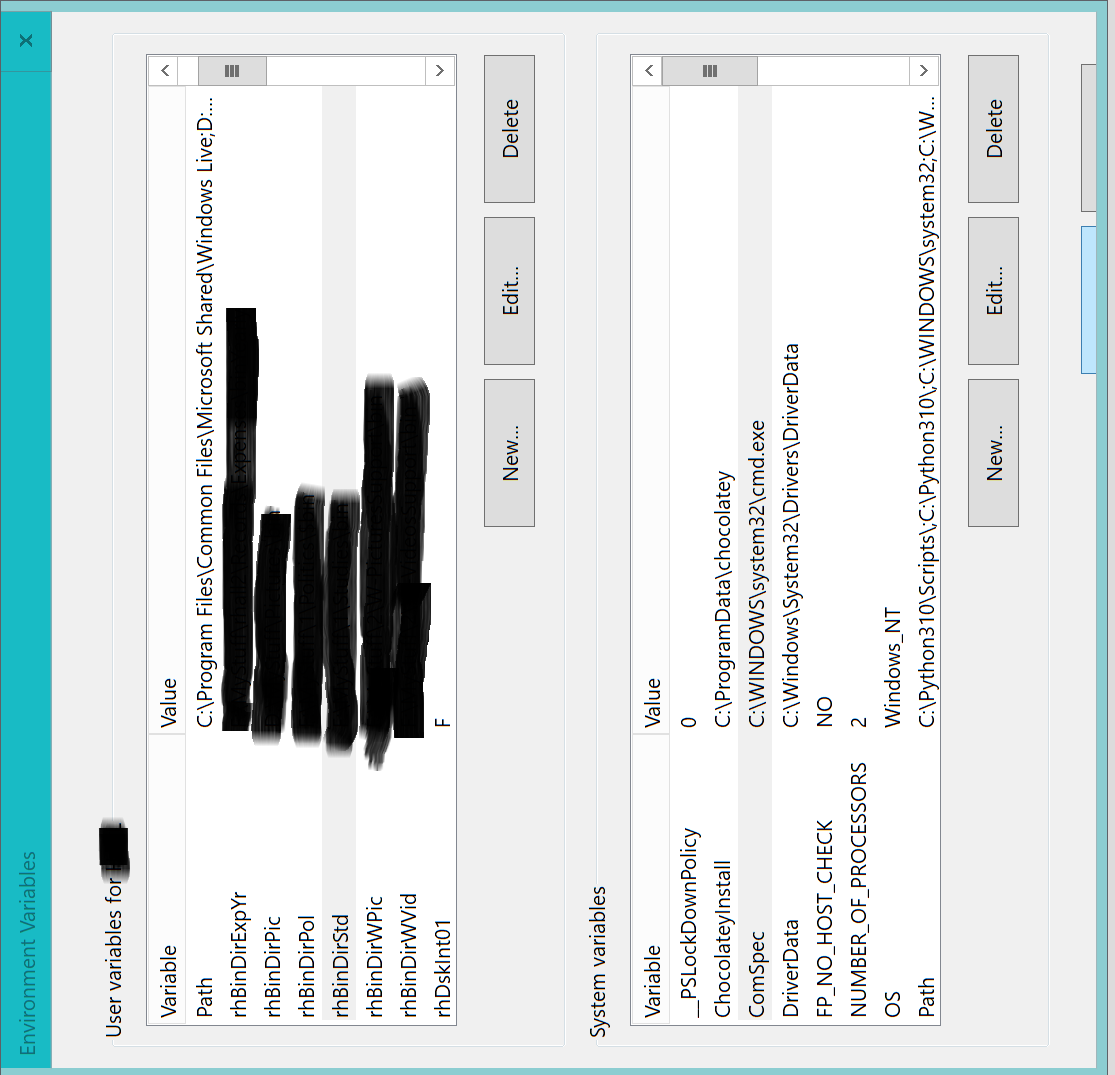
    As you can see, the tops of the OK and Cancel buttons are slightly exposed.  It was a little tricky, but I was able to move my mouse pointer to the OK button, and click on it.  And thus, I was able to commit my EV changes to the operating system.

    I’d rather have a scroll bar for the entire EV window, but this solution will work until that happens.

    Greg, I appreciate your time and effort on this issue.  I’m sure that you will be hearing from me again on some other issue.  Thanks. 

    PS:

    My first picture may cause some confusion.  In that picture, the EV window is upright, and the OK and Cancel buttons are slightly exposed (as they are slightly exposed in the rotated EV window).  They are slightly exposed in the upright EV window, because I used my mouse pointer to move that window upward, and then hold it in place.  Thus, I couldn’t click on the OK button with my mouse pointer.

    0 comments No comments
  5. Anonymous
    2022-04-21T19:52:29+00:00

    Wow, that's an innovative solution! I'll have to remember that.

    Did you have any Tab ability in that box, after clicking in it to get it's attention? Sometimes you can tab and enter to execute hidden buttons if you know their layout.

    0 comments No comments
