How do I create a custom PowerPoint template and apply it to an existing presentation?

Anonymous
2023-08-28T09:28:14+00:00

Hi. I have 89 power point presentation slides. Howewer, my professor ask me to change every slide background with his background / template.

Here's the power point my professor provides :

Nah the problem is, when I try to use this tutorial https://support.microsoft.com/en-gb/office/apply-a-template-to-an-existing-presentation-43f7fc75-db26-433b-8248-9fcd0093006b#:~:text=the%20procedures%20below.-,Select%20File%20>%20New%20from%20Template.,file%20and%20then%20click%20Choose. I copy all of my slide to that power point, and paste it (use destination theme), my original background / template does persist. it did not change

Please tell me what to do. It's too bothersome to keep manualy copy paste the slide one by one

Microsoft 365 and Office | PowerPoint | For home | Windows

Locked Question. This question was migrated from the Microsoft Support Community. You can vote on whether it's helpful, but you can't add comments or replies or follow the question.

0 comments No comments
{count} vote
Answer accepted by question author
  1. Steve Rindsberg 99,086 Reputation points MVP Volunteer Moderator
    2023-09-03T15:13:57+00:00

    First: You pasted the image onto the layout of whatever was the current slide, not to the master itself. Depending on what you want to do, this may or may not be ok. If you want the image to appear on ALL slide, as I expect you do, choose View | Slide Master then scroll to the top slide in the thumbnail pane, the one that all the other thumbnails are slightly indented under. THAT is the master; anything pasted there should appear on ALL slides.

    Next: With the image pasted onto the slide's layout, it's probably appearing on the slide, but you've got other stuff covering it up, ie your own image(s) on the slide. Select and delete anything that's not supposed to be part of every slide and delete it. The image you pasted onto the layout should then be visible.

    5 people found this answer helpful.
    0 comments No comments

12 additional answers

Sort by: Most helpful
  1. Steve Rindsberg 99,086 Reputation points MVP Volunteer Moderator
    2023-08-30T15:15:09+00:00

    However, it seems my professor did not give me the theme design. Instead, he just creates a blank ppt document and pastes his image there.

    How do I convert it onto a theme, so that I can apply it to my powerpoint after?

    Choose File | Save As and choose to save as a Theme. It will be simplest if you save the theme to whatever folder PowerPoint suggests; it'll look for your theme later when you browse for theme in order to apply it to your presentation.

    0 comments No comments
  2. Steve Rindsberg 99,086 Reputation points MVP Volunteer Moderator
    2023-08-28T14:42:17+00:00

    Either those instructions or going to Design, opening the gallery, choosing Browse for Themes and selecting the theme your professor provided should work. But see below, beneath the image:
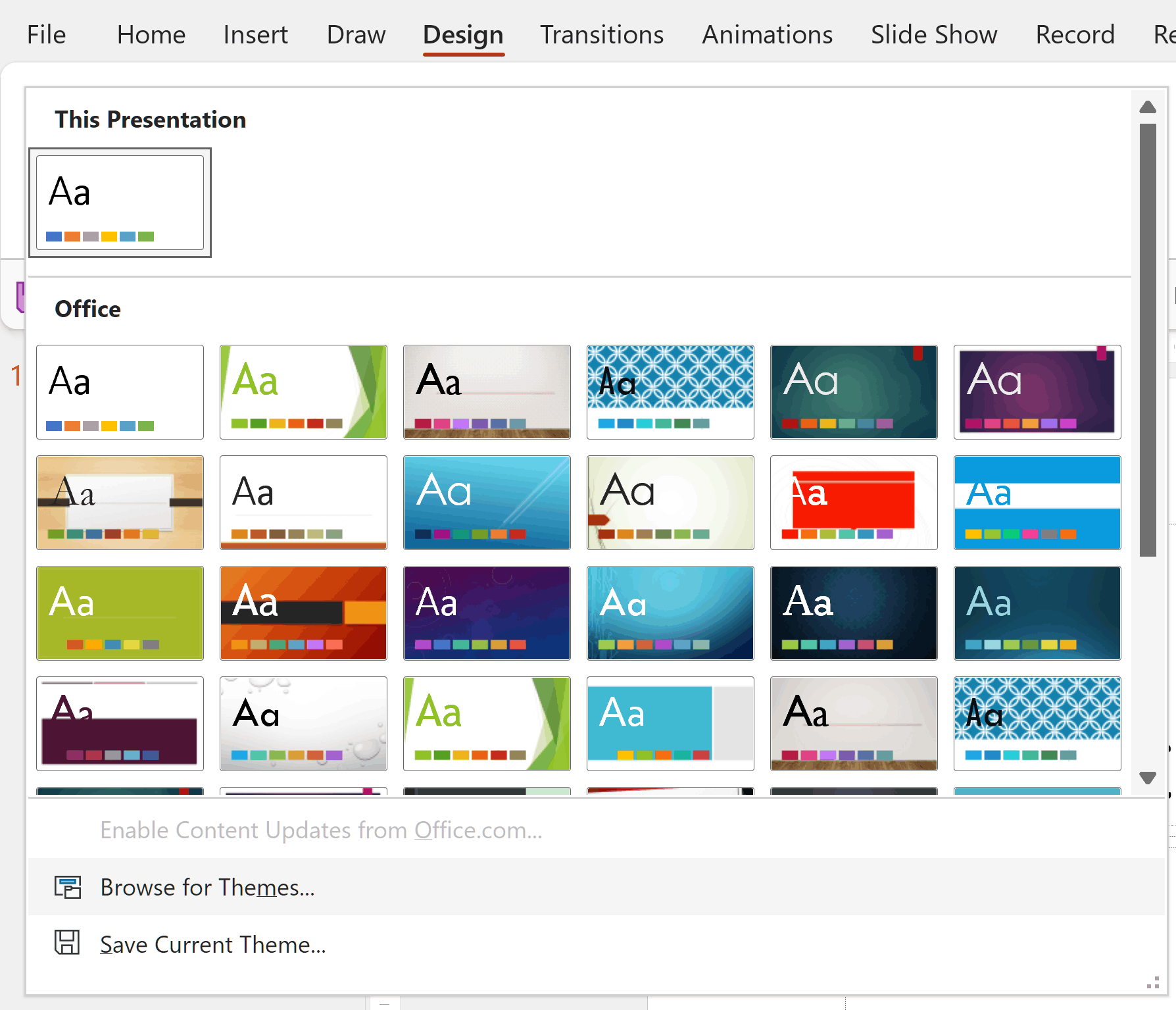
    If your slides aren't built upon a slide master/layouts, applying a theme won't fix them.

    For example, many people will start a new presentation, add a slide then immediately delete the "Click here" placeholders, then add their own text boxes. Once you do that, the theme/masters/layouts no longer control the appearance of your slides, so applying a new theme won't help.

    0 comments No comments
  3. Anonymous
    2023-08-30T10:25:04+00:00

    Either those instructions or going to Design, opening the gallery, choosing Browse for Themes and selecting the theme your professor provided should work. But see below, beneath the image:

    Image

    If your slides aren't built upon a slide master/layouts, applying a theme won't fix them.

    For example, many people will start a new presentation, add a slide then immediately delete the "Click here" placeholders, then add their own text boxes. Once you do that, the theme/masters/layouts no longer control the appearance of your slides, so applying a new theme won't help.

    Hi. thank you

    However, it seems my professor did not give me the theme design. Instead, he just creates a blank ppt document and pastes his image there.

    How do I convert it onto a theme, so that I can apply it to my powerpoint after?

    0 comments No comments
  4. Anonymous
    2023-08-31T08:31:53+00:00

    However, it seems my professor did not give me the theme design. Instead, he just creates a blank ppt document and pastes his image there.

    How do I convert it onto a theme, so that I can apply it to my powerpoint after?

    Choose File | Save As and choose to save as a Theme. It will be simplest if you save the theme to whatever folder PowerPoint suggests; it'll look for your theme later when you browse for theme in order to apply it to your presentation.

    Hi

    I tried to save my professor ppt files as office themes just like screenshoot below :

    However, upon applying it to my power point, nothing changed. and when I check the themes, I can't see any of it there

    0 comments No comments