Issue with Embedding Excel in PowerPoint after Office 2019 Update

Anonymous
2024-07-18T18:40:57+00:00

Hello,

After updating Office 2019 to version 16.0.17328.20452, it is no longer possible to embed Excel into PowerPoint.

When copying a part of an Excel file and using the special paste option, "Paste Link as Microsoft Excel Worksheet Object," nothing happens. There is no error message, and nothing is pasted.

The same issue occurs when using the "Embed" shortcut icon.

Reverting to the previous version (16.0.16731.20738) resolves the problem.

***moved from Microsoft 365 and Office / PowerPoint / For business / Windows***

Microsoft 365 and Office | PowerPoint | For home | Windows

Locked Question. This question was migrated from the Microsoft Support Community. You can vote on whether it's helpful, but you can't add comments or replies or follow the question.

0 comments No comments
{count} votes

12 answers

Sort by: Most helpful
  1. Anonymous
    2024-07-19T02:08:40+00:00

    Hello, Mickael Adhoc

    Welcome to Microsoft Community.  

    Thank you very much for your valuable feedback. We know that you are not able to embed Excel into PowerPoint after updating Office 2019 to version 16.0.17328.20452. We fully understand the inconvenience this problem has caused .

    We are delighted to hear that you have resolved the issue by reverting to a previous version (16.0.16731.20738). We will share your solution with other users who encounter similar problems in Office 2019.

    At the same time, we have already submitted this issue in this UserVoice, you can also vote it. Your voice is important to us. 
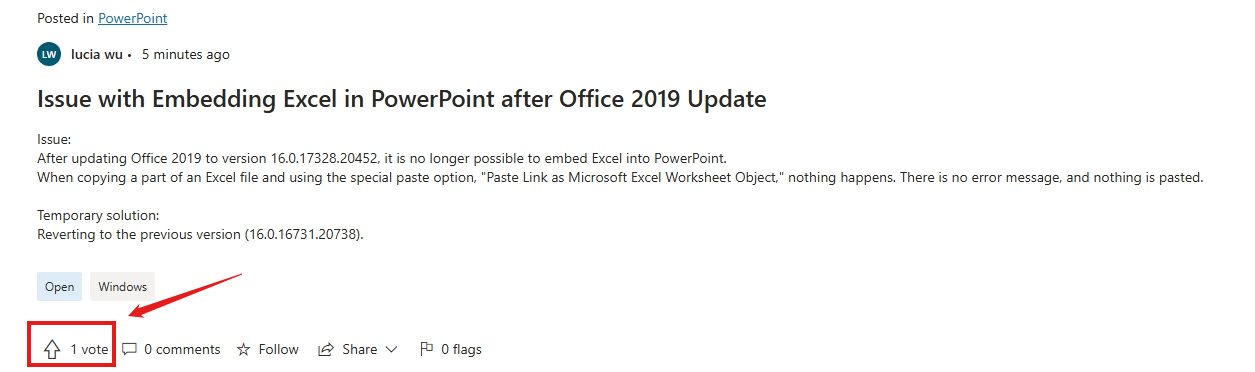
    You can also send feedback through PowerPoint app. (Open PowerPoint > Feedback > I don't like something.)

    If you encounter any issues in the future, please feel free to post again.

    Thank you again for your understanding and support.

    Best wishes,

    Lucia Wu - MSFT | Microsoft Community Support Specialist

    0 comments No comments
  2. Anonymous
    2024-07-27T12:49:35+00:00

    Hello,

    I am experiencing an issue where I can no longer paste content directly into PowerPoint from any software, including OriginPro and ChemOffice. Previously, I could copy and paste directly into PowerPoint without any problems. Now, when I attempt to paste, nothing happens. However, I am still able to paste content into Microsoft Word and then transfer it from Word to PowerPoint. Could you please guide how to revert to the previous version where this functionality worked seamlessly?

    Thank you

    0 comments No comments
  3. Anonymous
    2024-07-27T15:08:36+00:00

    Hello,

    I want to clarify that the solution I provided is specific to the version of Office 2019 that I mentioned (16.0.17328.20452). Reverting to a previous version can be risky because updates often include important security patches.

    The solution I applied is not ideal for me either, as rolling back updates leaves us vulnerable to the latest discovered security flaws.

    If you still want to test this solution and you have a "ClickToRun" version of Office 2019 x64, you can run the following command:

    %programfiles%\Common Files\microsoft shared\ClickToRun\officec2rclient.exe" /update user updatetoversion=16.0.10411.20011

    You can access to a list of Office versions here : https://github.com/CNMan/C2R/blob/master/ReleaseHistory.xml

    You can also add the arguments displaylevel=false forceappshutdown=true if you want to perform a silent installation and force the shutdown of Office applications.

    Please proceed with caution and consider the potential security implications.

    Thank you

    0 comments No comments
  4. Anonymous
    2024-07-27T16:23:12+00:00

    Thank you for your reply.

    So how can I fix this problem without returning to the last update version?

    1 person found this answer helpful.
    0 comments No comments
  5. Anonymous
    2024-07-27T17:56:47+00:00

    Hello,

    Unfortunately, the best course of action at this point is to wait for a fix from Microsoft. They are aware of such issues and usually release updates to address them.

    However, I'm not sure if your problem is identical to mine. I am unable to copy as an embedded object; classic copy-paste works fine for me.

    As Lucia mentioned, you can vote for the issue.

    The more people who vote, the more likely it is that Microsoft will prioritize and address the problem quickly.

    You can keep an eye on the public updates and fixes at the following link: https://learn.microsoft.com/en-us/officeupdates/current-channel-preview

    0 comments No comments