Azure Databricks
An Apache Spark-based analytics platform optimized for Azure.
This browser is no longer supported.
Upgrade to Microsoft Edge to take advantage of the latest features, security updates, and technical support.
' cx='32' cy='32' r='32' /%3E%3Ctext x='50%25' y='55%25' dominant-baseline='middle' text-anchor='middle' fill='%23FFF' %3EY%3C/text%3E%3C/svg%3E)
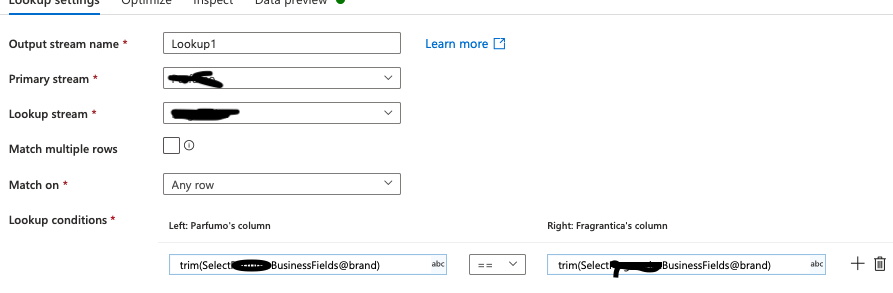
I'm using Azure Data flow to do some transformation on the data but I'm facing some challenges. I have a use case where I have two streams, these two streams have some common data, and what I'm looking for is to output the common data between these two streams. I do matching data with some common fields(product_name(string) and brand(string)), I have not got ID. to do the matching, I picked lookup activity and I tried to compare the brand in the two streams, but THE RESULT IS NOT CORRECT because for example:
left stream : the brand = Estēe Lauder
right stream. : the brand = Estée Lauder
for me this is the same brand, but they have different text format, I wanted to use 'like' operator but lookup activity does not support it, I'm using '==' operator to compare.
is there a way to override this problem please ?
An Apache Spark-based analytics platform optimized for Azure.
An Azure service for ingesting, preparing, and transforming data at scale.
' cx='32' cy='32' r='32' /%3E%3Ctext x='50%25' y='55%25' dominant-baseline='middle' text-anchor='middle' fill='%23FFF' %3ESS%3C/text%3E%3C/svg%3E)
Hi @youssef125 ,
Thanks for using Microsoft Q&A!!
Yes, you are correct that lookup activity doesn't have any 'Like' operators. I do not think of any way to comparing these to strings as for different brands I believe you may have special characters at different positions.
I will though check internally to see if there is any way and get back to you.
Thanks
Saurabh
Answer accepted by question author
Hi @youssef125 ,
Sorry for late reply. Here is the information I have received internally which could try for your scenario -
If you’re looking to add columns from the right side to the left side and need to use a custom expression (i.e., like) then use a Join instead with a custom Join expression.
Or, if you are looking simply to see if the value exists on the right side or not, then use either Exists or Assert. Both also support custom expressions.
Please let me know how it goes or if you have any questions.
Thanks
Saurabh
@youssef125 No problem. Please let me know if you find above reply useful. If yes, please 'Accept the answer' for the above reply. This will help other community members facing similar query to refer to this solution.
Thanks,
Saurabh