Community Center | Not monitored
Tag not monitored by Microsoft.

This browser is no longer supported.
Upgrade to Microsoft Edge to take advantage of the latest features, security updates, and technical support.
' cx='32' cy='32' r='32' /%3E%3Ctext x='50%25' y='55%25' dominant-baseline='middle' text-anchor='middle' fill='%23FFF' %3EJR%3C/text%3E%3C/svg%3E)
Does anyone know how to get http://www.web-cpr.com/DTEHR/secure/login.aspx to save the login user name and password so that it doesn't have to be typed in each time I log in?

Hi @Jessica Raleigh • Thank you for reaching out.
For this purpose, you will need to configure your browser to offer you to save your password.
chrome://settings/passwords in the address bar and make sure the Offer to save passwords option is turned on. 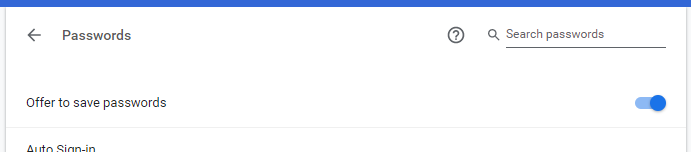
edge://settings/passwords in the address bar and make sure the Offer to save passwords option is turned on. 
NOTE: If this setting is greyed-out, the IT administrator of your organization might have restricted updating this setting via policy. In that case, you will have to reach out to your local IT to enable this setting for you.
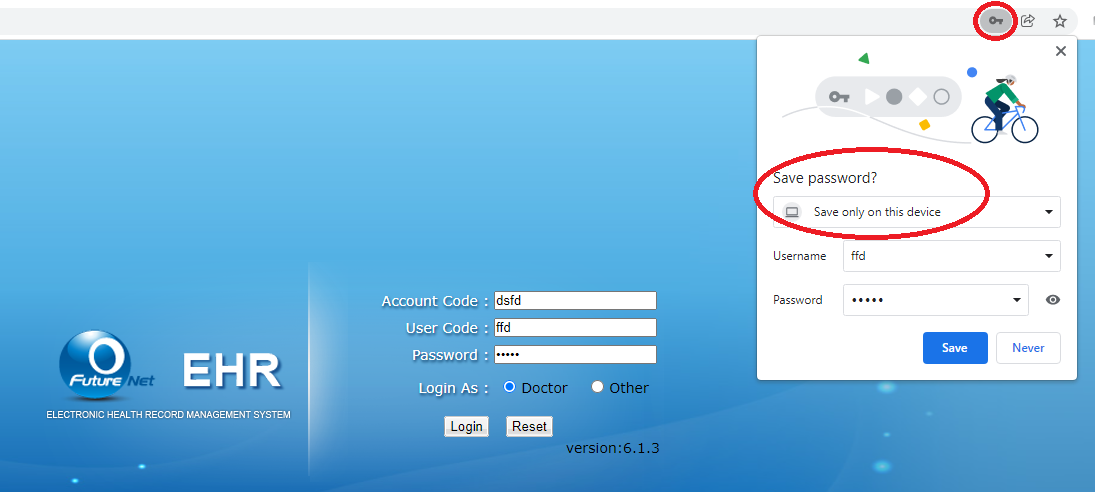
Once the Offer to save passwords option is turned on, you can then save your username and password as highlighted below:
-----------------------------------------------------------------------------------------------------------
Please "Accept the answer" if the information helped you. This will help us and others in the community as well.
@Jessica Raleigh • Just following up if you had a chance to test it out?
' cx='32' cy='32' r='32' /%3E%3Ctext x='50%25' y='55%25' dominant-baseline='middle' text-anchor='middle' fill='%23FFF' %3ESS%3C/text%3E%3C/svg%3E)
@Jessica Raleigh ,
Depending upon the Browser you are using , you should get the option to save credentials . The page have three field and you will only be able to save two of the fields which are login name and password while you will always have to manually type access code. In Edge Browser , you will see a Key sign on the top right corner in the address bar like below when you enter the credentials .
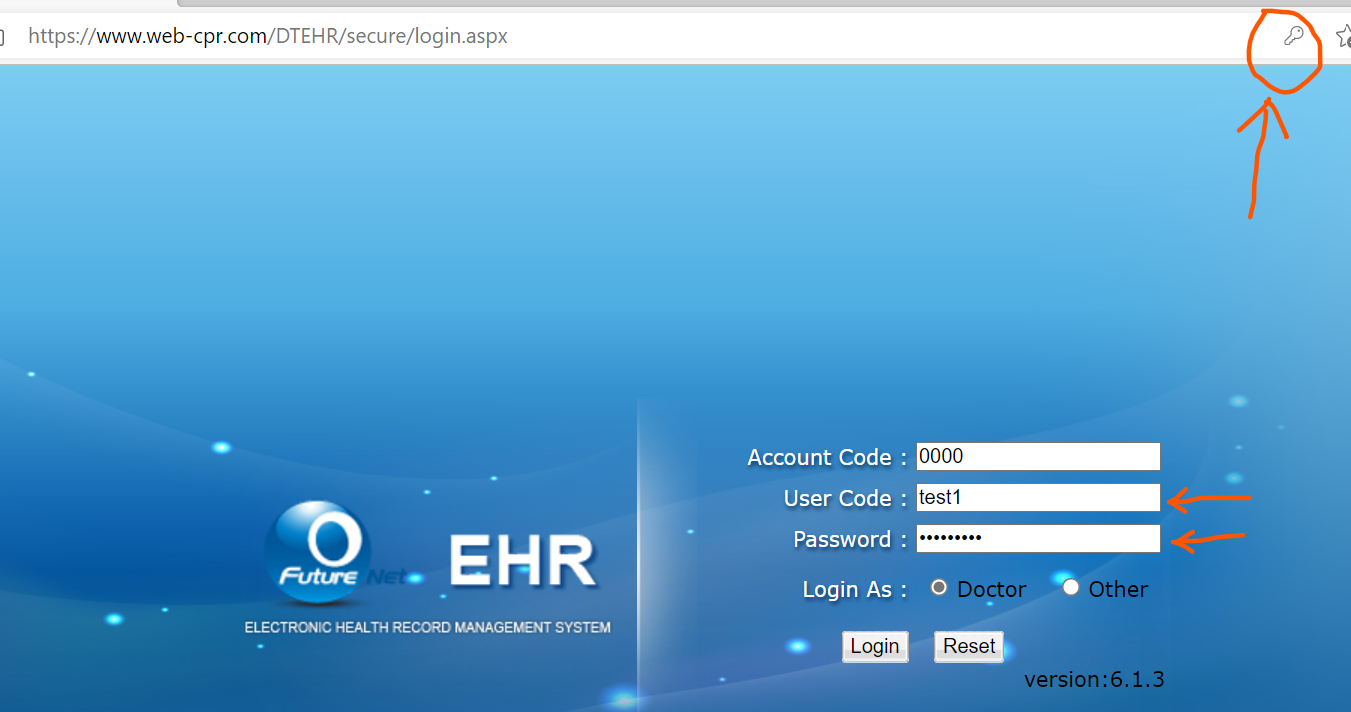
Click on the key sign and you will see the save option.
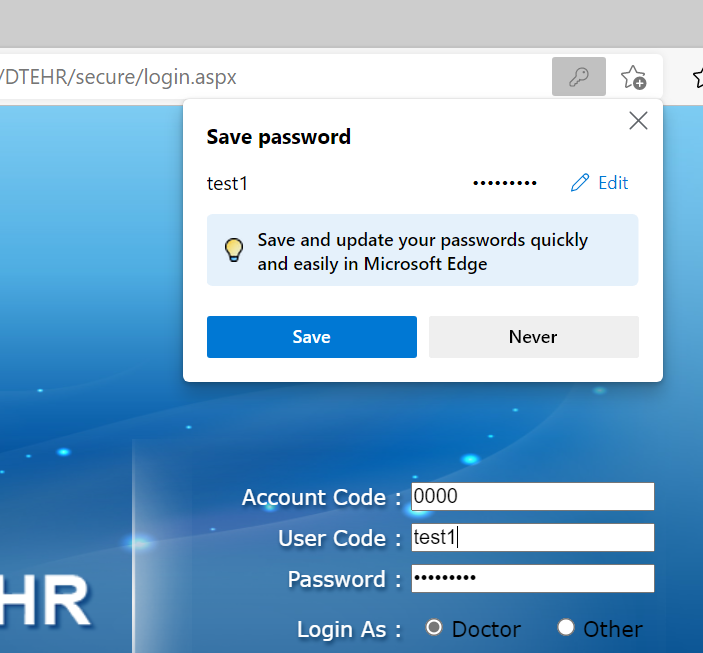
Similarly if you are using Chrome browser you will get the Key option after you have typed username and password in the page. Please save the creds before hitting the login button once and it will get saved in the browser.
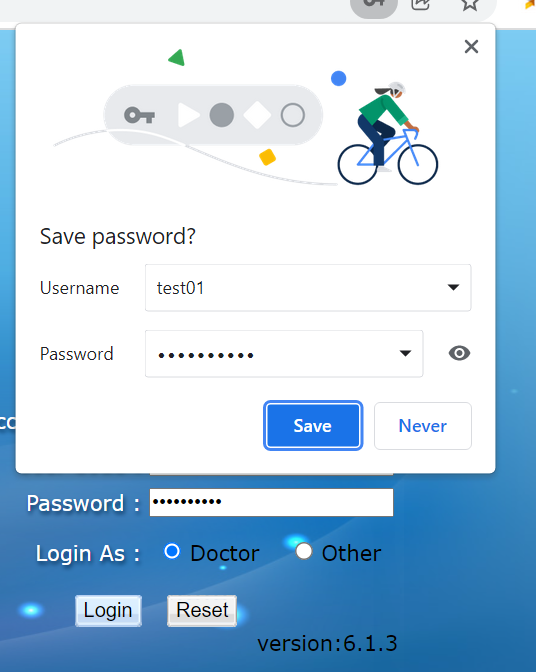
Depending upon which browser you use you will see similar Key option in the address bar and you can use that to save the credentials. you can read more about the same using below links.
Hope this is useful . All the browsers provide device sync options using your browser profiles which you can use to sync the same setting to multiple devices wherever you logon using same credentials within the browser. If the answer is helpful , please feel free to accept the post as answer.
Thank you.
----------------------------------------------------------------------------------------------------------------------------------------------------------
 or upvote
  button whenever the information provided helps you. Original posters help the community find answers faster by identifying the correct answer. Here is how