Developer technologies | ASP.NET | ASP.NET Core
A set of technologies in the .NET Framework for building web applications and XML web services.
This browser is no longer supported.
Upgrade to Microsoft Edge to take advantage of the latest features, security updates, and technical support.

Asp.Net Core Api published in IIS.
default page swagger/index.html not working and Login modules not working. but Weatherforcast api working in Postman. Please help.
' cx='32' cy='32' r='32' /%3E%3Ctext x='50%25' y='55%25' dominant-baseline='middle' text-anchor='middle' fill='%23FFF' %3EA%3C/text%3E%3C/svg%3E)
Whether this error happens in the local environment?
Open the F12 developer Console tool and click on the swagger.json link, and check the detail error message. Refer to this thread.
Generally, this error might relate that there have multiple get/post method in the same controller, you can check it and try to use the HttpGet and HttpPost attribute to set the different template name. If the issue not relate it, you'd better to share the relates code or create a simple sample to reproduce the problem.

Hi @Jithesh k r
I think this is because of environment.
// Configure the HTTP request pipeline.
if (app.Environment.IsDevelopment())
{
    app.UseSwagger();
    app.UseSwaggerUI();
}
You can keep swagger UI call outside of development environment.
Try this way and check
// Configure the HTTP request pipeline.
if (app.Environment.IsDevelopment())
{

}
app.UseSwagger();
app.UseSwaggerUI();
Hi @Rijwan Ansari ,
My appsettings.json is
{
"Logging": {
"LogLevel": {
"Default": "Information",
"Microsoft": "Warning",
"Microsoft.Hosting.Lifetime": "Information"
}
},
"AllowedHosts": "*",
"ConnectionStrings": {
"default": "Server=.;Database=AngularGYMDB;Integrated Security=true;"
},
"JWT": {
"ValidAudience": "http://localhost:90",
"ValidIssuer": "http://localhost:90",
"Secret": "ByYM000OLlMQG6VVVp1OH7Xzyr7gHuw1qvUC5dcGt3SNM"
}
}
and my startup.cs
using CoreApiAuth.Authentication;
using Microsoft.AspNetCore.Authentication.JwtBearer;
using Microsoft.AspNetCore.Builder;
using Microsoft.AspNetCore.Hosting;
using Microsoft.AspNetCore.HttpsPolicy;
using Microsoft.AspNetCore.Identity;
using Microsoft.AspNetCore.Mvc;
using Microsoft.EntityFrameworkCore;
using Microsoft.Extensions.Configuration;
using Microsoft.Extensions.DependencyInjection;
using Microsoft.Extensions.Hosting;
using Microsoft.Extensions.Logging;
using Microsoft.IdentityModel.Tokens;
using Microsoft.OpenApi.Models;
using System;
using System.Collections.Generic;
using System.Linq;
using System.Text;
using System.Threading.Tasks;
namespace CoreApiAuth
{
public class Startup
{
public Startup(IConfiguration configuration)
{
Configuration = configuration;
}
    public IConfiguration Configuration { get; }

    // This method gets called by the runtime. Use this method to add services to the container.
    public void ConfigureServices(IServiceCollection services)
    {

        services.AddControllers();
        services.AddSwaggerGen(c =>
        {
            c.SwaggerDoc("v1", new OpenApiInfo { Title = "CoreApiAuth", Version = "v1" });
        });

        // For Entity Framework
        services.AddDbContext<ApplicationDbContext>(options => options.UseSqlServer(Configuration.GetConnectionString("default")));

        // For Identity
        services.AddIdentity<ApplicationUser, IdentityRole>()
            .AddEntityFrameworkStores<ApplicationDbContext>()
            .AddDefaultTokenProviders();

        // Adding Authentication
        services.AddAuthentication(options =>
        {
            options.DefaultAuthenticateScheme = JwtBearerDefaults.AuthenticationScheme;
            options.DefaultChallengeScheme = JwtBearerDefaults.AuthenticationScheme;
            options.DefaultScheme = JwtBearerDefaults.AuthenticationScheme;
        })

        // Adding Jwt Bearer
        .AddJwtBearer(options =>
        {
            options.SaveToken = true;
            options.RequireHttpsMetadata = false;
            options.TokenValidationParameters = new TokenValidationParameters()
            {
                ValidateIssuer = true,
                ValidateAudience = true,
                ValidAudience = Configuration["JWT:ValidAudience"],
                ValidIssuer = Configuration["JWT:ValidIssuer"],
                IssuerSigningKey = new SymmetricSecurityKey(Encoding.UTF8.GetBytes(Configuration["JWT:Secret"]))
            };
        });
    }

    // This method gets called by the runtime. Use this method to configure the HTTP request pipeline.
    public void Configure(IApplicationBuilder app, IWebHostEnvironment env)
    {

        if (env.IsDevelopment())
        {
            app.UseDeveloperExceptionPage();

        }

        app.UseSwagger();
            app.UseSwaggerUI(c => c.SwaggerEndpoint("/swagger/v1/swagger.json", "CoreApiAuth v1"));

        if (env.IsDevelopment())
        {
            app.UseDeveloperExceptionPage();
        }

        //app.UseHttpsRedirection();

        app.UseRouting();

        app.UseAuthentication();

        app.UseAuthorization();

        app.UseEndpoints(endpoints =>
        {
            endpoints.MapControllers();
        });

    }
}
}
In that case, you should check application logger. If you are using Azure App Service then you can use diagnostic. This is internal server error, you need to debug the solution
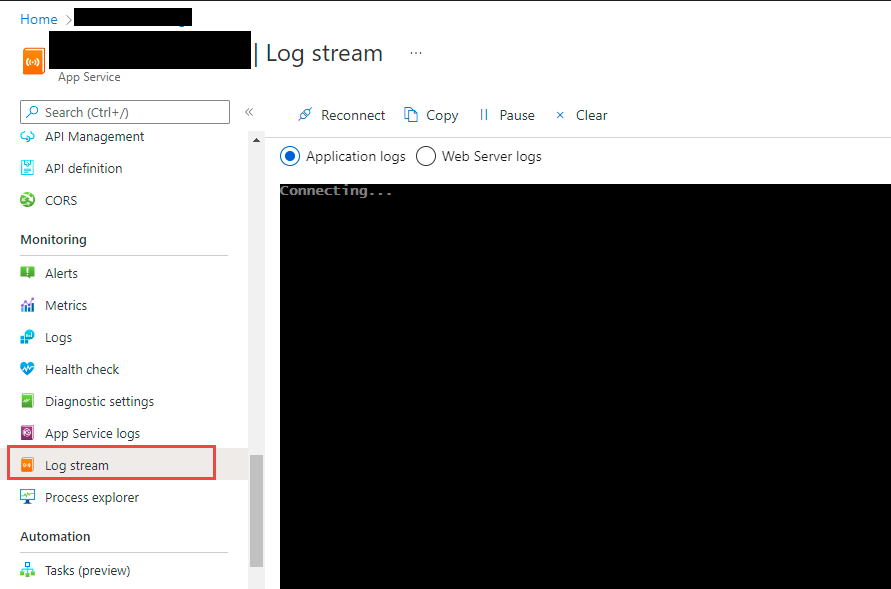
Hi @Rijwan Ansari , the application is working through visual studio. but iis showing the 500 error. Where I can find the error log.
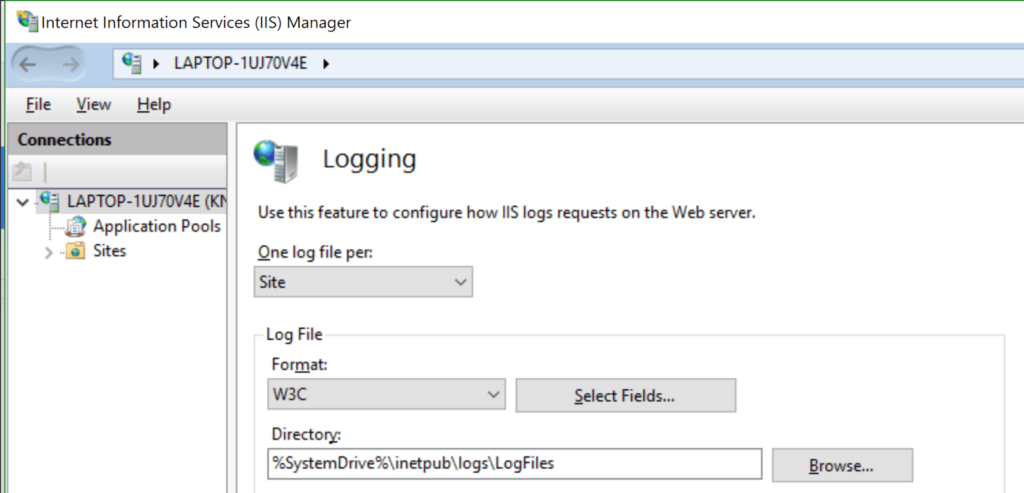
You can check IIS log for more details
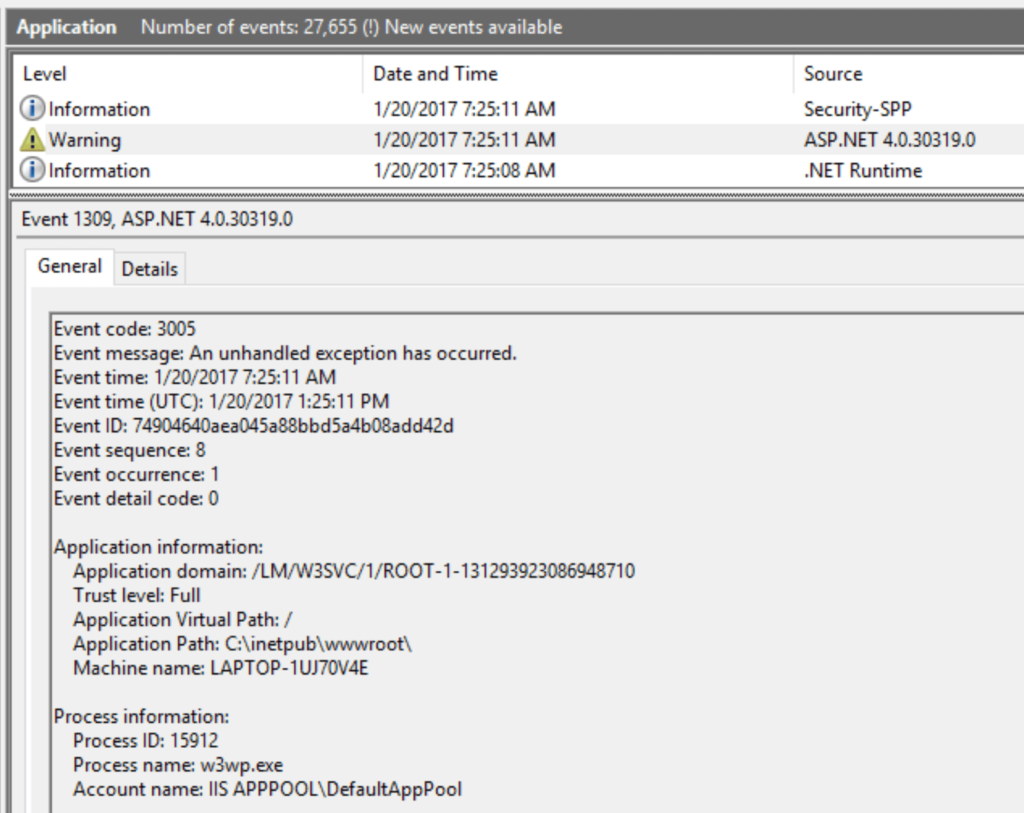
Additinally, ASP.NET exceptions in Window Event Viewer